Activate OTT Navigator with Xtream Codes step by step: Settings, Provider, Add provider, Xtream Codes, URL, username and password, then Connect.
By IPTV Guide
5 min read
1 Comment
Quick Summary
To activate OTT Navigator, add the Xtream Codes login from your IPTV provider: open Settings > Provider > Add provider > Xtream Codes, enter the URL address, Login (username) and Password, then select Connect. When your channels load, select Close: Live stream, TV Guide and Media library appear on the home screen.
Good to Know: You Need Your Xtream Codes Login
OTT Navigator is a player only and includes no channels. You need an Xtream Codes login (URL, username and password) from your IPTV provider. Haven’t installed it yet? See how to install OTT Navigator.
OTT Navigator works with the Xtream Codes login details from your IPTV provider, not with M3U links. This guide shows step by step how to add your Xtream Codes in OTT Navigator on Firestick, Android TV and Android, and how to watch live TV, movies and series after that.
How to Activate OTT Navigator With Xtream Codes
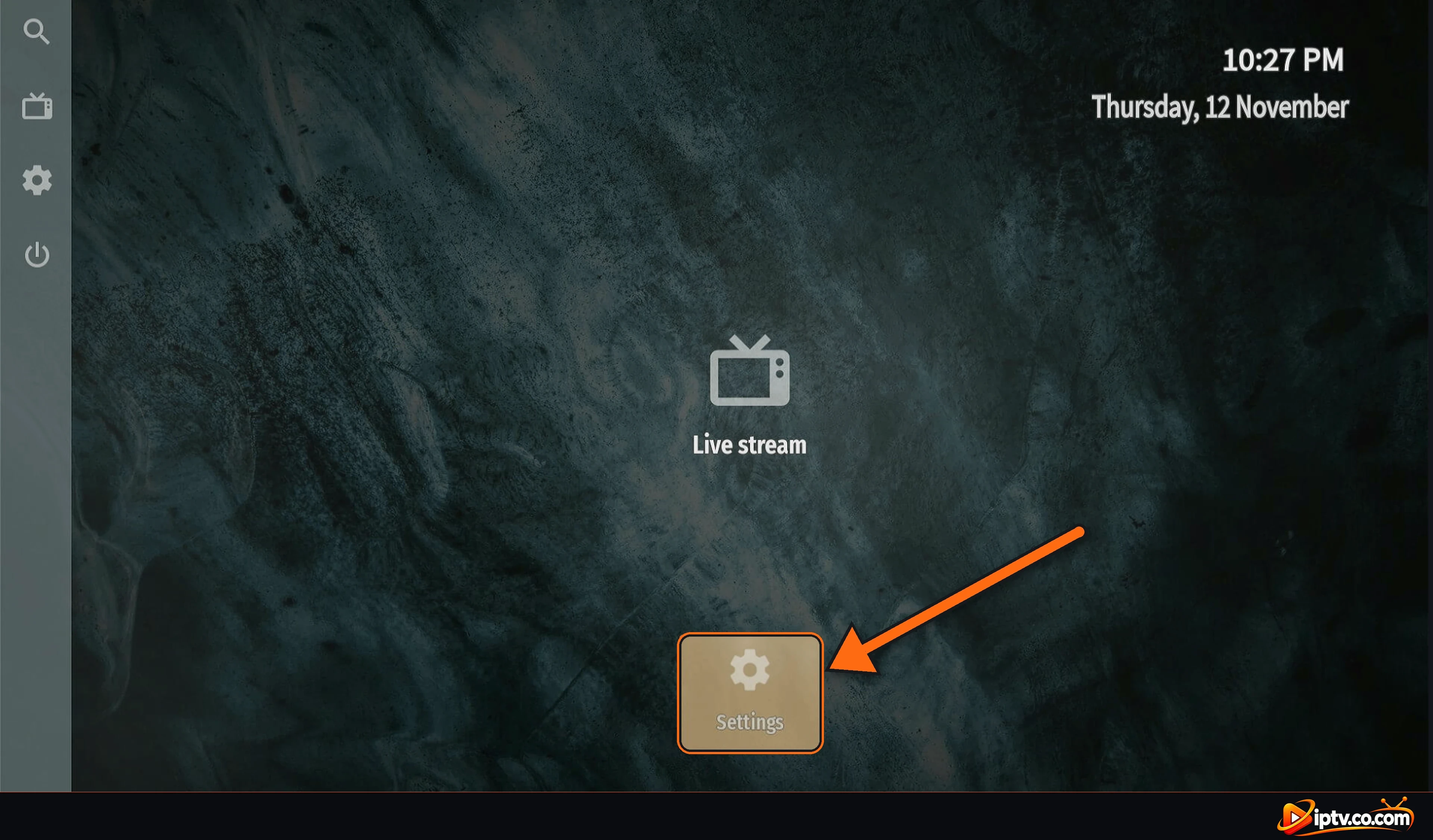
Step 1: Open Settings
On the OTT Navigator home screen, select Settings.
Select Settings on the OTT Navigator home screen
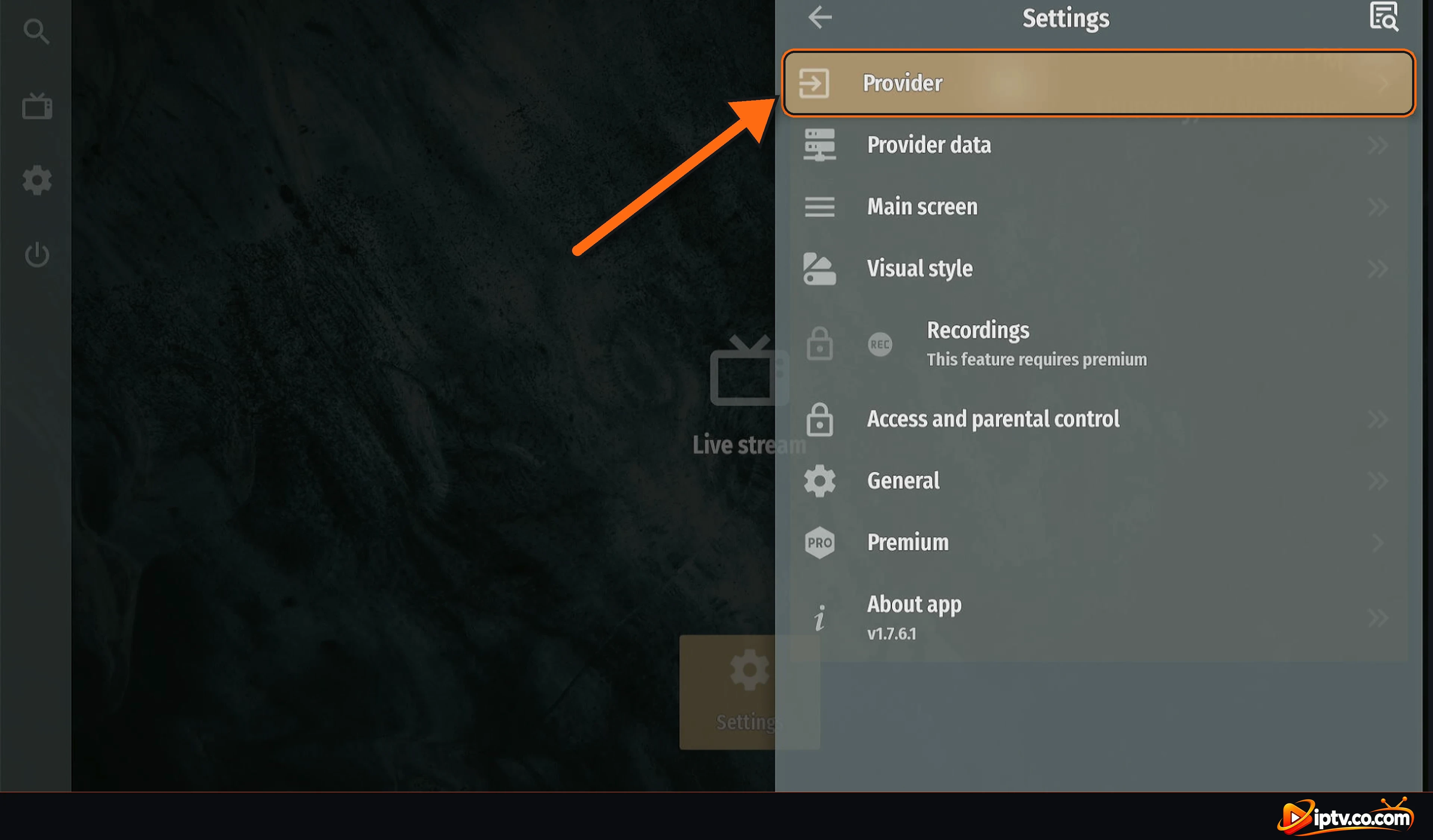
Step 2: Select Provider
In Settings, select Provider, the first item in the list.
Select Provider in OTT Navigator Settings
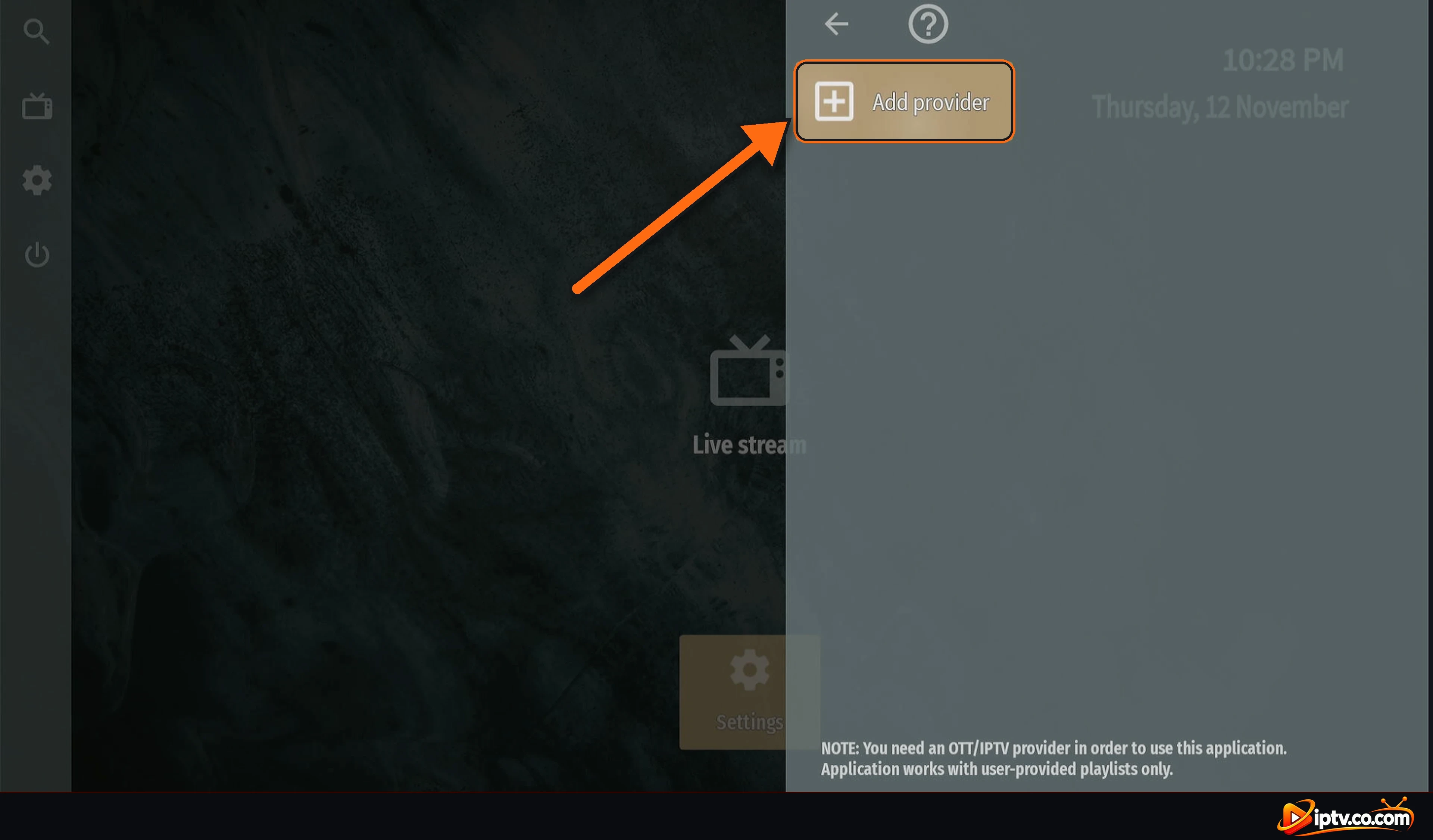
Step 3: Select Add provider
Select Add provider. As the note at the bottom says, OTT Navigator only works with a playlist from your own IPTV provider.
Select Add provider in OTT Navigator
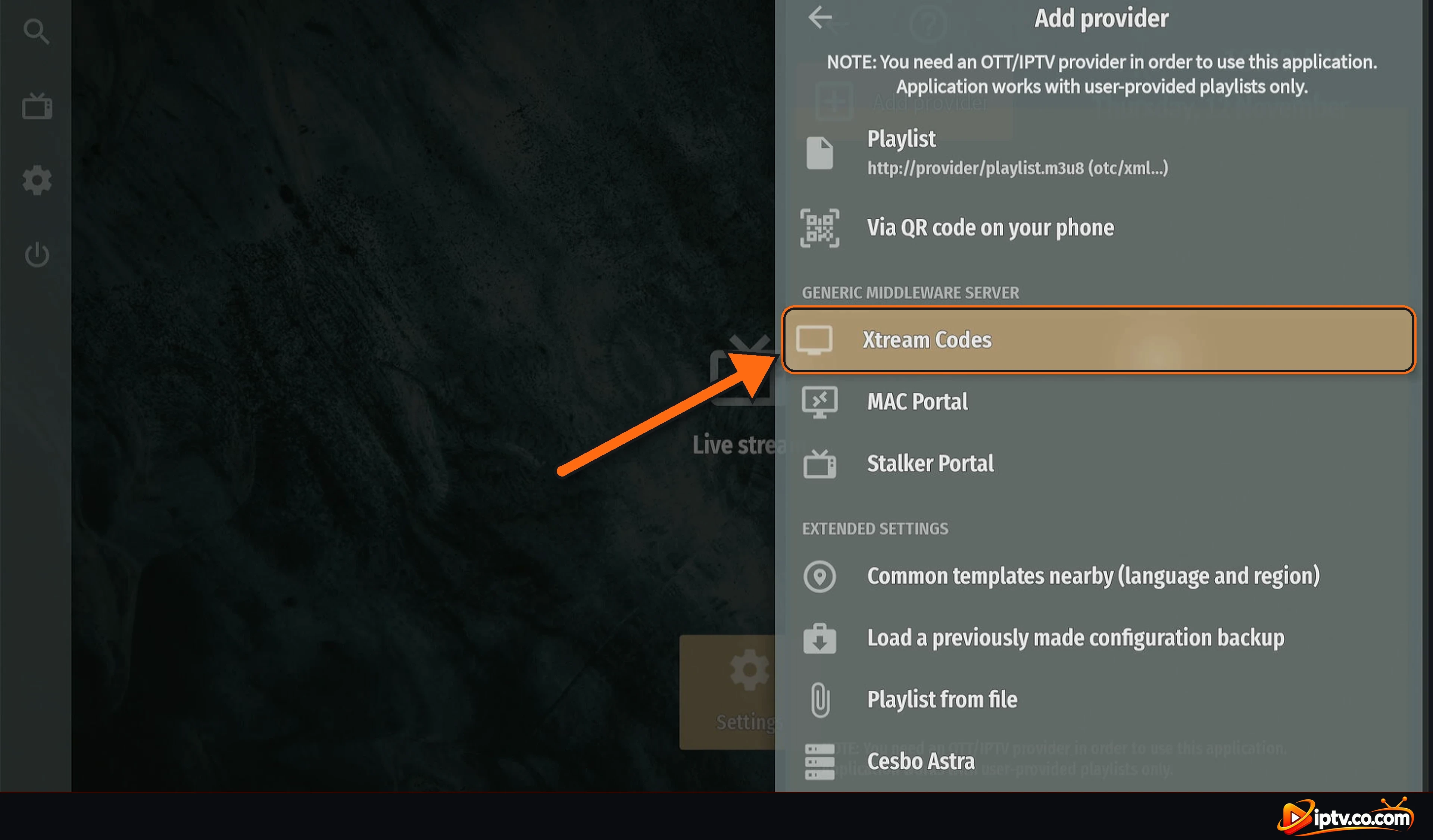
Step 4: Select Xtream Codes
Under Generic middleware server, select Xtream Codes.
Select Xtream Codes in the Add provider list
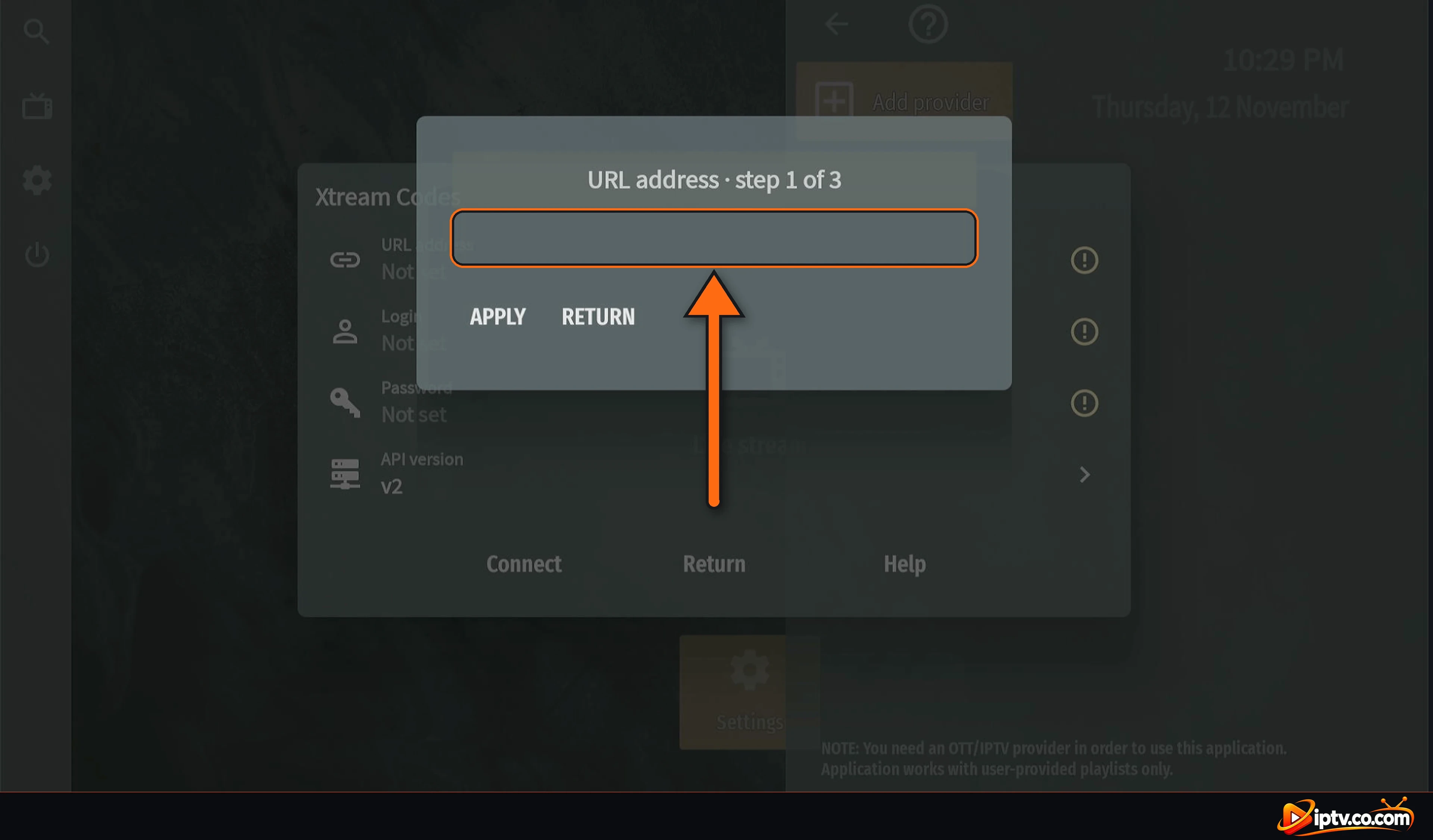
Step 5: Enter the URL Address (Step 1 of 3)
Select the URL address field and type the server URL from your IPTV provider, with http:// and the port if your provider gave one, for example:
http://yourserver.com:8080
Select the URL address field, step 1 of 3
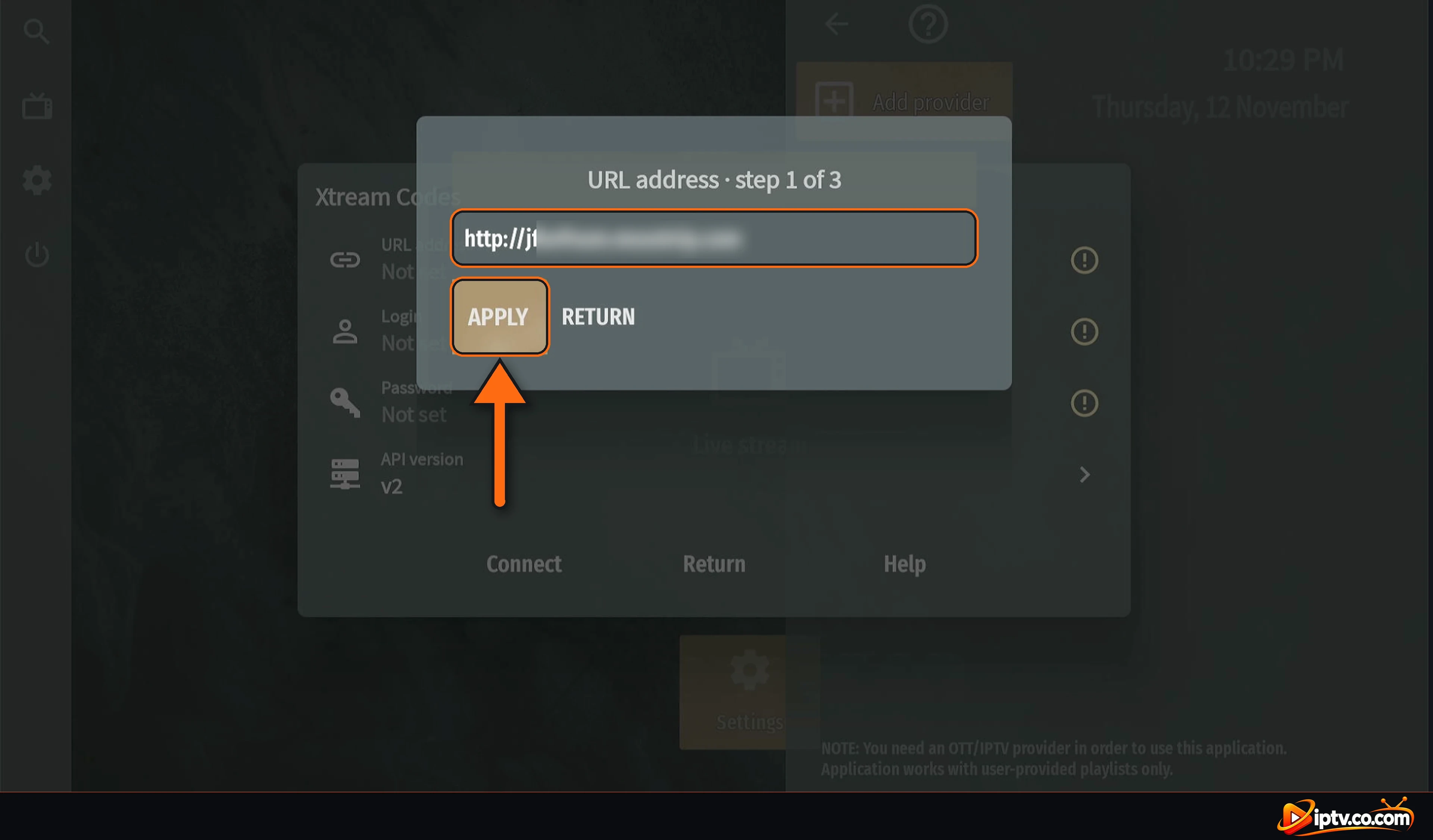
Check the URL and select APPLY.
Enter the server URL and select APPLY
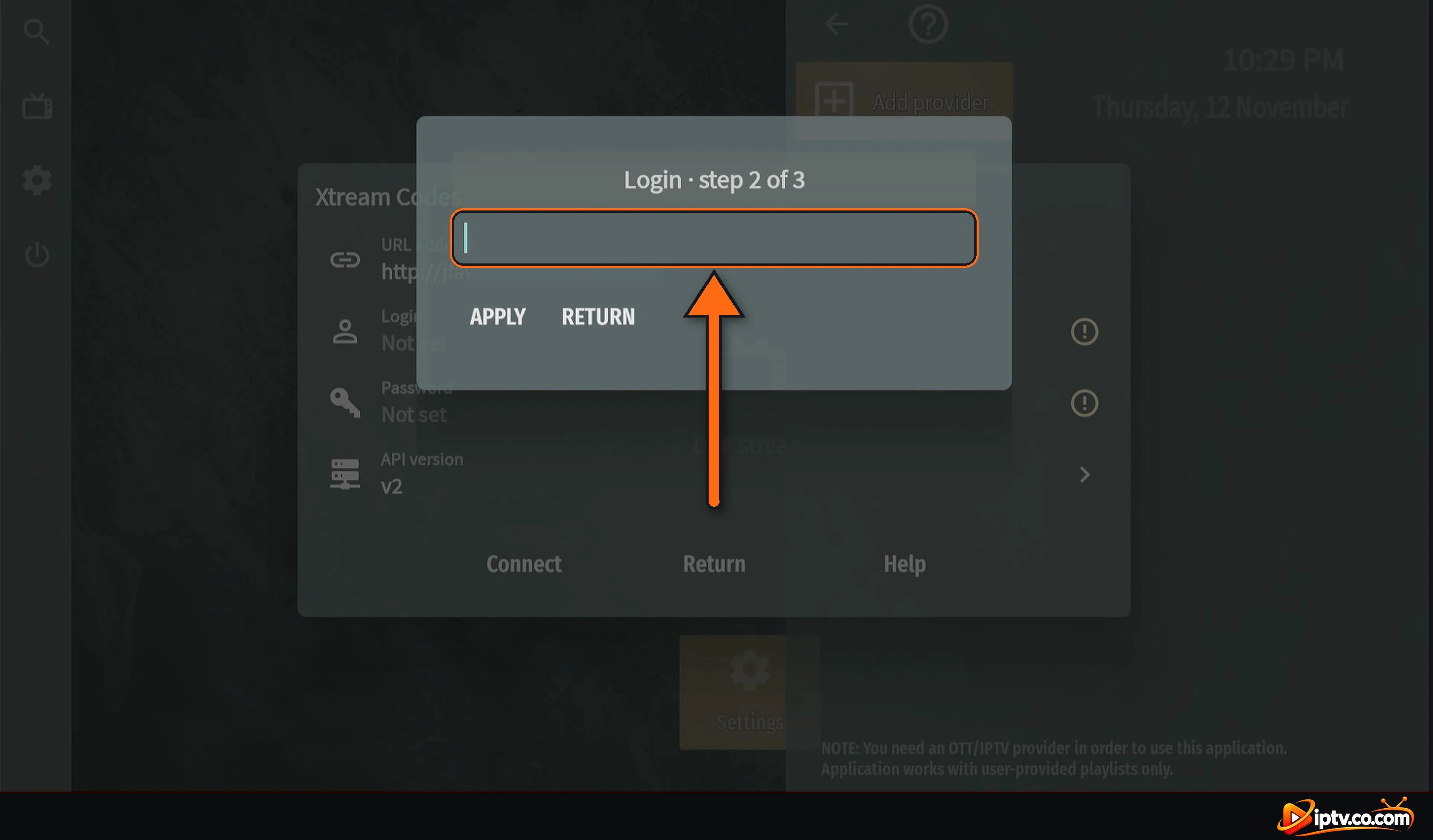
Step 6: Enter Your Login (Step 2 of 3)
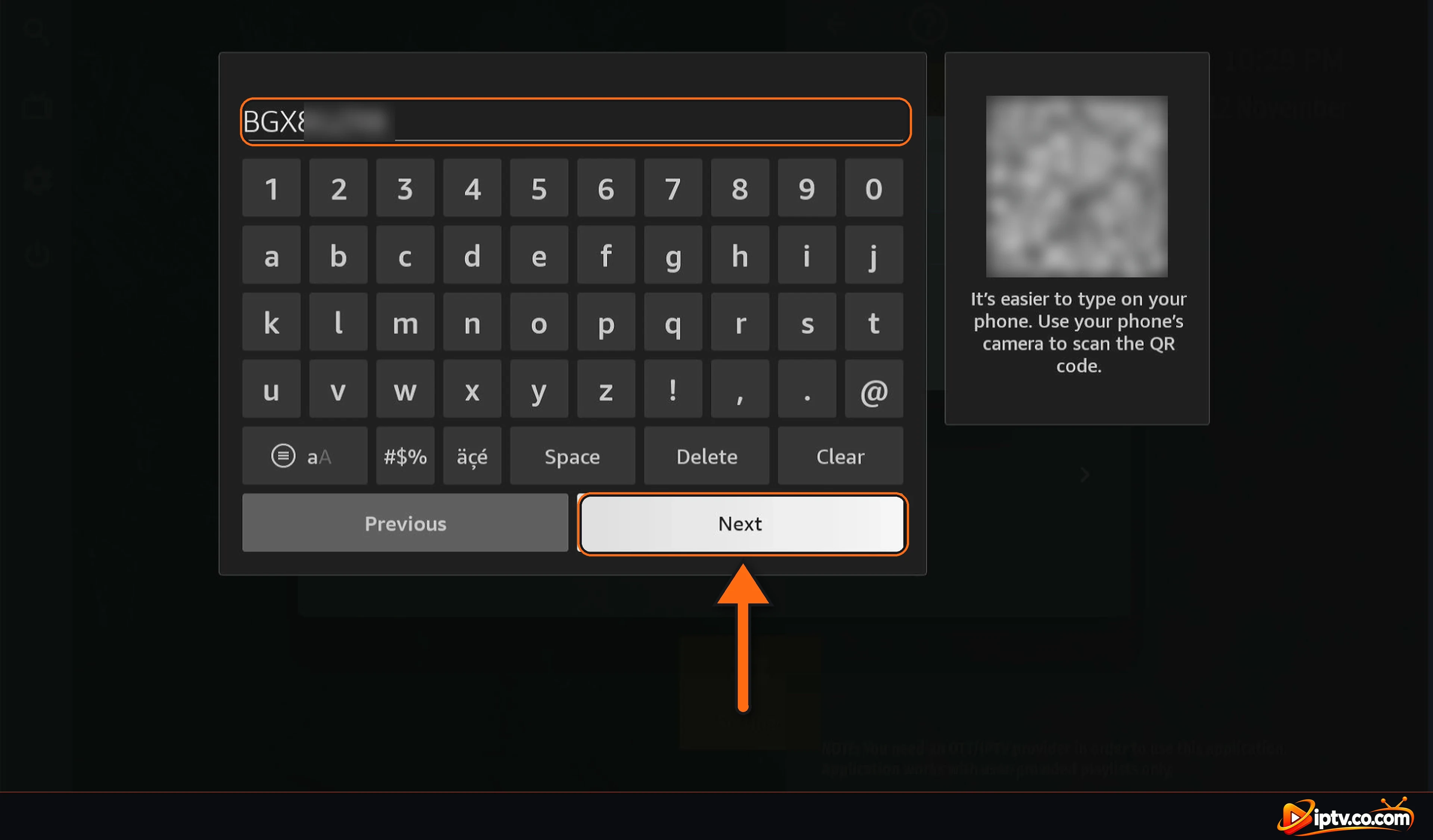
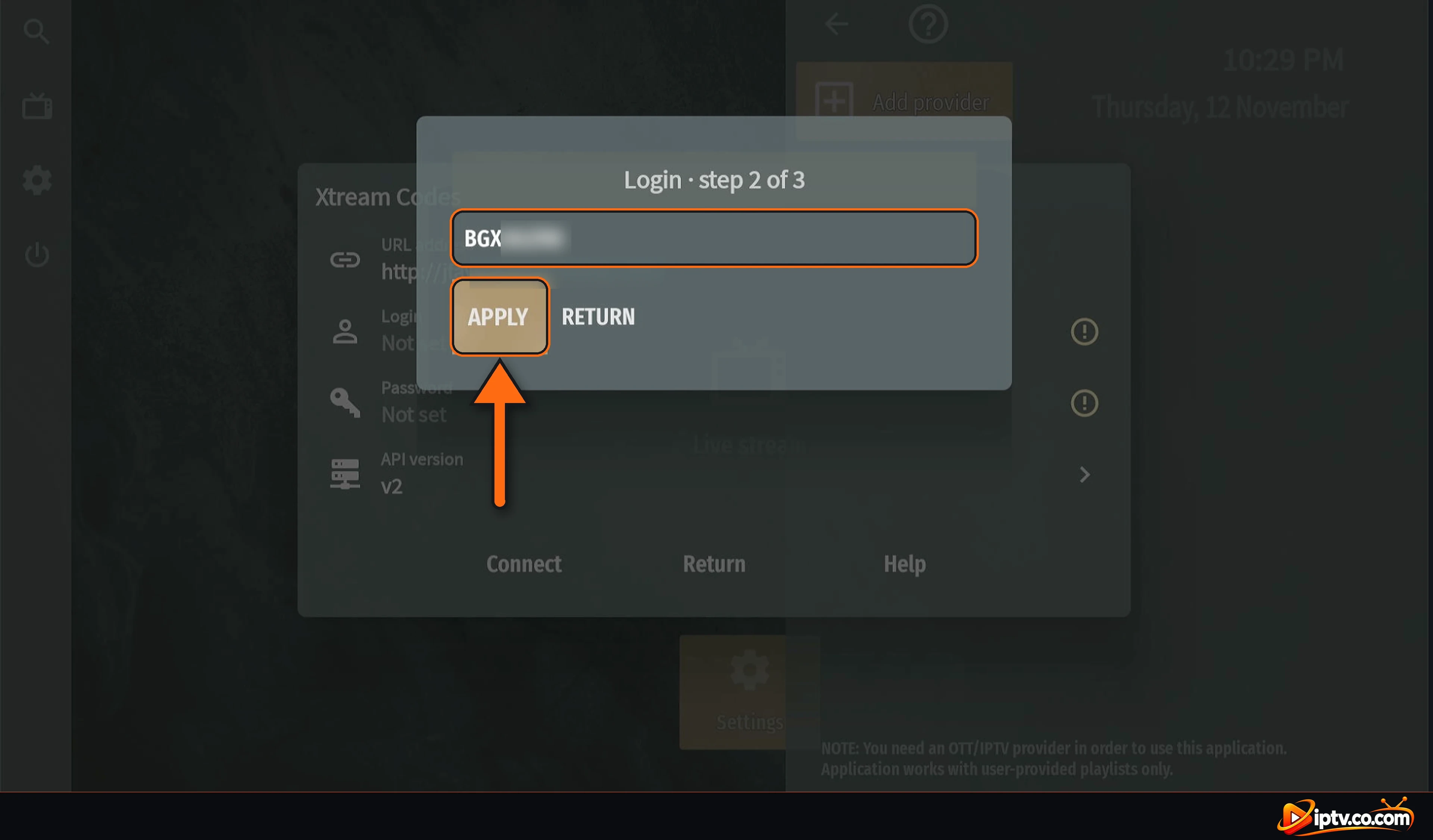
Select the Login field. Type your username exactly as your provider sent it (it is case-sensitive) and select Next.
Select the Login field, step 2 of 3
Type your Xtream Codes username and select Next
Select APPLY.
Username entered: select APPLY
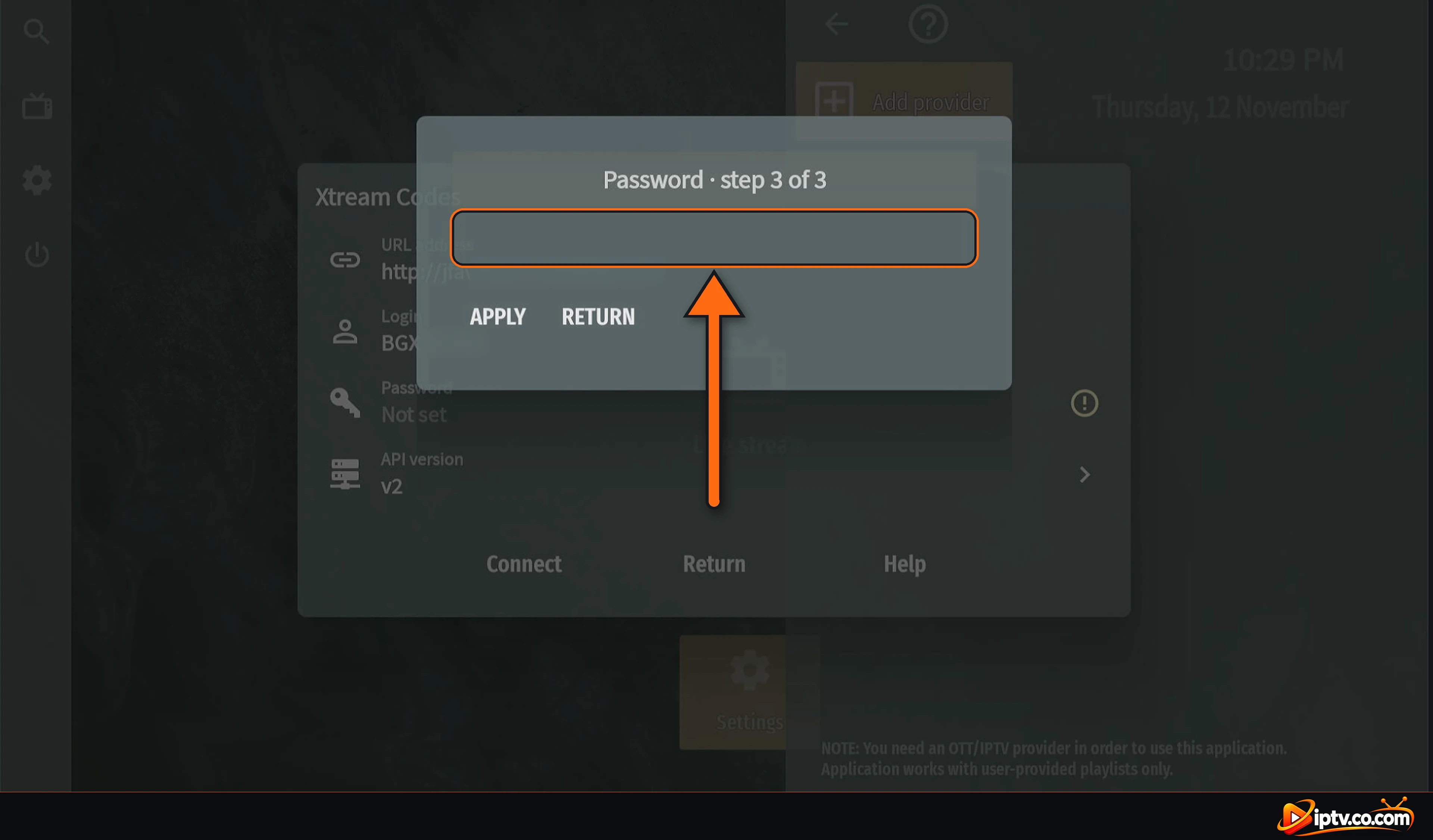
Step 7: Enter Your Password (Step 3 of 3)
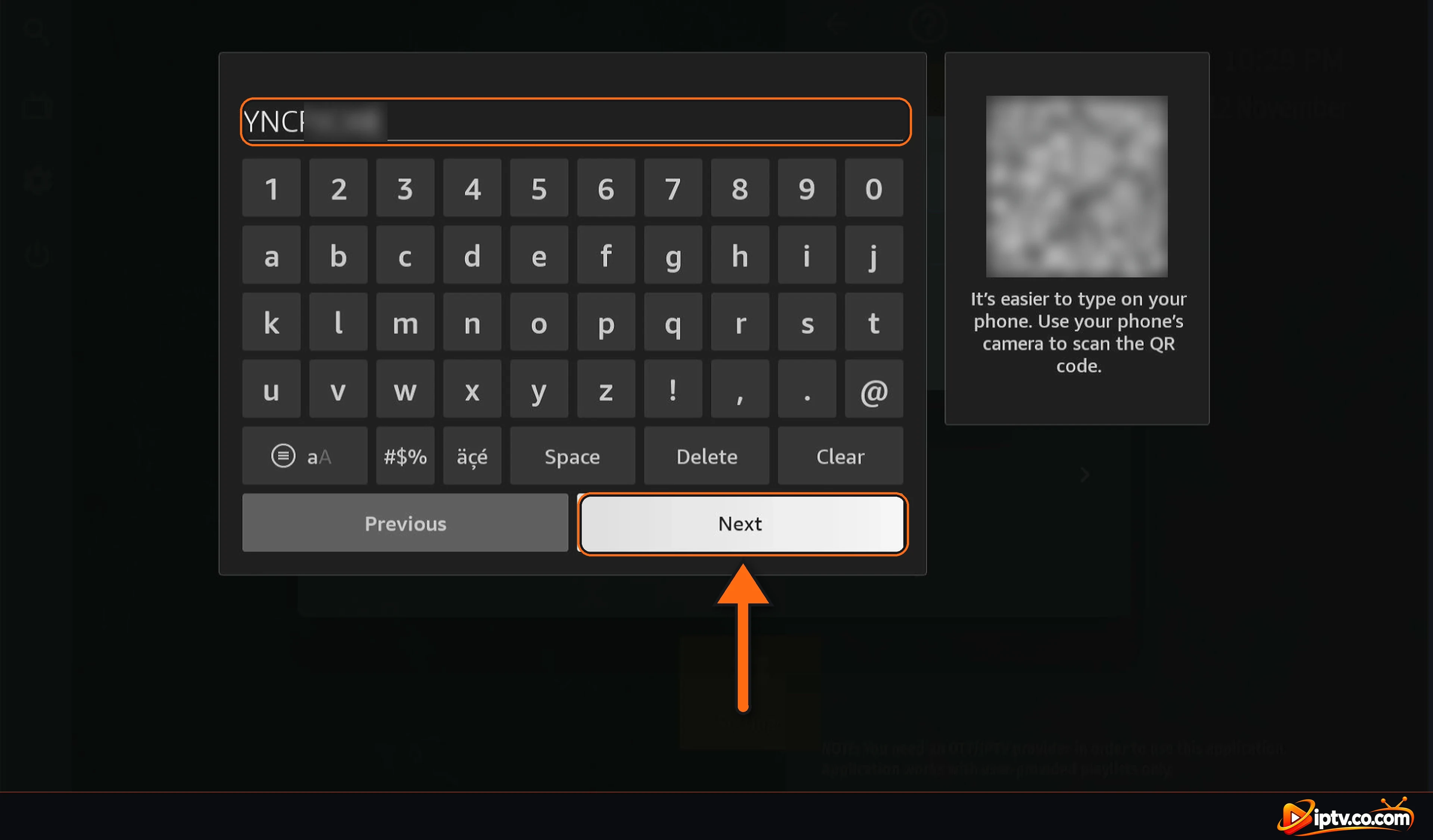
Select the Password field, type your password and select Next.
Select the Password field, step 3 of 3
Type your Xtream Codes password and select Next
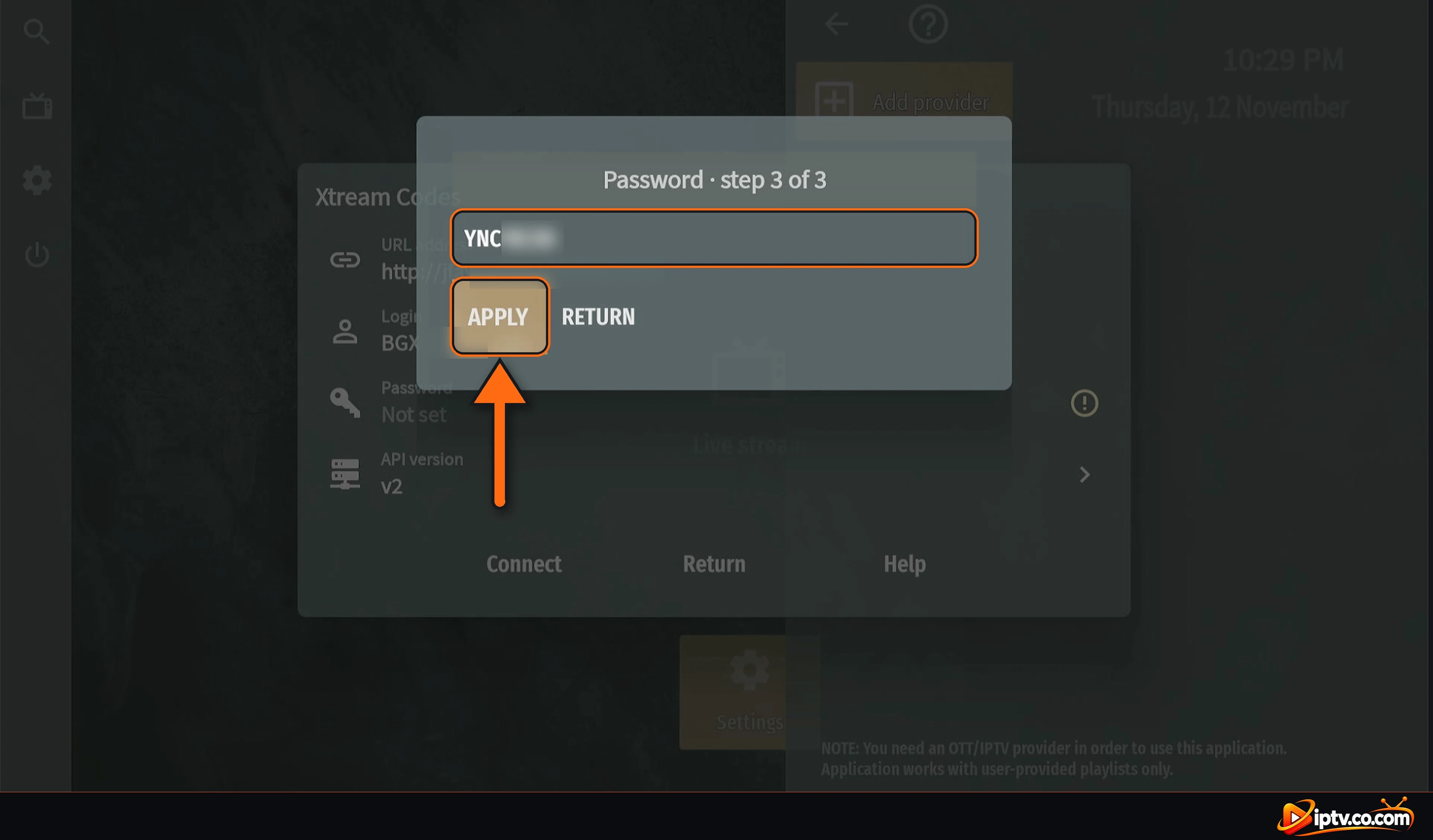
Select APPLY.
Password entered: select APPLY
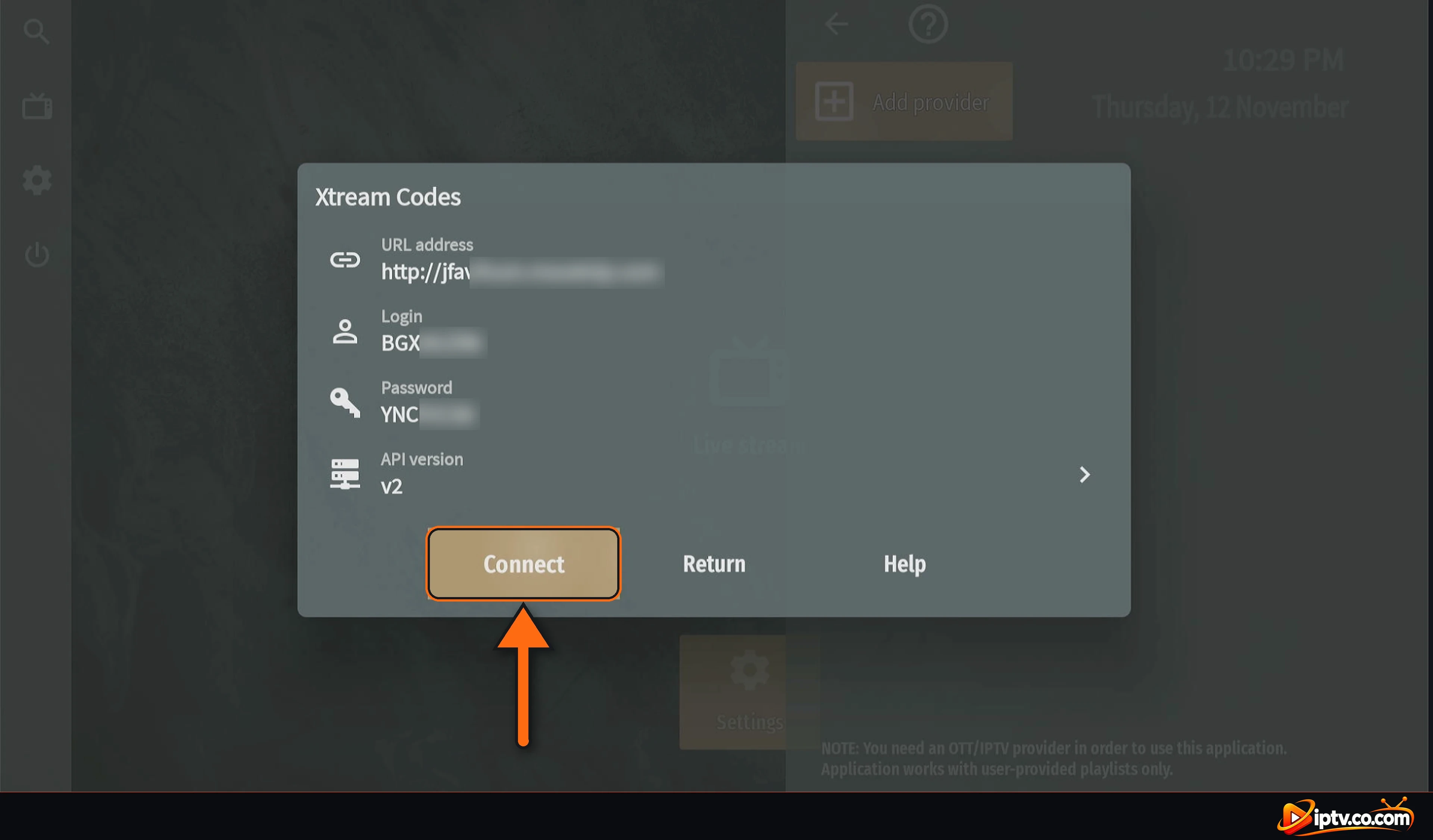
Step 8: Select Connect
Check the URL address, Login and Password. Leave API version on v2 and select Connect.
Check your Xtream Codes details and select Connect
Step 9: Wait for Your Channels, Then Select Close
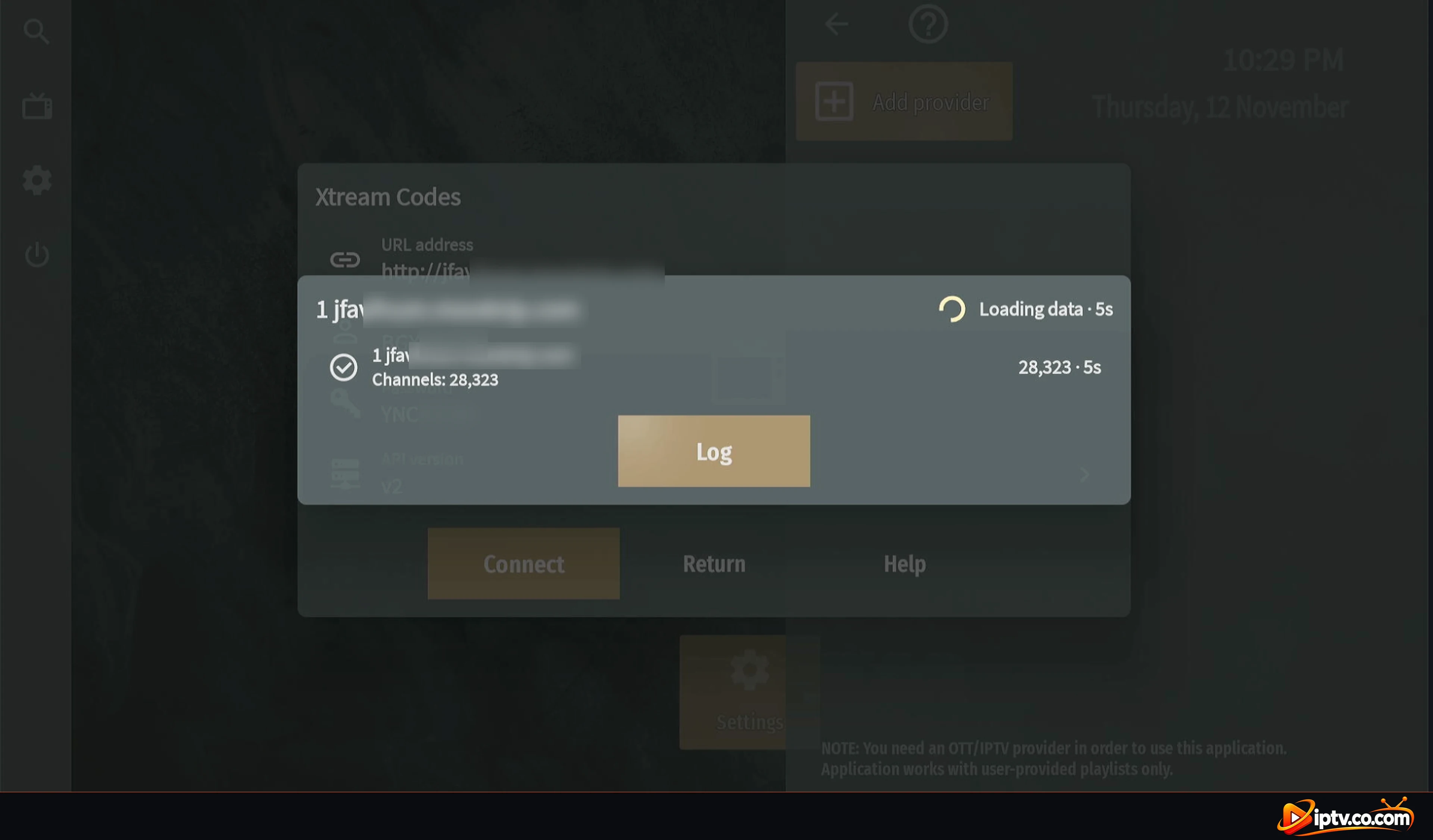
OTT Navigator loads your channels (Loading data). It only takes a few seconds.
OTT Navigator loading channels from your provider
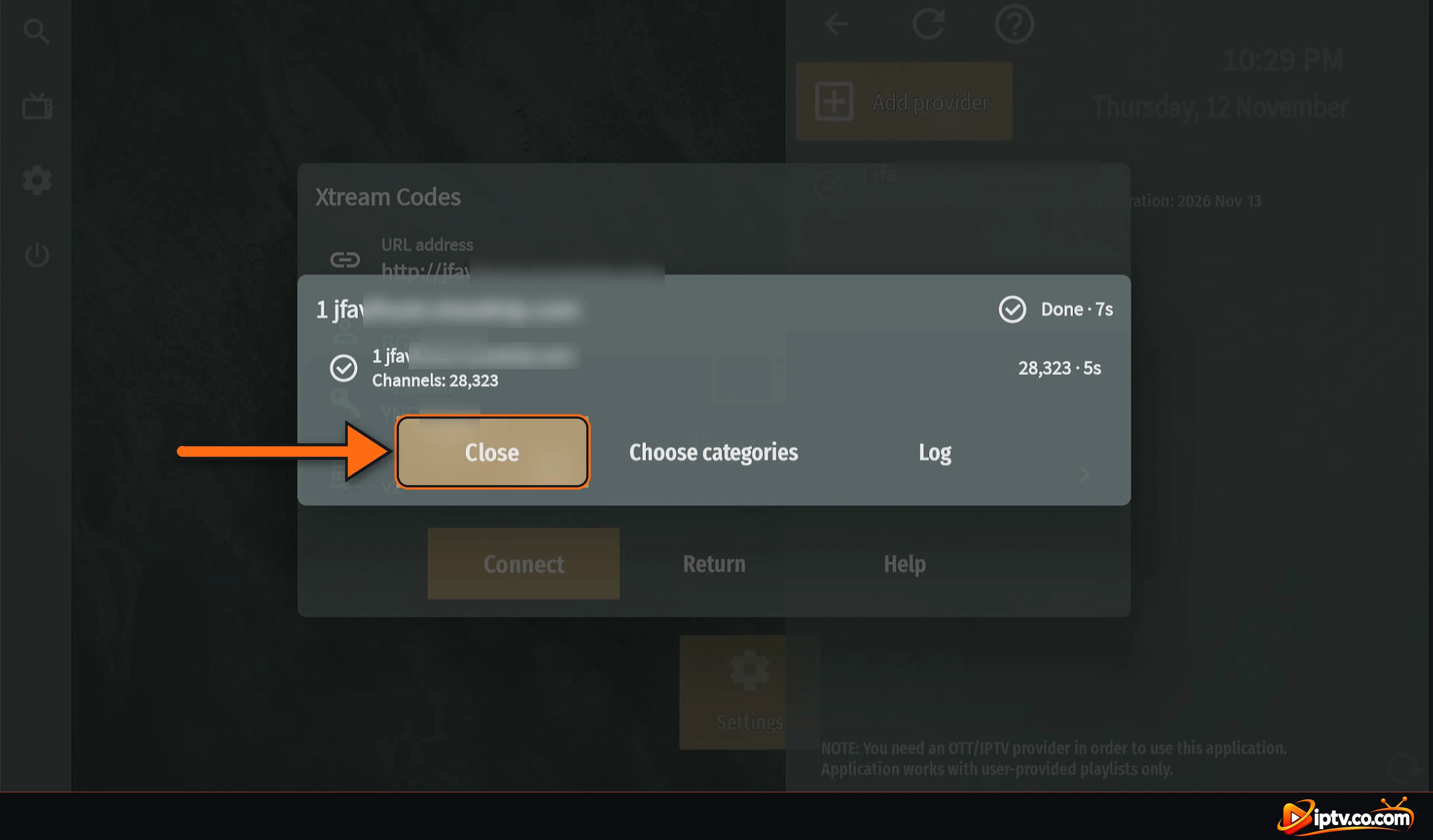
When you see Done and the number of channels, select Close. You can also select Choose categories to keep only the channel groups you want.
Channels loaded: select Close
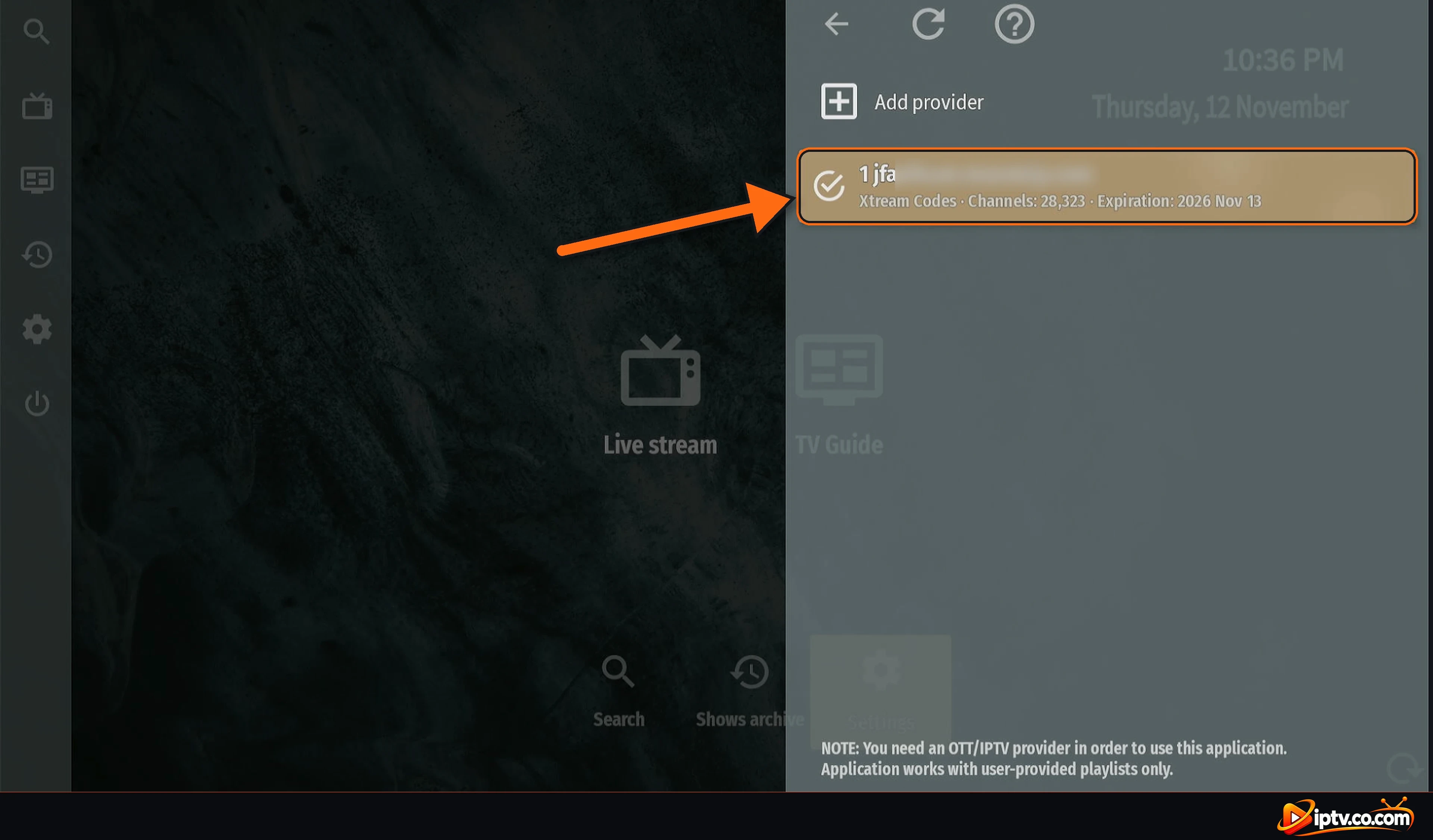
Step 10: Your Provider Is Added
Your provider now appears under Add provider, with Xtream Codes, the number of channels and the expiration date of your subscription. Press Back to return to the home screen.
Provider added in OTT Navigator with the channel count and expiration date
Watch Live TV, Movies and Series in OTT Navigator
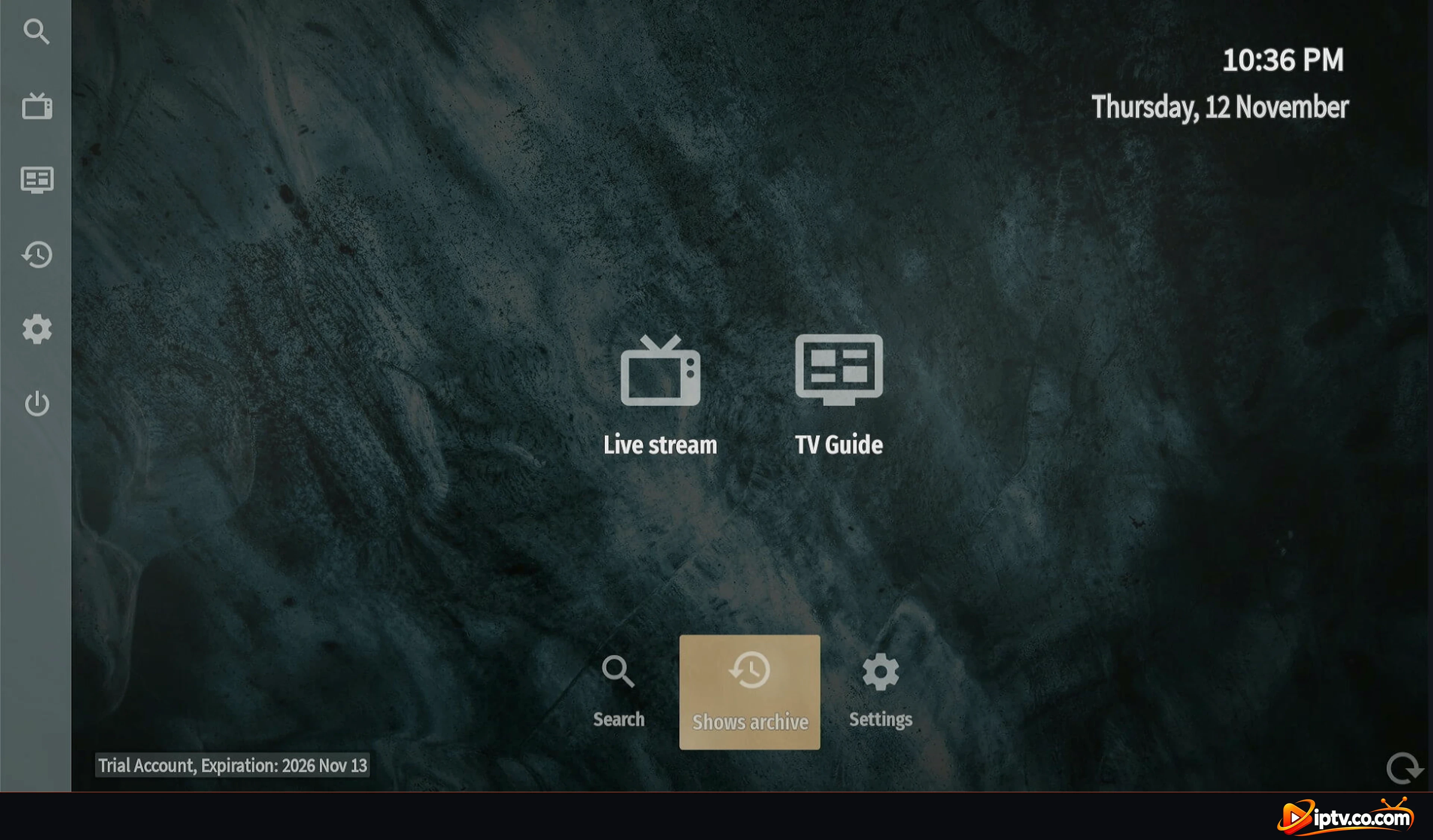
The home screen now shows Live stream and TV Guide, with Search, Shows archive and Settings. Your account type and expiration date appear at the bottom left.
OTT Navigator home screen with Live stream and TV Guide
Open Live stream to see your channels with the TV guide: the program on now, what’s on next and the program description.
OTT Navigator live channels with the TV guide
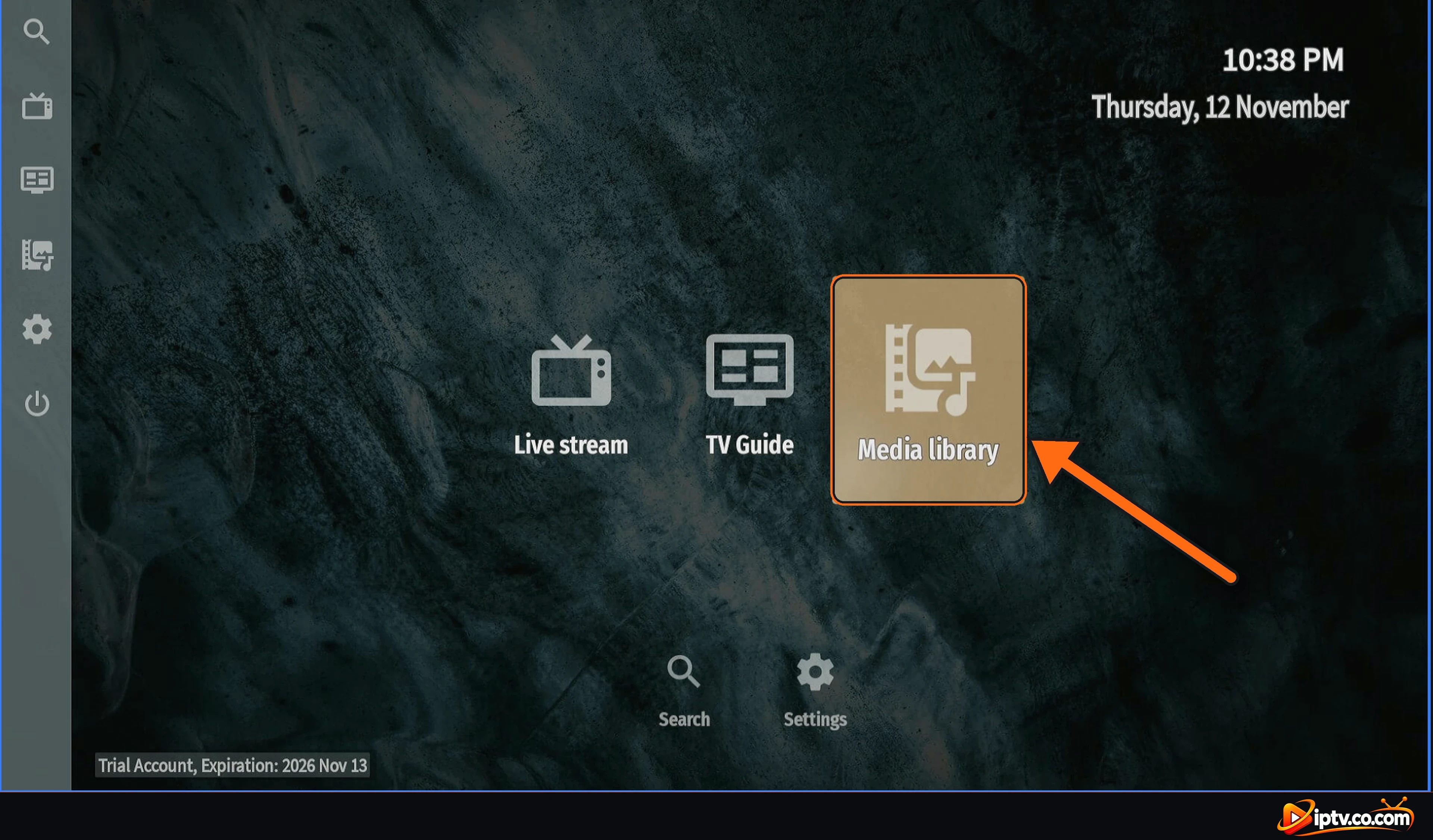
Movies and series are in Media library on the home screen.
Open Media library for movies and series
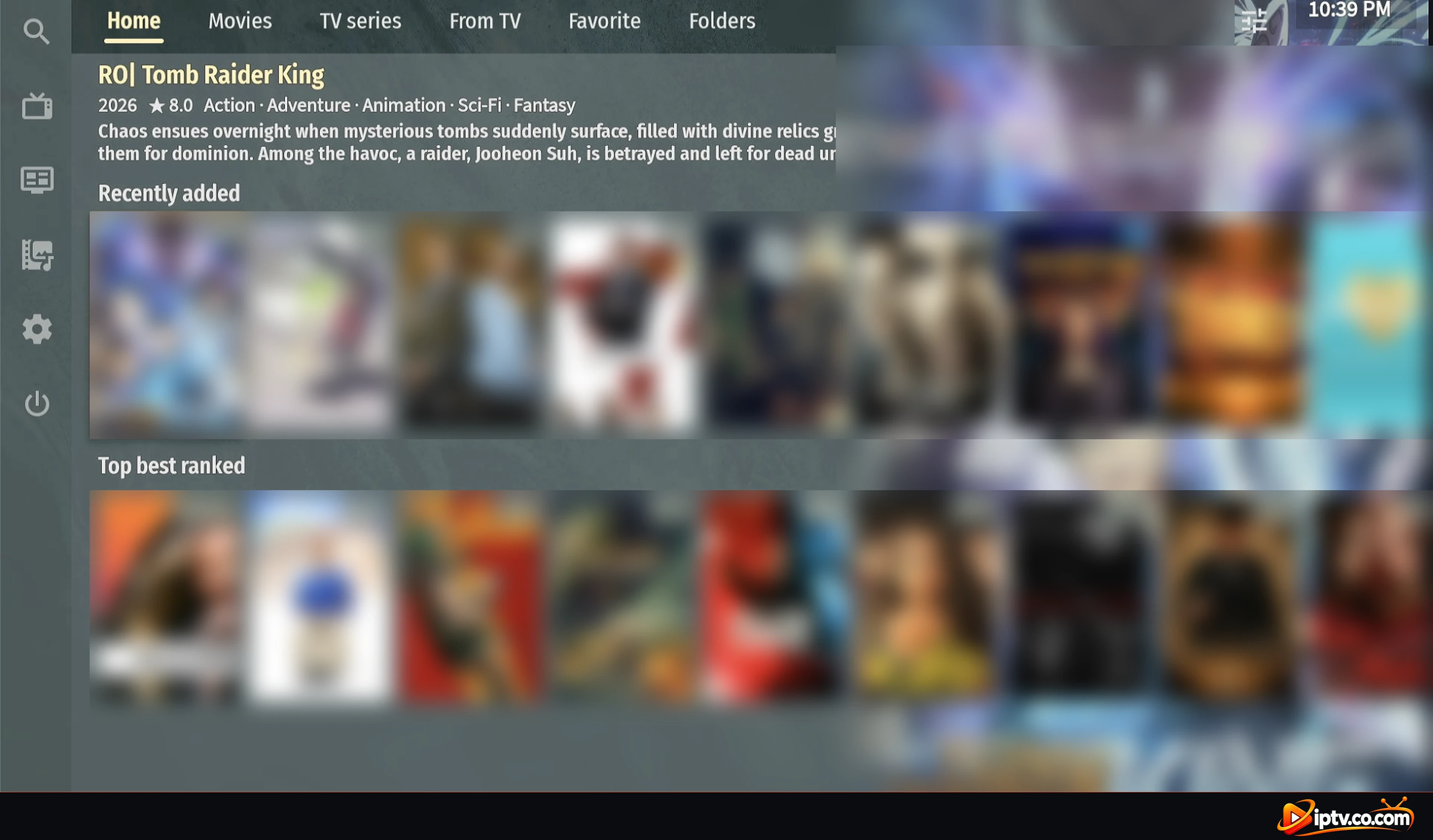
Media library has tabs for Home, Movies, TV series, From TV, Favorite and Folders.
OTT Navigator Media library with movies and TV series
Using a VPN? Use Your Provider’s VPN DNS
If OTT Navigator stops working when your VPN is on, replace the URL address with your provider’s VPN DNS. It comes with your IPTV login details and always starts with vpn.
Example: VPN DNS for Xtream Codes
Xtream Codes URL address:
http://vpn.dream-4k.co
OTT Navigator Not Connecting? Quick Fixes
Connect fails or 0 channels: check the URL address, Login and Password (they are case-sensitive), and that your subscription is active.
Use http://, not https:// in the URL address.
Enter only the server URL (with the port) in URL address, not a full M3U link.
Loading is slow or the list is too long: after loading, use Choose categories to keep only the groups you watch.
No Media library: go to Settings > Provider and select the refresh button at the top to reload your provider.
Subscription expired: the expiration date shows in Settings > Provider and at the bottom left of the home screen. Renew with your IPTV provider.
Open Settings > Provider > Add provider > Xtream Codes, enter the URL address, Login and Password from your IPTV provider, then select Connect and Close.


One Response