How to Install Televizo IPTV Player on Firestick, Android TV & Android
Install Televizo IPTV player step by step: Downloader code 474318 for Firestick, Google Play for Android TV, Google TV and Android phones, plus the devices where it is not available.
By IPTV Guide
5 min read
0 Comments
Quick Summary
On Amazon Firestick, install Televizo with the Downloader app and code 474318. On Android TV / Google TV and Android phones and tablets, install Televizo – IPTV player from Google Play. Televizo is not available on Samsung, LG, Roku, iPhone, iPad, Windows or Mac.
Good to Know: Televizo Has No Channels
Televizo is a video player only: it does not provide any content. You must add your own playlist from your IPTV provider to watch channels.
Televizo (Televizo – IPTV player, by Andrey Menscikov) is a simple and powerful IPTV player for Android phones, tablets and TVs. It lets you add unlimited playlists, save channels to favorites, block channels and groups, and change how the channel list looks. This guide shows how to install Televizo on each supported device step by step, and which devices it doesn’t support.
Where Can You Install Televizo?
Device
Available?
How to install
Amazon Firestick / Fire TV
Yes
Downloader app, code 474318
Android TV & Google TV
Yes
Google Play
Android phone & tablet
Yes
Google Play
Samsung smart TV
No
Not available
LG smart TV
No
Not available
Roku
No
Not available
iPhone & iPad
No
Not available
Windows PC
No
Not available
Mac (macOS)
No
Not available
How to Install Televizo on Firestick
On Firestick you install Televizo with the free Downloader app. If you don’t have Downloader yet, follow how to install the Downloader app, then go to Settings > My Fire TV > Developer Options > Install unknown apps and turn it ON for Downloader.
Step 1: Open Downloader and Select the Address Bar
Open Downloader and select the bar at the top: Click here to enter a URL, Short Code, or Search Term.
Open Downloader and select the address bar
Step 2: Enter Downloader Code 474318
Type the Televizo Downloader code 474318 and select Next.
Enter the Televizo Downloader code 474318 and select Next
Step 3: Wait While the APK Downloads
Downloader opens the short link and downloads the Televizo APK (about 32 MB). Wait until the download finishes.
The Televizo APK downloads in Downloader
Step 4: Select INSTALL
When the Televizo install screen appears (Do you want to install this application? It does not require any special access.), select INSTALL.
Select INSTALL to install Televizo on Firestick
Step 5: Select OPEN
When you see App installed, select OPEN. Back in Downloader, you can choose Delete to remove the APK file and free up space.
Televizo installed: select OPEN
Step 6: Televizo Is Ready
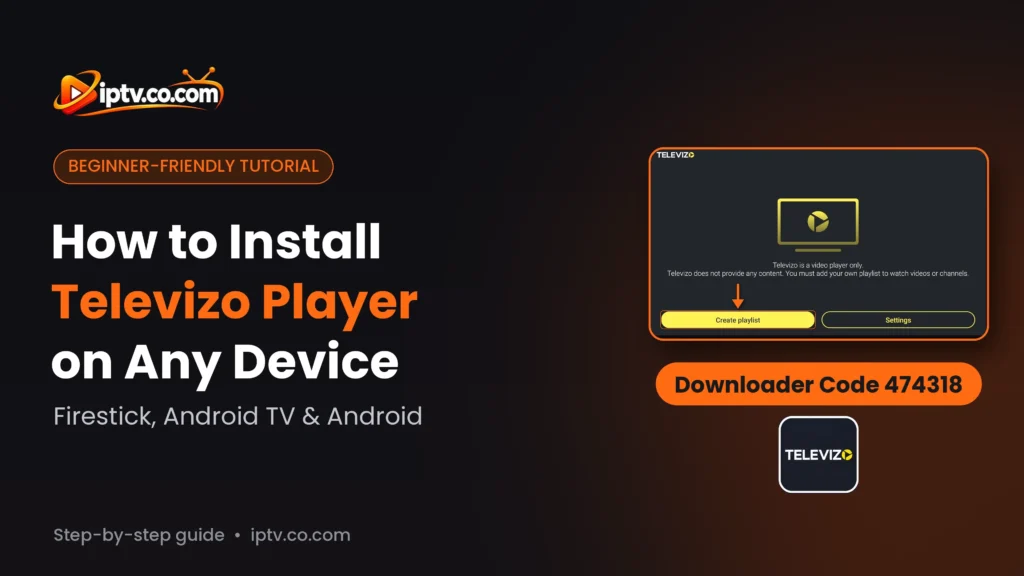
Televizo opens with the message Televizo is a video player only. Televizo does not provide any content. You must add your own playlist to watch videos or channels. Select Create playlist to add your playlist from your IPTV provider, or Settings to change the app settings.
Televizo first screen: select Create playlist
How to Install Televizo on Android TV and Google TV
Open the Google Play Store on your Android TV or Google TV (Sony, TCL, Philips, Hisense, Xiaomi Mi Box, NVIDIA Shield, Chromecast with Google TV).
Search for Televizo (Televizo – IPTV player, by Andrey Menscikov).
Select Install, then Open.
If Televizo isn’t listed for your TV, install the Downloader app and use code 474318, as in the Firestick steps. The first launch is the same as on Firestick.
How to Install Televizo on Android Phone and Tablet
Open the Google Play Store on your phone or tablet.
Search for Televizo and select Televizo – IPTV player by Andrey Menscikov (about 13 MB).
Tap Install, then Open.
Install Televizo - IPTV player from Google Play on Android
Televizo on Samsung, LG, Roku, iPhone, iPad, Windows and Mac: Not Available
Televizo is an Android app, so it is not available in the Samsung Apps store, the LG Content Store, the Roku Channel Store, the iPhone and iPad App Store, the Microsoft Store or the Mac App Store. On those devices, use another player with the same playlist from your IPTV provider, for example Hot Player or SET IPTV on Samsung and LG, or GSE Smart IPTV on Mac.
Samsung Smart TV
Televizo is not available on Samsung TV
LG Smart TV
Televizo is not available on LG TV
Roku
Televizo is not available on Roku
iPhone and iPad
Televizo is not available on iPhone and iPad
Windows PC
Televizo is not available for Windows PC
Mac (macOS)
Televizo is not available for Mac (macOS)
Televizo Won’t Install? Quick Fixes
Downloader says the code is invalid: check that you typed 474318 and that your device is connected to the internet.
Downloader shows a “Verify you are human” page: wait a few seconds, or press Back and enter the code again.
“Install blocked”: turn ON Install unknown apps for Downloader.
“App not installed” or not enough storage: the APK is about 32 MB. Uninstall apps you don’t use and try again.
Can’t find it on Google Play: search for Televizo IPTV player, or use Downloader with code 474318 on Android TV.
The app opens but there are no channels: that is normal. Televizo has no channels; select Create playlist and add your playlist.
No. Televizo is a video player only. You must add your own playlist from your IPTV provider.
Televizo is installed. Next, select Create playlist to add your playlist from your IPTV provider. Browse all Televizo guides or all IPTV players and apps.