Quick Summary
OTT Navigator is 100% free. You download it for free from Google Play or with Downloader code 982469 on Firestick, and there is no activation, no MAC address and no yearly fee. Live TV, the TV guide, movies and series all work in the free app. The only thing you pay for is your IPTV subscription from your provider, because OTT Navigator includes no channels. An optional Premium upgrade only adds extras such as Recordings.
No Activation Needed
Unlike IBO Player, Hot Player or SET IPTV, OTT Navigator has no activation and no MAC address. Install it, add your Xtream Codes and start watching. You don’t pay anyone for the app.
Many IPTV players charge an activation fee per device. OTT Navigator is different: the app is completely free. This guide explains the OTT Navigator price, what the optional Premium adds, and what you actually pay for when you use OTT Navigator.
OTT Navigator Price: Is OTT Navigator Free?
| What | Price | Notes |
|---|---|---|
| App download | Free | Google Play, or Downloader code 982469 on Firestick |
| Activation | Not needed | No MAC address, no device key, no yearly fee |
| Live TV, TV guide, movies & series | Free | With your Xtream Codes login |
| Premium | Optional | Extras such as Recordings and automatic updates |
| IPTV subscription (channels) | From your IPTV provider | OTT Navigator includes no channels |
No Activation, No MAC Address, No Device Key
Most players need a paid activation tied to your device. OTT Navigator doesn’t:
| Player | Activation |
|---|---|
| OTT Navigator | Not needed, 100% free |
| IBO Player | Paid per device (free from many providers with 6/12 months) |
| Hot Player | Paid per device after the 30-day trial |
| SET IPTV | Paid per device (free from many providers with 6/12 months) |
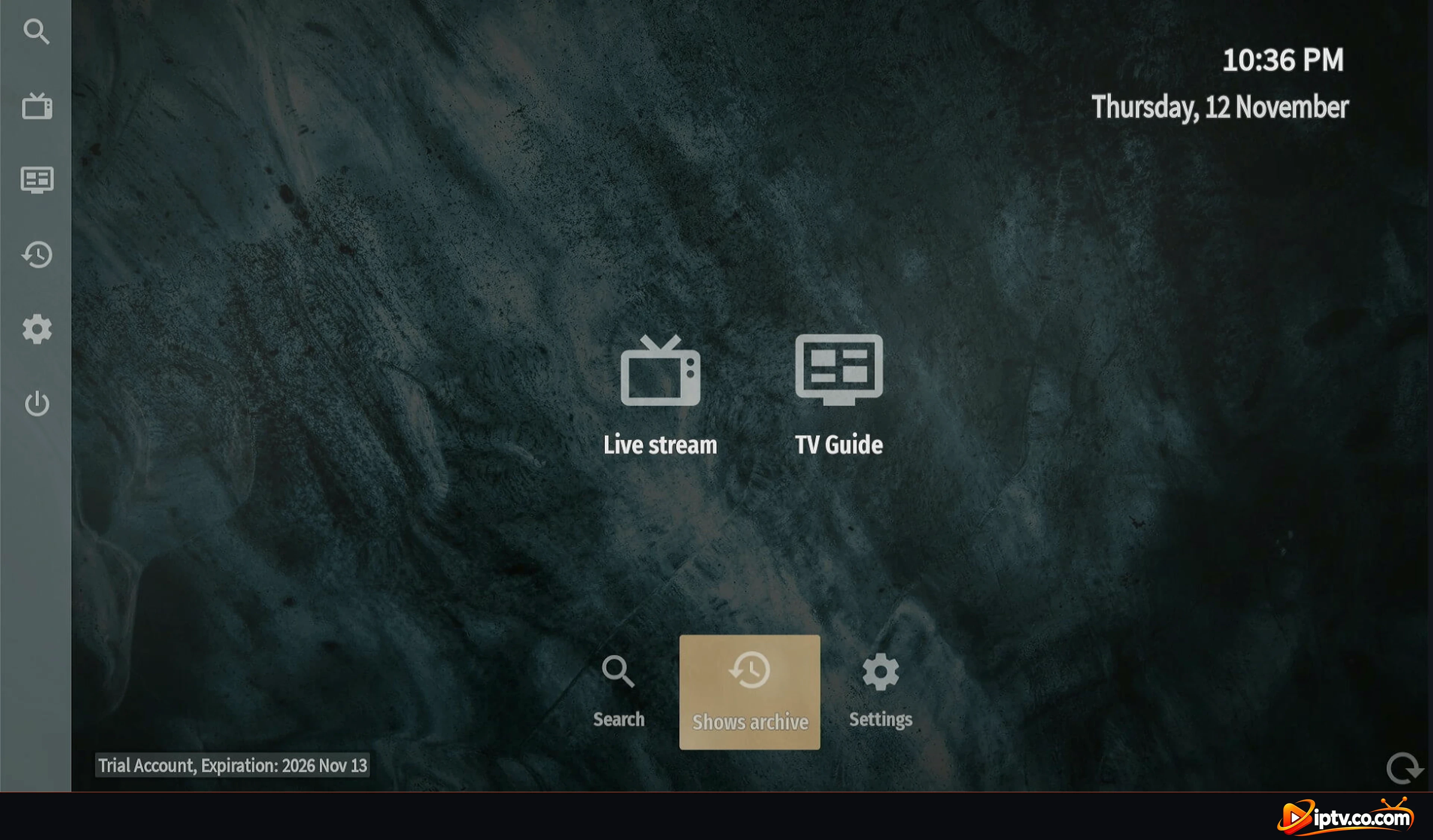
With OTT Navigator, you just install the app and add your Xtream Codes. Everything below works in the free app:
Nothing to Pay Your Provider for the App
Some providers charge extra to “activate” a player. With OTT Navigator there is nothing to activate, so you only pay for your IPTV subscription.
OTT Navigator Premium: Optional Extras
In Settings you will see Premium and a few items marked This feature requires premium, such as Recordings. Premium is optional: you don’t need it to watch live TV, movies and series.

Other Premium extras are automatic updates: TV guide: update every and Media library: update every in Settings > Provider data > List updates. In the free app, the channel list still updates automatically, and you can reload the TV guide and media library yourself in a few seconds (see how to reload the TV guide).

What You Pay For: Your IPTV Subscription
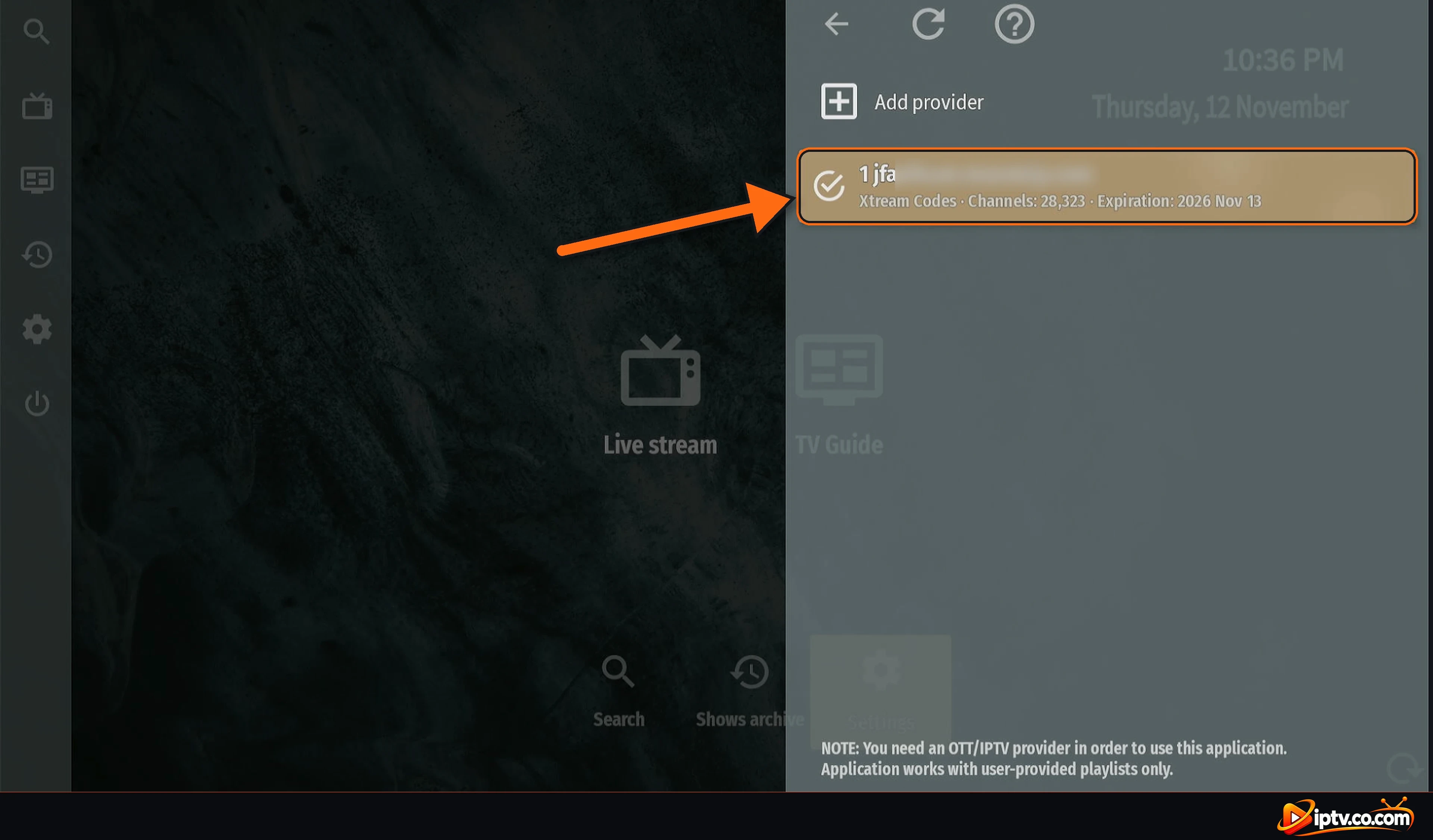
OTT Navigator is a player only and includes no channels. The channels come from your IPTV subscription, and that is the only thing you pay for. Your subscription’s expiration date shows in Settings > Provider, next to your provider, and at the bottom left of the home screen. “Trial Account” there means a trial of your IPTV subscription, not of the app.
Before You Start
Good to Know
- The app is free: never pay to download or activate OTT Navigator.
- Xtream Codes only: OTT Navigator works with an Xtream Codes login (URL, username and password), not M3U links.
- Supported devices: Firestick, Android TV, Google TV and Android phones and tablets. Not available on iPhone, iPad, Samsung, LG, Roku, Windows or Mac.
- Premium is optional: buy it only if you want extras like Recordings.
- No channels included: you need an IPTV subscription from a provider.
Avoid Paid “Activation” or Cracked OTT Navigator Apps
Anyone selling an OTT Navigator “activation code” is selling something you don’t need. Also avoid modified or cracked “premium” APKs: they are unsafe and often stop working. Install the official app from Google Play or with Downloader code 982469.
Frequently Asked Questions
Is OTT Navigator free?
Yes. OTT Navigator is 100% free to download and use. There is no activation, no MAC address and no yearly fee.
Do I need to activate OTT Navigator?
No. Unlike IBO Player, Hot Player or SET IPTV, OTT Navigator needs no activation. Install it and add your Xtream Codes login.
Does OTT Navigator have a free trial?
There is no trial to worry about, because the app itself is free. The “Trial Account” text on the home screen is about your IPTV subscription, not the app.
What is OTT Navigator Premium?
An optional upgrade in Settings > Premium for extras like Recordings and automatic TV guide and media library updates. You don’t need it to watch live TV, movies and series.
Do I have to pay my IPTV provider for OTT Navigator?
No. You only pay your provider for the IPTV subscription (the channels). The app is free.
Where do I see when my IPTV subscription expires?
In Settings > Provider next to your provider, and at the bottom left of the home screen.
Does OTT Navigator include channels?
No. OTT Navigator is a player only. Channels come from your IPTV subscription.
Is OTT Navigator free on iPhone, Samsung or LG?
OTT Navigator is not available on iPhone, iPad, Samsung, LG, Roku, Windows or Mac. It runs on Firestick, Android TV, Google TV and Android phones.
Next steps: install OTT Navigator, activate it with Xtream Codes, or see OTT Navigator not working: easy fixes. Browse all OTT Navigator guides.