
Quick Summary
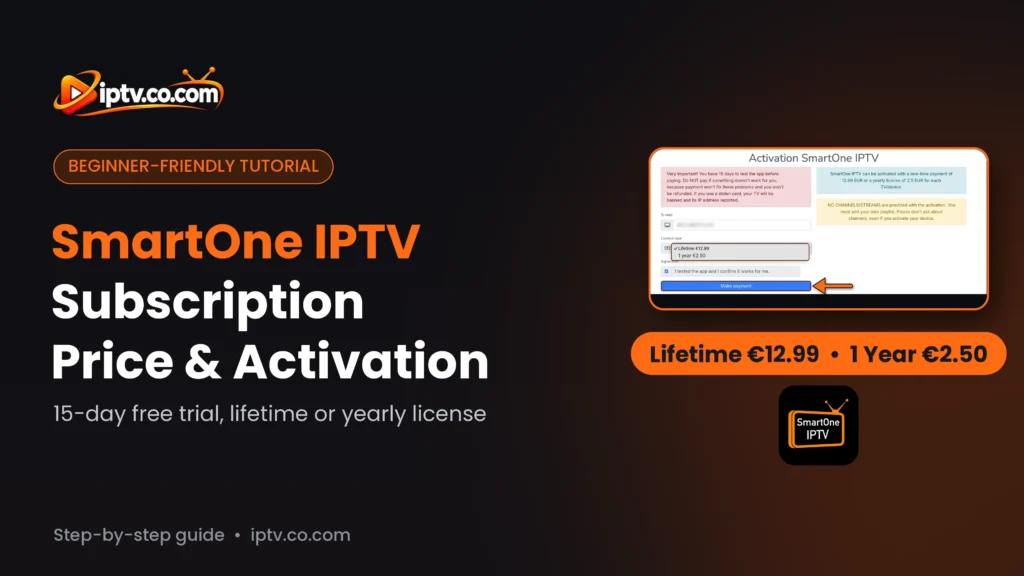
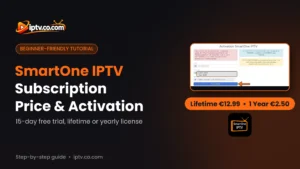
SmartOne IPTV gives you a 15-day free trial. After that, you need a license for each TV: Lifetime for €12.99 (one-time payment) or 1 year for €2.50. You buy it on the Activation page of the SmartOne website with your TV’s MAC address. The license unlocks the app only: it doesn’t include any channels.
Test Before You Pay
Use the 15-day trial to add your playlist and check that everything works. SmartOne asks you not to pay if something doesn’t work: paying won’t fix playback problems, and payments are not refunded.
SmartOne IPTV isn’t free forever. Like most IPTV players for smart TVs, it starts with a free trial and then asks for a small activation fee per TV. This guide explains the SmartOne IPTV subscription price, the difference between the lifetime and yearly license, and how to buy and check your activation step by step.
SmartOne IPTV Price: Free Trial, 1 Year and Lifetime
| Plan | Price | Duration |
|---|---|---|
| Free trial | €0 | 15 days |
| 1 year license | €2.50 | 12 months, per TV |
| Lifetime license | €12.99 (one-time) | Lifetime, per TV |
Prices are shown on the SmartOne activation page and are for one TV or device. If you use SmartOne on two TVs, each TV needs its own license, because the license is linked to the TV’s MAC address.
Lifetime or 1 Year: Which SmartOne License Should You Choose?
- Choose 1 year (€2.50) if you want to spend as little as possible now, or if you may change TV soon.
- Choose Lifetime (€12.99) if you plan to keep the same TV for more than five years: it costs about the same as five yearly licenses and you never have to renew.
How to Buy a SmartOne IPTV License
- On your TV, open SmartOne and go to Settings > Info. Write down the MAC address (see how to find the SmartOne MAC address).
- On your phone or computer, open the SmartOne IPTV website:
https://smartone-iptv.com- Select Activation in the top menu.
- Tv MAC: type your TV’s MAC address exactly as shown in Settings > Info.
- License type: choose Lifetime €12.99 or 1 year €2.50.
- Agreement: tick I tested the app and I confirm it works for me.
- Select Make payment and complete the payment.
- Restart SmartOne on your TV.

How to Check Your SmartOne License
Open SmartOne on your TV and go to Settings > Info. The Expiration line shows when your trial or license ends. After a successful payment, restart the app and check that the date has changed.
Important Rules Before You Pay
Read This Before Paying
- No refunds: payments are not refunded, so test the app during the 15-day trial first.
- Don’t pay to fix problems: if your channels don’t play during the trial, the issue is usually your playlist or provider, and paying won’t change that.
- No channels included: the license unlocks the player only. Channels come from your own IPTV playlist.
- One license per TV: a new TV or a different MAC address needs a new license.
- Stolen cards: SmartOne bans TVs paid with stolen cards and reports their IP address.
Avoid “Free” or Cracked SmartOne Activations
Websites offering free SmartOne activation codes or cracked versions are unsafe and often stop working. The only official way to activate SmartOne is the Activation page on the SmartOne website.
Frequently Asked Questions
How much does SmartOne IPTV cost?
SmartOne IPTV costs €2.50 for 1 year or €12.99 for a lifetime license, per TV. It starts with a 15-day free trial.
Is SmartOne IPTV free?
Only for 15 days. After the free trial, you need a 1 year or lifetime license to keep using the app.
How long is the SmartOne free trial?
The SmartOne free trial lasts 15 days. You can see when it ends in Settings > Info > Expiration.
Is the SmartOne lifetime license a one-time payment?
Yes. The lifetime license costs €12.99 once and never needs renewing for that TV.
Does one SmartOne license work on several TVs?
No. Each license is linked to one TV’s MAC address. Every TV or device needs its own license.
Where do I buy a SmartOne license?
On the Activation page of the SmartOne IPTV website. Enter your TV MAC, choose Lifetime or 1 year, tick the agreement and select Make payment.
Does the SmartOne subscription include channels?
No. The license only activates the player. You add your own M3U playlist or Xtream Codes from your IPTV provider.
Can I get a refund for SmartOne?
No. SmartOne doesn’t refund payments, so test the app with your playlist during the 15-day trial before paying.
I paid but SmartOne still shows the trial. What should I do?
Restart the app and check Settings > Info > Expiration. Make sure the MAC you paid for matches the MAC on your TV exactly.
What happens when my SmartOne license expires?
The app stops playing until you renew. Buy a new 1 year or lifetime license with the same MAC address.
Next steps: install SmartOne IPTV on Samsung, LG or Android TV, then activate SmartOne with M3U or Xtream Codes. Browse all SmartOne IPTV guides.
One Response