
Quick Summary
SmartOne IPTV works on smart TVs only: install it from the Google Play Store on Android TV and Google TV, from Samsung Apps on Samsung TVs and from the LG Content Store on LG TVs. SmartOne is not available on Amazon Firestick, Android phones and tablets, iPhone, iPad, Windows PC or Mac: use IBO XPlayer, IBO Player or IPTV Smarters there instead.
Good to Know: SmartOne Has No Channels
SmartOne IPTV is a media player only. It doesn’t provide any IPTV channels, playlists or subscriptions: after installing it, you add your own playlist (M3U URL or Xtream Codes) from your IPTV provider.
SmartOne IPTV is a simple IPTV player made for the big screen. It plays your own M3U playlists and Xtream Codes with a TV-friendly menu for Live TV, Movies and Series. Unlike most IPTV players, SmartOne is built only for smart TVs: you won’t find it on phones, tablets, computers or the Amazon Firestick. This guide shows how to install SmartOne IPTV on every supported TV step by step, and which player to use on the devices SmartOne doesn’t support.
Where Can You Install SmartOne IPTV?
| Device | Available? | How to install |
|---|---|---|
| Android TV & Google TV | Yes | Google Play Store |
| Samsung smart TV | Yes | Samsung Apps |
| LG smart TV | Yes | LG Content Store |
| Amazon Firestick / Fire TV | No | Use IBO XPlayer or IBO Player |
| Android phone & tablet | No | Use IBO XPlayer or IPTV Smarters |
| iPhone & iPad | No | Use IBO Player or IPTV Smarters |
| Windows PC | No | Use IBO Player or IPTV Smarters |
| Mac (macOS) | No | Use IBO Player or IPTV Smarters |
How to Install SmartOne IPTV on Android TV and Google TV
On Android TV and Google TV (Sony, TCL, Philips, Hisense, Xiaomi Mi Box, NVIDIA Shield, Chromecast with Google TV and Android TV boxes), SmartOne IPTV Player is in the Google Play Store, published by Smart Cast.
- Open the Google Play Store on your TV (on Google TV, use Search on the home screen).
- Search for SmartOne IPTV.
- Select SmartOne IPTV Player by Smart Cast (the black icon with an orange TV).
- Select Install, then Open.

Tip: Install From Your Phone or Computer
Open the SmartOne IPTV Player page in the Play Store website, sign in with the same Google account as your TV, select Install and choose your Android TV from the device list. The app installs on the TV automatically.
How to Install SmartOne IPTV on Samsung Smart TV
- Press Home on your Samsung remote and open Apps.
- Select the Search icon and type SmartOne.
- Open the SmartOne app page and select Install.
- When the installation finishes, select Open (or Add to Home to pin it to your home screen).

How to Install SmartOne IPTV on LG Smart TV
- Press Home on your LG remote and open the LG Content Store (called Apps on newer webOS TVs).
- Select the Search icon and type SmartOne.
- Open the SmartOne app page and select Install.
- When the installation finishes, select Launch to open the app.

SmartOne IPTV on Firestick, Phones, iPhone, PC and Mac: Not Available
SmartOne IPTV is made for smart TVs only. These devices can’t install SmartOne, but the players below work with the same M3U URL or Xtream Codes.
Amazon Firestick
SmartOne isn’t in the Amazon Appstore and there is no official SmartOne APK for Fire TV. On Firestick, install IBO XPlayer (Downloader code 7947185) or IBO Player instead.

Android Phone and Tablet
On an Android phone or tablet, the Play Store shows This app is not available for your device because SmartOne IPTV Player is published for TVs only. Use IBO XPlayer or IPTV Smarters Pro, which are on Google Play for phones and tablets.

iPhone and iPad
There is no SmartOne app in the App Store. Use IBO Player or IPTV Smarters Pro on iPhone and iPad.

Windows PC
SmartOne has no Windows app. Use IBO Player or IPTV Smarters Pro on your PC.

Mac (macOS)
SmartOne has no macOS app. Use IBO Player or IPTV Smarters Pro on your Mac.

First Launch: The SmartOne Home Screen
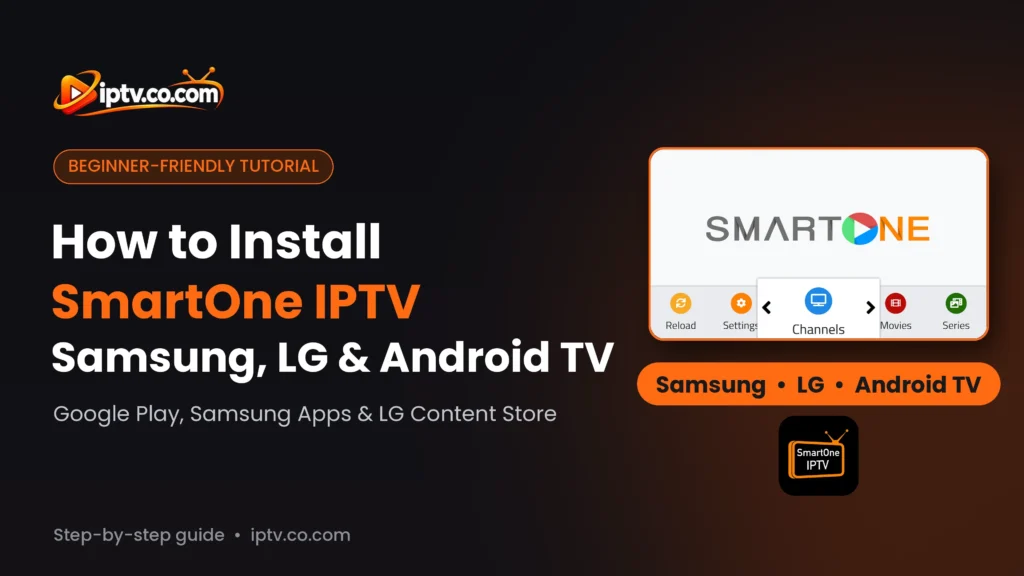
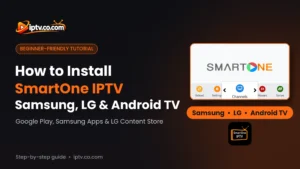
When you open SmartOne IPTV, you see the home screen with a menu at the bottom: Reload, Settings, Channels, Movies and Series. Use the left and right arrows on your remote to move through the menu.
The app is empty until you add a playlist. Get your M3U URL or Xtream Codes from your IPTV provider, add it to SmartOne (see how to activate SmartOne IPTV), then select Reload to load your channels, movies and series.

Can’t Find or Install SmartOne? Quick Fixes
- “This app is not available for your device” in Google Play: you are on a phone, tablet or Fire TV. SmartOne installs only on Android TV and Google TV.
- SmartOne doesn’t show in Samsung Apps or the LG Content Store: update your TV software (Settings > Support > Software Update), check that the TV region is correct, then search again. Very old TV models may not support the app.
- “Not enough storage”: uninstall apps you don’t use, restart the TV and try again.
- The install stops or fails: restart your router and the TV, then install again.
- SmartOne opens but shows nothing: that’s normal. SmartOne has no channels: add your playlist, then select Reload.
Only Install the Official SmartOne App
Avoid “SmartOne premium” or modded APKs from unknown websites. They can contain malware and stop working after updates. Install SmartOne only from Google Play, Samsung Apps or the LG Content Store.
Frequently Asked Questions
Which devices support SmartOne IPTV?
SmartOne IPTV works on Android TV, Google TV, Samsung smart TVs and LG smart TVs. It is not available on Firestick, Android phones and tablets, iPhone, iPad, Windows or Mac.
How do I install SmartOne IPTV on Android TV or Google TV?
Open the Google Play Store on your TV, search for SmartOne IPTV, select SmartOne IPTV Player by Smart Cast and select Install.
How do I install SmartOne on a Samsung TV?
Press Home, open Apps, search for SmartOne and select Install. When it finishes, select Open.
How do I install SmartOne on an LG TV?
Open the LG Content Store (Apps), search for SmartOne and select Install, then Launch.
Can I install SmartOne IPTV on Firestick?
No. SmartOne is not in the Amazon Appstore and has no official Fire TV APK. Use IBO XPlayer with Downloader code 7947185 or IBO Player instead.
Why does Google Play say SmartOne is not available for my device?
SmartOne IPTV Player is published for TVs only, so phones and tablets can’t install it. Use IBO XPlayer or IPTV Smarters Pro on your phone.
Is SmartOne IPTV available on iPhone, iPad, Windows or Mac?
No. Use IBO Player or IPTV Smarters Pro on these devices.
Does SmartOne IPTV include channels?
No. SmartOne is only a player. You add your own M3U URL or Xtream Codes from your IPTV provider.
Who makes SmartOne IPTV?
On Google Play, SmartOne IPTV Player is published by Smart Cast.
SmartOne is installed but empty. What should I do?
Add your playlist from your IPTV provider, then select Reload on the SmartOne home screen to load Live TV, Movies and Series.
SmartOne IPTV is installed. Next, activate SmartOne with M3U or Xtream Codes and add your playlist with your IPTV provider’s M3U URL or Xtream Codes. Need a player for Firestick, a phone or a PC? See how to install IBO XPlayer, how to download IBO Player or how to install IPTV Smarters Pro, or browse all IPTV players and apps.
One Response