How to Download IBO Player on Firestick, Smart TV and All Devices
Download IBO Player on Firestick with Downloader code 511693, plus Samsung, LG, Android TV, Android, iPhone, Windows and Mac, step by step.
By IPTV Guide
12 min read
2 Comments
Quick Summary
On Firestick and Android TV, download IBO Player with the Downloader app and code 511693. On Android phones, open the APK link in Chrome. On Samsung and LG smart TVs, install it from the TV’s app store. On iPhone, iPad and Mac, get IBO PLAYER from the App Store, and on Windows, download the .exe installer.
Good to Know: 7-Day Free Trial, No Channels Included
Downloading IBO Player is free and every new device gets a 7-day free trial. After the trial, a license is needed for each device: most IPTV providers activate it for free with a 6- or 12-month subscription. IBO Player doesn’t provide any IPTV channels, playlists or subscriptions: you add your own playlist from your IPTV provider.
IBO Player is a popular IPTV player for smart TVs, streaming sticks, phones and computers. This guide shows step by step, with screenshots, how to download and install IBO Player on Amazon Firestick, Samsung Smart TV, LG Smart TV, Android TV and Google TV, iPhone and iPad, Android phones and tablets, Windows PC and Mac. Depending on the device, the installed app can also be called IBO TV Player or MediaPlayerIbo: it’s the same player.
Where to Download IBO Player on Each Device
Device
App to install
Where to get it
Amazon Firestick / Fire TV
IBO Player (APK)
Downloader app, code 511693
Android TV / Google TV (Nvidia Shield, Chromecast, TCL, Android box)
IBO Player (APK)
Downloader app, code 511693
Android phone & tablet
IBO Player (APK)
APK link in Chrome
Samsung Smart TV
IBO Player
Samsung Apps
LG Smart TV
IBO Player
LG Content Store
iPhone & iPad
IBO PLAYER
App Store
Windows PC
IBO TV Player for Windows
.exe installer
Mac
IBO PLAYER
Mac App Store
IBO Player is only a player: it doesn’t provide or sell any IPTV playlists or subscriptions. To watch, you need your own IPTV service with Xtream Codes or an M3U URL.
Download Only From the Links in This Guide
Copies of IBO Player on random websites can be modified or out of date. Use only the Downloader code and links in this guide, or your device’s official app store, and never install versions that ask for permissions they don’t need.
How to Download IBO Player on Firestick
IBO Player is not in the Amazon Appstore, so you download it with the free Downloader app and the IBO Player Downloader code 511693. These steps work on Fire TV Stick, Fire TV Stick 4K, 4K Max, Fire TV Cube and Fire TV smart TVs.
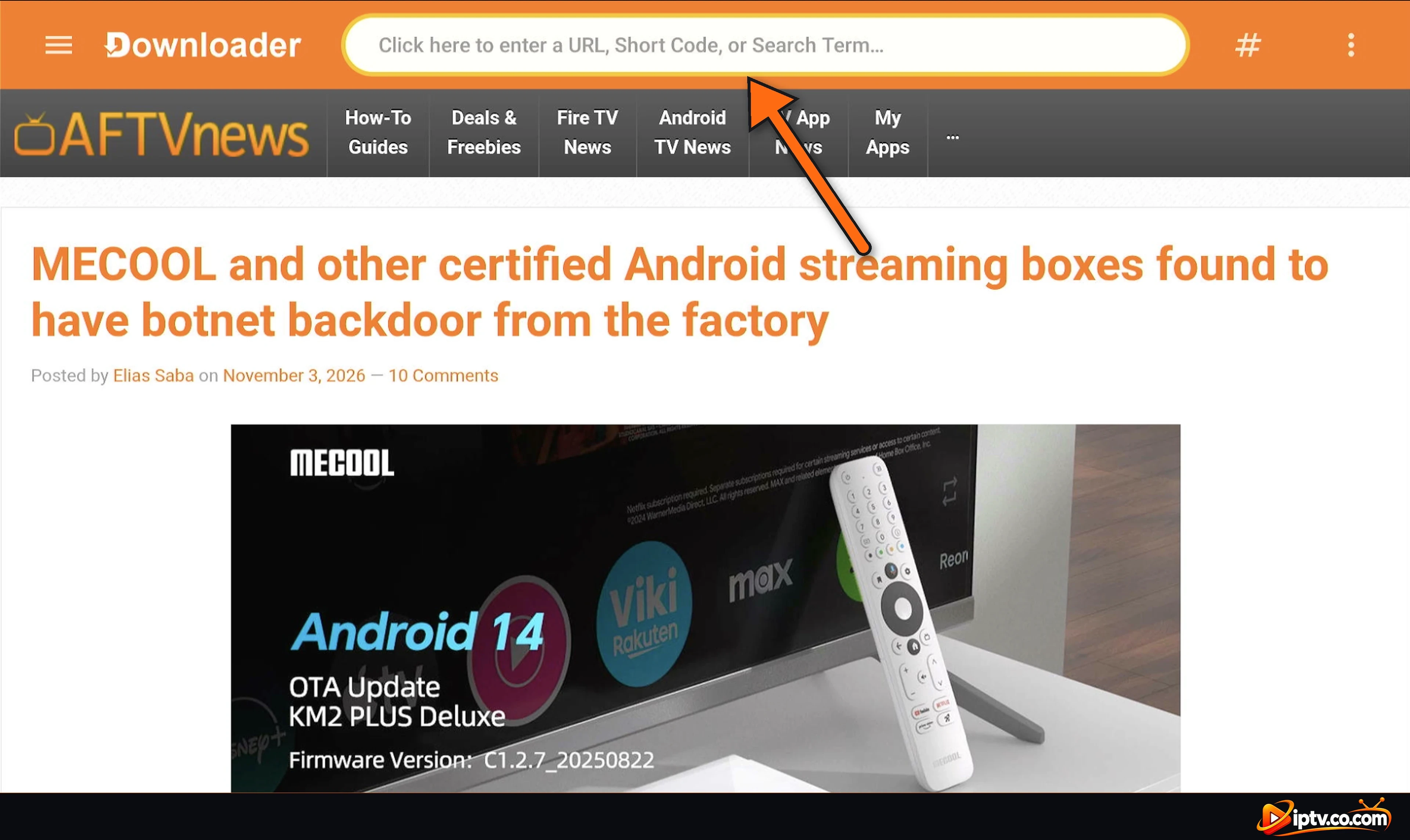
Step 1: Open Downloader and Select the Address Bar
Open Downloader and select the field that says Click here to enter a URL, Short Code, or Search Term.
Select the address bar in Downloader
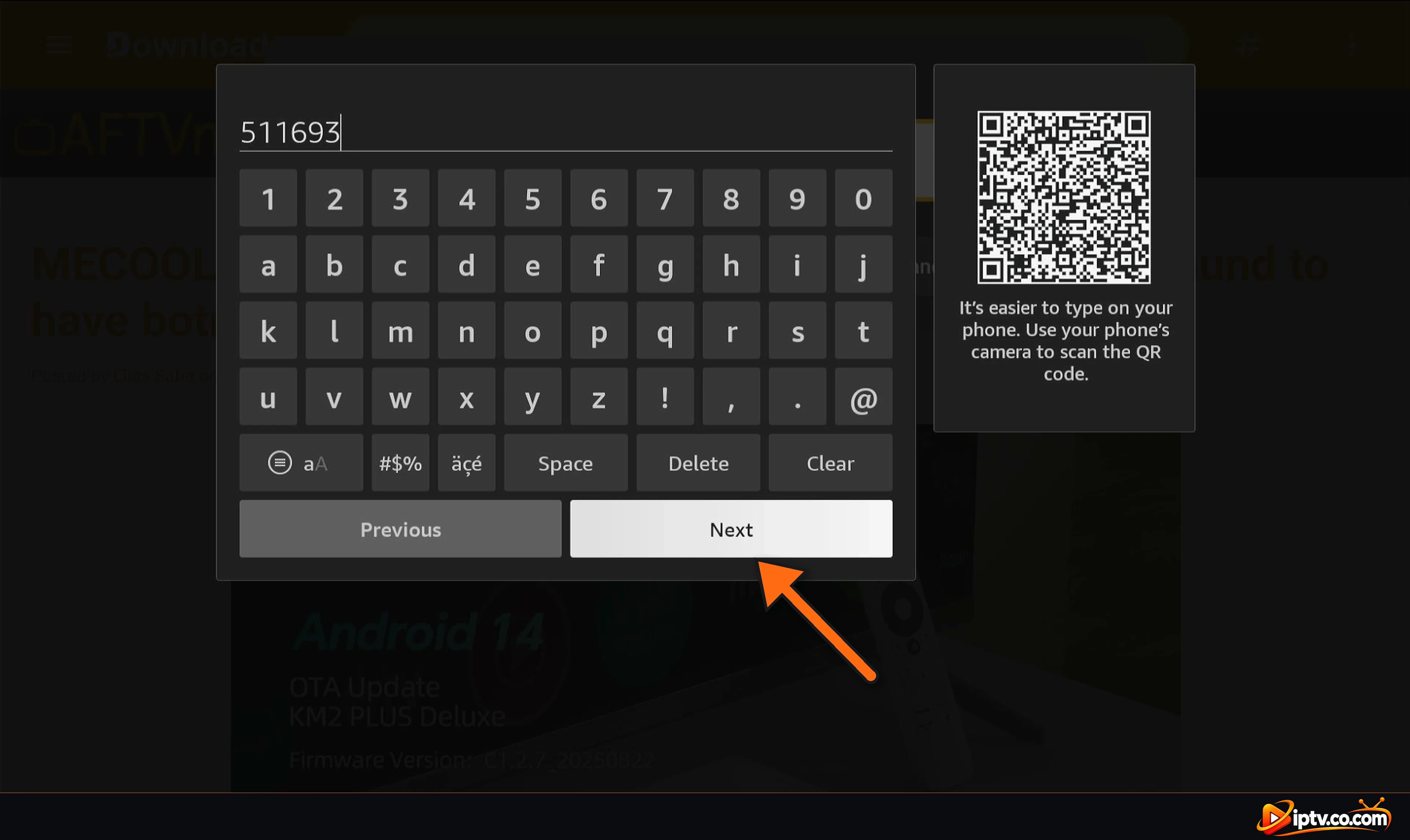
Step 2: Enter Downloader Code 511693
Type the IBO Player Downloader code 511693 and select Next.
Type 511693 and select Next
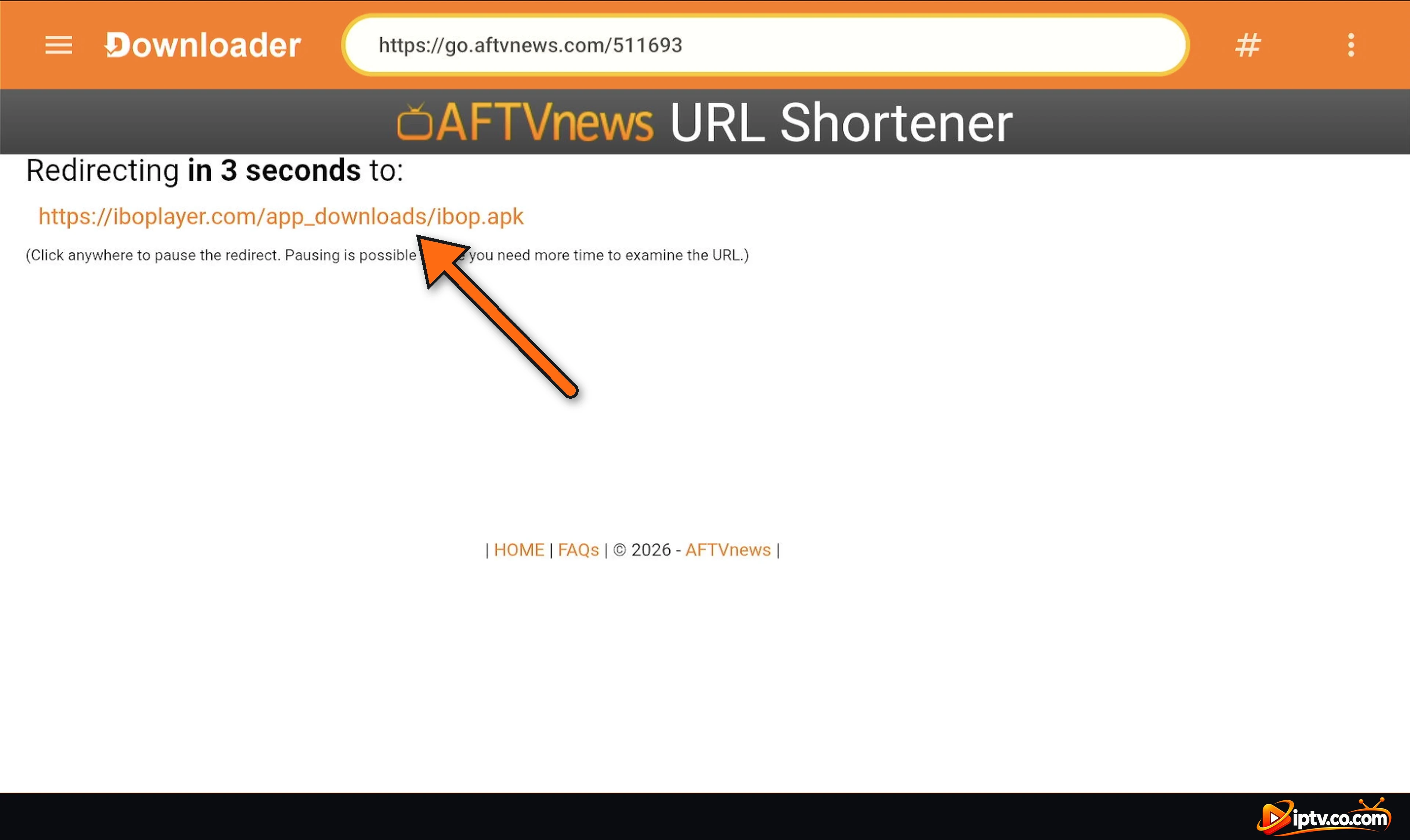
Step 3: Wait for the Redirect
Downloader opens the short link and redirects to the official IBO Player APK file (ibop.apk) after a few seconds. You don’t need to select anything.
Downloader redirects to the IBO Player APK
Step 4: Wait While the APK Downloads
The IBO Player APK (about 82 MB) downloads. If you see your TV is not allowed to install unknown apps from this source, select Settings, turn Downloader ON and go back.
The IBO Player APK is downloading
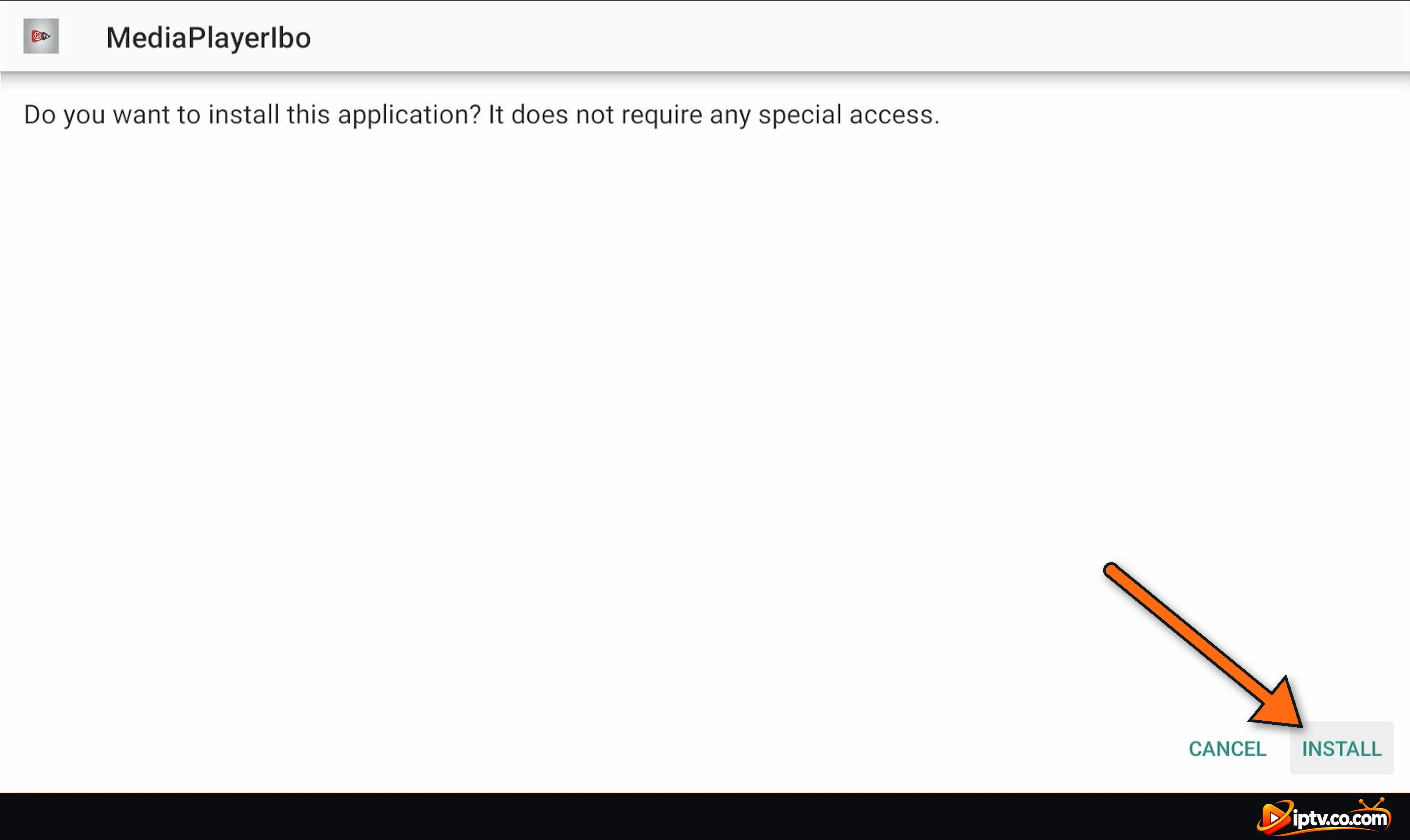
Step 5: Select INSTALL
When the download finishes, the installer opens (on some Fire TV models, select Install in Downloader first). The app is listed as MediaPlayerIbo. Select INSTALL.
Select INSTALL
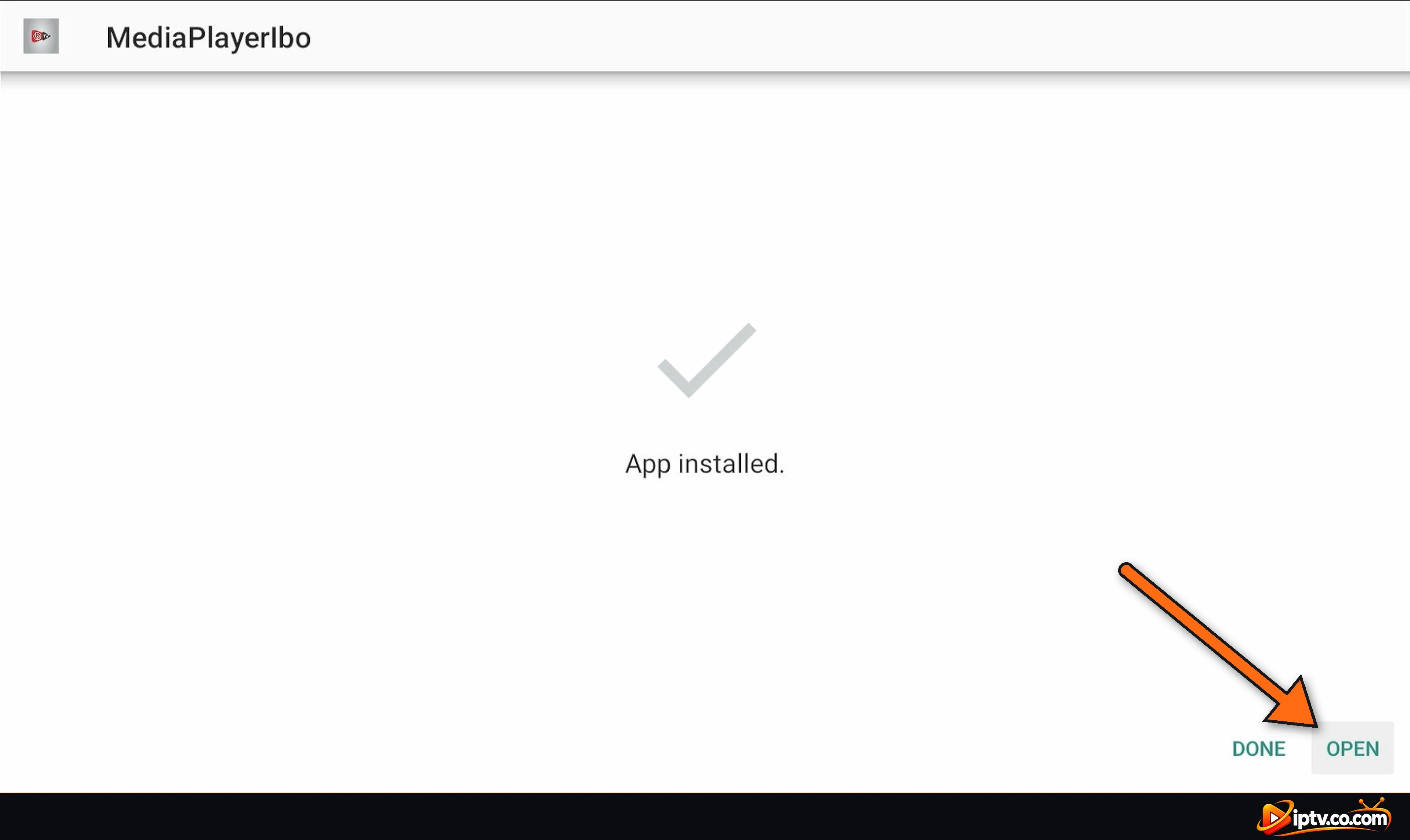
Step 6: Select OPEN
When you see App installed, select OPEN. Back in Downloader, select Delete twice to remove the APK file and free up storage.
App installed: select OPEN
Step 7: Note Your Device ID and Device Key
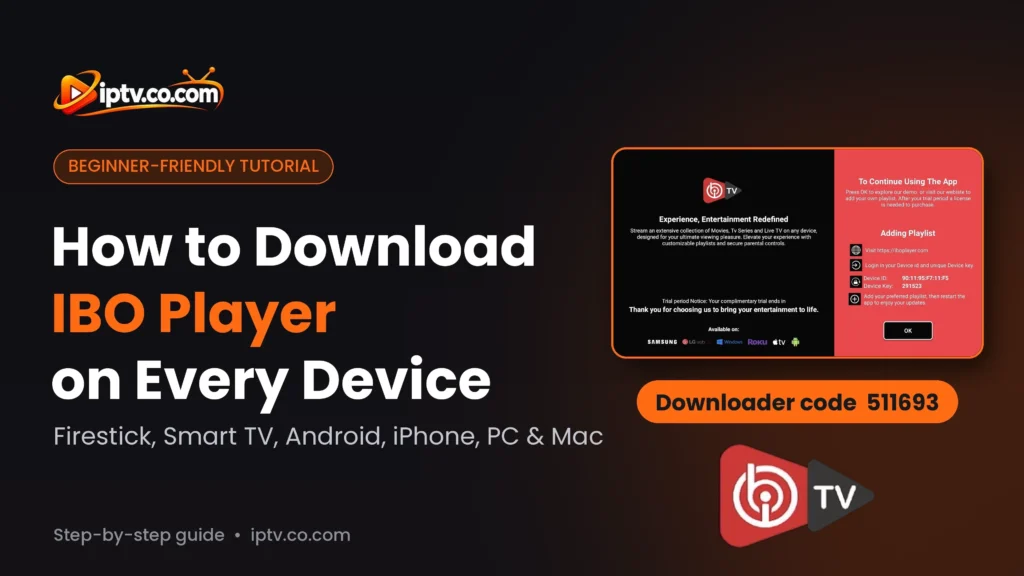
IBO Player opens and your 7-day free trial starts. Write down the Device ID (your MAC address) and the Device Key on the right: you need them to add your playlist and to activate the app. Select OK to continue.
IBO Player shows your Device ID and Device Key
Pro Tip
To find IBO Player later, hold the Home button, select Apps, and move it to the front of your apps row.
How to Download IBO Player on Android TV and Google TV
The same Downloader method works on Google TV Streamer, Chromecast with Google TV, Nvidia Shield, Android TV boxes and Android or Google TV smart TVs from TCL, Hisense, Sony, Philips and others.
Open Downloader, select the address bar, type 511693 and select Next.
If installation is blocked, select Settings and turn on Downloader under Unknown sources (Android TV: Settings > Device Preferences > Security & restrictions; Google TV: Settings > Apps > Security & Restrictions). Then go back.
When the APK has downloaded, select Install.
Select Open and note your Device ID and Device Key.
Enter 511693 in Downloader on Android TV or Google TV
Select Install when the download is finished
How to Download IBO Player APK on Android Phone and Tablet
On an Android phone or tablet you don’t need Downloader: just open the official APK link in your browser. The screenshots below are from an Honor phone set to French; the buttons are in the same place in English and on Samsung, Xiaomi, Pixel and other brands.
Step 1: Open the APK Link in Chrome
Open Chrome, tap the address bar, paste this link exactly and tap Go:
https://iboplayer.com/app_downloads/ibop.apk
Paste the IBO Player APK link in the Chrome address bar
Step 2: Tap Download
Chrome asks Download from this site? Tap Download. The ibop.apk file (about 82 MB) downloads. (If Chrome asks Download file again?, you already have it: tap Download again or open the existing file.)
Tap Download
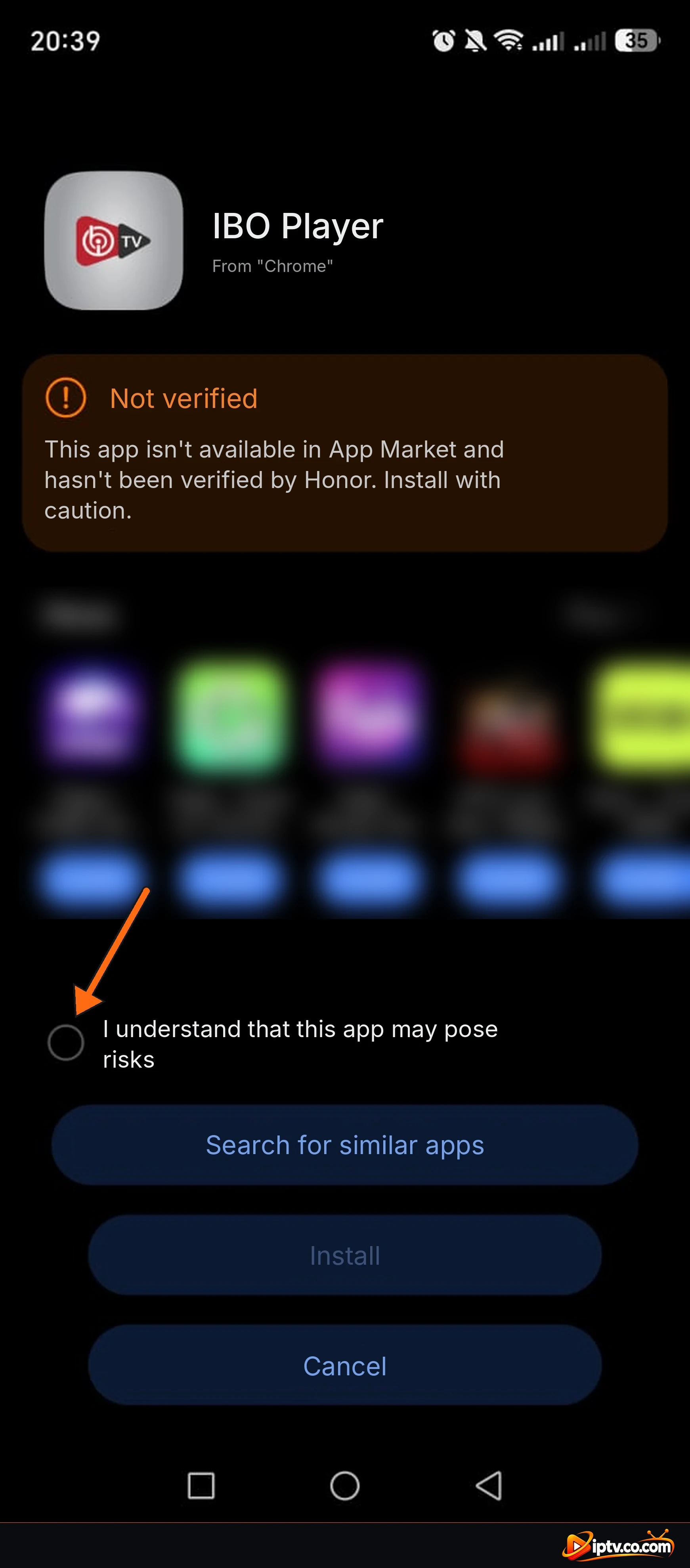
Step 3: Tick the Checkbox
Tap the downloaded file. Some phones (Honor, Huawei, Xiaomi and others) show Not verified because the app isn’t from their own store. Tick I understand that this app may pose risks, then tap Install. If your phone asks to allow installs from Chrome, turn on Allow from this source and go back.
Tick the checkbox, then tap Install
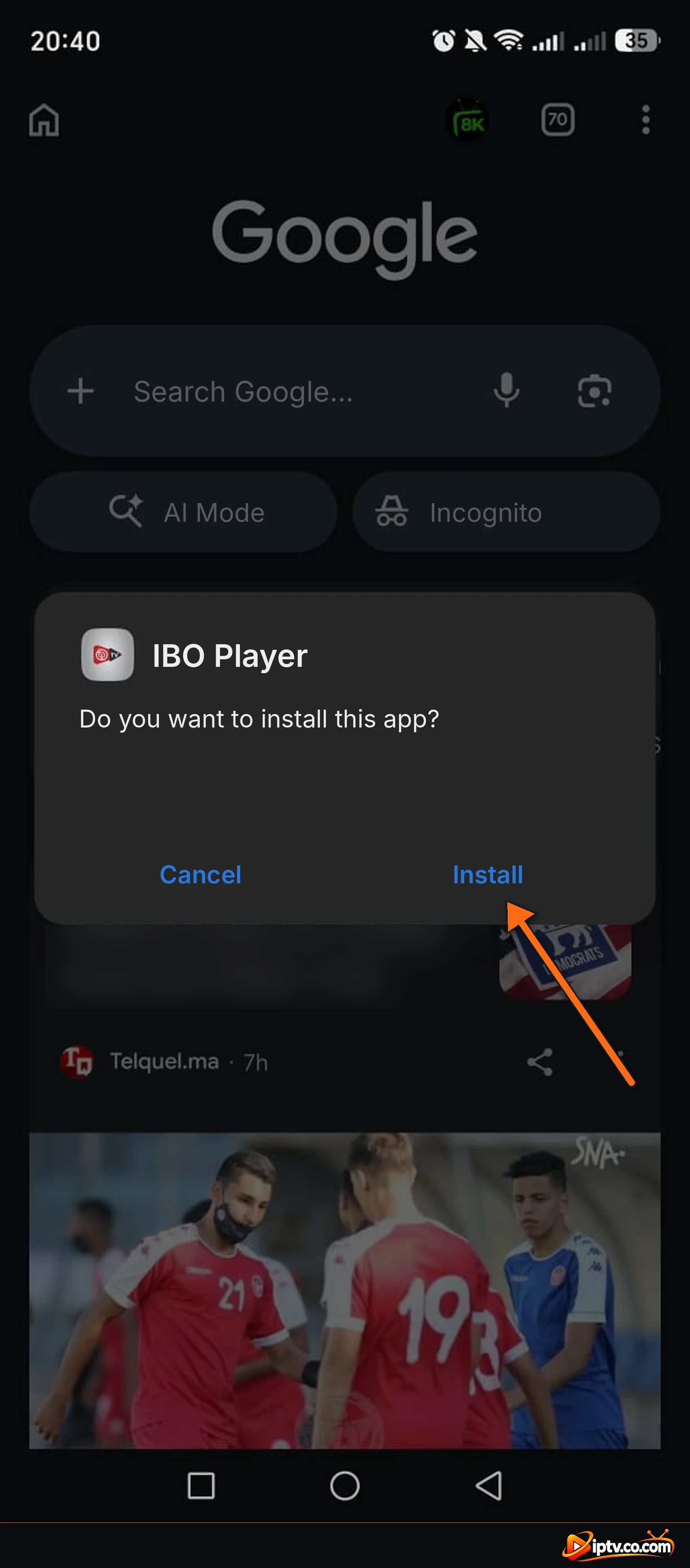
Step 4: Tap Install
When asked Do you want to install this app?, tap Install. If Google Play Protect shows a warning, tap More details > Install anyway, but only for the APK from the link in this guide.
Tap Install
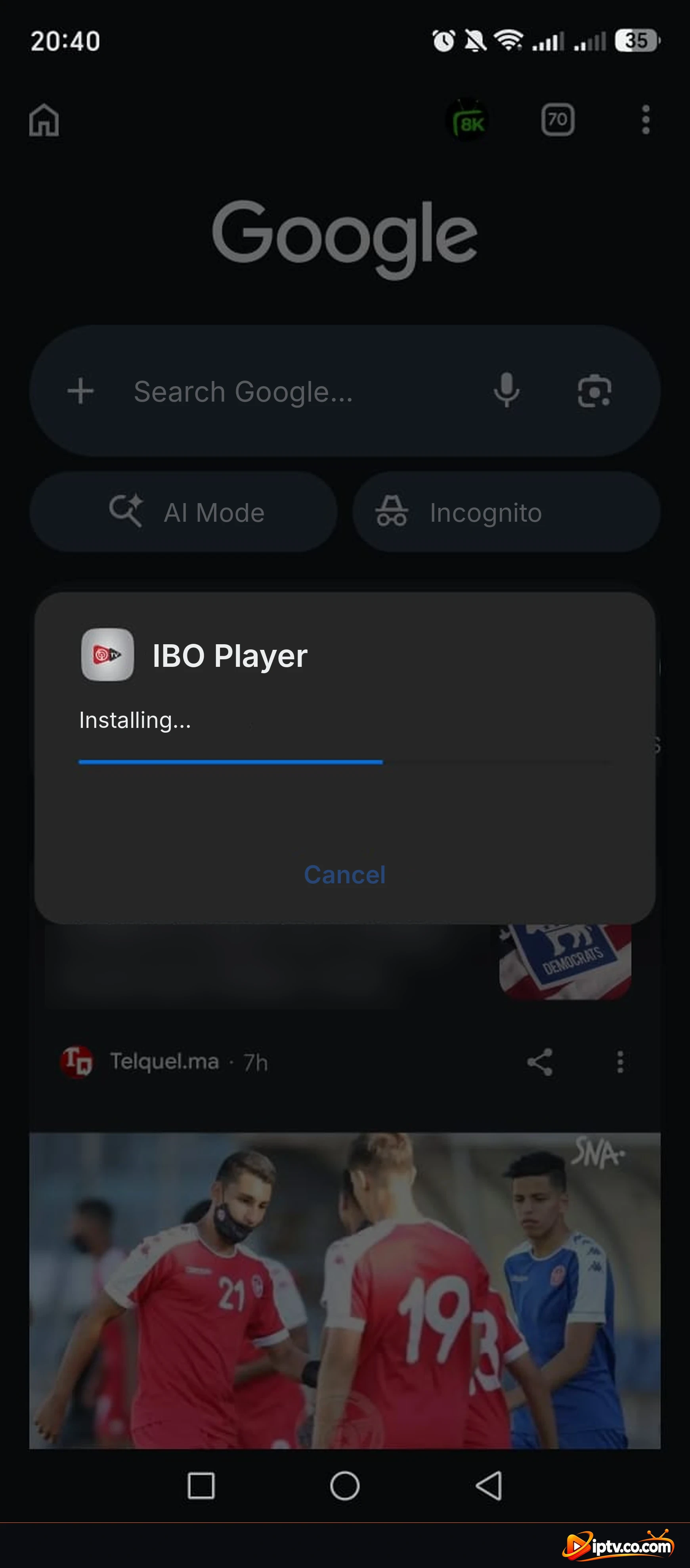
Step 5: Wait While It Installs, Then Tap Open
IBO Player installs in a few seconds. Tap Open, then note your Device ID and Device Key on the welcome screen.
IBO Player is installing
How to Download IBO Player on Samsung Smart TV
On Samsung Smart TVs (Tizen OS), IBO Player is in the TV’s own app store, so no Downloader is needed.
Press the Home button on your Samsung remote.
Open Apps and select the search icon.
Type IBO Player and open the app.
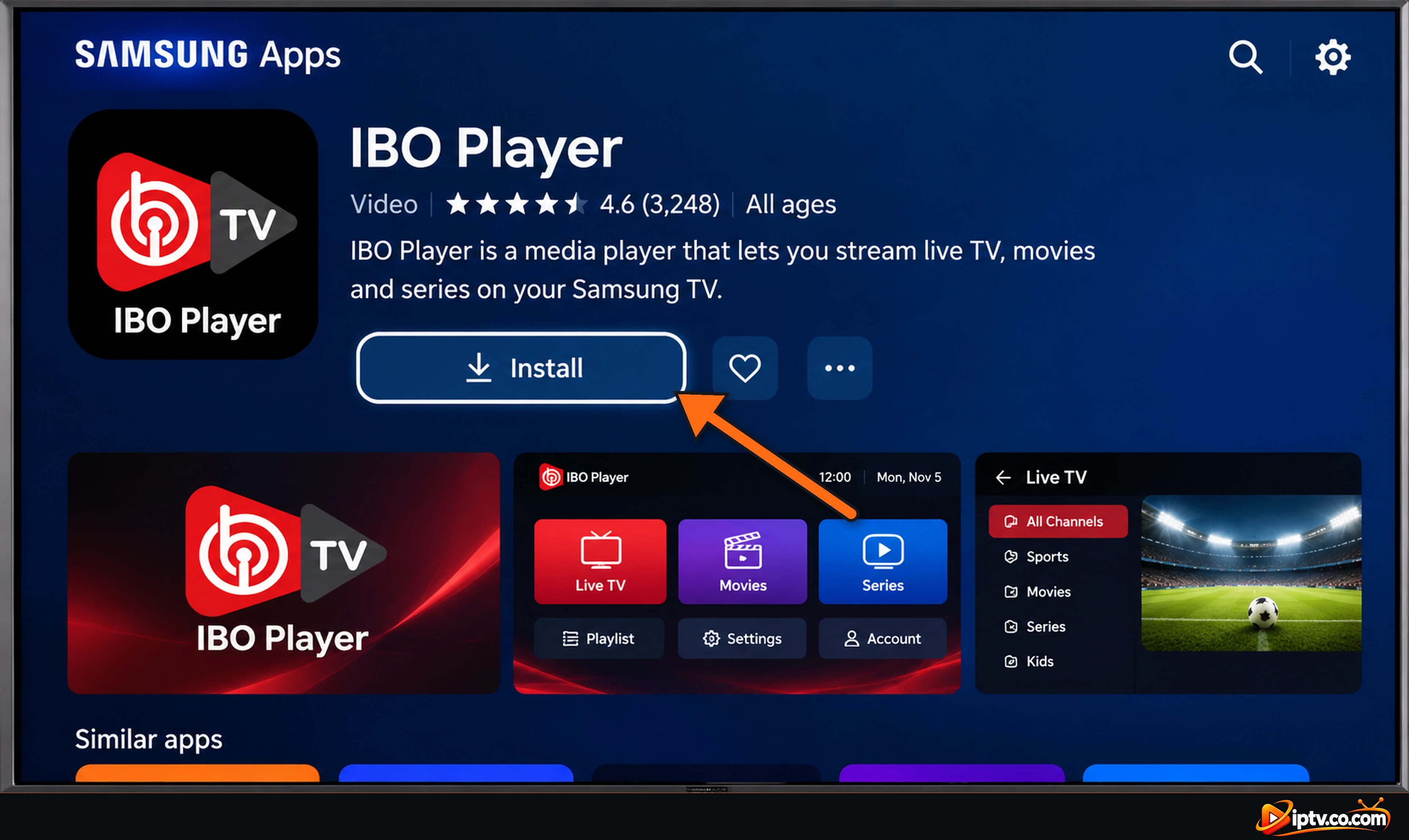
Select Install, then Open.
Note the Device ID and Device Key shown on the screen.
Can’t find it? Availability depends on your TV model and country. Try searching IBO Player Pro, update your TV’s software, or plug in a Firestick and follow the steps above.
Select Install on the IBO Player page in Samsung Apps
How to Download IBO Player on LG Smart TV
On LG Smart TVs (webOS), install IBO Player from the LG Content Store.
Press the Home button on your LG remote.
Open LG Content Store (or Apps on newer models).
Select the search icon and type IBO Player.
Select Install, then Launch.
Note the Device ID and Device Key shown on the screen.
If it’s not listed for your TV, try IBO Player Pro, or use a Firestick or Google TV device instead.
Select Install on the IBO Player page in LG Content Store
How to Download IBO Player on iPhone and iPad
On Apple devices, the app is listed as IBO PLAYER in the App Store (developer: ibrahim akoum). It’s free to download, with in-app purchases for the license.
Open the App Store on your iPhone or iPad.
Tap Search and type ibo player.
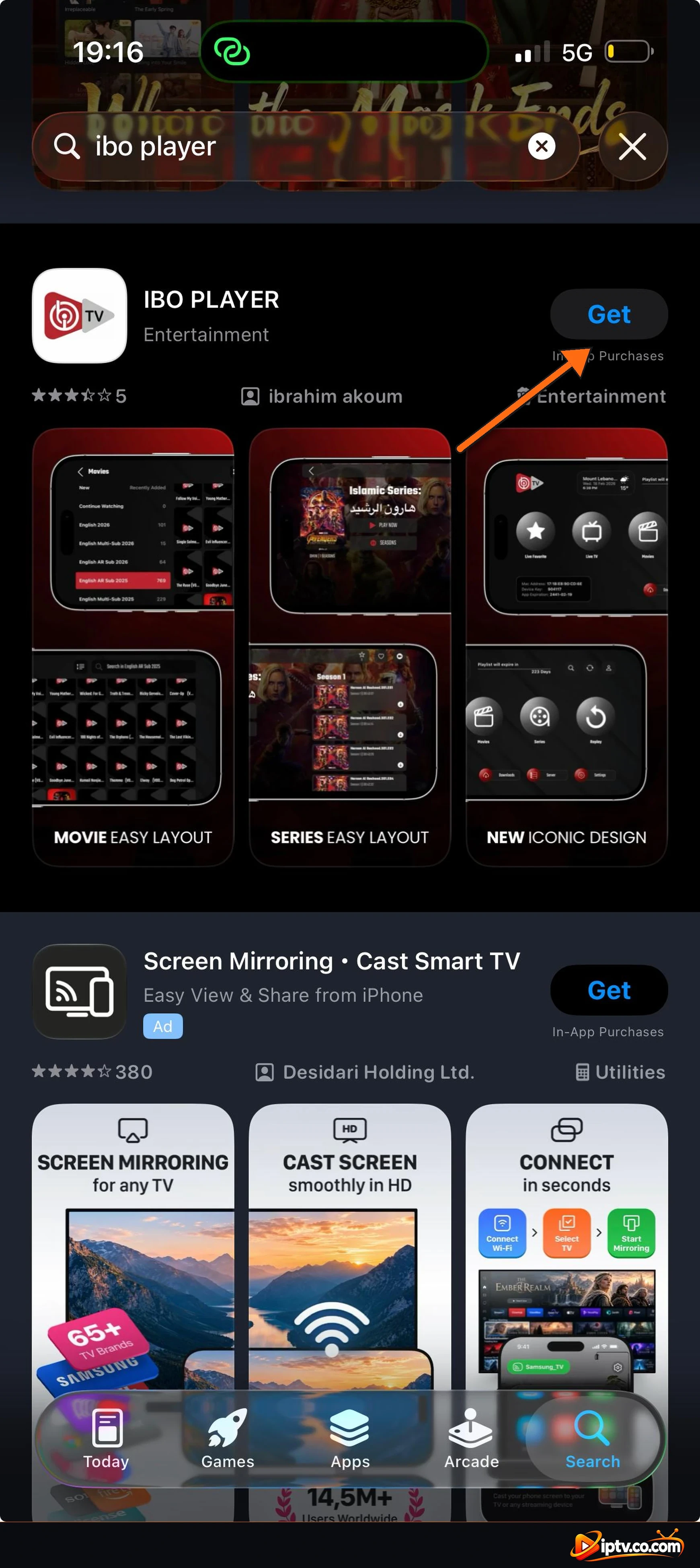
Tap Get next to IBO PLAYER and confirm with Face ID, Touch ID or your Apple ID password.
Open the app and note your Device ID and Device Key.
Search for ibo player in the App Store and tap Get
IBO PLAYER on the App Store: tap Get
How to Download IBO Player on Windows PC
IBO Player has a Windows version, called IBO TV Player, for Windows 10 and Windows 11 PCs and laptops.
Open your browser (Chrome, Edge or Firefox), paste this link into the address bar and press Enter:
When the download finishes, open ibo_installer.exe from your Downloads folder.
If Windows protected your PC appears, click More info > Run anyway. Only do this for the file from this link.
Follow the installer and click Finish.
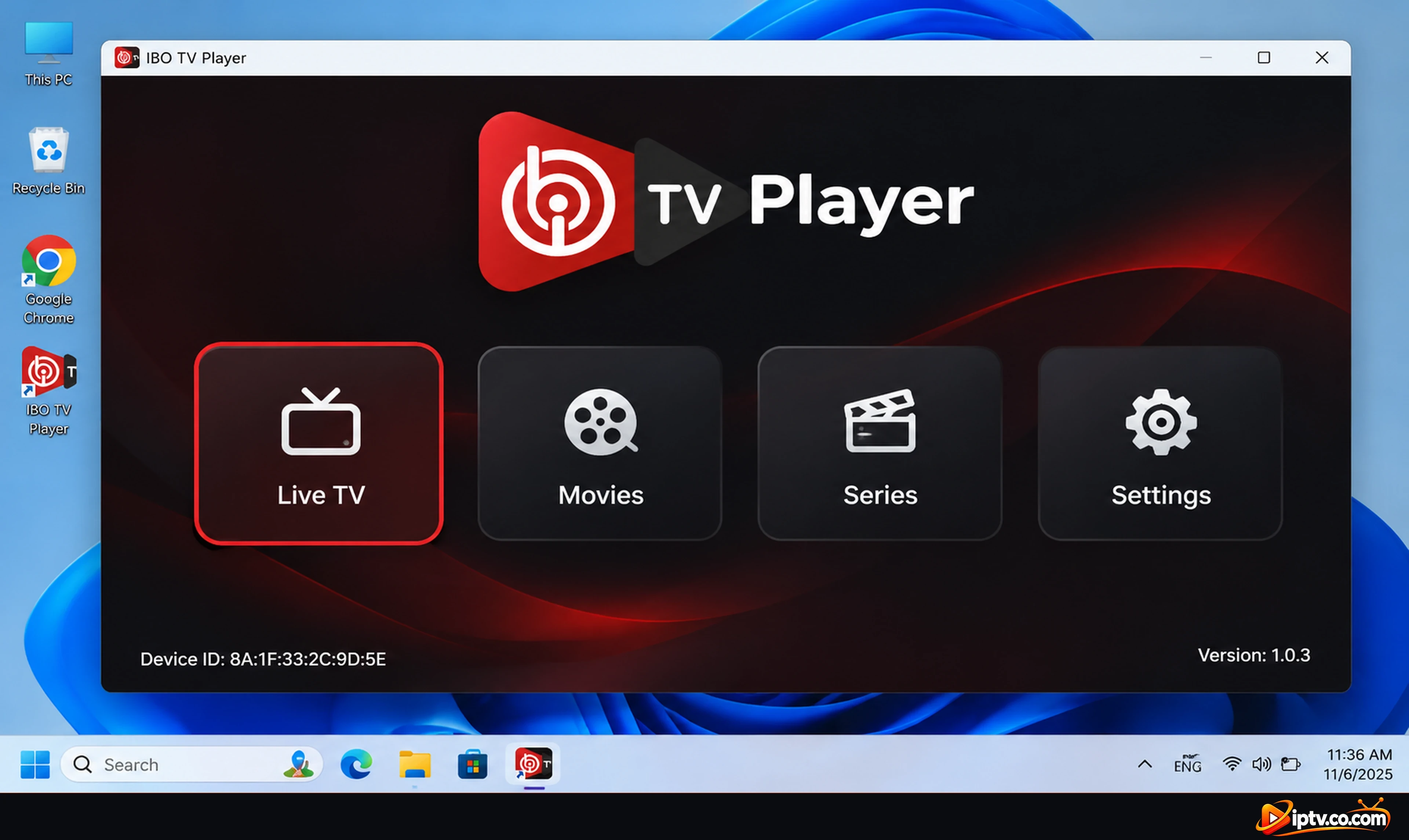
Open IBO TV Player from the desktop or Start menu. Your Device ID is shown at the bottom left.
IBO TV Player for Windows is installed
How to Download IBO Player on Mac (macOS)
Open the App Store on your Mac.
Search for ibo player.
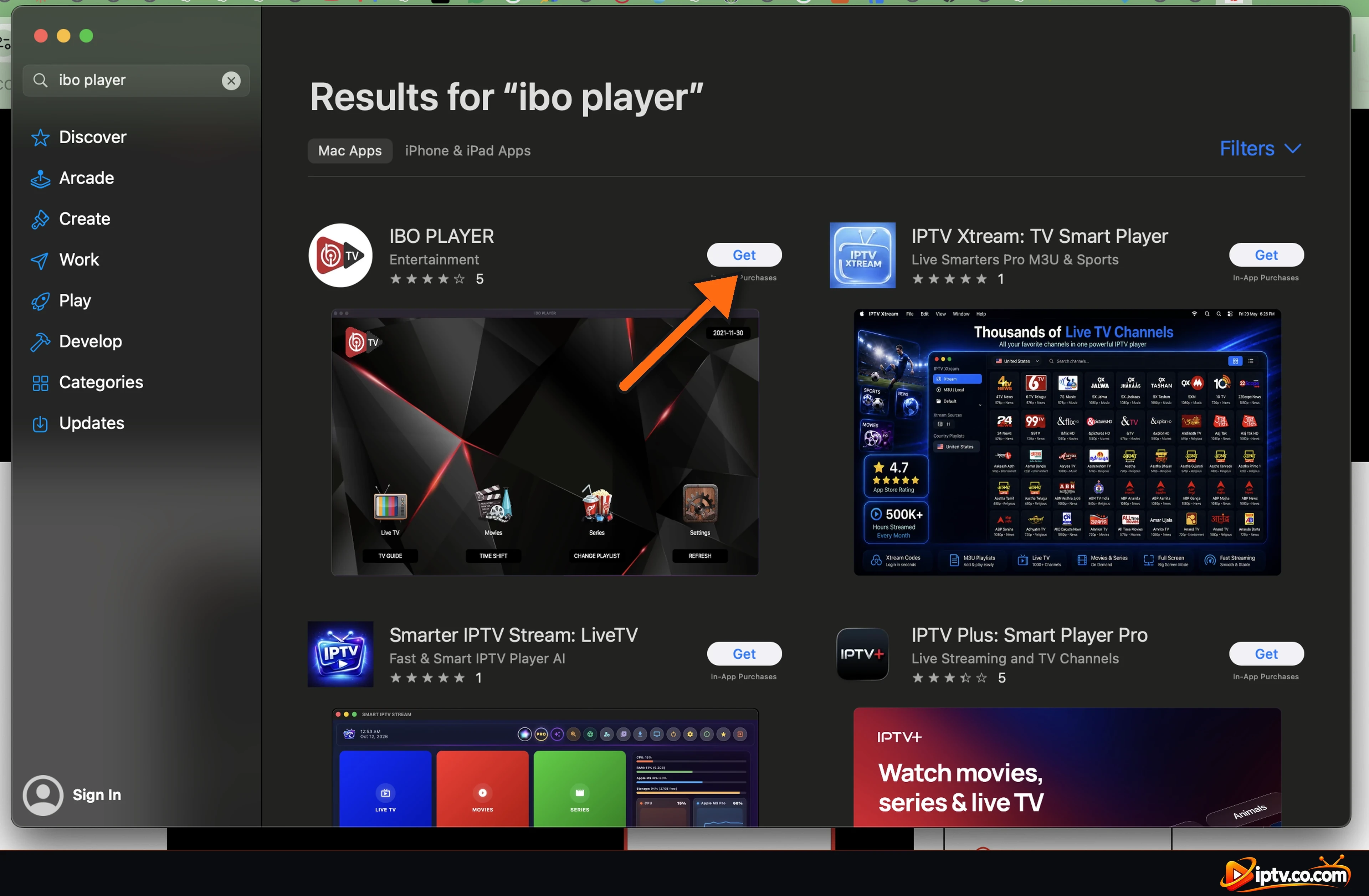
Click Get next to IBO PLAYER, then Install, and sign in with your Apple ID if asked.
Open the app from Launchpad or the Applications folder and note your Device ID and Device Key.
Search for ibo player in the Mac App Store and click Get
Roku, Apple TV and Other Devices
Roku and Roku TV: search for IBO Player or IBO Player Pro in the Roku Channel Store. Availability varies by country; if it isn’t listed, use a Firestick or Google TV device on another HDMI port.
Apple TV: look for IBO PLAYER in the App Store on your Apple TV.
Vizio Smart TV: Vizio doesn’t let you install IBO Player. Plug in a Firestick or Google TV device.
Android TV box and Nvidia Shield: follow the Android TV steps above with code 511693.
After You Download IBO Player: Free Trial and Next Steps
IBO Player opens with an empty demo, because the app has no channels of its own. Here’s what happens next (full steps in how to activate IBO Player):
7-day free trial: starts automatically the first time you open the app on a new device.
Device ID and Device Key: shown on the welcome screen. They identify your device, so keep them private.
Add your playlist: in IBO Player you don’t type your playlist on the TV. You sign in on the IBO Player website with your Device ID and Device Key, add your M3U URL or Xtream Codes, then restart the app.
License: after the trial, a license is needed for each device. Most IPTV providers activate IBO Player for free with a 6- or 12-month subscription; just contact yours with your Device ID. See IBO Player subscription explained.
IBO Player Won’t Download or Install? Quick Fixes
Install blocked on Firestick: turn on Install unknown apps for Downloader in Settings > My Fire TV > Developer Options.
Downloader code 511693 doesn’t work: check your internet connection, type the 6 digits again and select Next.
Download stops or is very slow: the APK is about 82 MB. Restart your device and router, then try again.
“App not installed”: uninstall any old IBO Player first, free up storage, then install again.
Play Protect blocks the app: tap More details > Install anyway, but only for the APK from this guide.
Not enough storage: delete the APK file in Downloader’s Files tab and uninstall apps you don’t use.
Can’t find it on Samsung or LG: search for IBO Player Pro, update the TV’s software, or use a Firestick or Google TV device.
Windows blocks the installer: click More info > Run anyway on the SmartScreen message.
Installed but not working? See IBO Player not working for loading, playlist, movies and EPG fixes.
Install the Downloader app, allow it under Settings > My Fire TV > Developer Options > Install unknown apps, open it, enter the code 511693 and select Install when the download finishes.
IBO Player is free to download and includes a 7-day free trial on every new device. After the trial, a license is needed for each device; most IPTV providers activate it for free with a 6- or 12-month subscription. The app doesn’t include any channels or playlists.
On Android phones and tablets, open https://iboplayer.com/app_downloads/ibop.apk in Chrome. On Firestick and Android TV, use the Downloader code 511693, which opens the same official APK.
Both come from the same team and work with the same Device ID and Device Key system. IBO Player Pro is the newer app; if IBO Player isn’t listed in your TV’s store, try IBO Player Pro.






2 Responses