Smart STB Subscription: Price, Free Trial and How to Buy
Smart STB price explained: free 7-day trial, Yearly Lite 3.99 euros, Yearly Full, Lifetime Full and Lifetime Unlimited, and how to buy and activate your license step by step.
By IPTV Guide
6 min read
0 Comments
Quick Summary
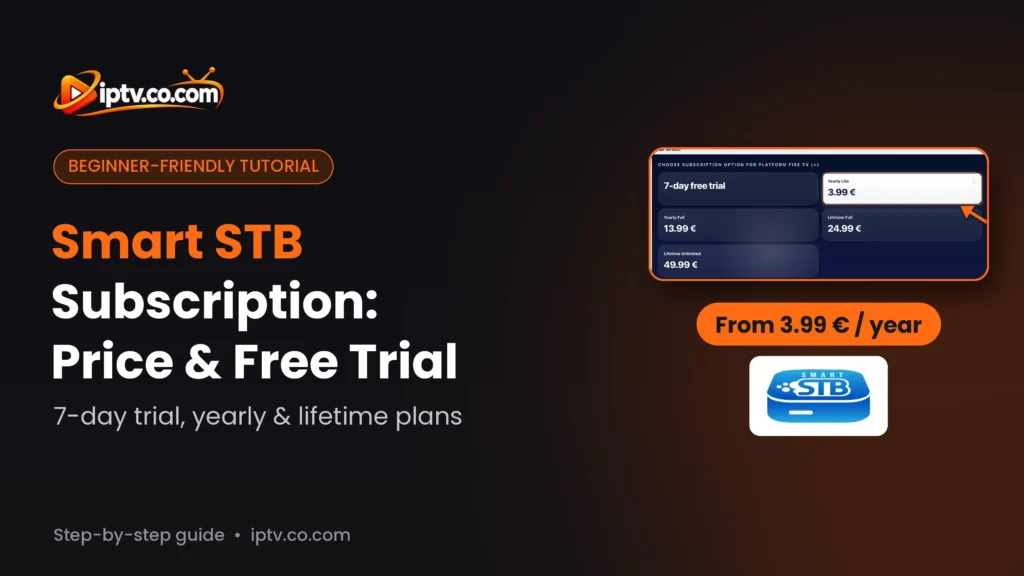
Smart STB gives every device a free 7-day trial. After that, you buy an app license for each device on the official Smart STB website: Yearly Lite (3.99 €, about $4.50), Yearly Full (13.99 €), Lifetime Full (24.99 €) or Lifetime Unlimited (49.99 €). Yearly plans renew automatically. You pay with a card, Google Pay or PayPal, and the app is activated with an activation code or your Software ID.
Good to Know: The App License Is Separate From Your IPTV Subscription
The Smart STB license only unlocks the app. It doesn’t include any channels: you still need a portal from your IPTV provider. Payments are non-refundable, so test the app with the free trial first.
Smart STB is free to install and comes with a 7-day trial. To keep using it, you need an app license. This guide explains the Smart STB subscription price, the difference between the plans and how to buy and activate your license step by step on the official website.
Smart STB Price: Free Trial, Yearly and Lifetime Plans
Plan
Price
Duration
Free trial
Free
7 days per device
Yearly Lite
3.99 € (about $4.50)
1 year, renews automatically
Yearly Full
13.99 € (about $16)
1 year, renews automatically
Lifetime Full
24.99 € (about $29)
Lifetime, one-time payment
Lifetime Unlimited
49.99 € (about $57)
Lifetime, one-time payment
These are the prices shown for the Fire TV platform. Prices can be different for other devices and USD amounts change with the exchange rate. One license is for one device. According to Smart STB, up to 4 additional devices at the same place can be linked as a paid addon, and Full licenses can link up to 4 additional devices at no extra cost.
Step 1: Get Your Activation Code on the Smart STB Website
On your phone or computer, open the official Smart STB website and select App Activation (or SmartSTB Activation in the top menu):
https://www.smart-stb.net
Select App Activation on the Smart STB website
Create Your Smart STB Account
Select Create account, enter your email address and a password, tick I’m not a robot and select Register. Your account lets you manage your activations, orders and license transfer.
Create a Smart STB account and select Register
Open SmartSTB Activation
On the SmartSTB Activation page, the free 7-day trial needs no payment. To buy a license, continue to the activation code.
Smart STB activation page with the free 7-day trial
Select “I agree! Show me the activation code.”
Read the warning (payments are non-refundable, the app license is separate from your TV subscription, and Smart STB provides no channels), then select I agree! Show me the activation code.
Select I agree! Show me the activation code
The website shows a 10-digit activation code. Keep this page open.
The Smart STB website shows your activation code, or type your Software ID
Step 2: Link the Code to Your Device
You have two ways to link the license to your TV or Firestick. Choose one.
Way 1: Enter the Activation Code in the App
In Smart STB, open STB Settings and select Activation.
Select Activation in Smart STB System settings
If the app is still on the trial, it asks Your app is activated with “Trial” license. Are you sure you want to activate the app with different license? Select Yes.
Select Yes to activate Smart STB with a different license
Type the activation code from the website. The app shows App is waiting for activation. Please finish the order on our website: go back to the website to finish the order.
Smart STB is waiting for activation after you enter the code
Way 2: Type Your Software ID on the Website
Instead of the code, type your Software ID (or MAC address) in Type Software ID / MAC address here. You find it in Device info on the Smart STB home screen. Then select Continue to checkout.
Type your Software ID and select Continue to checkout
Step 3: Choose Your Plan and Pay
Enter Your Billing Details
Fill in your email, first and last name, street address, town, state and postcode.
Enter your billing details on the Smart STB checkout
Choose the Subscription Option
Under Your order, choose your plan: Yearly Lite (3.99 €), Yearly Full (13.99 €), Lifetime Full (24.99 €) or Lifetime Unlimited (49.99 €). Check that the activation code and MAC address in the summary match your device.
Choose a Smart STB subscription plan: Yearly Lite, Yearly Full, Lifetime Full or Lifetime Unlimited
Choose How to Pay
Pay by credit card, Google Pay, PayPal or debit card. Yearly plans show the next automatic payment date: if you don’t want to renew, cancel before that date in your account.
Smart STB payment methods and next automatic payment date
Accept the Terms and Select Sign Up Now
Tick I have read and agree to the website terms and conditions, then select Sign up now. Wait 1–2 minutes and don’t go back or refresh the page.
Accept the terms and select Sign up now
Step 4: Check Your Smart STB License
The page shows Thank you. Your order has been received. with your Smart STB License: the subscription period (for example 1 Year), your activation code, MAC address and device.
Smart STB order received with a 1-year license for 3.99 euros
Your subscription is active. Select Open Subscription to manage license transfer and recovery (for example if you change TV).
Open the subscription to manage license transfer
In My Account > Subscriptions, you see your license, its status (Active), your device and the next payment. Back on your TV, restart Smart STB: Subscription in Device info no longer shows Trial.
Smart STB account subscriptions with the active 1-year license
Important Before You Pay
Read This Before Paying
Payments are non-refundable: test the app with the free 7-day trial first.
Smart STB has a free 7-day trial, then Yearly Lite 3.99 euros, Yearly Full 13.99 euros, Lifetime Full 24.99 euros or Lifetime Unlimited 49.99 euros per device (Fire TV prices).