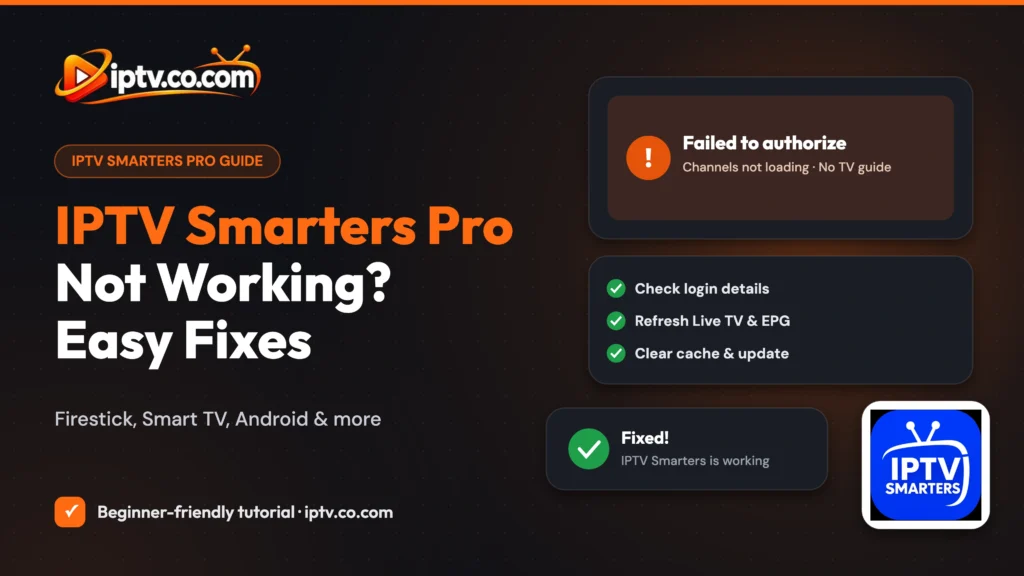
Quick Fix Checklist
- Restart your device and your router.
- Check that your IPTV subscription is still active.
- Re-enter your username, password and server URL.
- Close IPTV Smarters on your other devices.
- Refresh Live TV, Movies, Series and the EPG.
- Clear the app’s cache, update or reinstall IPTV Smarters.
Good to Know: IPTV Smarters Is 100% Free
IPTV Smarters is a 100% free player and doesn’t provide channels, playlists or subscriptions. When channels stop working, the fix is usually with your own playlist, login details or IPTV provider, not the app.
Is your IPTV Smarters Pro not working? Channels won’t load, the TV guide is empty, it says Failed to authorize, or the app keeps closing? This guide lists the most common IPTV Smarters problems on Firestick, Android, Samsung, LG and other devices, with a simple fix for each one. Start with the checklist above, then jump to your exact problem.
Is IPTV Smarters Down Right Now?
The IPTV Smarters app itself rarely goes down: it’s a 100% free player that doesn’t host, provide or sell any channels, playlists or subscriptions. When nothing loads, the cause is almost always one of these:
- Your provider’s server is down or overloaded (common during big live events).
- Your subscription expired or was suspended. See how to check your expiry date.
- Your internet connection is down or too slow.
Test another app or website on the same device. If everything else works, contact your provider and ask if their server is online.
IPTV Smarters “Failed to Authorize”
This means IPTV Smarters couldn’t log in to your provider. Fix it step by step:
- Retype the username and password. They are case-sensitive. Remove spaces at the start or end.
- Check the server URL. Include
http://orhttps://and the port if shown (for example:8080). For Xtream Codes, don’t add/get.php. - Check your subscription is active and paid.
- Close the app on other devices. Too many connections can block the login.
- Delete the user and add it again from List Users.
- Contact your provider if it still fails. Your line may be blocked or the server may have changed.
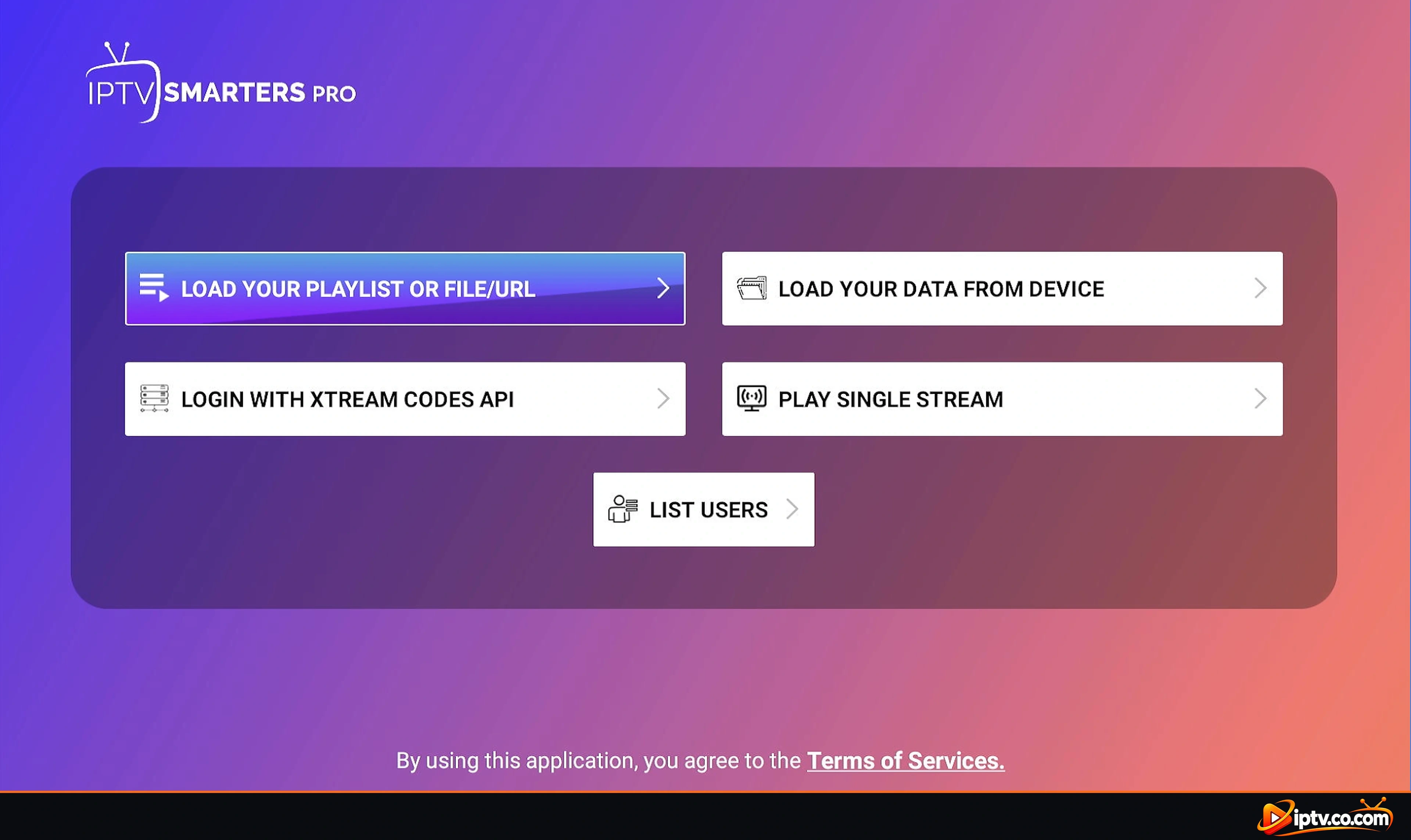
Step-by-step login screens: how to activate IPTV Smarters.
Live TV or Channels Not Loading or Not Downloading
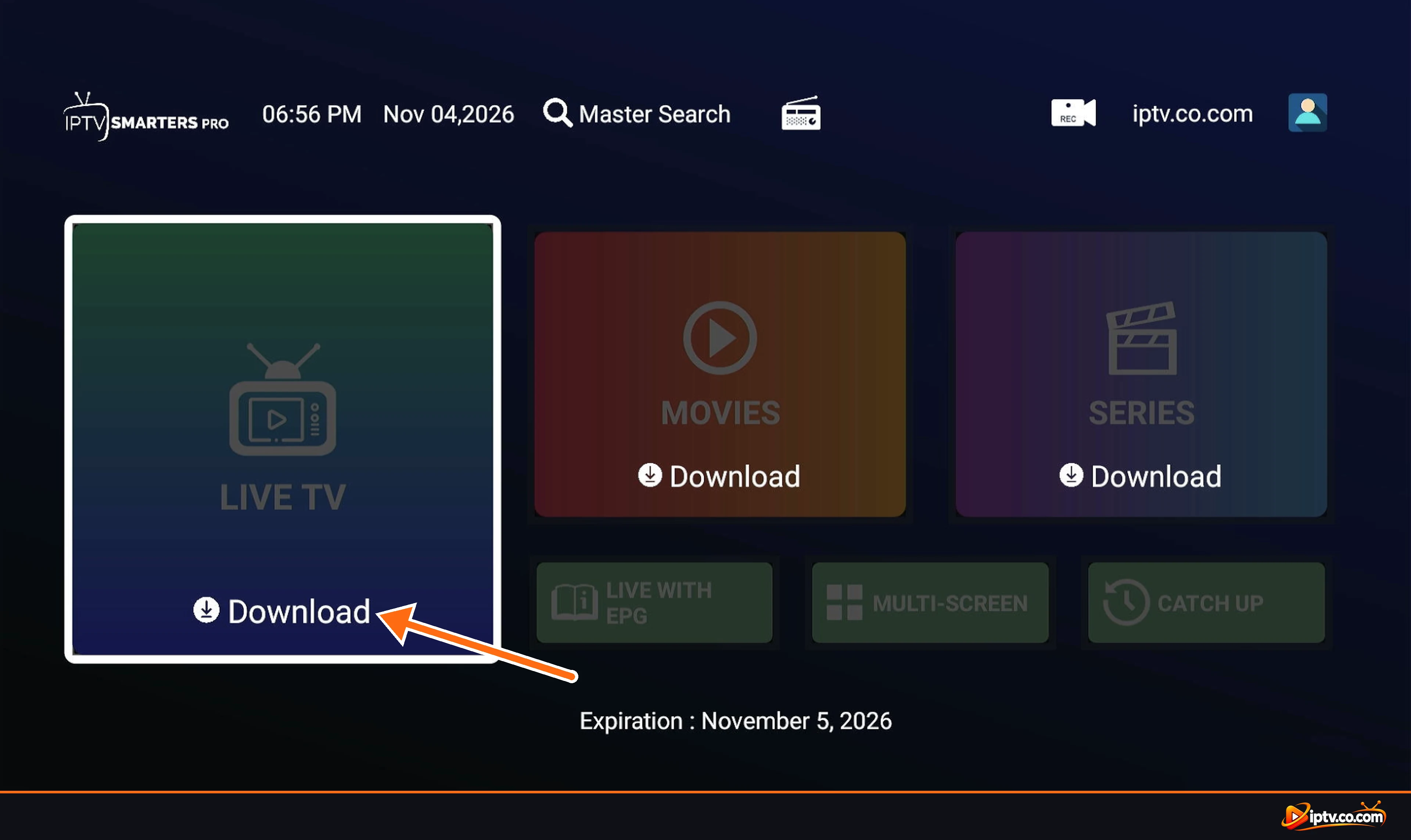
- Download again: on the home screen, tap the refresh button on Live TV (and Movies and Series) and wait until it says Last updated.
- Stuck on Downloading: large playlists take a few minutes. Don’t leave the screen, and restart the app if it freezes.
- Empty categories: your provider may have changed its channel list. Refresh, or ask the provider.
- One channel doesn’t play: that stream may be offline. Try another channel before changing settings.
IPTV Smarters Buffering or Freezing
- Restart your router and your device.
- Use a wired connection or move closer to the router. HD channels need a stable 10–25 Mbps connection.
- Close other apps and downloads that use the internet.
- Change the stream format: go to Settings > Stream Format and switch to the other option, then reopen the channel.
- Change the player: go to Settings > Player Selection and try another built-in player.
- Try another time: if every channel buffers during big live events, the provider’s server is overloaded.
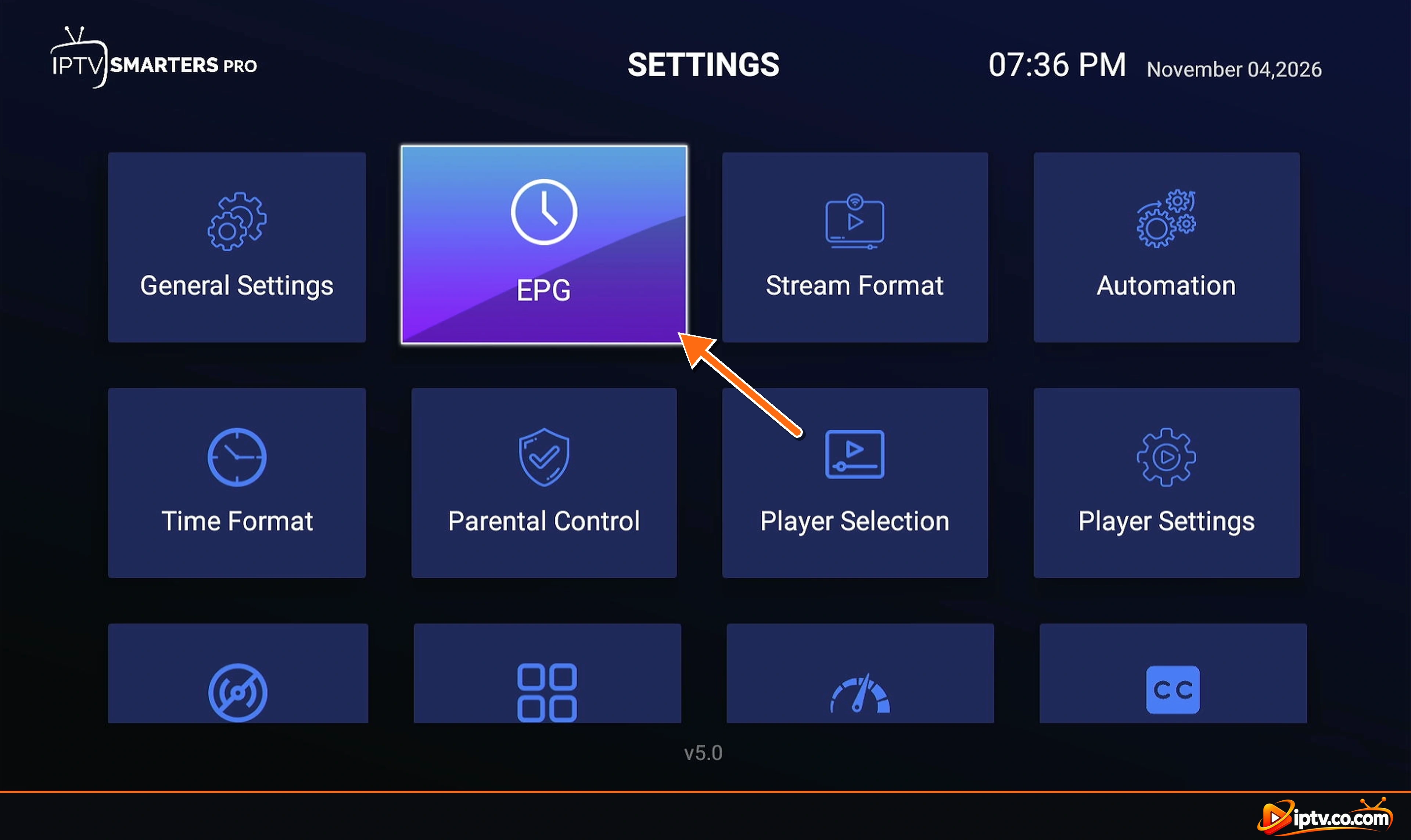
TV Guide (EPG) Not Loading or Not Updating
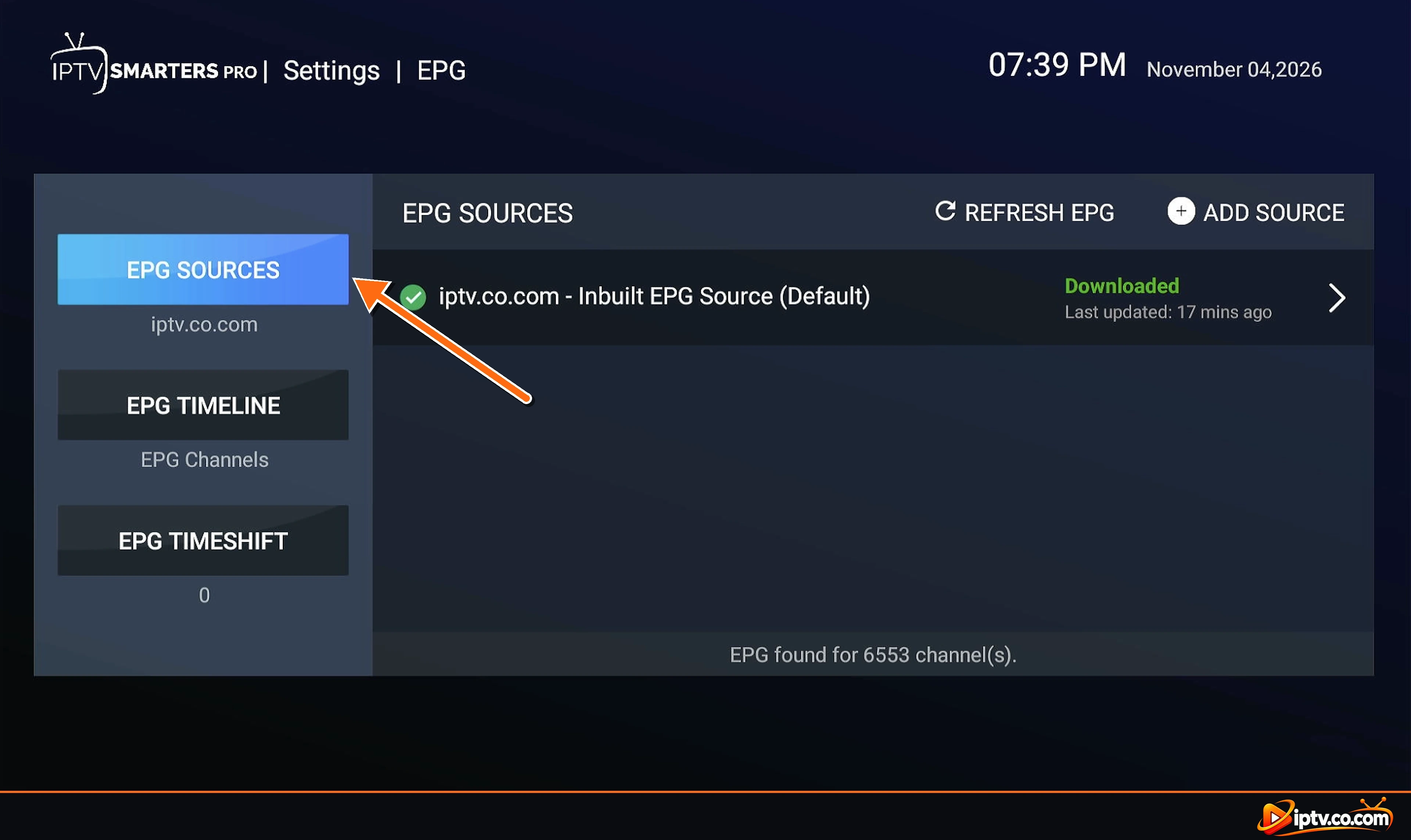
- Open Settings > EPG and tap Refresh EPG.
- Check that one source shows Downloaded and is set as Default.
- If you use an M3U playlist, add your provider’s EPG link as a new source.
- No Program Found on some channels is normal when the provider has no guide data for them.
- Programs at the wrong time? Change EPG Timeshift.
Full guide with screenshots: how to add EPG to IPTV Smarters Pro.
Movies or Series Not Working
- Refresh Movies and Series on the home screen.
- Try another title: a single movie may be removed or offline.
- Change Settings > Player Selection and try again.
- No subtitles or wrong audio? Pause the video and open the audio and subtitle options in the player.
- M3U playlists often mix movies into Live TV. Use Xtream Codes for a sorted movie and series library.
IPTV Smarters Keeps Closing or Crashing
- Force stop and reopen the app.
- Clear the cache: Android and Firestick: Settings > Applications (or Apps) > IPTV Smarters Pro > Clear cache. Don’t clear data unless you are ready to log in again.
- Free up storage: delete unused apps and old APK files.
- Reinstall the latest version. See how to install IPTV Smarters Pro.
IPTV Smarters Pro Not Working on Firestick
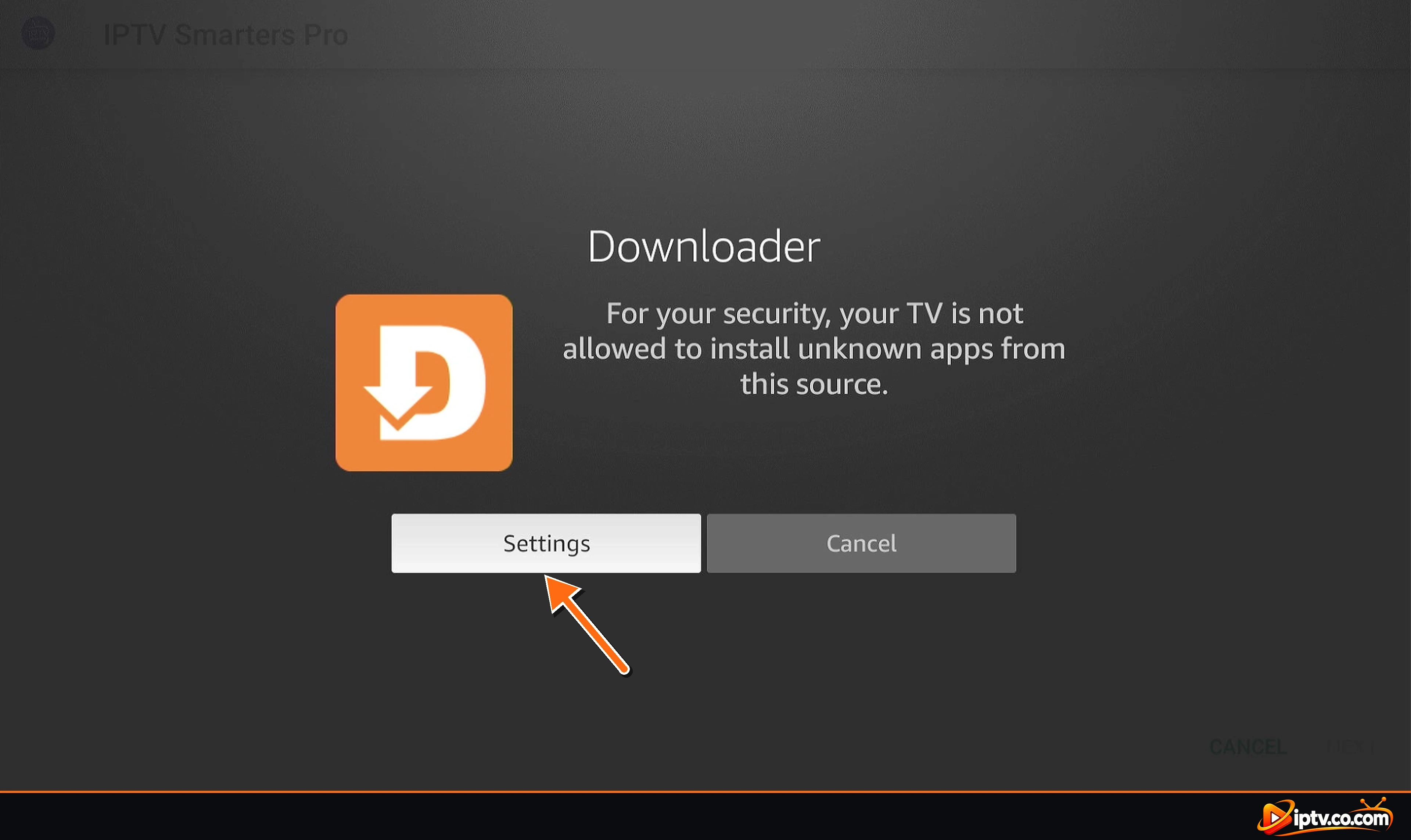
- Not downloading or won’t install: turn on Install unknown apps for Downloader in Settings > My Fire TV > Developer Options, then use Downloader code 5535368 again.
- Low storage: delete the APK file in Downloader’s Files tab and uninstall unused apps.
- New Fire TV models: some newer models run Vega OS and can’t install IPTV Smarters. See which Fire TVs support Downloader.
- Still crashing: restart the Fire TV from Settings > My Fire TV > Restart.
IPTV Smarters Not Working on Samsung or LG TV
- Can’t find the app: availability depends on the TV model and country. Update the TV’s software and search the store again.
- Not opening: unplug the TV for 1 minute, then try again.
- Login fails: check the date and time are set automatically, and re-enter your details.
- Still not working: uninstall and reinstall from Samsung Apps or the LG Content Store, or use a Firestick or Google TV device instead.
Roku: IPTV Smarters isn’t available on Roku, so it can’t work there. Use a Firestick or Google TV device.
IPTV Smarters Won’t Install or “App Not Installed”
- “App not installed”: uninstall the old IPTV Smarters version first, then install again.
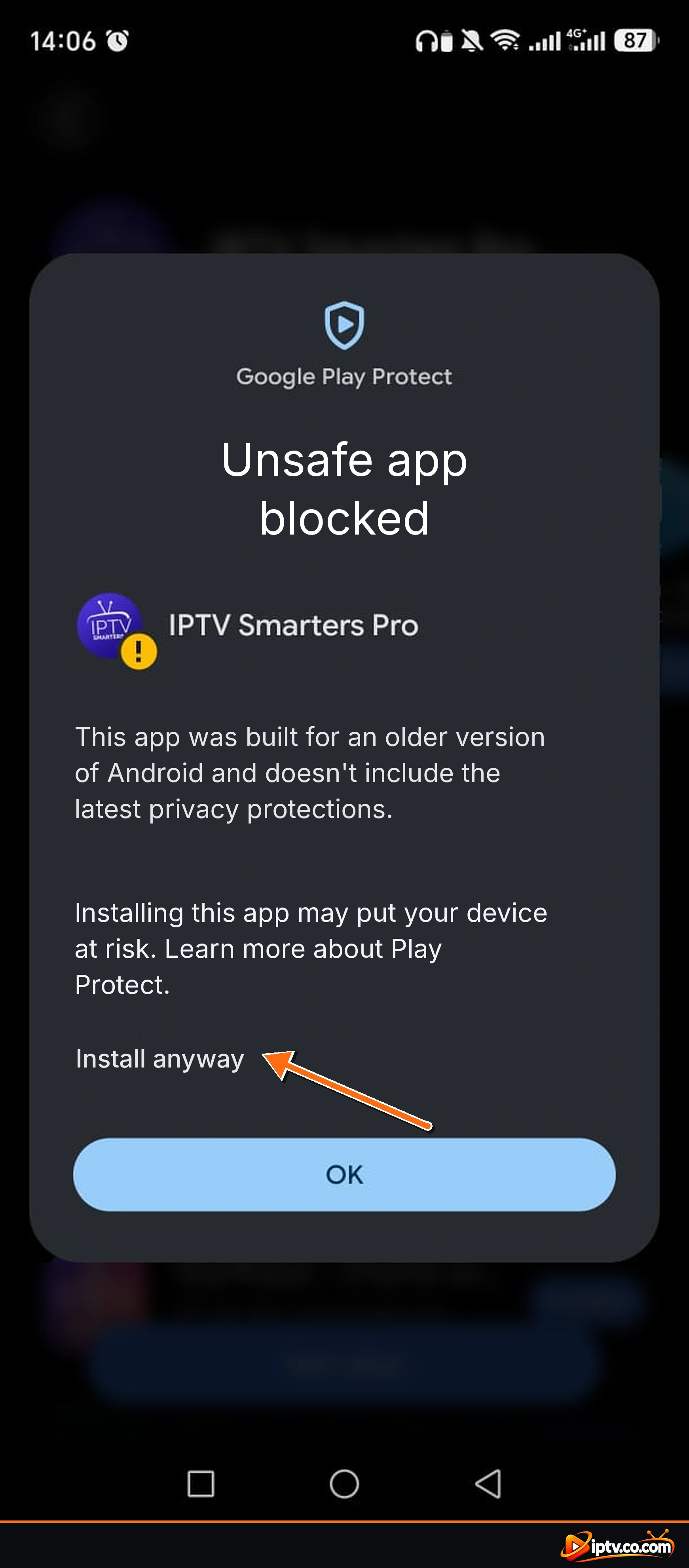
- Play Protect blocks it: tap More details > Install anyway for the APK from our guide.
- Not on Google Play or the App Store: on Android and Firestick, use the APK or Downloader code. On iPhone and iPad, search for Smarters Player Lite.
IPTV Smarters “URL Not Valid”
- The URL must start with
http://orhttps://. - For Xtream Codes, enter only the server address and port, for example
http://your-provider-url:8080. - For M3U, paste the full link, including
username,passwordandtype=m3u_plus. - Remove spaces and check the spelling of the domain.
Still Not Working?
Send your provider your device model, app version and a photo of the error. Most IPTV Smarters problems are fixed on the provider’s side.
Frequently Asked Questions
Why is my IPTV Smarters not working?
Usually your subscription expired, your login details are wrong, the provider's server is down, or your internet is slow. Restart, re-enter your login and refresh Live TV.
Is IPTV Smarters down today?
The app rarely goes down. If channels don't load, check your provider's server and your internet connection.
How do I fix Failed to authorize in IPTV Smarters?
Re-enter your username, password and URL exactly, check that your subscription is active, and close the app on other devices.
Why is IPTV Smarters not loading channels?
Refresh Live TV on the home screen. If it stays empty, your provider may have changed the playlist or the server is offline.
Why is IPTV Smarters buffering?
A slow or unstable connection or a busy server. Restart the router, use a cable, and try changing the stream format or player.
Why is the IPTV Smarters TV guide not loading?
Open Settings, EPG and tap Refresh EPG. Make sure a source is Downloaded and set as Default.
Why does IPTV Smarters keep closing?
Clear the app's cache, free up storage and install the latest version.
Why is IPTV Smarters not working on my Firestick?
Allow Install unknown apps for Downloader, free up storage, reinstall with code 5535368 and restart the Fire TV.
Why can't I find IPTV Smarters on my Samsung TV?
It isn't available on every model or in every country. Update the TV or use a Firestick or Google TV device.
Does IPTV Smarters work on Roku?
No. IPTV Smarters isn't available on Roku.
Need to start over? See how to install IPTV Smarters Pro and how to activate it, or browse all IPTV Smarters guides.