Quick Summary
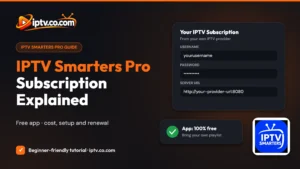
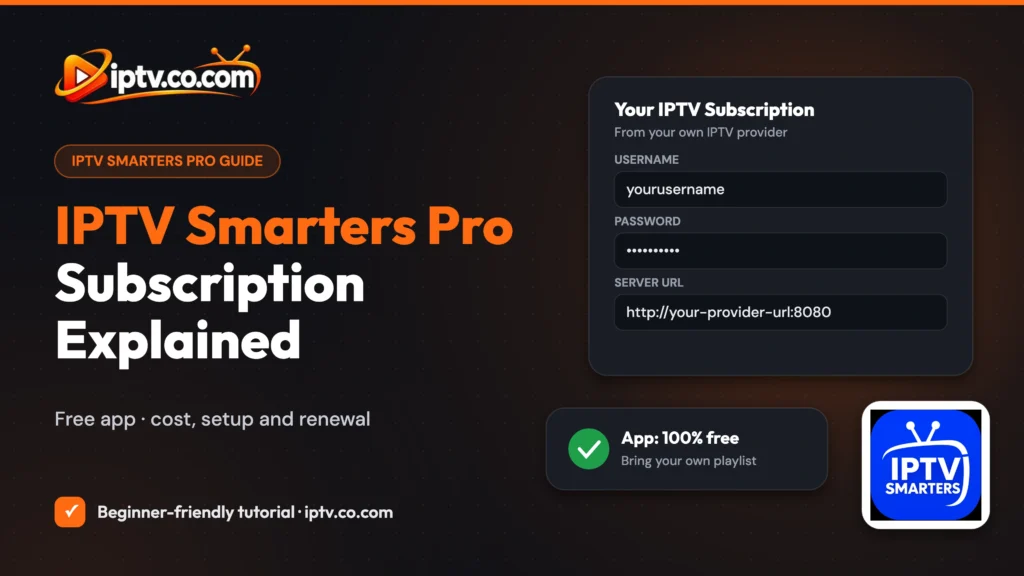
The IPTV Smarters Pro app is free and has no channels. An “IPTV Smarters subscription” is really a service from an IPTV provider that gives you Xtream Codes (username, password, server URL) or an M3U URL. You add those details to the app, and the app plays that provider’s channels. IPTV Smarters itself is 100% free and doesn’t provide or sell any IPTV playlists or subscriptions.
Good to Know: IPTV Smarters Is 100% Free
IPTV Smarters is 100% free to download and use. There is no paid or premium version. It doesn’t provide or sell IPTV channels, playlists or subscriptions: you must bring your own playlist or login details from an IPTV provider.
Searching for an IPTV Smarters Pro subscription, its price, or how to sign up? This guide explains in plain words what you actually pay for, what you get, how to add your subscription to IPTV Smarters, how to check when it expires and how to renew it. It also covers how to pick a safe, legal provider.
Does IPTV Smarters Pro Need a Subscription?
Yes, but not from IPTV Smarters. The app is only a player, like a DVD player without discs. The channels, movies and series come from an IPTV service that you subscribe to separately.
| IPTV Smarters app | IPTV subscription | |
|---|---|---|
| What it is | A player app | A service with channels and VOD |
| Who provides it | The app developer | An IPTV provider |
| Price | 100% free | Set by the provider |
| What you get | Live TV, TV guide, movies and series screens | Xtream Codes or M3U URL, often an EPG link |
| Includes channels? | No | Yes |
How Much Does IPTV Smarters Pro Cost?
There is no fixed “IPTV Smarters price”, because IPTV Smarters doesn’t sell channel packages:
- The app: 100% free to download and use, with no paid version, on Firestick, Android, Samsung, LG, Windows, iPhone and Mac.
- The IPTV service: the price, plans (for example 1, 3, 6 or 12 months) and number of devices are set by each provider.
Be careful with any website that sells a so-called “official IPTV Smarters subscription”: what you buy is always a third-party IPTV service.
What You Get With an IPTV Subscription
After you subscribe (or start a free trial), your provider sends your login details by email or shows them in its client area:
- Xtream Codes: a username, a password and a server URL (recommended for IPTV Smarters). See how to get Xtream Codes.
- M3U URL: one long playlist link. See how to get an M3U URL.
- EPG URL: a TV guide link, often loaded automatically. See how to add EPG.
- Connections: how many devices can watch at the same time.
- Expiry date: when your plan ends.
How to Add Your Subscription to IPTV Smarters (Sign Up and Log In)
There is no separate IPTV Smarters account to sign up for. You “sign in” by adding your provider’s details. Don’t have the app yet? See how to install IPTV Smarters Pro.
Step 1: Choose How to Log In
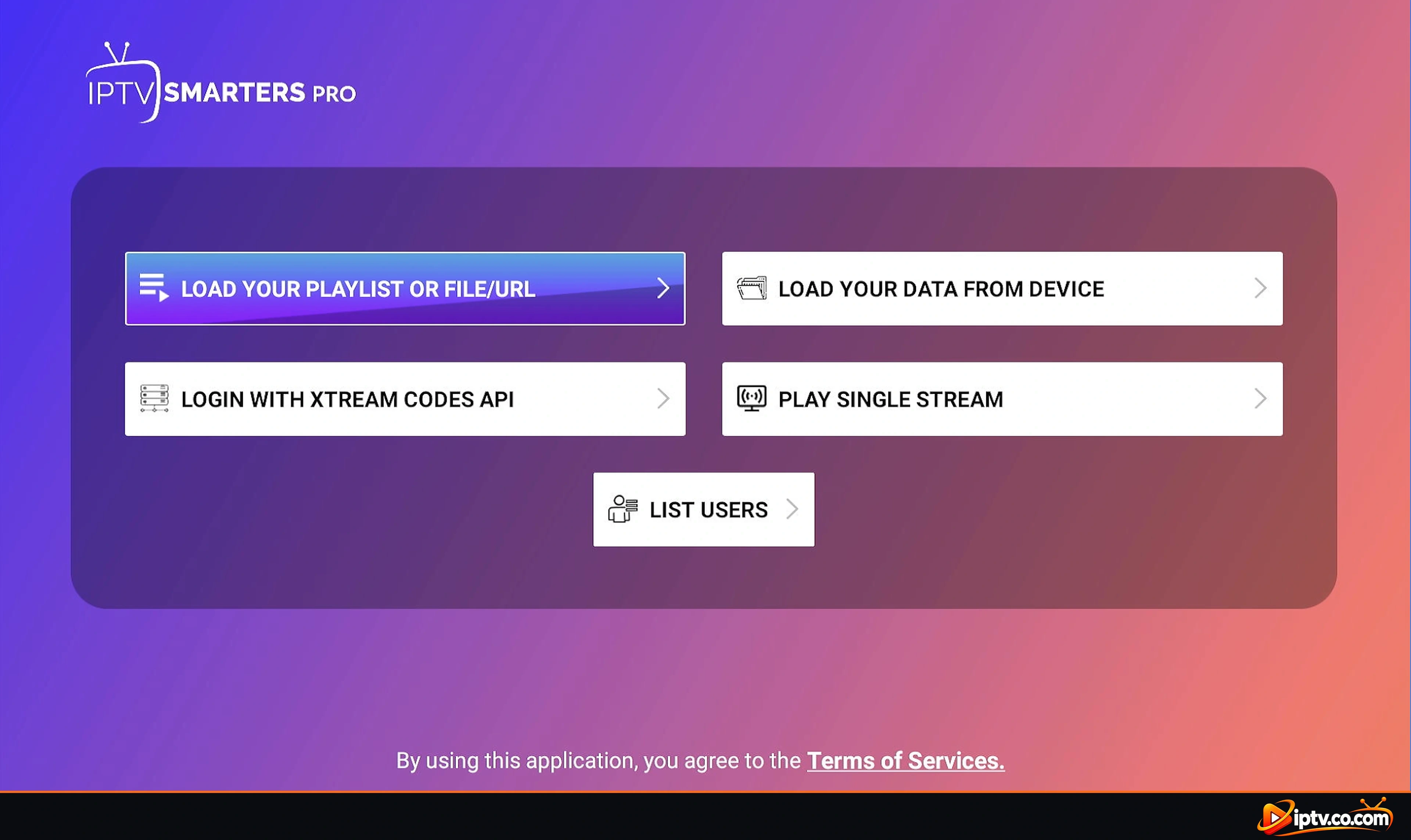
Open IPTV Smarters Pro and choose Login with Xtream Codes API (recommended) or Load Your Playlist or File/URL for an M3U link.
Step 2: Enter Your Xtream Codes
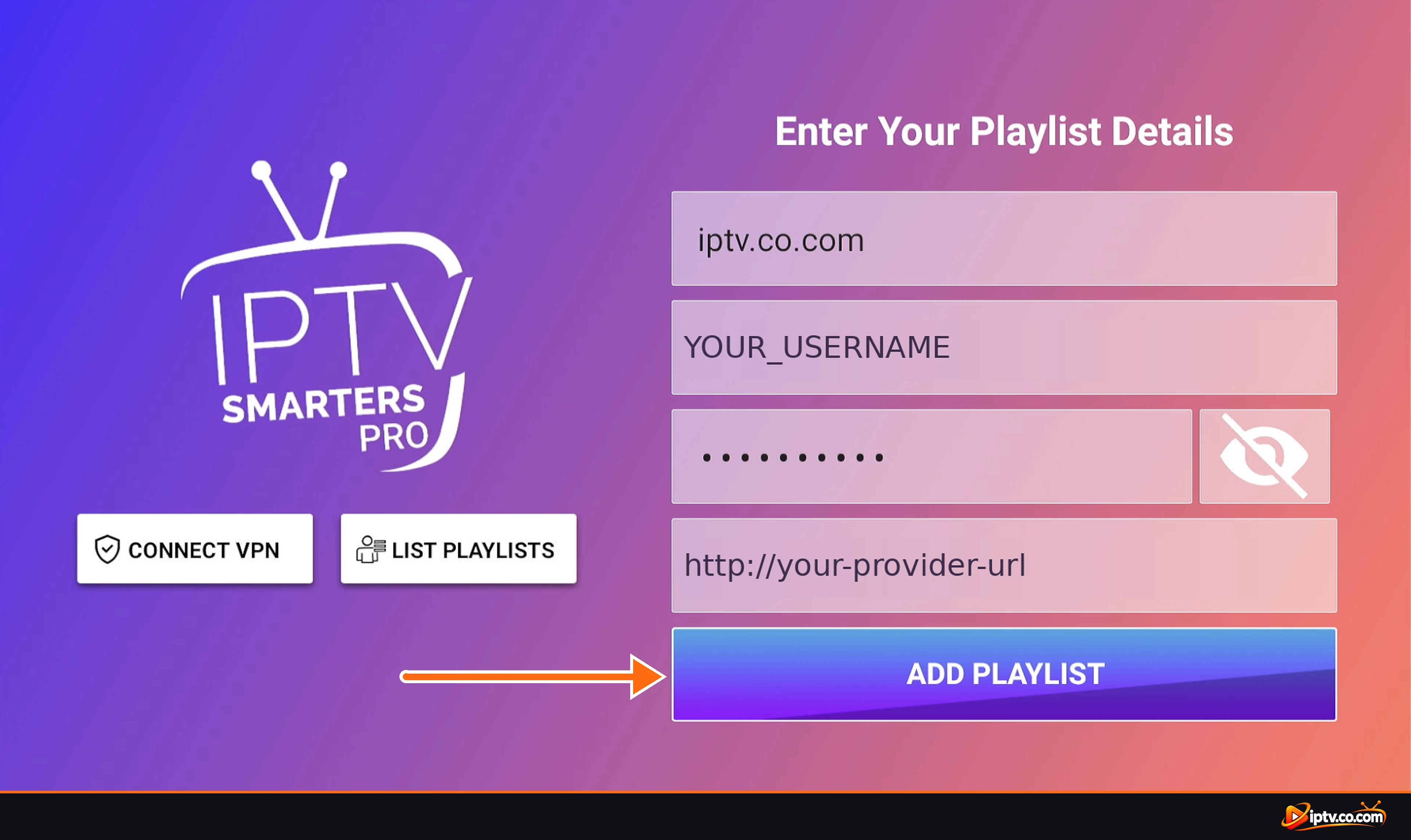
Type any name, then the username, password and server URL from your provider, and tap Add User / Add Playlist.
Or: Add Your M3U URL
If your provider only gives an M3U link, choose M3U URL, paste the full link and tap Add Playlist.
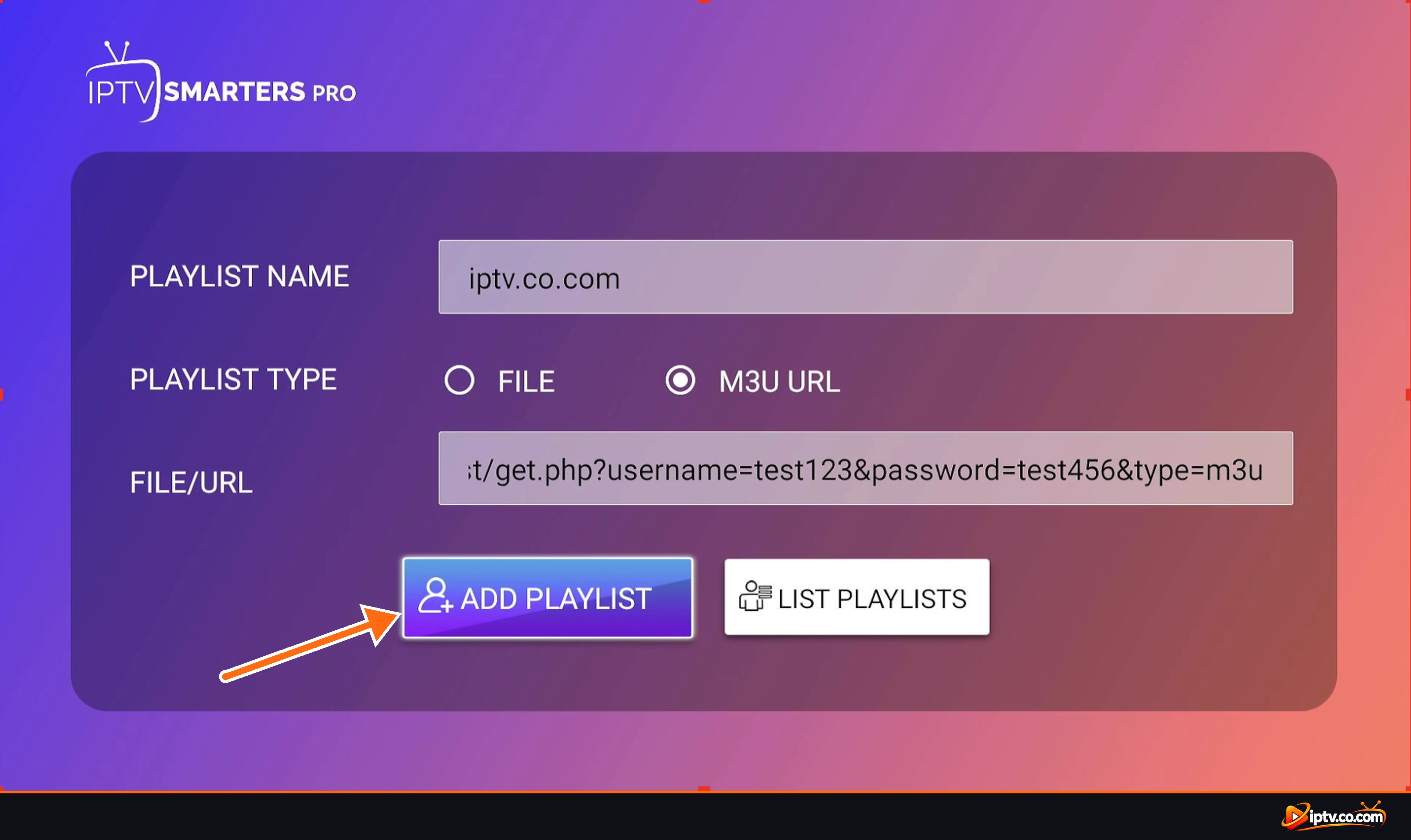
Full instructions with every screen are in our guide on how to activate IPTV Smarters.
How to Check When Your Subscription Expires
IPTV Smarters shows your expiry date for Xtream Codes logins:
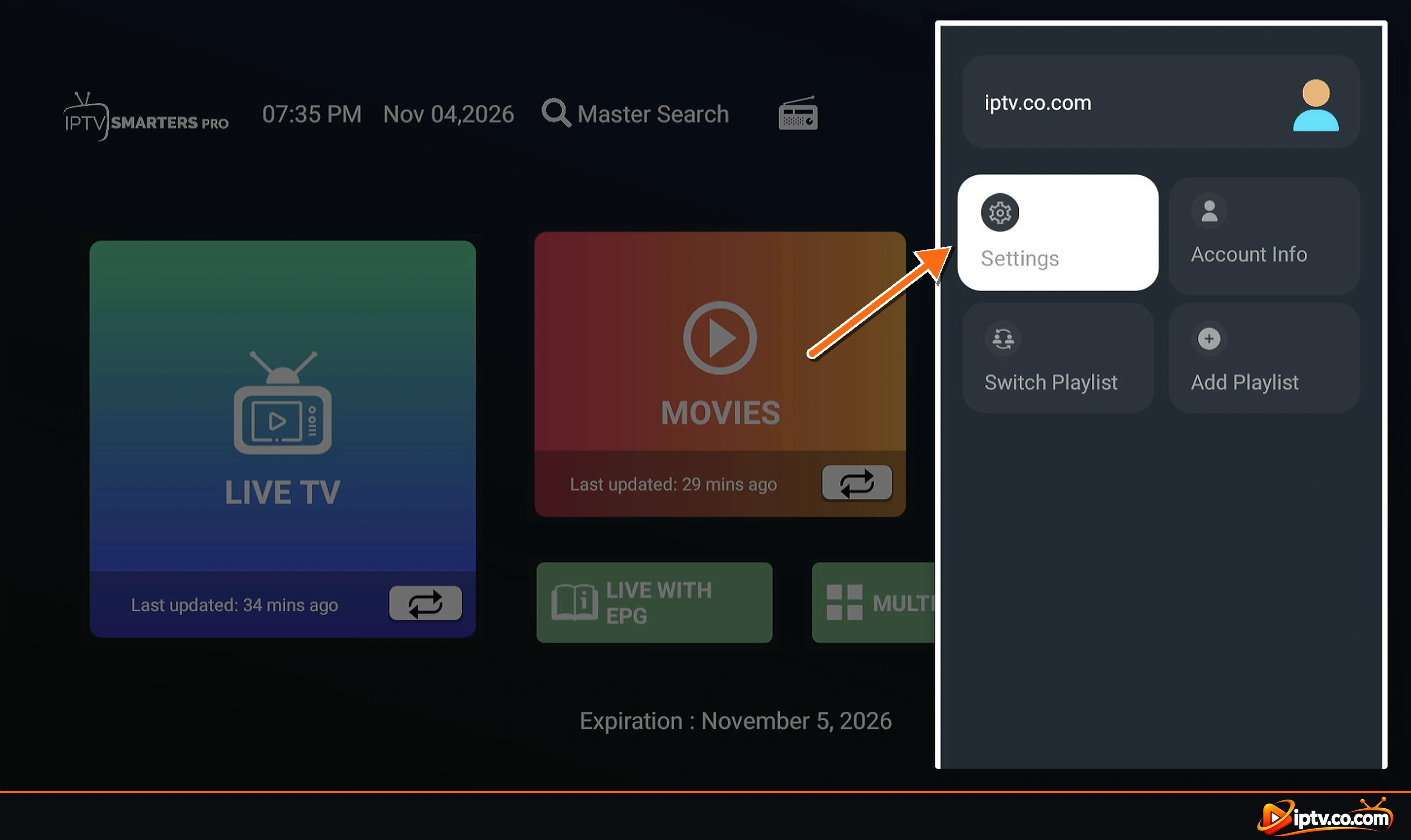
- On the home screen, look at the bottom: it shows Expiration with the date.
- Or open the side menu with your playlist name and select Account Info to see the expiry date, status and allowed connections.
M3U playlists usually don’t show an expiry date in the app. Check your provider’s client area instead.
How to Renew or Change Your Subscription
- Renew: renew the same plan with your provider. Your username and password normally stay the same, so IPTV Smarters keeps working without changes. Restart the app afterwards.
- New login details: open List Users, select the old user, edit it or delete it, then add the new details.
- Switch provider: add the new provider as a new user. You can keep several users and switch between them from the side menu.
- Expired: an expired plan shows Failed to authorize or empty channel lists. See IPTV Smarters not working.
How to Choose a Safe, Legal IPTV Provider
iptv.co.com doesn’t sell subscriptions or recommend specific providers, but these checks help you avoid scams and services that break the law:
- Legal content: the provider should have the rights to the channels it offers.
- Clear company details: a real business name, contact details and terms of service.
- Secure payment and a clear refund policy. Be careful if a provider only accepts crypto or gift cards.
- A free trial so you can test channels and the TV guide in IPTV Smarters first.
- Xtream Codes support, so the TV guide, movies and series load properly.
- Realistic prices: thousands of channels for almost nothing is a red flag.
Avoid “Free IPTV Smarters Subscription” Lists
Usernames and passwords shared on forums, videos or “free subscription” lists are usually stolen or illegal, stop working within days, and can expose your device to scams. Use only your own login from a provider you trust.
Frequently Asked Questions
Do I need a subscription for IPTV Smarters Pro?
Yes. The app is free but has no channels. You need a subscription from an IPTV provider that gives you Xtream Codes or an M3U URL.
How much does IPTV Smarters Pro cost?
IPTV Smarters is 100% free. It doesn't sell playlists or subscriptions, so the only cost is the IPTV service you choose, and its price is set by that provider.
Does IPTV Smarters sell subscriptions?
No. IPTV Smarters is a player. Any subscription you buy is a third-party IPTV service that you add to the app.
How do I sign up for IPTV Smarters Pro?
There is no IPTV Smarters account. Install the app, then log in with the Xtream Codes or M3U URL from your IPTV provider.
How do I check my IPTV Smarters subscription expiry date?
Look at Expiration at the bottom of the home screen, or open the side menu and select Account Info.
How do I renew my IPTV Smarters subscription?
Renew the plan with your IPTV provider. Your login usually stays the same, so restart the app and it keeps working.
Can I use one subscription on several devices?
Yes, if your plan allows multiple connections. Too many devices at once can cause errors or buffering.
Is there a free IPTV Smarters subscription?
Some providers offer short free trials. Shared free usernames and passwords found online are usually illegal and stop working quickly.
Can I use my subscription on Firestick and Smart TV?
Yes. Install IPTV Smarters on each device and log in with the same details, within your connection limit.
Next, learn how to activate IPTV Smarters with your subscription, or browse all IPTV Smarters guides.