
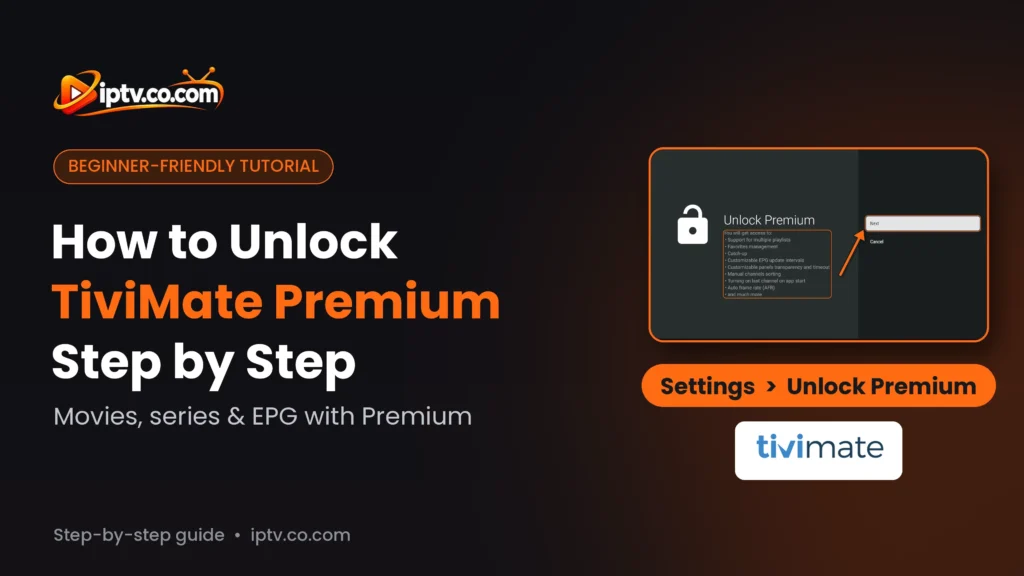
Quick Summary
To unlock TiviMate Premium, first create a TiviMate account (on the TiviMate website or in the app). Then install TiviMate Companion on your Android phone, log in with that account and subscribe to TiviMate Premium (payment is only possible in TiviMate Companion). Then open TiviMate on your TV, go to Settings > Unlock Premium, log in with the same TiviMate account and select Activate. One subscription works on up to 5 devices.
Why You Need Premium: Movies, Series and EPG
In the free version of TiviMate, movies, series and the EPG (TV guide) don’t work: you only get basic Live TV with one playlist. TiviMate Premium unlocks movies and series, the TV guide, several playlists, favourites, catch-up, recording and more. Premium unlocks app features only: it doesn’t include any channels.
TiviMate is free to install, but most people need TiviMate Premium to watch movies and series and to see the TV guide. Premium is a subscription linked to a TiviMate account: you buy it in the TiviMate Companion app on an Android phone, then log in on each TV device. This guide shows how to buy TiviMate Premium with TiviMate Companion, how to create the account on a PC, and how to unlock it on Firestick, Android TV and Google TV step by step.
What Is TiviMate Premium?
TiviMate Premium is the paid version of the TiviMate IPTV Player app. It is not a separate app or a special APK: you keep the same TiviMate app on your Firestick, Android TV or Android box, and Premium is unlocked by logging in with your TiviMate account. What you get with TiviMate Premium: movies and series, the EPG (TV guide), several playlists, favourites management, catch-up and recording, manual channel sorting, auto frame rate (AFR) and more, on up to 5 devices.
Is TiviMate Premium worth it? If you want movies, series and the TV guide in TiviMate, yes: the free version doesn’t show them, and Premium costs about the same per year as one month of many streaming services. It doesn’t include any channels: those come from your IPTV provider.
TiviMate Free vs TiviMate Premium
| Feature | Free | Premium |
|---|---|---|
| Live TV channels | Yes | Yes |
| Movies and series (VOD) | No | Yes |
| EPG / TV guide | No | Yes |
| Several playlists | No (1 playlist) | Yes |
| Favourites management | No | Yes |
| Catch-up and recording | No | Yes |
| Manual channel sorting, AFR, last channel on start | No | Yes |
| Devices | Any | Up to 5 per account |
Part 1: Create Your TiviMate Account
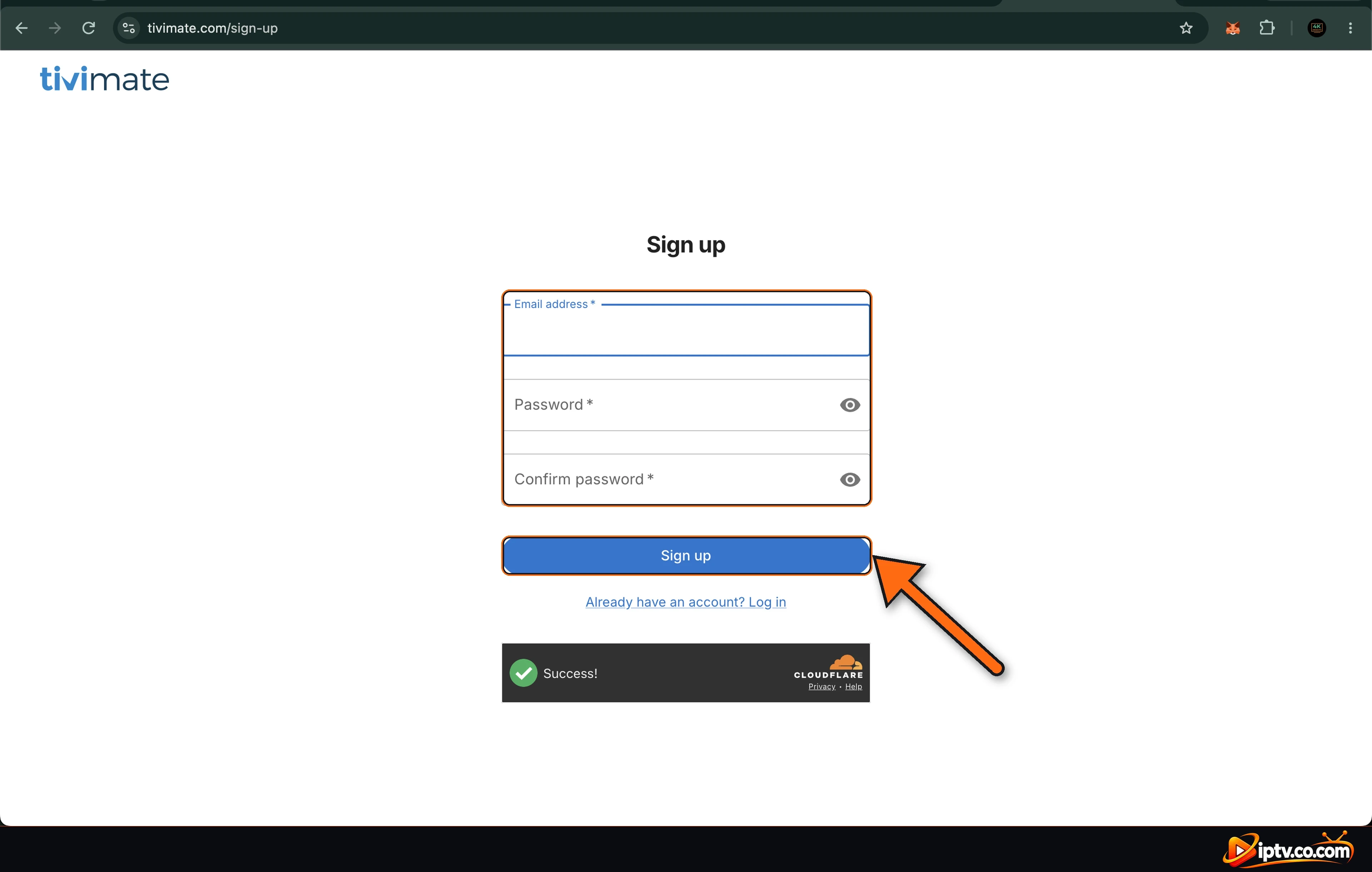
The first step is to create your TiviMate account. Premium is linked to this account, and you use the same email and password in TiviMate Companion and on your TV. You can create it on the TiviMate website from a PC or phone browser (shown below) or with Sign up in TiviMate Companion. Note: you can’t pay for Premium on the website; payment is only possible in the TiviMate Companion app (Part 2).
Step 1: Sign Up on the TiviMate Website
Open the TiviMate website in your browser and go to Sign up:
https://tivimate.com/sign-upEnter your Email address, a Password, type it again in Confirm password, wait for the security check (Success) and click Sign up.
Step 2: Your TiviMate Dashboard
You land on your TiviMate dashboard (No activated devices). Here you can see your devices, your subscription status and your account. Your account is ready. Next, log in with it in TiviMate Companion on an Android phone to buy Premium (Part 2). The dashboard also shows the Downloader code 272483 if you still need to install TiviMate.
Part 2: How to Buy TiviMate Premium (TiviMate Companion App)
TiviMate Premium can only be bought in the TiviMate Companion app on an Android phone or tablet. TiviMate Companion is only used to buy and manage Premium: it is not an IPTV player.
Step 1: Install TiviMate Companion From Google Play
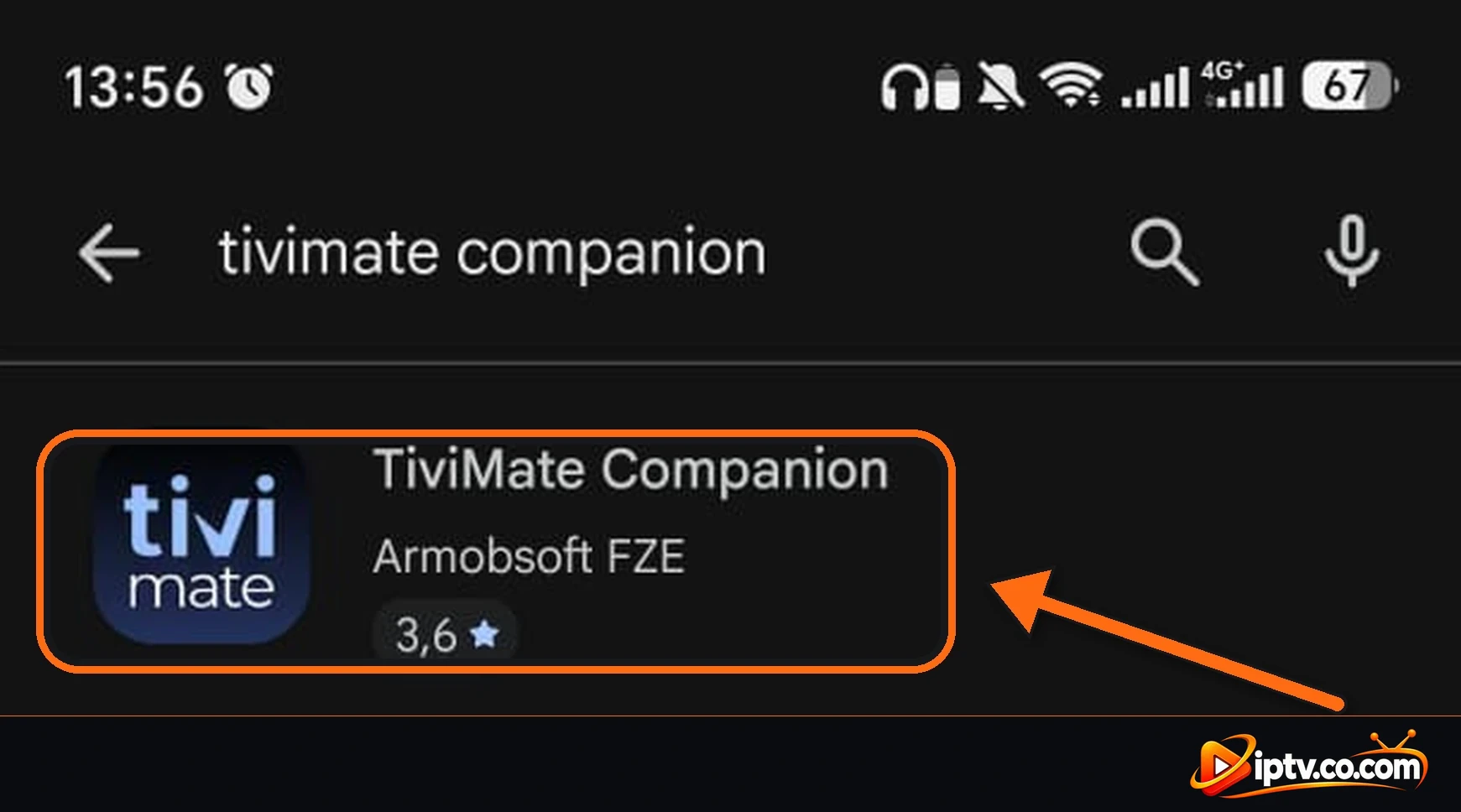
Open the Google Play Store on your phone, search for tivimate companion and install TiviMate Companion by Armobsoft FZE (see also TiviMate Companion).
Step 2: Log In With Your TiviMate Account
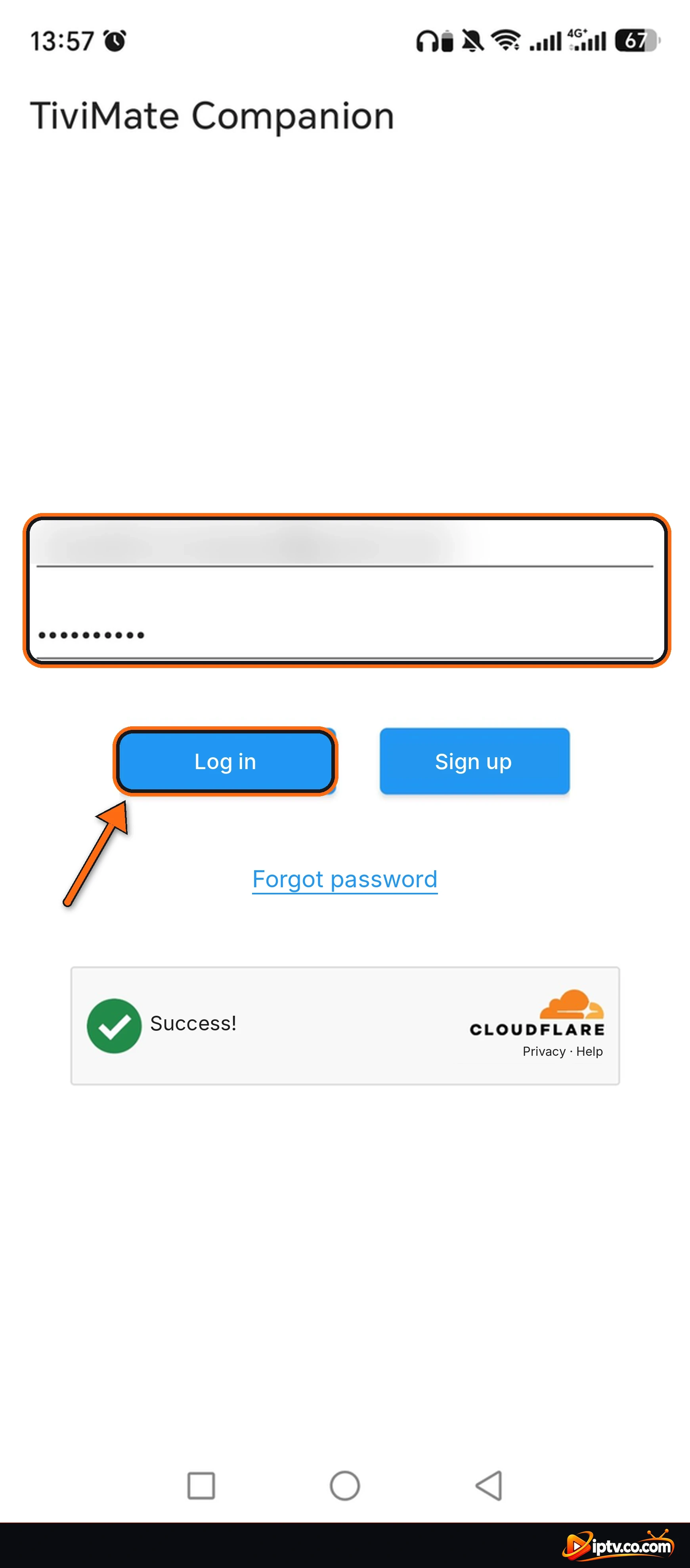
Open TiviMate Companion. Enter the email and password of the TiviMate account you created in Part 1 and tap Log in. (No account yet? Type your email and a password and tap Sign up.) Wait for the security check to show Success!
Step 3: Choose Your Premium Plan
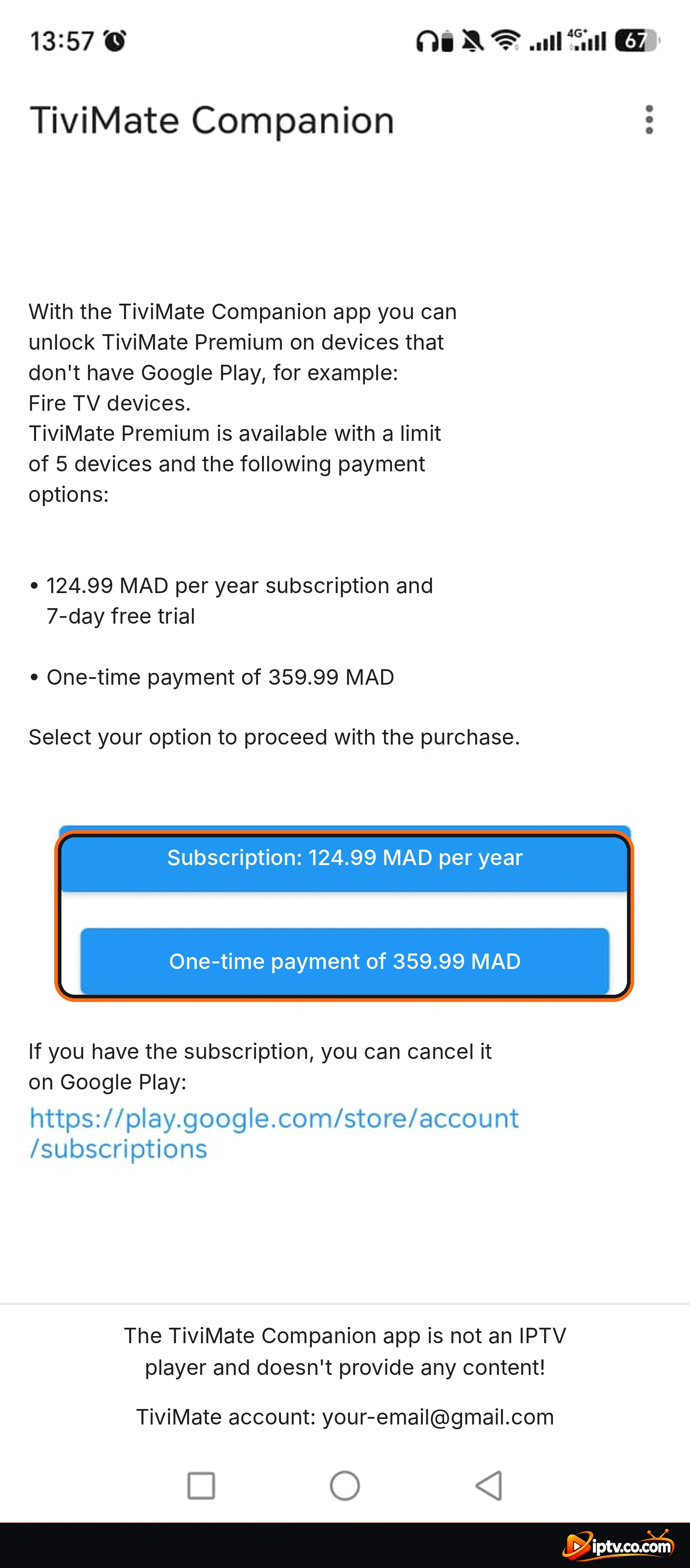
TiviMate Companion shows the Premium options for your country, with a limit of 5 devices: a yearly subscription with a 7-day free trial, or a one-time (lifetime) payment. Tap the option you want, then tap Continue on the message that reminds you TiviMate Companion is not an IPTV player.
Step 4: Tap Subscribe in Google Play
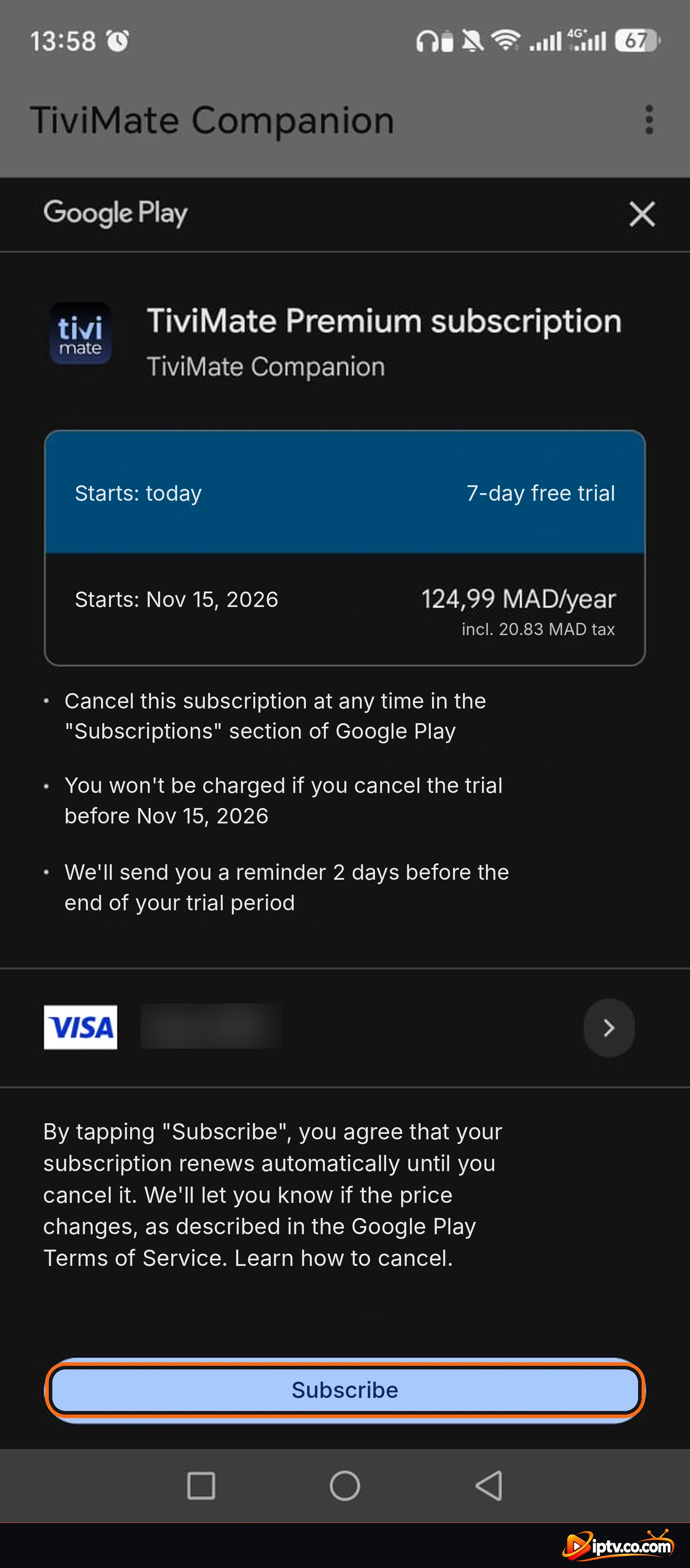
Google Play shows the TiviMate Premium subscription: it starts today with the 7-day free trial, and you are charged only after the trial. You can cancel anytime in Google Play > Subscriptions. Check your payment method and tap Subscribe.
Step 5: Premium Is Unlocked on Your Account
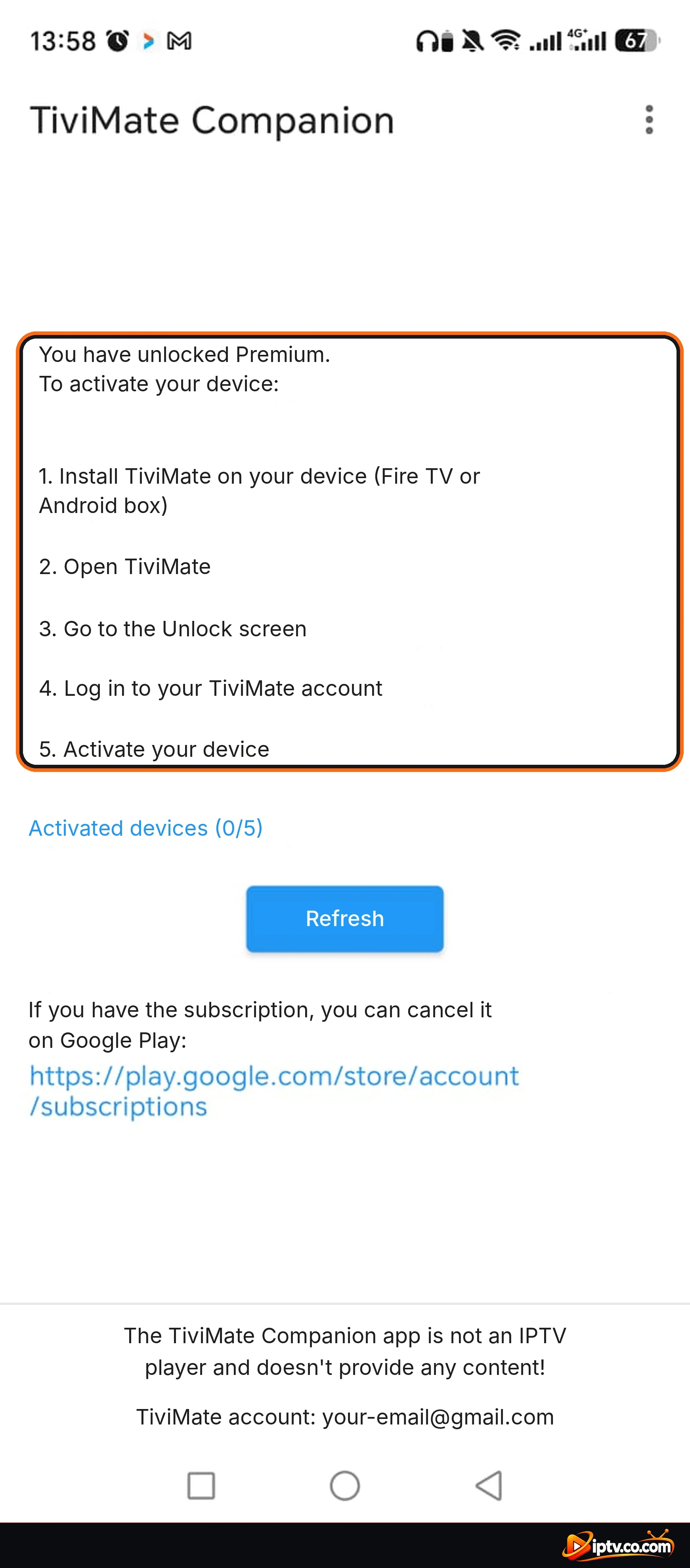
TiviMate Companion now says You have unlocked Premium and shows Activated devices (0/5). To activate your TV: install TiviMate on your Fire TV or Android box, open it, go to the Unlock screen, log in to your TiviMate account and activate the device, as shown in the steps below.
Part 3: How to Activate TiviMate Premium on Firestick and Android TV
After buying the subscription, open TiviMate on your Firestick, Android TV or Google TV and log in with the same TiviMate account.
Step 1: Open Settings
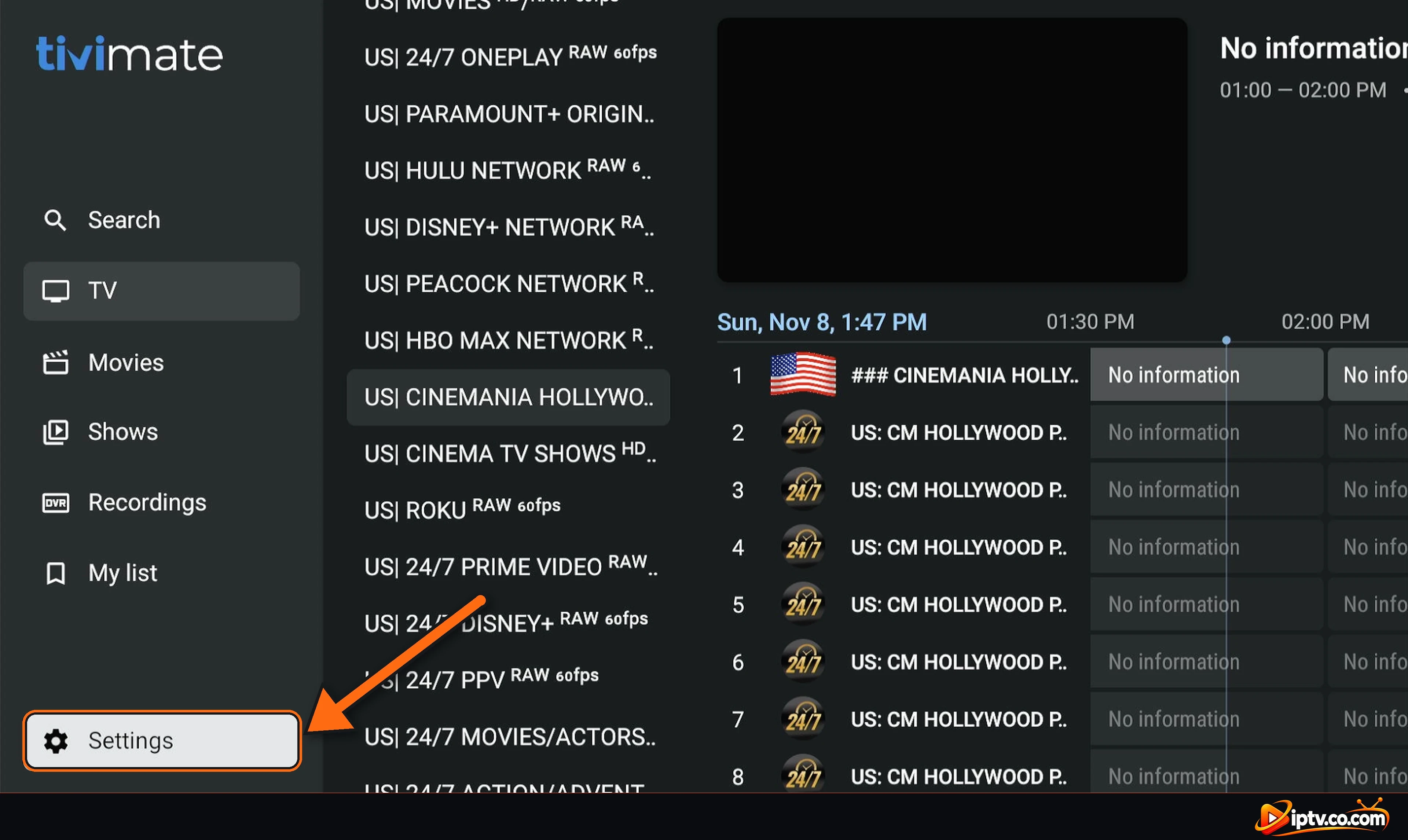
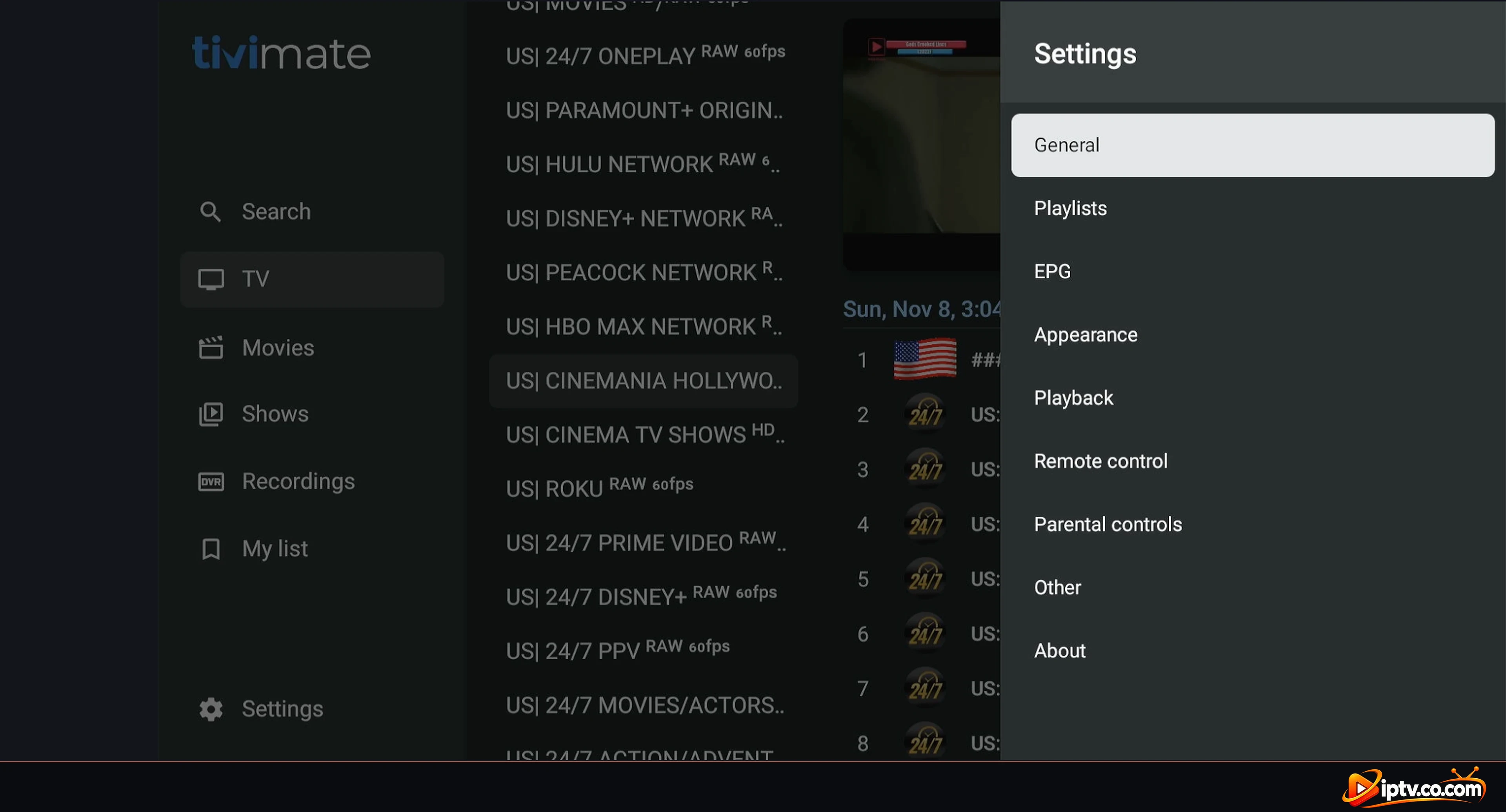
In the left menu of TiviMate, go down and select Settings.
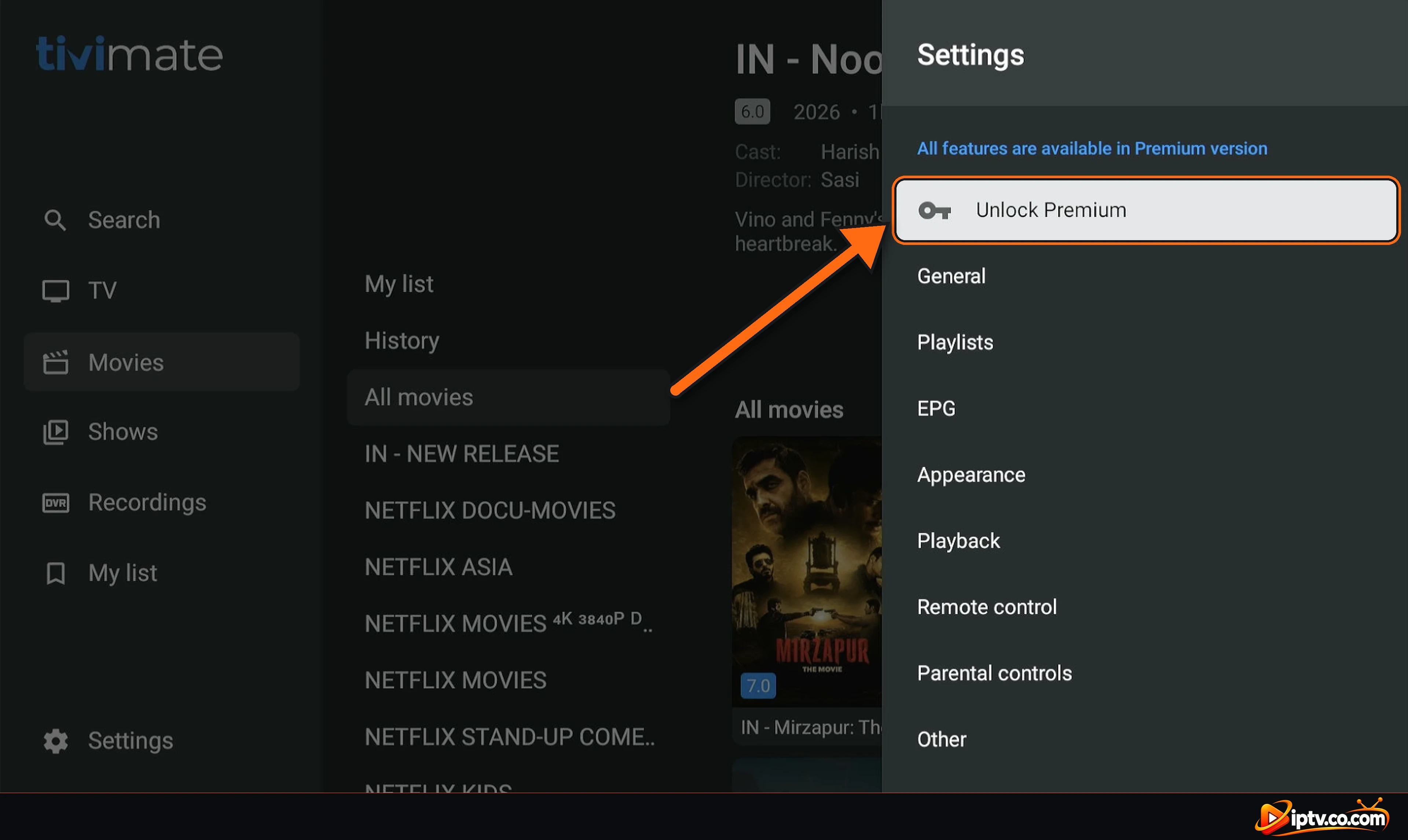
Step 2: Select Unlock Premium
At the top of Settings you see All features are available in Premium version. Select Unlock Premium.
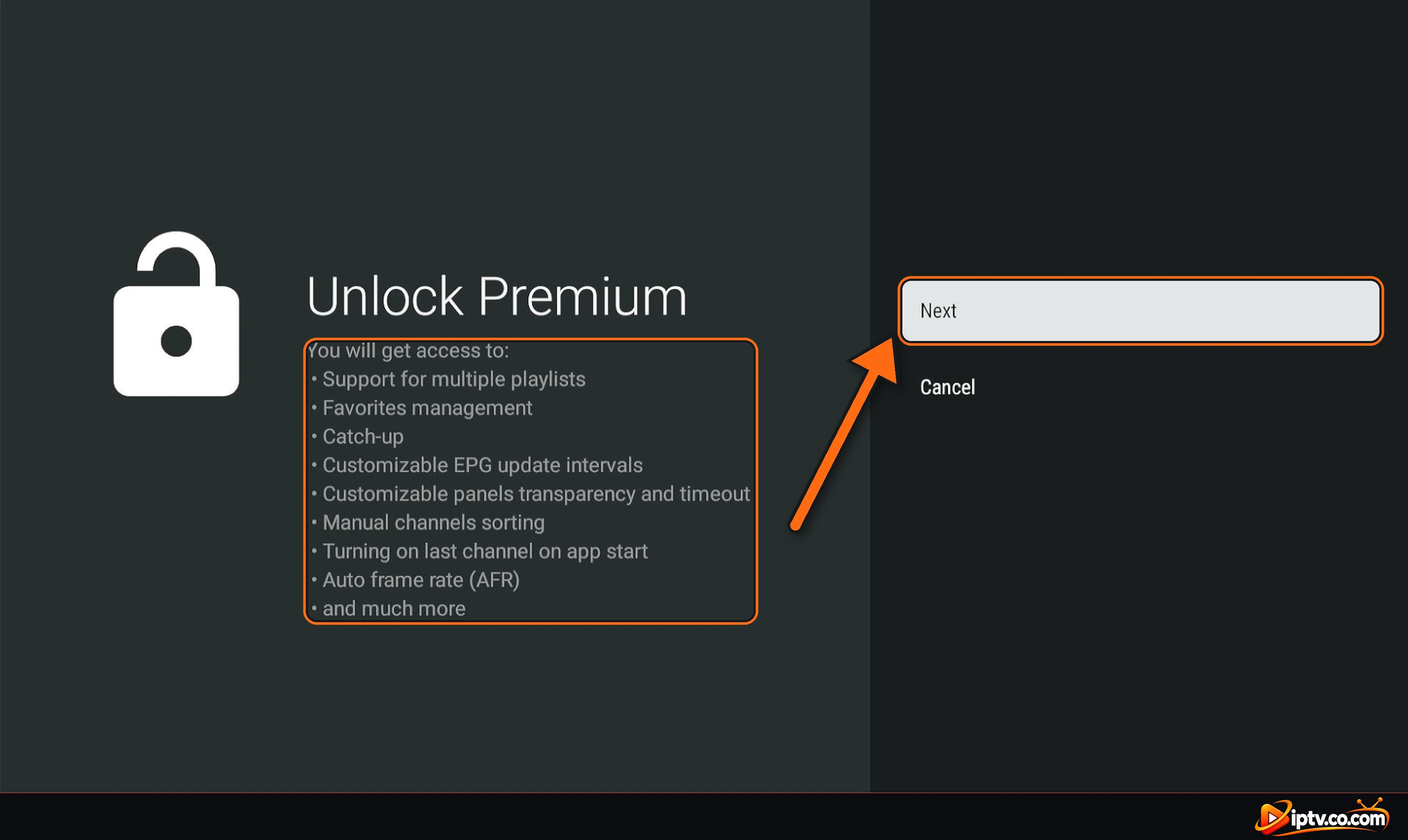
Step 3: Check the Premium Features and Select Next
The Unlock Premium screen lists what you get: multiple playlists, favourites management, catch-up, custom EPG update intervals, manual channel sorting, auto frame rate (AFR) and more. Select Next.
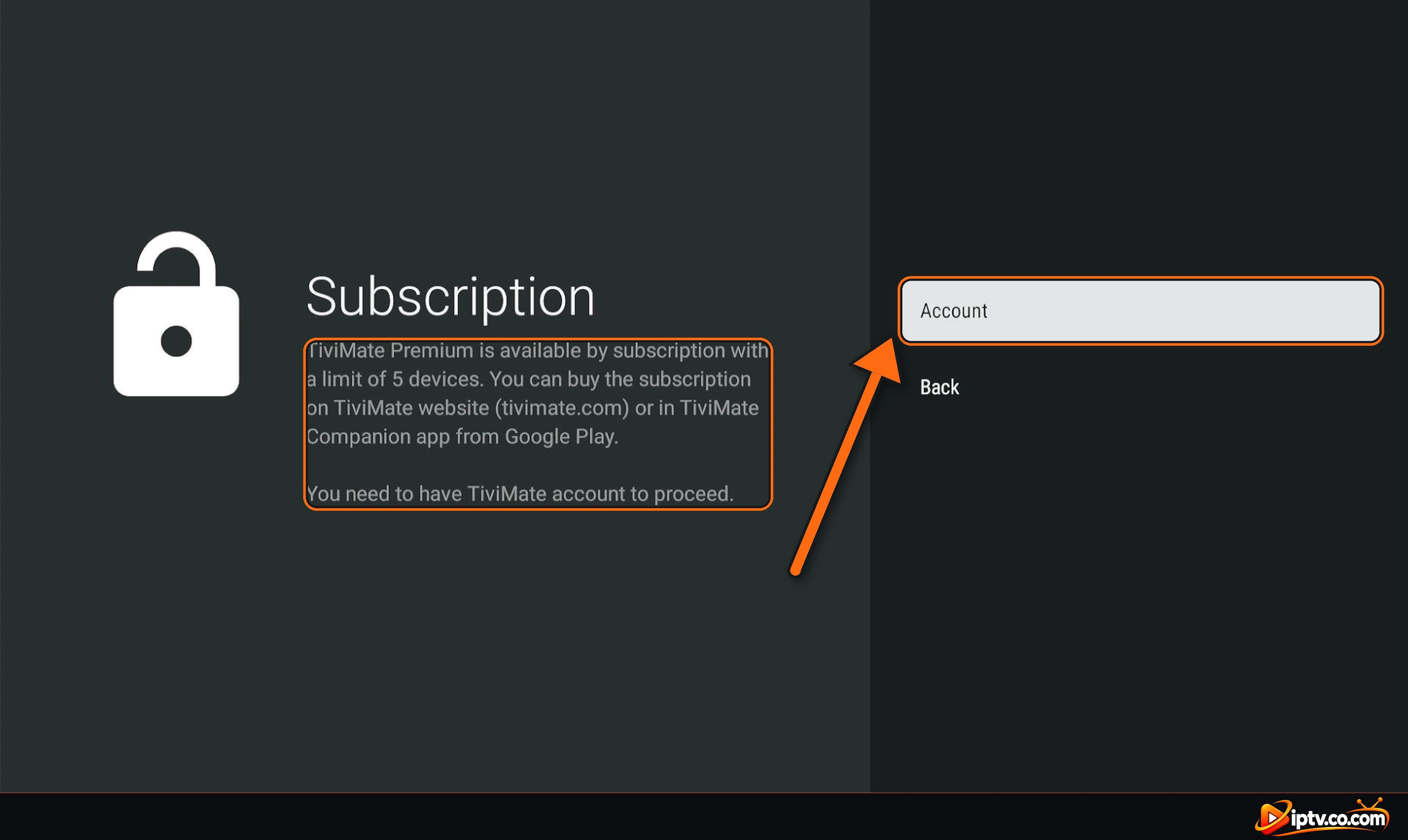
Step 4: Select Account
TiviMate explains that Premium is a subscription for up to 5 devices, and that you need a TiviMate account. You buy it in TiviMate Companion. Select Account.
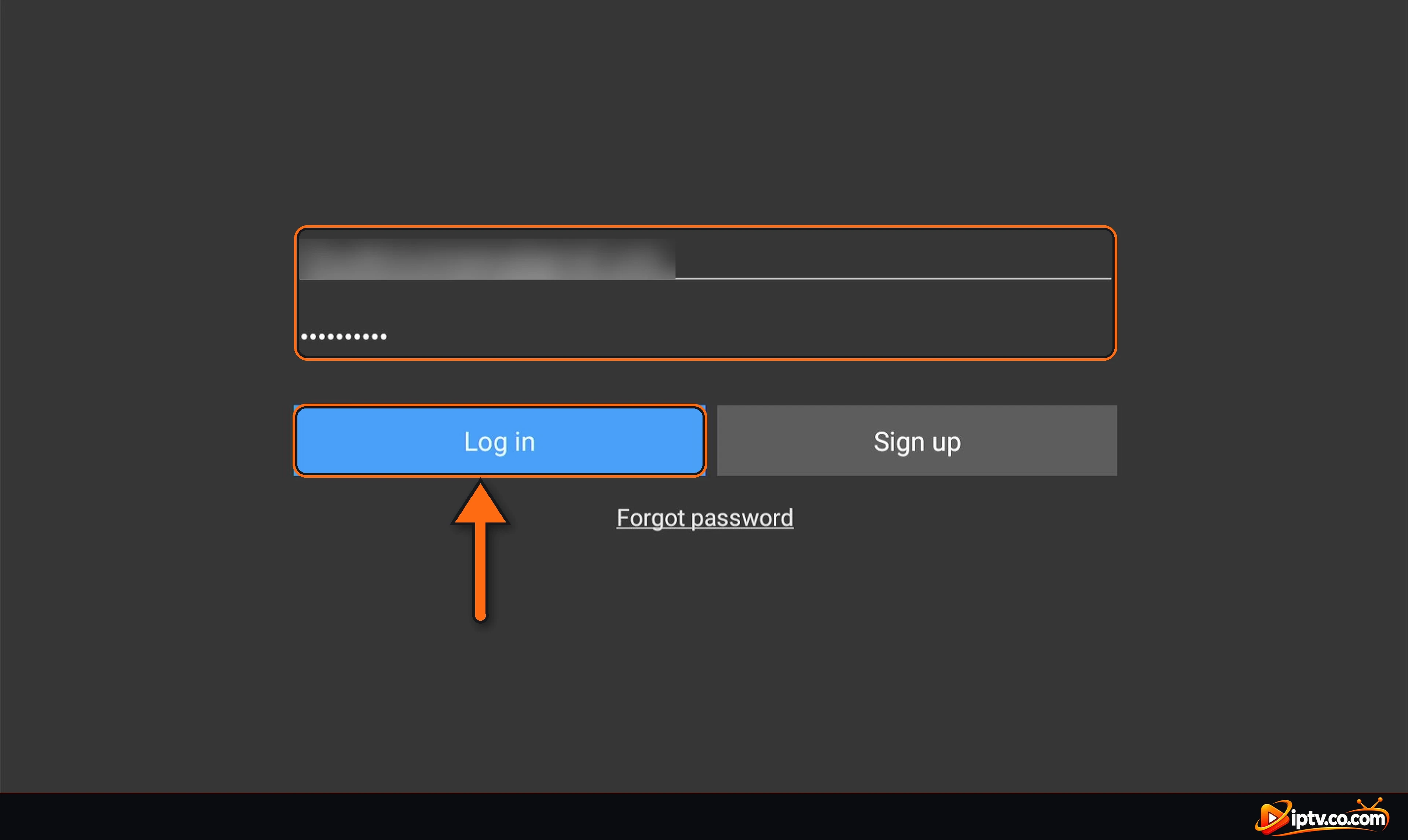
Step 5: Log In With Your TiviMate Account
Enter the Email and Password of the account you used to buy Premium and select Log in. Forgot it? Select Forgot password.
Step 6: Select Next
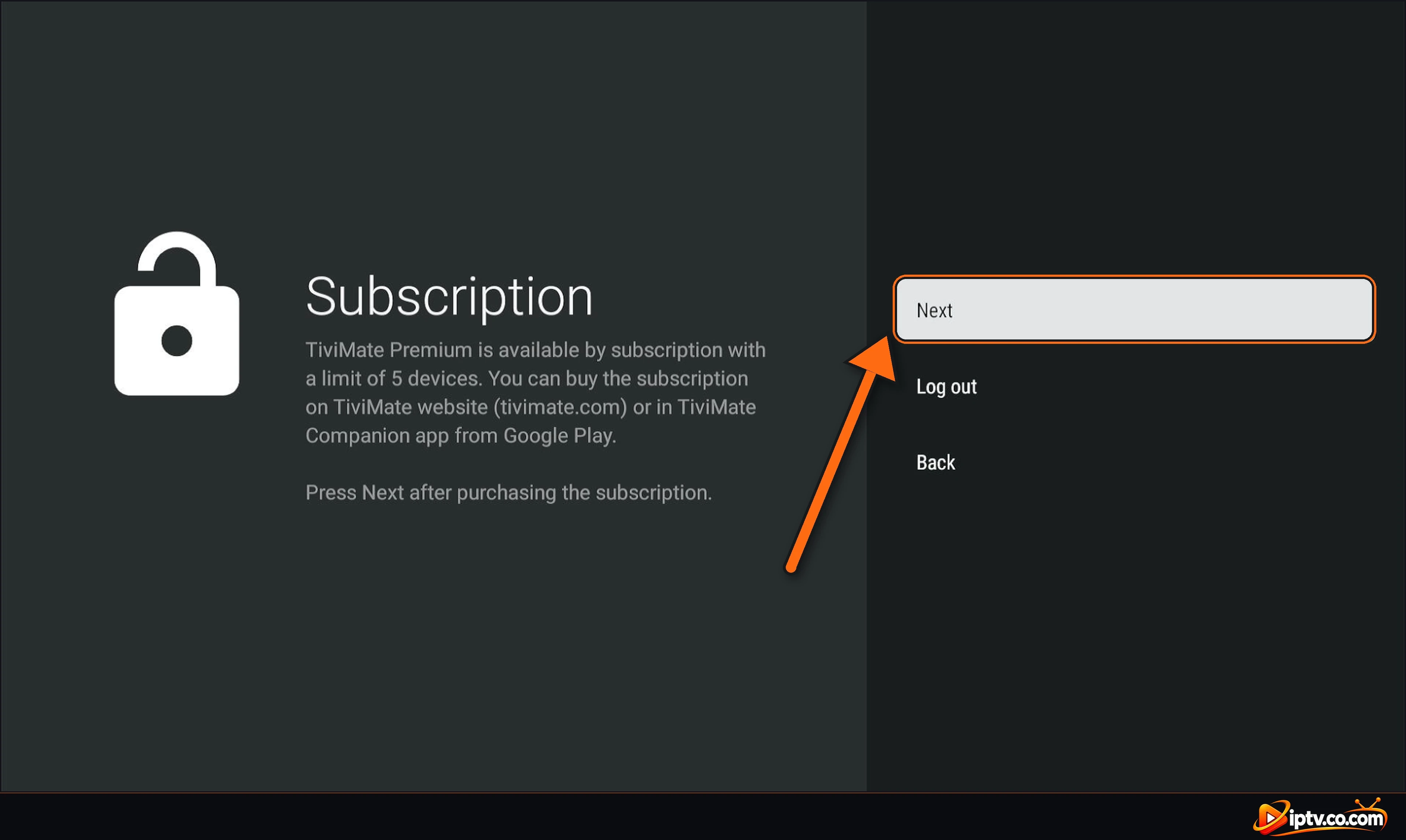
You are logged in. The screen says Press Next after purchasing the subscription. Select Next.
Step 7: Name the Device
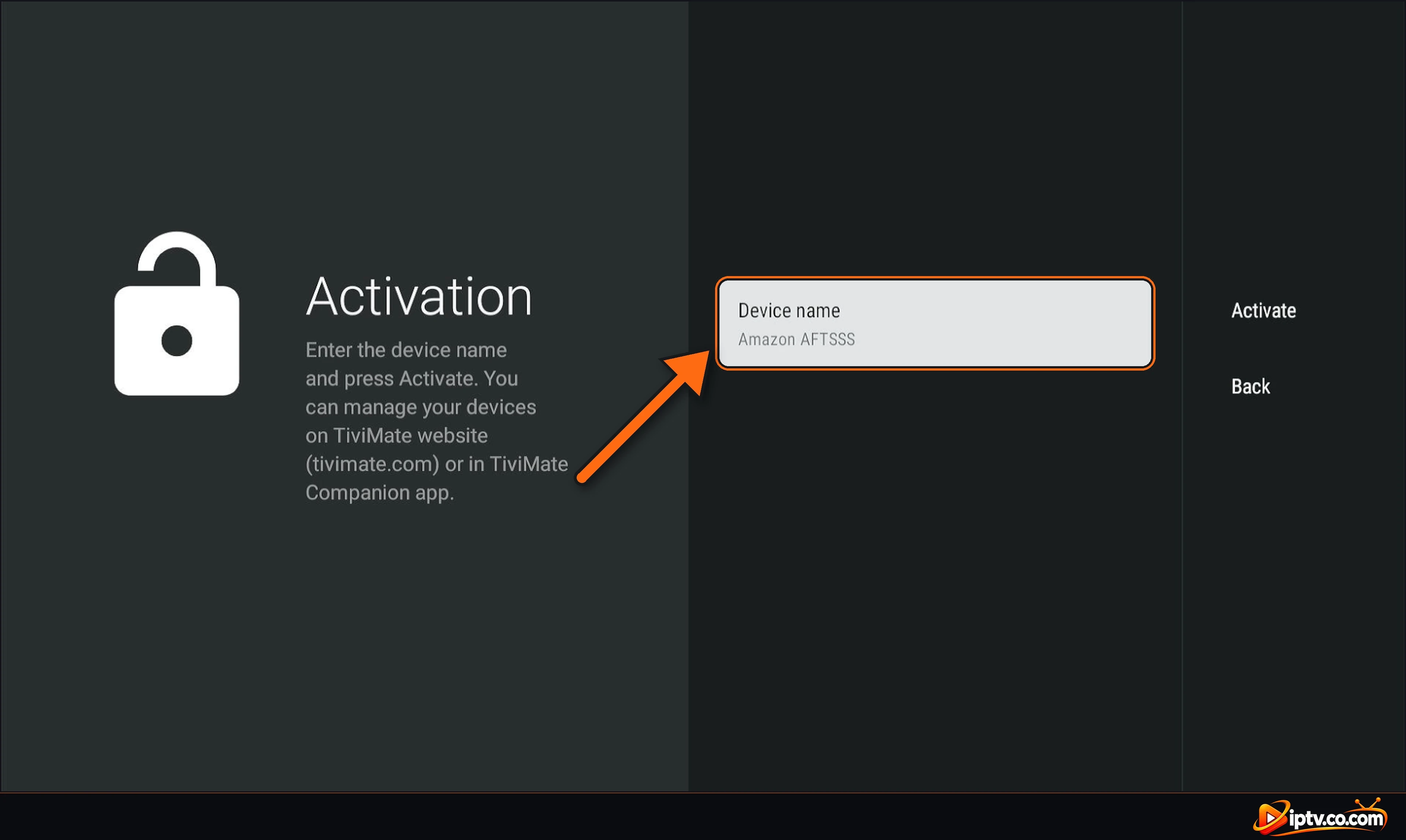
On the Activation screen, TiviMate suggests a Device name (for example Amazon AFTSSS on a Firestick). Keep it or select it to type your own name, such as Living room TV.
Step 8: Select Activate
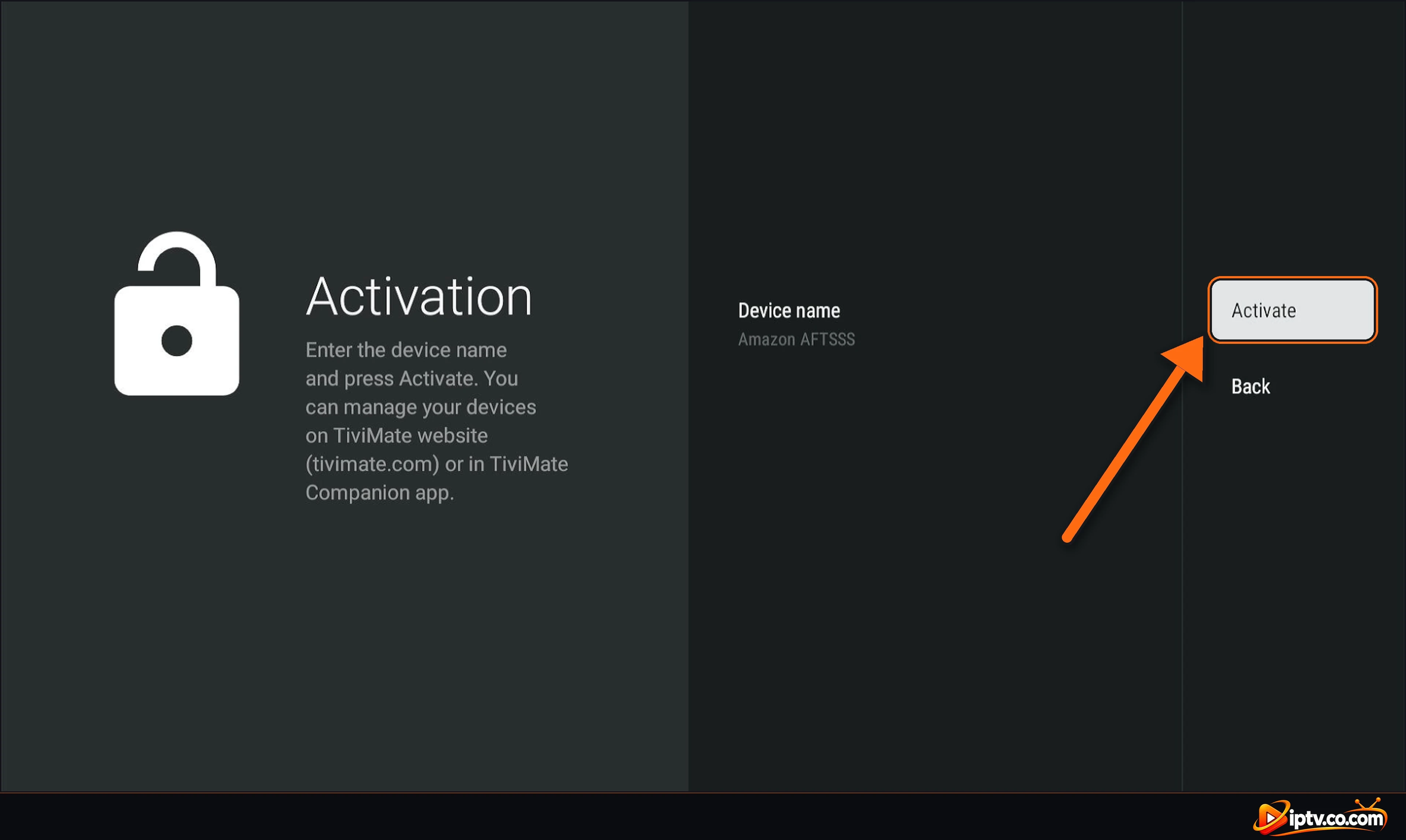
Select Activate.
Step 9: Premium Is Unlocked
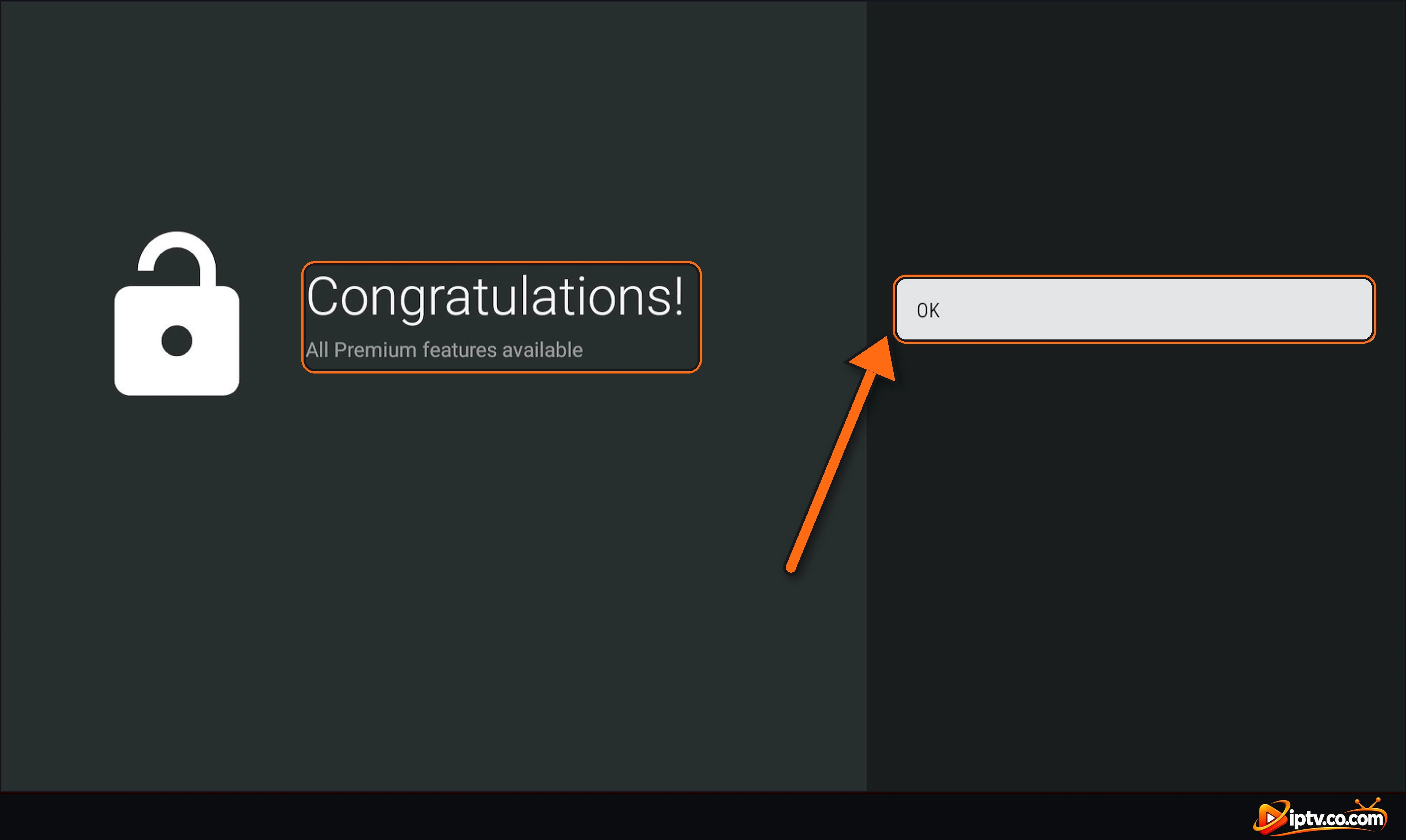
You see Congratulations! All Premium features available. Select OK. Movies, series and the TV guide now work. Your devices appear in the TiviMate dashboard and in TiviMate Companion, where you can remove an old device to free a place.
Bonus: Set Up the EPG (TV Guide)
With Premium, open Settings > EPG. Under EPG sources you can add your provider’s XMLTV link (needed with M3U), choose the Update interval, turn on Update on app start and select Update EPG to load the guide now. Full steps: how to add EPG to TiviMate.
How Much Does TiviMate Premium Cost?
TiviMate Premium is sold as a yearly subscription or a lifetime plan, and one account covers up to 5 devices. The price depends on your country and currency. For example, in TiviMate Companion in Morocco we saw 124.99 MAD per year with a 7-day free trial, or a one-time payment of 359.99 MAD. Check the current price for your country in TiviMate Companion before you pay. You can cancel the yearly subscription at any time in Google Play > Payments & subscriptions.
Avoid “Free TiviMate Premium”
Shared Premium accounts, account lists and “Premium unlocked” mod APKs are often stolen, get blocked, or contain malware. Buy Premium only through the official TiviMate Companion app.
TiviMate Premium Not Working? Quick Fixes
- Still shows Unlock Premium: make sure you logged in on the TV with the same email you used to buy Premium, then select Next and Activate.
- Device limit reached: one subscription works on 5 devices. Remove an old device in the TiviMate dashboard or in TiviMate Companion, then activate again.
- Movies and series still don’t show: after unlocking Premium, open Settings > Playlists, select your playlist and update it. With Xtream Codes, check that Include VOD is ticked.
- No TV guide: open Settings > EPG > Update EPG, and with M3U add your provider’s EPG source.
- Forgot your password: select Forgot password on the login screen or on the website.
- Change the account email: log in on the TiviMate website and open Account.
Frequently Asked Questions
How do I unlock TiviMate Premium?
Buy Premium in the TiviMate Companion app on an Android phone, then in TiviMate open Settings > Unlock Premium > Next > Account, log in with the same account, select Next, then Activate.
Do movies and series work in the free version of TiviMate?
No. In the free version, movies, series and the EPG (TV guide) don’t work. You need TiviMate Premium.
Is TiviMate free?
TiviMate is free to download and gives basic Live TV with one playlist. Movies, series, the TV guide and the other features need TiviMate Premium.
Can I buy TiviMate Premium with a PC?
You can’t pay for TiviMate Premium on a PC. You can only create your TiviMate account on the TiviMate website. The payment is made only in the TiviMate Companion app on an Android phone or tablet.
How do I buy TiviMate Premium without an Android phone?
TiviMate Premium can only be bought in the TiviMate Companion app, which needs an Android phone or tablet with Google Play. Borrow an Android device to subscribe, then log in with your account on your TV.
What is TiviMate Companion?
TiviMate Companion is the Android phone app used to sign in, buy TiviMate Premium and manage your devices. It is not an IPTV player.
How many devices can use one TiviMate Premium account?
Up to 5 devices. You can remove old devices in the TiviMate dashboard or in TiviMate Companion.
How much is TiviMate Premium?
It is a yearly subscription with a 7-day free trial or a one-time lifetime payment. The price depends on your country: for example 124.99 MAD per year or 359.99 MAD one time in Morocco. TiviMate Companion shows the price for your country.
How do I cancel my TiviMate subscription?
Open Google Play on the phone you used, go to Payments & subscriptions > Subscriptions, select TiviMate Premium and cancel.
Does TiviMate Premium include channels?
No. Premium only unlocks app features. Channels come from your own IPTV provider through an M3U URL or Xtream Codes.
Is there a TiviMate Premium free trial?
Yes. When you buy the yearly subscription in TiviMate Companion, Google Play gives a 7-day free trial. You are not charged if you cancel before the trial ends.
What does TiviMate Premium do?
It unlocks movies and series, the EPG (TV guide), several playlists, favourites, catch-up, recording, manual channel sorting and auto frame rate in the TiviMate app, on up to 5 devices.
Is TiviMate Premium worth it?
Yes if you want movies, series and the TV guide: they don’t work in the free version. Premium costs a small yearly fee or a one-time lifetime payment and covers 5 devices.
How much is TiviMate Premium lifetime?
The lifetime plan is a one-time payment that depends on your country. For example, it was 359.99 MAD in Morocco, compared with 124.99 MAD per year for the yearly subscription. TiviMate Companion shows your local price.
Can I buy TiviMate Premium with an iPhone?
No. TiviMate Premium can only be bought in the TiviMate Companion app on an Android phone or tablet with Google Play. You can create your TiviMate account from an iPhone browser, but you need an Android device to pay.
How do I get TiviMate Premium on Firestick?
Install TiviMate on the Firestick with Downloader code 272483, buy Premium in TiviMate Companion on an Android phone, then in TiviMate open Settings > Unlock Premium, log in with your TiviMate account and select Activate.
How do I get TiviMate Premium on an Android box?
The same way as on Firestick: install TiviMate from Google Play or with Downloader, then log in to your TiviMate account in Settings > Unlock Premium and select Activate.
How do I add TiviMate Premium to an existing account?
Log in to TiviMate Companion with your existing TiviMate account and subscribe there. Premium is added to that account, and every TV already logged in can activate it.
Is there a TiviMate Premium APK or Premium code?
No. There is no separate Premium APK and no Premium activation code. You use the normal TiviMate app and unlock Premium with your TiviMate account. Premium APKs, codes and cracked versions found online are fake or unsafe.
Can I use a free TiviMate Premium username and password?
No. Shared TiviMate Premium usernames and passwords are stolen accounts: they get blocked quickly and can put your device at risk. Buy your own subscription in TiviMate Companion.
Can I record with TiviMate Premium?
Yes. Recording is a Premium feature. Long press a channel or a program in the TV guide and choose Record; your recordings appear under Recordings in the menu.
TiviMate Premium is unlocked. Next, add your playlist with M3U or Xtream Codes if you haven’t yet, or see how to install TiviMate on another device. Browse all TiviMate guides.
3 Responses