
Quick Summary
TiviMate works on Android devices only. On Amazon Firestick, install it with the Downloader app and code 272483. On Android TV and Google TV, install TiviMate IPTV Player from the Google Play Store. TiviMate is not available on Samsung or LG smart TVs, iPhone, iPad, Windows PC or Mac: use IBO Player or IPTV Smarters there instead.
Good to Know: TiviMate Has No Channels
TiviMate is a media player only. It doesn’t provide any IPTV channels, playlists or subscriptions: after installing it, you add your own playlist (M3U URL or Xtream Codes) from your IPTV provider.
TiviMate IPTV Player is one of the most popular IPTV players for TV devices, known for its clean TV guide layout and smooth remote control. It is built for Android TV, so it only runs on Android-based devices such as the Amazon Firestick, Fire TV, NVIDIA Shield, Chromecast with Google TV and Android TV boxes. This guide shows how to install TiviMate on each supported device step by step, what to use on devices where TiviMate isn’t available, and what to do right after installing it.
What Is TiviMate?
TiviMate IPTV Player (often searched as TV Mate, TiviMates or Tivi Mate) is an IPTV player app for Android TV devices, made by Armobsoft FZE. It shows your IPTV channels in a cable-style TV guide and plays movies and series from your provider. TiviMate is free to download and works with an M3U playlist, Xtream Codes or a Stalker Portal. Movies, series, the TV guide, several playlists, catch-up and recording need TiviMate Premium, bought through the TiviMate Companion app.
TiviMate is a media player only: it is legal to install and use, but it doesn’t include any channels. What you watch depends on the playlist you add.
Where Can You Install TiviMate?
| Device | Available? | How to install |
|---|---|---|
| Amazon Firestick / Fire TV | Yes | Downloader app, code 272483 |
| Android TV & Google TV | Yes | Google Play Store |
| Android phone & tablet | Companion app only | TiviMate Companion (Google Play) |
| Samsung & LG smart TV | No | Use IBO Player or IPTV Smarters |
| iPhone & iPad | No | Use IBO Player or IPTV Smarters |
| Windows PC & Mac | No | Use IBO Player or IPTV Smarters |
How to Install TiviMate on Firestick
TiviMate isn’t in the Amazon Appstore, so on Firestick you install it with the free Downloader app. If you don’t have Downloader yet, search for it on the Fire TV home screen and install it, then go to Settings > My Fire TV > Developer Options > Install unknown apps and turn it ON for Downloader.
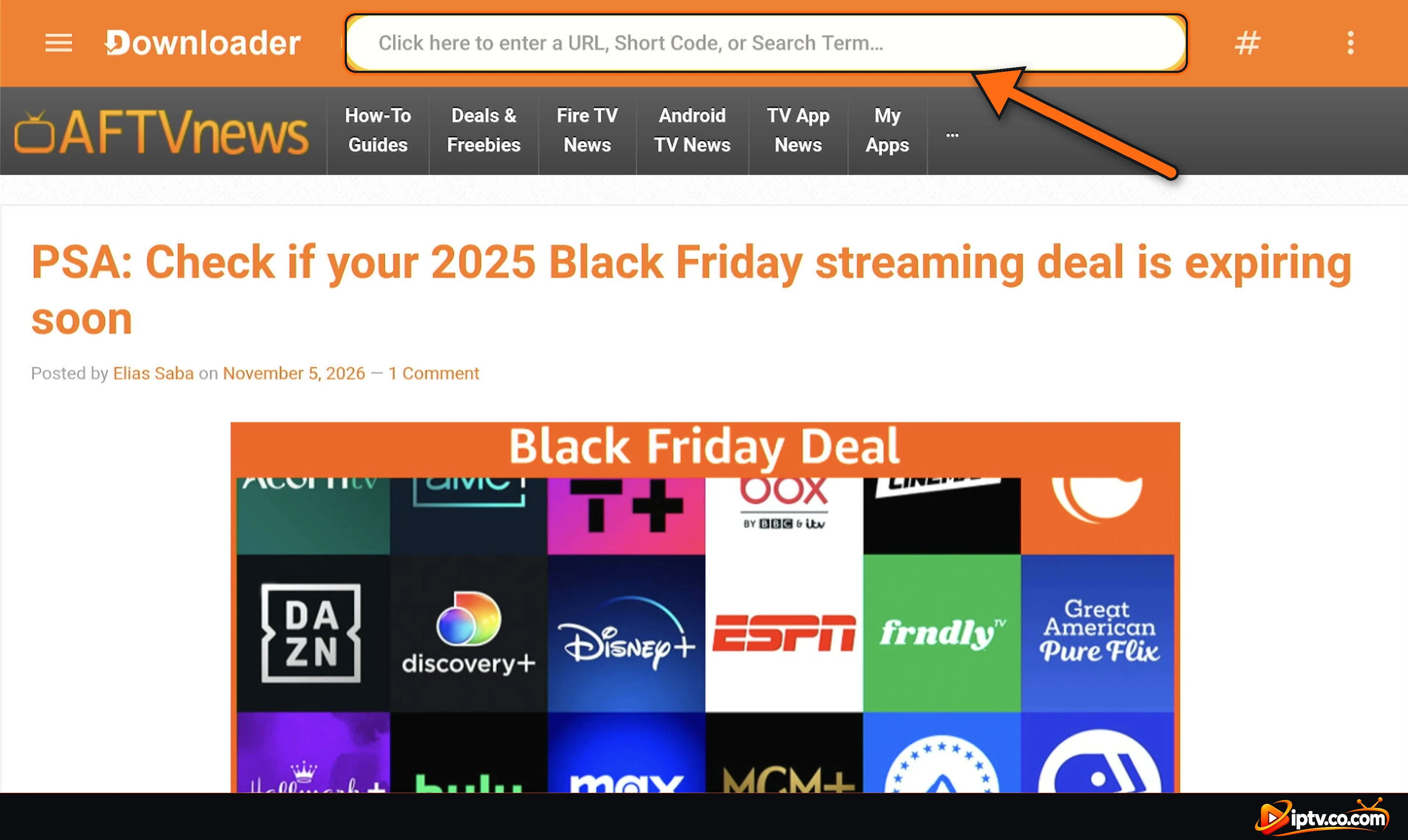
Step 1: Open Downloader and Select the Address Bar
Open Downloader and select the bar at the top: Click here to enter a URL, Short Code, or Search Term.
Step 2: Enter Downloader Code 272483
Type the TiviMate Downloader code 272483 and select Next.

Step 3: Wait While the TiviMate APK Downloads
Downloader opens the short link and starts downloading the TiviMate APK (about 21 MB). Wait until the download finishes.

Step 4: Select INSTALL
When the TiviMate install screen appears, select INSTALL.

Step 5: Select OPEN
When you see App installed, select OPEN. Back in Downloader, you can choose Delete to remove the APK file and free up space.

How to Install TiviMate on Android TV and Google TV
On Android TV and Google TV devices (Sony, TCL, Philips, Hisense Android TVs, NVIDIA Shield, Chromecast with Google TV, Xiaomi Mi Box and others), TiviMate is in the Google Play Store:
- Open the Google Play Store on your TV (on Google TV, use Search on the home screen).
- Search for TiviMate.
- Select TiviMate IPTV Player by Armobsoft FZE.
- Select Install, then Open.
Tip: you can also install it from a computer. Open the Google Play website, sign in with the same Google account as your TV, search for TiviMate IPTV Player, click Install and choose your TV. On a computer the page shows “not available for any of your devices” if no Android TV is linked to your account.

No Play Store on your Android box? Install the Downloader app and use code 272483, exactly like on Firestick.
TiviMate on Android Phone and Tablet: TiviMate Companion
When you search for TiviMate in the Play Store on an Android phone or tablet, you find TiviMate Companion. As its description says, it is the companion app for the TiviMate IPTV player, not an IPTV player. You use it to sign in to your TiviMate account and manage TiviMate Premium on your TV devices.
- Open the Google Play Store on your phone or tablet.
- Search for TiviMate Companion.
- Tap Install.
- Open it and log in or sign up to manage your TiviMate Premium.
Want to watch IPTV on your phone? TiviMate is designed for TV screens. On Android phones and tablets, use IBO Player or IPTV Smarters instead.

TiviMate on Samsung, LG, iPhone, iPad, Apple TV, Roku, Windows and Mac: Not Available

TiviMate only runs on Android. There is no TiviMate app for:
- Samsung smart TVs (Tizen) and LG smart TVs (webOS)
- iPhone, iPad and Apple TV
- Windows PC and Mac
- Roku
Be careful with apps called “TiviMate” in these stores: they are not the official app. Use one of these players instead, they work with the same M3U URL or Xtream Codes:
- IBO Player: Samsung, LG, iPhone, iPad, Windows and Mac.
- IPTV Smarters Pro: iPhone, iPad, Windows, Mac and more.
- Have a Samsung or LG TV and want TiviMate anyway? Plug an Amazon Firestick or a Google TV stick into the TV’s HDMI port and install TiviMate on it.
First Launch: Accept the Terms and Add Your Playlist
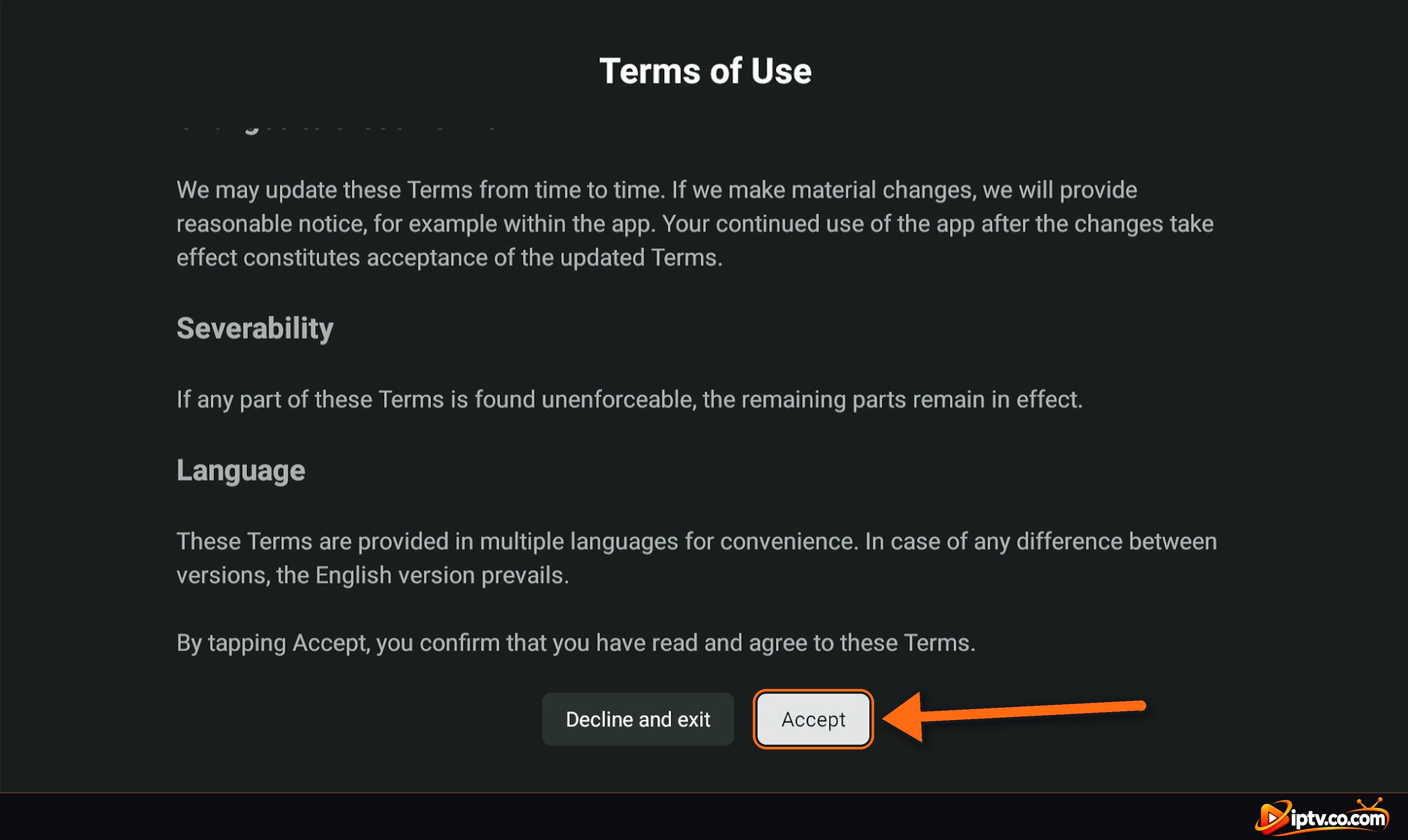
Step 1: Accept the Terms of Use
The first time you open TiviMate, the Terms of Use appear. Scroll down and select Accept.
Step 2: Select Add Playlist
TiviMate shows TiviMate does not provide any content. Add your own playlist to start watching. Select Add playlist and enter your M3U URL or Xtream Codes from your IPTV provider. Full steps: how to activate TiviMate with M3U and Xtream Codes.

TiviMate Free vs TiviMate Premium
Installing TiviMate is free, but the free version only gives basic Live TV with one playlist: movies, series and the EPG (TV guide) don’t work. They need TiviMate Premium, a paid subscription bought only in the TiviMate Companion app on an Android phone. See how to unlock TiviMate Premium. Premium unlocks app features only: it doesn’t include any channels. Your channels always come from your IPTV provider.
TiviMate Won’t Install? Quick Fixes
- Downloader says the code is invalid: check that you typed 272483 and that your Firestick is connected to the internet.
- “Install blocked” or nothing happens after the download: turn ON Install unknown apps for Downloader in Settings > My Fire TV > Developer Options.
- “App not installed”: free up storage by uninstalling apps you don’t use, restart the Firestick and try again.
- TiviMate not found in the Play Store: on phones you only see TiviMate Companion; on TVs make sure your device runs Android TV or Google TV.
- Samsung or LG TV: TiviMate doesn’t exist for these TVs. Use IBO Player or a Firestick.
Only Install the Official TiviMate
Avoid “TiviMate Premium unlocked” or modded APKs from unknown websites. They often contain malware and stop working after updates. Use the Google Play Store or the official download behind Downloader code 272483.
Frequently Asked Questions
What is the Downloader code for TiviMate?
The TiviMate Downloader code is 272483. Open Downloader on your Firestick, type 272483 in the address bar and select Next to download and install TiviMate.
How do I install TiviMate on Firestick?
Install the Downloader app, allow it to install unknown apps in Developer Options, open Downloader, enter code 272483, then select INSTALL and OPEN.
Is TiviMate on the Google Play Store?
Yes, on Android TV and Google TV devices it is listed as TiviMate IPTV Player by Armobsoft FZE. On Android phones, the Play Store shows TiviMate Companion instead.
Can I install TiviMate on an Android phone?
TiviMate is designed for Android TV. On phones and tablets you can install TiviMate Companion to manage Premium, but it is not a player. Use IBO Player or IPTV Smarters to watch on a phone.
Is TiviMate available on Samsung or LG smart TV?
No. TiviMate only runs on Android. On Samsung and LG TVs use IBO Player, or plug a Firestick or Google TV stick into the TV.
Is TiviMate available on iPhone, iPad, Windows or Mac?
No. There is no official TiviMate for iOS, Windows or macOS. Use IBO Player or IPTV Smarters Pro instead.
Is TiviMate free?
TiviMate is free to install, but the free version only plays Live TV. Movies, series and the TV guide need TiviMate Premium.
Does TiviMate include channels?
No. TiviMate is only a player. You add your own M3U URL or Xtream Codes from your IPTV provider.
What is TiviMate Companion?
TiviMate Companion is the phone app used to manage your TiviMate account and Premium. It is not an IPTV player.
What do I do after installing TiviMate?
Open it, accept the Terms of Use, select Add playlist and enter your M3U URL or Xtream Codes.
What is TiviMate?
TiviMate IPTV Player is an IPTV player app for Android TV devices such as Firestick, Fire TV, Google TV and Android TV boxes. It plays your own M3U playlist or Xtream Codes in a TV guide layout. It does not include channels.
Can I install TiviMate on Roku?
No. TiviMate only runs on Android, and Roku uses its own system. Plug a Firestick or Google TV stick into your TV, or use another player.
Is TiviMate available on Apple TV or iPhone?
No. There is no official TiviMate for Apple TV, iPhone or iPad. Use IBO Player or IPTV Smarters Pro on Apple devices.
Can I use TiviMate on Windows PC or Mac?
No, there is no TiviMate for Windows or macOS. Android emulators are not supported by the developer. On a computer, use IBO Player or IPTV Smarters Pro instead.
How do I update TiviMate on Firestick?
When an update is available, TiviMate shows a message when you open it. You can also open Downloader, enter code 272483 again and install the latest version over the old one: your playlists stay.
Is the TiviMate APK safe?
Yes, the official APK behind Downloader code 272483 and the Google Play version are safe. Avoid modded or Premium unlocked TiviMate APKs from unknown websites.
TiviMate is installed. Next, add your playlist with your IPTV provider’s M3U URL or Xtream Codes. Looking for a player on Samsung, LG, iPhone or PC? See how to download IBO Player or how to install IPTV Smarters Pro, or browse all IPTV players and apps.
2 Responses