Cómo instalar Hot Player en Firestick, Android, Samsung, LG, Roku, Windows & Mac
Instala Hot Player paso a paso: Firestick y Android TV con código Downloader 395800, teléfono Android APK, Samsung, LG, Roku, Windows y Mac.
Por IPTV Guide
9 min de lectura
0 comentarios
Instala Hot Player: Resumen rápido
On Amazon Firestick y Android TV / Google TV, instalar Hot Player con el Downloader app y código 395800. Android teléfonos y tabletas, descargar el APK de apk.hotplayer.app. Samsung, LG y Roku, instalarlo en la tienda de aplicaciones de TV, y en Windows y Mac desde Microsoft Store y Mac App Store. Hot Player es no disponible en iPhone o iPad.
Es bueno saber: Hot Player no tiene canales
Hot Player es un medias sólo y no incluye ningún canal. Después de instalarlo, agrega su propia lista de reproducción (M3U URL o Xtream Codes) de su proveedor de IPTV en el sitio web de Hot Player, utilizando su dirección MAC.
Hot Player es un reproductor de IPTV y video que reproduce sus propias listas de reproducción M3U y M3U8, con TV en vivo, películas, series y radios. Funciona en casi cada TV y equipo: Firestick, Android TV, Samsung, LG, Roku, Windows, Mac y teléfonos Android. Esta guía muestra cómo instalar Hot Player en cada dispositivo paso a paso y dónde encontrar su MAC address para agregar su lista de reproducción.
¿Dónde puedes instalar Hot Player?
Dispositivo
¿Disponible?
Cómo instalar
Amazon Firestick / Fire TV
Sí.
Aplicación Downloader, código 395800
Android TV & Google TV
Sí.
Aplicación Downloader, código 395800
Android phone & tablet
Sí.
APK de apk.hotplayer.app
Samsung smart TV
Sí.
Aplicaciones de Samsung
LG smart TV
Sí.
LG Content Store
Roku
Sí.
Roku Channel Store
Windows PC
Sí.
Microsoft Store
Mac (macOS)
Sí.
Mac App Store
iPhone & iPad
No
Use IBO Player o IPTV Smarters
Cómo instalar Hot Player en Firestick
Hot Player no está en la Appstore de Amazon, así que en Firestick lo instala con el gratis Downloader app. Si aún no tienes Downloader, sigue cómo instalar la aplicación Downloader, entonces ve a Ajustes Mis opciones de desarrollo de Fire TV Instalar aplicaciones desconocidas y girarlo ON para Downloader.
Paso 1: Abra Downloader y seleccione la barra de direcciones
Abierto Downloader y seleccionar la barra en la parte superior: Haga clic aquí para ingresar una URL, código corto o término de búsqueda.
Abra Downloader y seleccione la barra de direcciones
Paso 2: Ingrese el código Downloader 395800
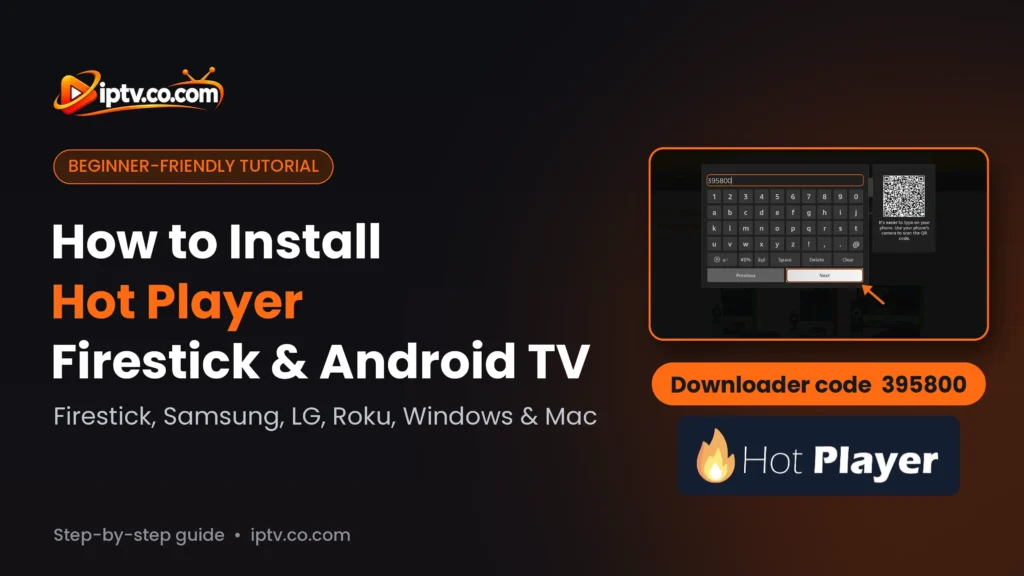
Escriba el código Hot Player Downloader 395800 y seleccionar Next.
Introduzca el código Hot Player Downloader 395800 y seleccione Siguiente
Paso 3: Espera mientras el Hot Player APK descarga
Downloader abre el enlace corto y descarga el Hot Player APK (unos 82 MB). Espera hasta que termine la descarga.
El Hot Player APK está descargando en Downloader
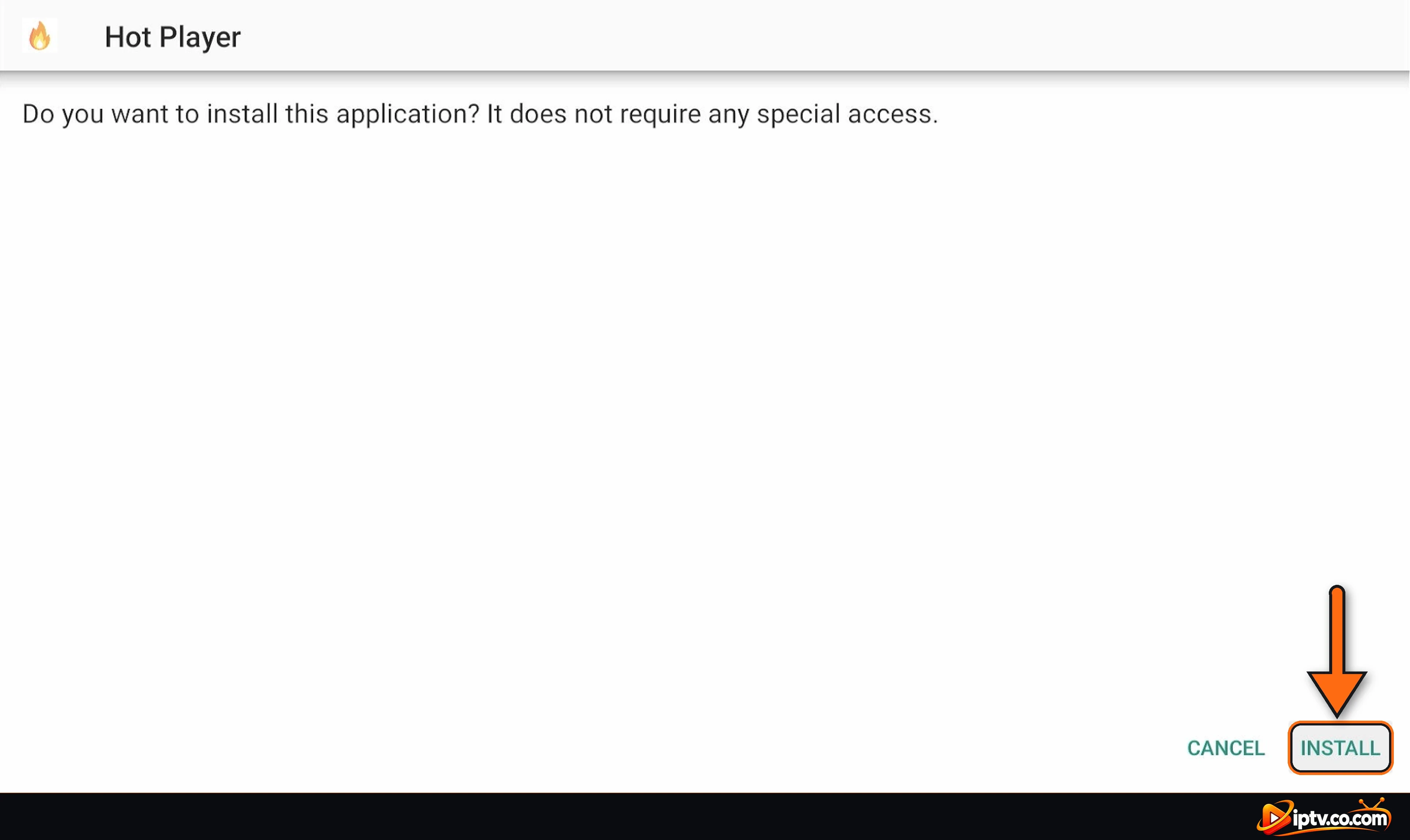
Paso 4: Seleccione INSTALL
Cuando el Hot Player pantalla de instalación aparece, seleccione INSTALL.
Seleccione INSTALL para instalar Hot Player en Firestick
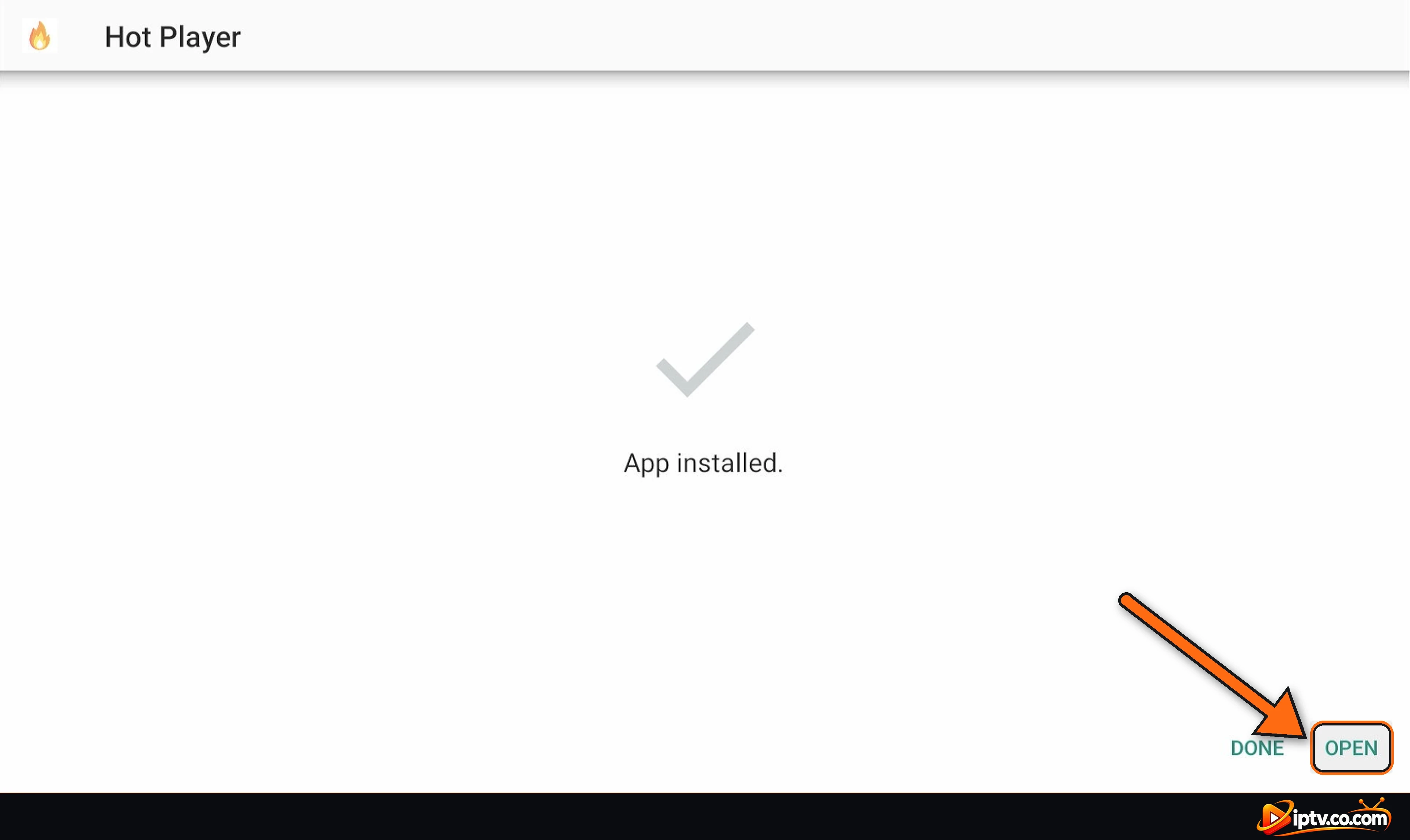
Paso 5: Seleccione OPEN
Cuando veas App installed, seleccionar OPEN. Volver a Downloader, usted puede elegir Delete para eliminar el archivo APK y liberar espacio.
Hot Player está instalado en Firestick: seleccione OPEN
Cómo instalar Hot Player en Android TV y Google TV
En Android TV y Google TV (Sony, TCL, Philips, Hisense, Xiaomi Mi Box, NVIDIA Shield, Chromecast con cajas Google TV y Android TV), instalar Hot Player con la aplicación Downloader:
Instala Downloader por AFTVnews de Google Play Store.
Permitir Downloader instalar aplicaciones desconocidas: Ajustes Aplicaciones Restricciones de seguridad Fuentes desconocidas (el nombre del menú cambia ligeramente por marca).
Abrir Downloader e introducir código 395800, entonces seleccione Next.
Cuando la descarga termine, seleccione InstallEntonces Open.
Las pantallas parecen iguales que en las pantallas Pasos Firestick arriba.
Cómo instalar Hot Player en Android Phone y Tablet
Paso 1: Abra el enlace Hot Player APK en Chrome
Abierto Chrome en su teléfono o tableta y escriba el enlace Hot Player APK en la barra de direcciones:
https://apk.hotplayer.app
Tipo apk.hotplayer.app en Chrome en un teléfono Android
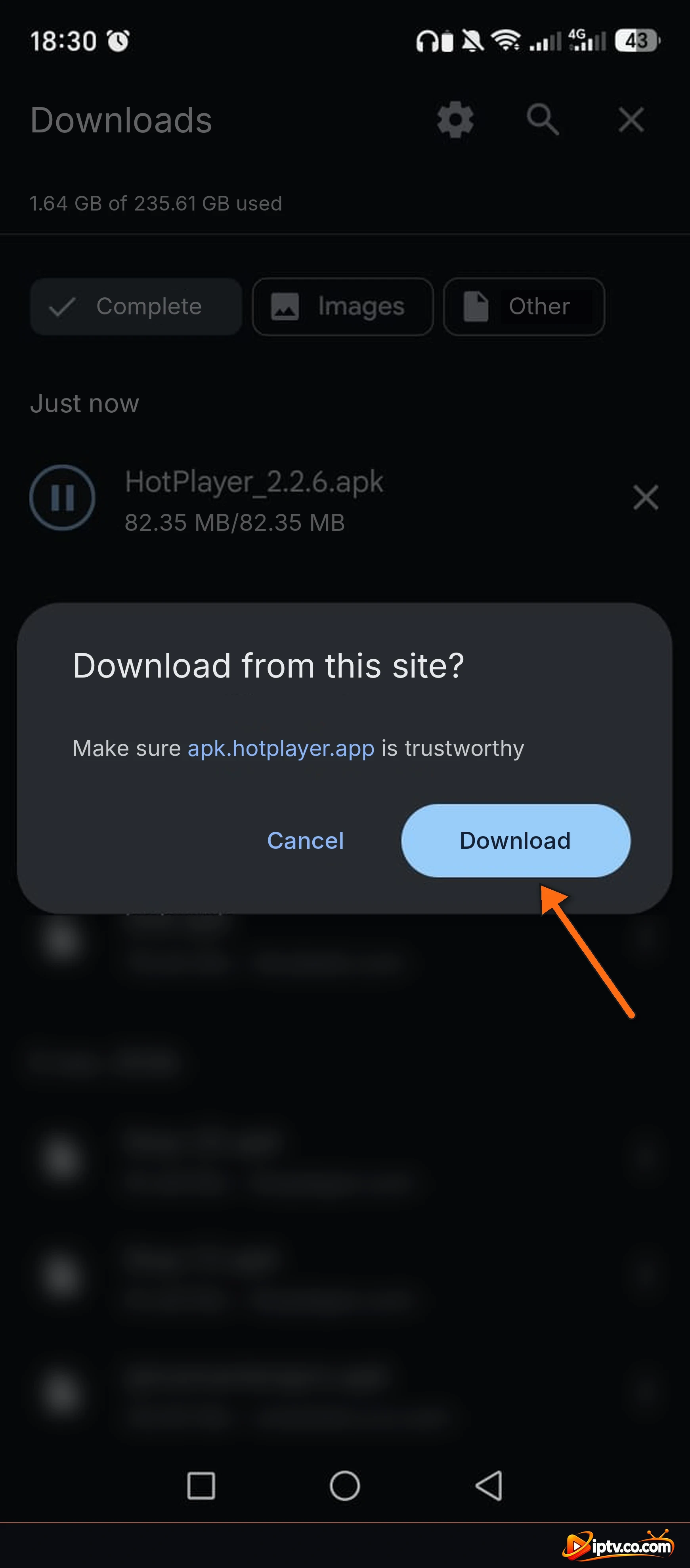
Paso 2: Seleccione Descargar
Chrome pregunta ¿Descargar de este sitio? Tap Download.
Pulse Descargar para descargar el Hot Player APK
Paso 3: Espera la descarga
El archivo HotPlayer_2.2.6.apk (unos 82 MB) descargas. Toca cuando se hace.
El Hot Player APK está descargando en Android
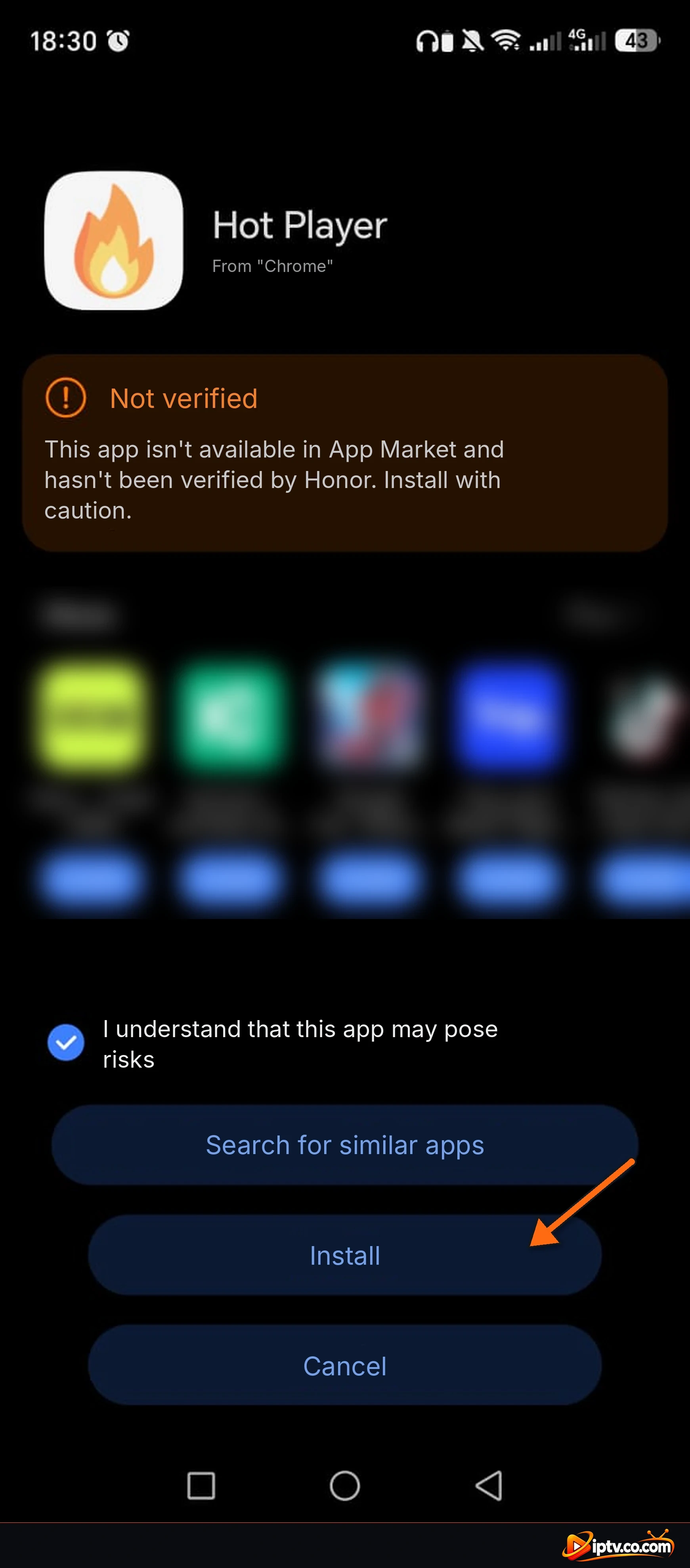
Paso 4: Tick “I Understanding borderdquo; and Tap Install
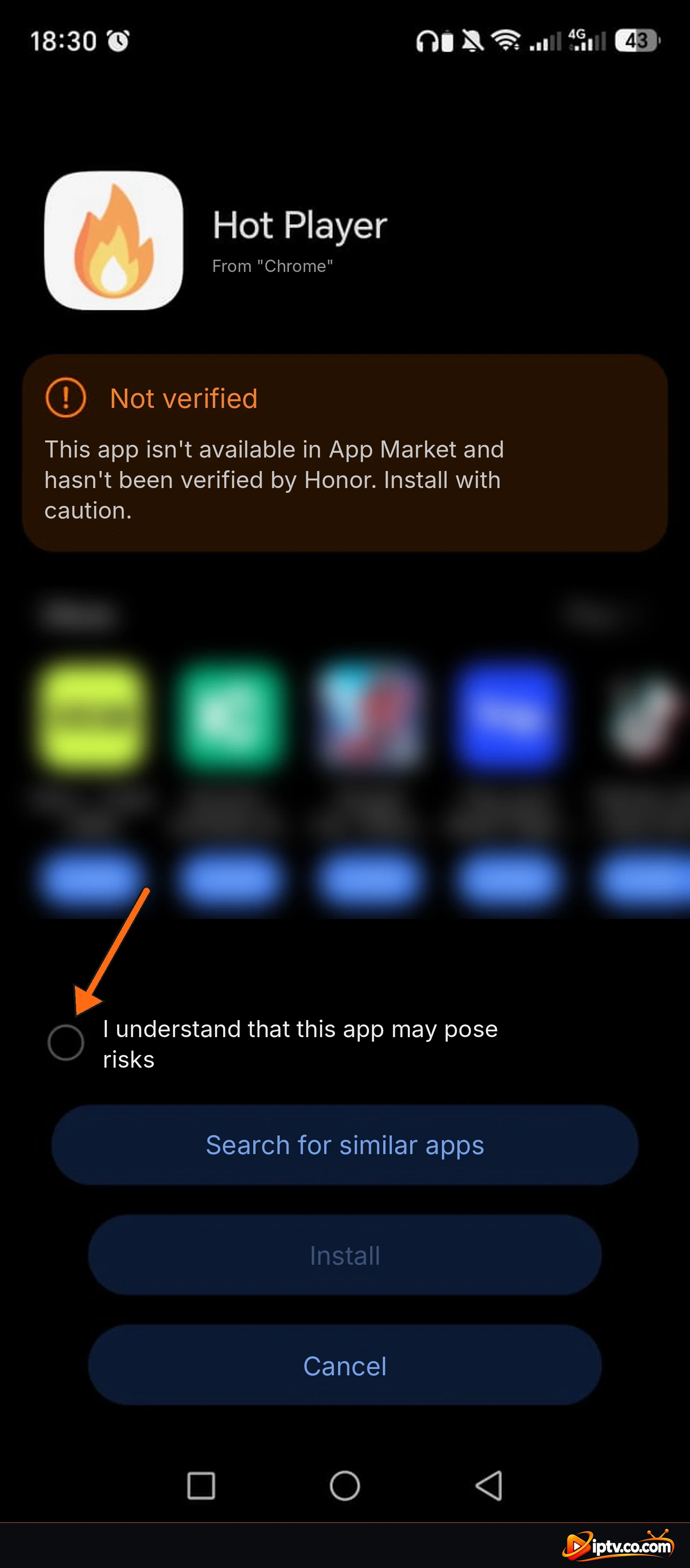
Android puede mostrar Not verified porque la aplicación no es de la tienda de aplicaciones del teléfono. Tick Entiendo que esta aplicación puede plantear riesgos, luego toca Install. En algunos teléfonos usted primero necesita permitir Chrome para instalar aplicaciones desconocidas.
Tick I understand that this app may pose risks
Instala para instalar Hot Player
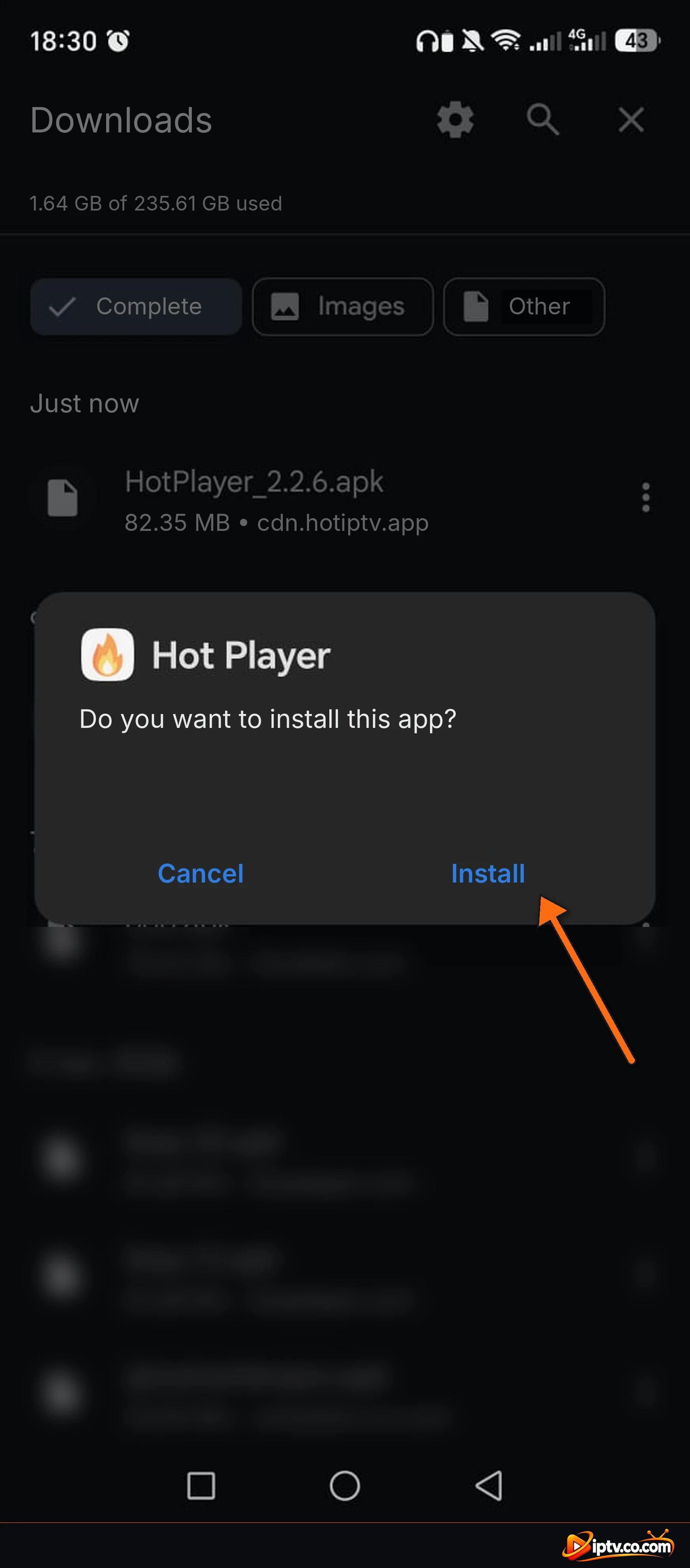
Paso 5: Confirme y abra Hot Player
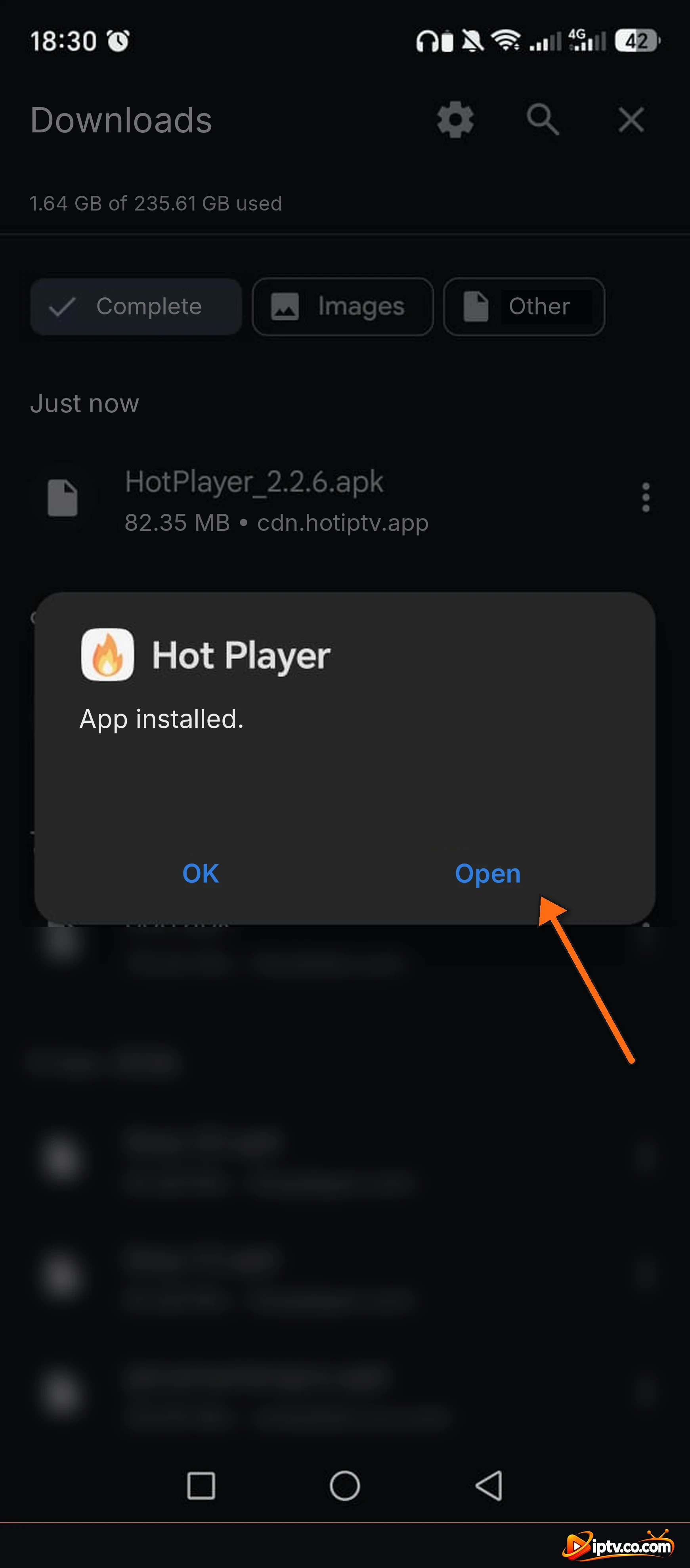
Tap Install otra vez para confirmar, entonces Open cuando veas App installed.
Confirme: ¿Quieres instalar esta aplicación? Tap Install
Hot Player está instalado: pulsa Open
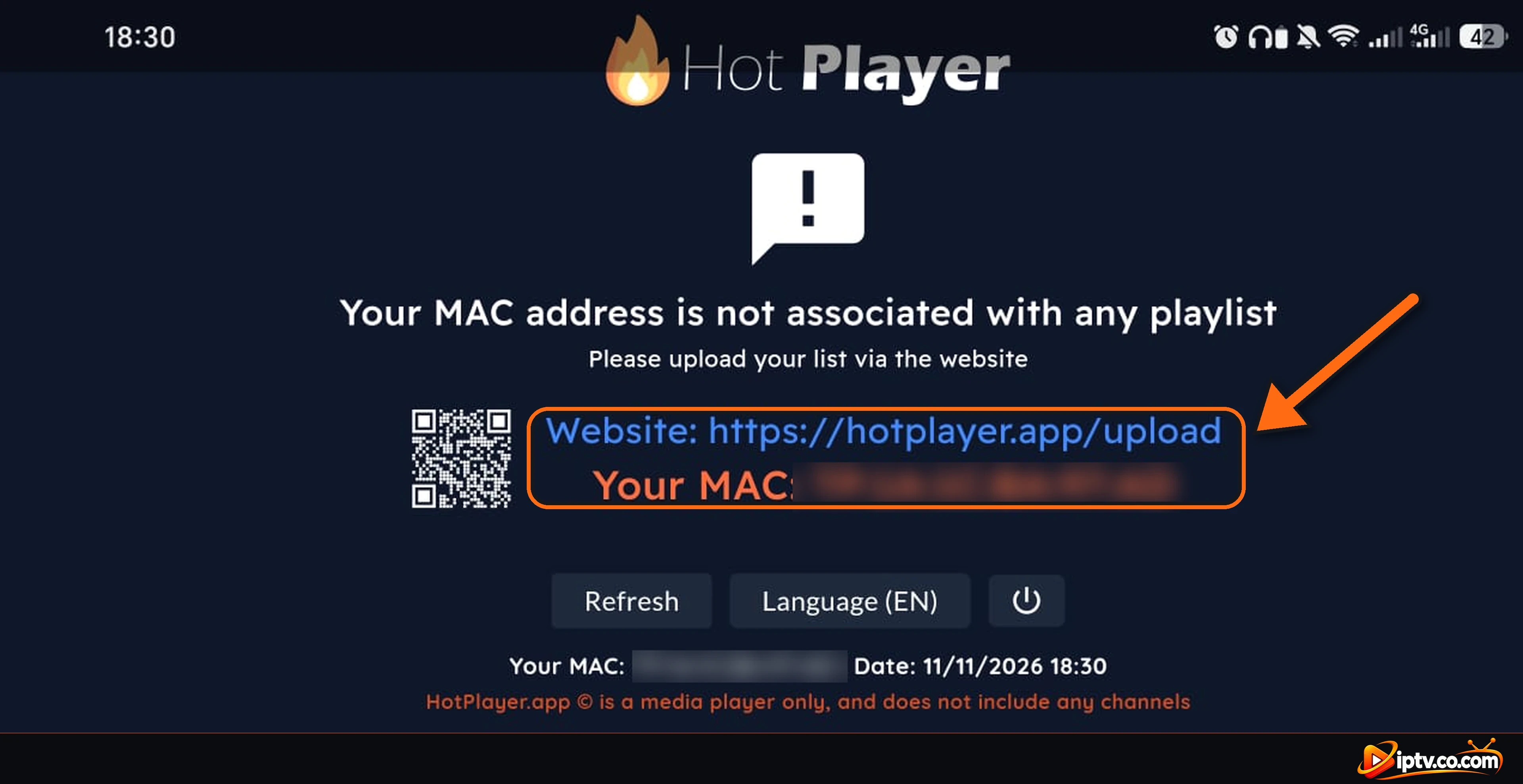
Paso 6: Note su dirección MAC
Hot Player abre y muestra Su dirección MAC no está asociada con ninguna lista de reproducción. Anota Tu MAC y añadir su lista de reproducción en el sitio web mostrado en la pantalla, hotplayer.app/upload. Luego toca Refresh para cargarlo. Véase Primer lanzamiento abajo para detalles.
Hot Player en un teléfono Android: dirección MAC y subir sitio web
Cómo instalar Hot Player en Samsung Smart TV
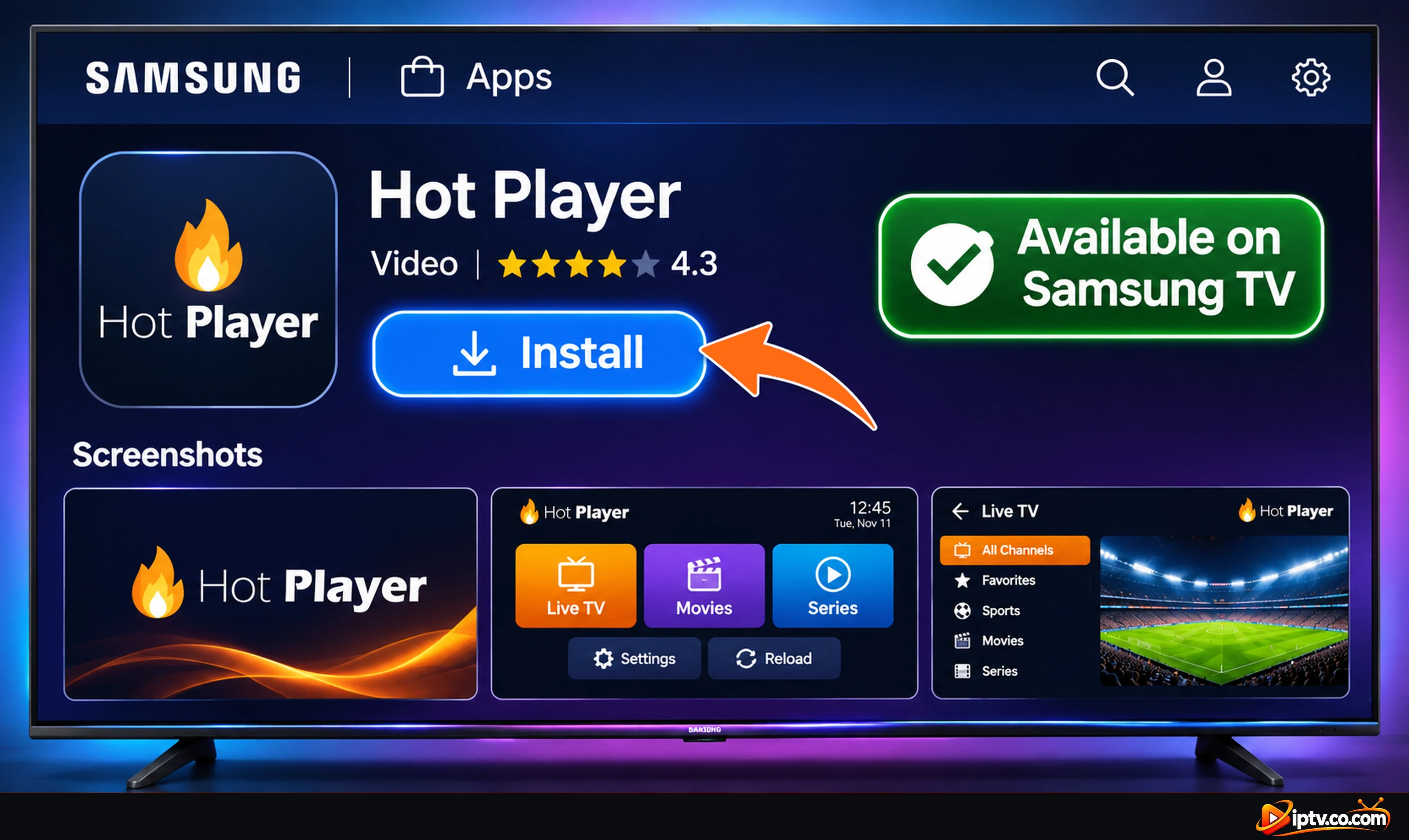
Prensa Inicio en su Samsung remoto y abierto Apps.
Seleccione Buscar icono y tipo Hot Player.
Abra la página Hot Player y seleccione InstallEntonces Open.
Hot Player en Samsung Apps en un Samsung smart TV: seleccione Instalar
Cómo instalar Hot Player en LG Smart TV
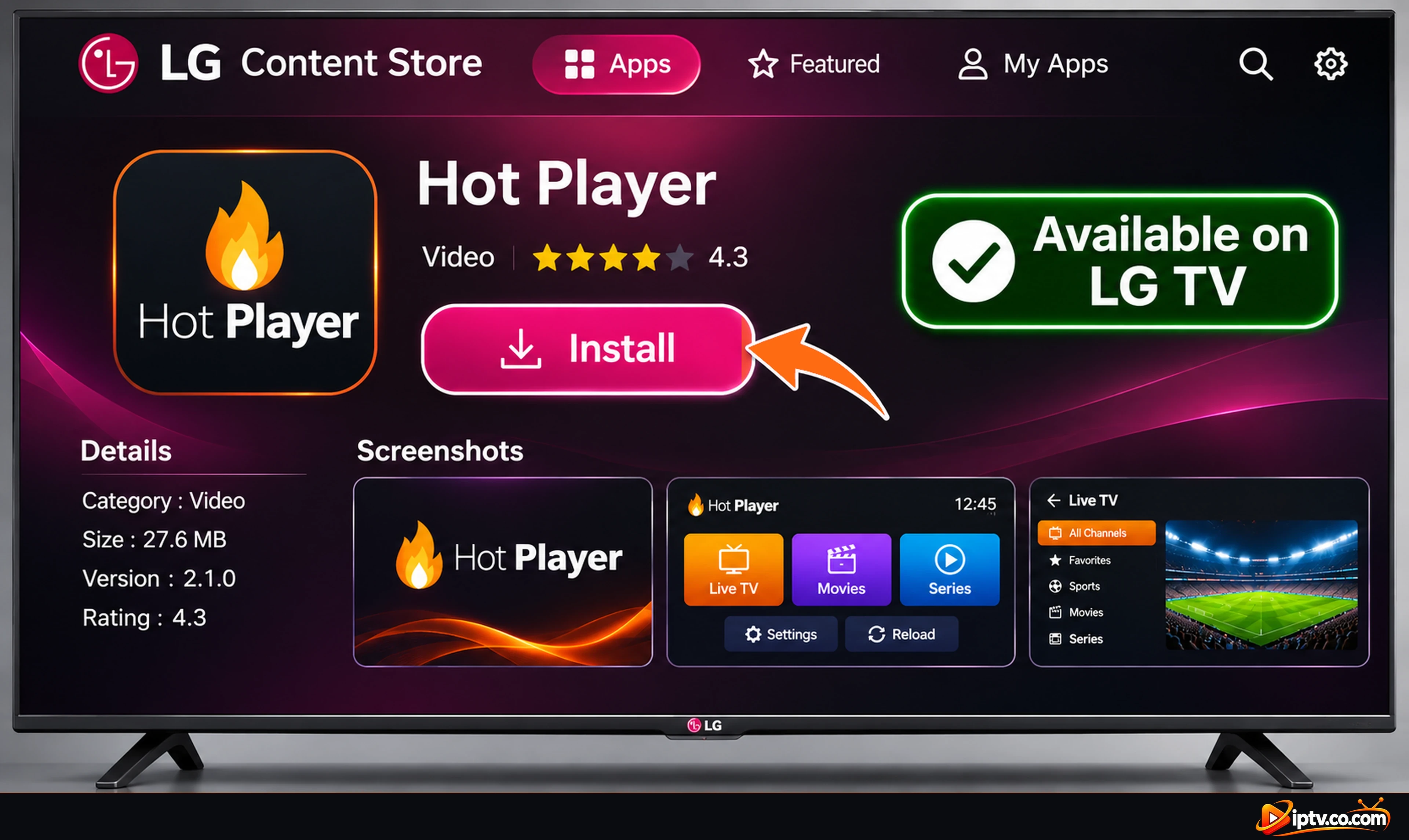
Prensa Inicio en su LG remoto y abrir el LG Content Store (llamado Apps on newer webOS TVs).
Buscar Hot Player.
Seleccione InstallEntonces Launch.
Hot Player en la tienda de contenidos LG en un televisor inteligente LG: seleccione Instalar
Cómo instalar Hot Player en Roku
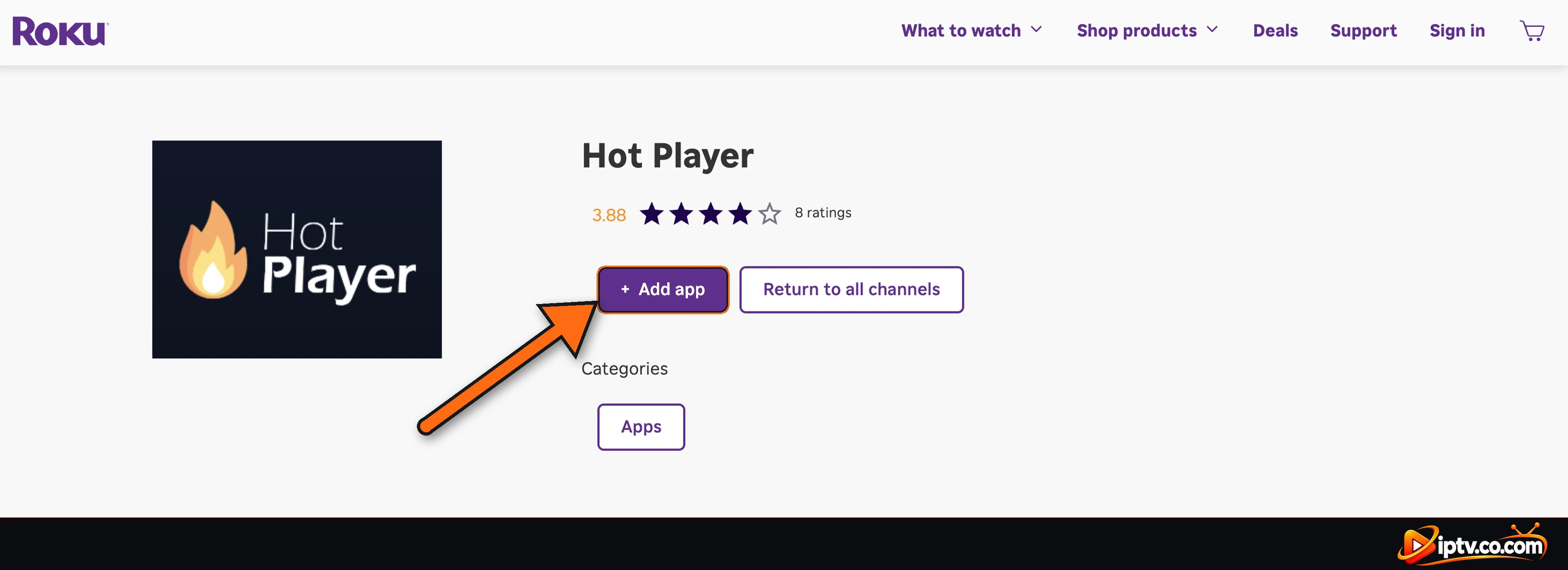
En tu Roku, ve a Home > Streaming Store y búsqueda de Hot Player.
Seleccione Hot Player por DIGI VIBES SARL y elegir Add app.
También puede agregarlo desde el sitio web de Roku en su teléfono o computadora: inicie sesión con su cuenta Roku, abra la página Hot Player y seleccione + Add appAparece en tu Roku en unos minutos.
Hot Player en la tienda de canales Roku: seleccione Añadir aplicación
Cómo instalar Hot Player en Windows PC y Mac
Windows PC: Microsoft Store
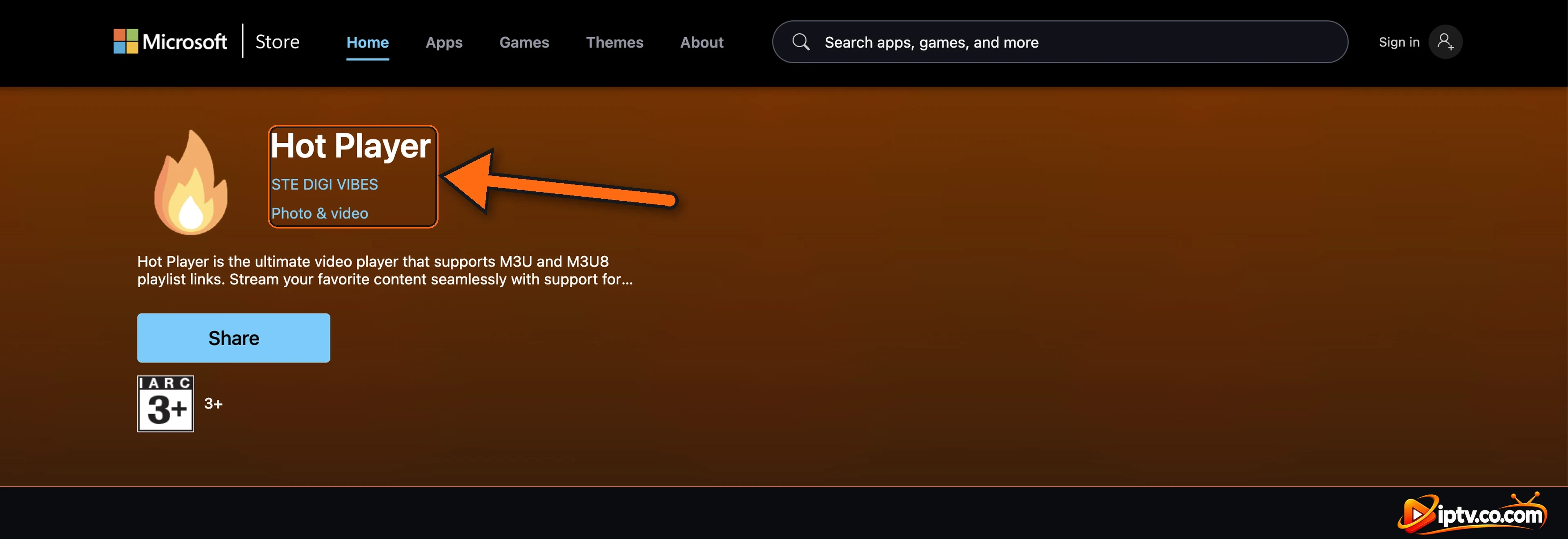
Abrir el Microsoft Store en su PC, buscar Hot Player (por STE DIGI VIBES) y seleccionar Get o Install. A continuación, abra desde el menú Inicio.
Hot Player por STE DIGI VIBES en Microsoft Store en Windows
Mac App Store
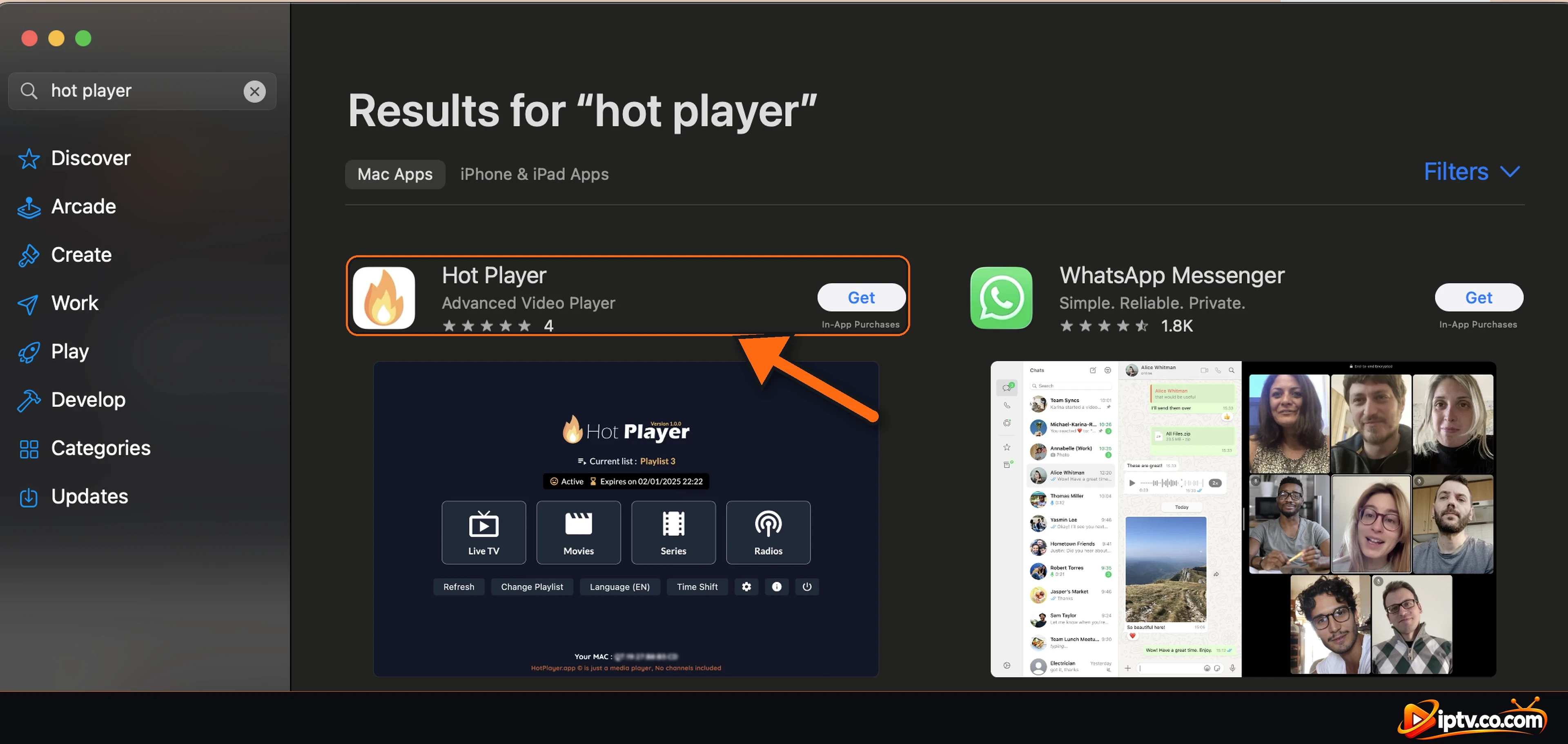
Abrir el App Store en su Mac, buscar Hot Player (Advanced Video Player) y seleccionar GetEntonces Install. Abrirlo desde la carpeta Launchpad o la carpeta Aplicaciones.
Hot Player en el Mac App Store: seleccione Obtener
Hot Player en iPhone y iPad: No disponible
Hot Player es no disponible en iPhone o iPad. Utilice uno de estos jugadores en su lugar, con la misma lista de reproducción de su proveedor IPTV:
Primer lanzamiento: su dirección MAC y el sitio web de Playlist
La primera vez que abres Hot Player, muestra Su dirección MAC no está asociada con ninguna lista de reproducción. Eso es normal: Hot Player no tiene canales hasta que agregue su lista de reproducción. La pantalla muestra:
Tu MAC: escríbalo exactamente como se muestra.
El sitio web de carga donde agregas tu URL M3U o Xtream Codes con su MAC (o escanear el código QR):
https://hotplayer.app/upload
Después de subir su lista de reproducción, seleccione Refresh en la aplicación para cargarla.
Hot Player primer lanzamiento: su dirección MAC y la lista de reproducción subir página web
Hot Player Won curvarsquo;t Install? Arreglos rápidos
Downloader dice que el código es inválido: comprueba que has escrito 395800 y que tu dispositivo está conectado a Internet.
“Install blocked”: Vuelta Install unknown apps para Downloader (Firestick) o para Chrome (teléfono Android).
“App no instalado” o no suficiente almacenamiento: el APK es alrededor de 82 MB. Desinstalar aplicaciones que no usas e intentas de nuevo.
No se puede encontrar Hot Player en Samsung, LG o Roku: actualizar el software de TV, comprobar la región y buscar de nuevo.
“No asociado con ninguna lista de reproducción”: Añade tu lista de reproducción en el sitio web de Hot Player con tu MAC, y luego selecciona Refresh.
Instala el Hot Player oficial
Evite los APKs de Hot Player modificados o “premium desbloqueados” de sitios web desconocidos. Pueden contener malware. Utilice el código Downloader 395800, apk.hotplayer.app o las tiendas de aplicaciones oficiales.