How to Get Xtream Codes Instantly
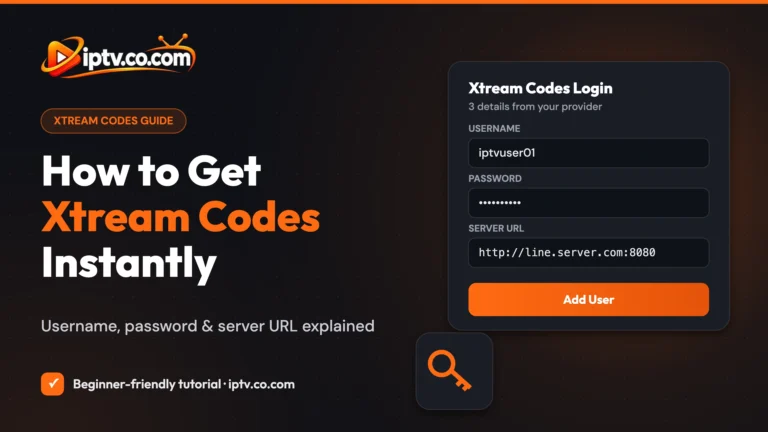
Get your Xtream Codes username, password and server URL in about 2 minutes, then log in to TiviMate or any IPTV player.

Get your Xtream Codes username, password and server URL in about 2 minutes, then log in to TiviMate or any IPTV player.
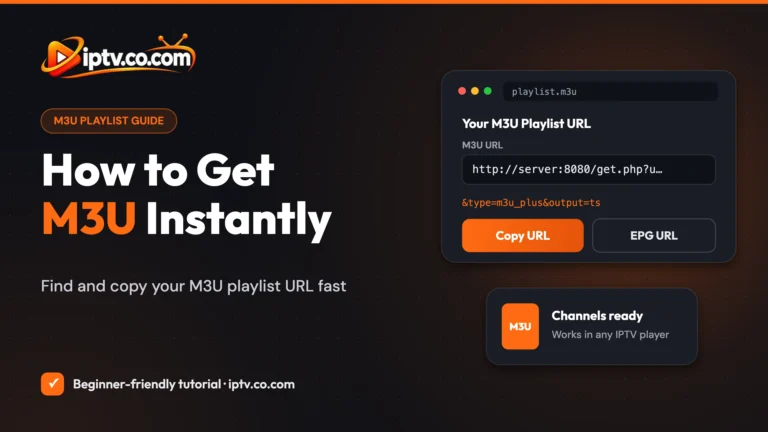
Get your M3U playlist URL in about 2 minutes: start a free trial or plan with your IPTV provider, then copy the link from your client area.
An IPTV playlist is a list of live channels, movies and series that your IPTV app reads from your provider’s server. You never see the list itself: you paste a link or a login into the app and it builds the TV guide, the categories and the movie library for you. There are two formats:
Both come from the same subscription and give you the same channels. If your app supports Xtream Codes, use it; if not, use the M3U link. People often type it as “IPTV 3MU”, “MPU” or “MU3 playlist”: they all mean an M3U playlist.
An M3U playlist is a simple text file (or a link to one) that lists media streams. Each channel has a line with its name, logo and group, followed by the stream address. M3U8 is the same format saved in UTF-8, so channel names in Arabic, French, Greek and other languages display correctly. For an IPTV app, an M3U and an M3U8 playlist work the same way.
Most IPTV providers give an M3U playlist URL in this form:
http://server-address:8080/get.php?username=YOURNAME&password=YOURPASS&type=m3u_plus&output=tsThe server address and port are your provider’s, and the username and password are yours. m3u_plus adds channel logos and groups. The same three details are your Xtream Codes login, so you can always turn one into the other. Most providers also give an EPG URL for the TV guide. Full guide: how to get an M3U URL.
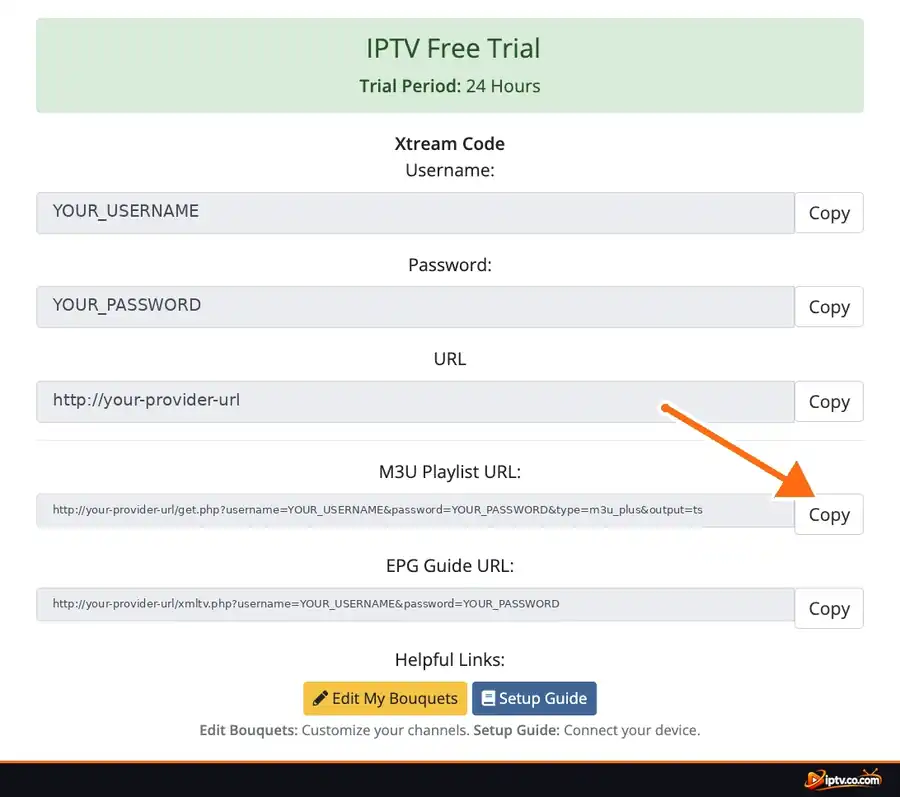
With Xtream Codes, you type the username, password and server URL into the app instead of one long link. It is the recommended way to add an IPTV playlist in IPTV Smarters, TiviMate, OTT Navigator, Televizo and GSE Smart IPTV. Full guide: how to get Xtream Codes.
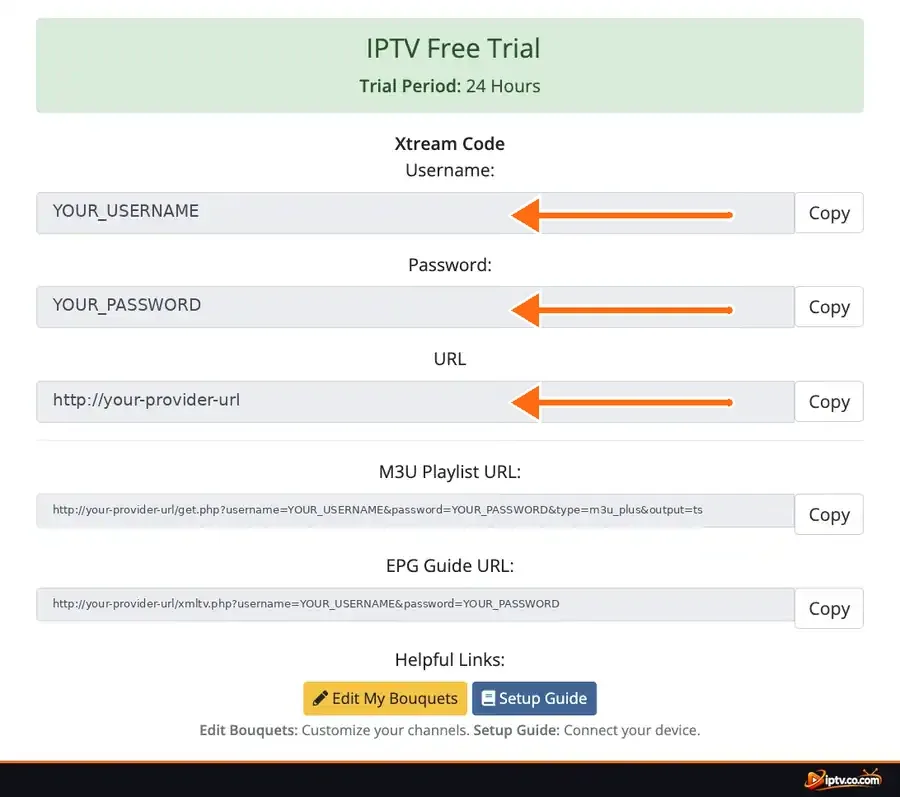
Step-by-step guides with screenshots: how to get an M3U URL and how to get Xtream Codes.
Some apps let you type the playlist on the TV. Others (IBO Player, BOB Player, SET IPTV, Hot Player, SmartOne) show a Device ID or MAC address, and you upload the playlist on the app’s website, then restart the app.
| IPTV app | Where you add the playlist | Guide |
|---|---|---|
| IPTV Smarters Pro | Load Your Playlist or File/URL, or Login with Xtream Codes API | Step by step |
| TiviMate | Add playlist > Enter URL or Xtream Codes | Step by step |
| IBO Player | Add the playlist on the IBO Player website with your Device ID | Step by step |
| BOB Player | Add the playlist on the BOB Player website with your Device ID | Step by step |
| SET IPTV | Upload the M3U link on the SET IPTV website with your MAC | Step by step |
| SmartOne IPTV | Add the M3U link on the SmartOne website with your MAC | Step by step |
| Hot Player | Add the playlist on the Hot Player website with your MAC | Step by step |
| IBO XPlayer | Add the playlist on the IBO XPlayer website | Step by step |
| GSE Smart IPTV | Remote Playlists or Xtream Codes API | Step by step |
| OTT Navigator | Provider setup > Xtream Codes or playlist link | Step by step |
| Televizo | Create a playlist > M3U or Xtream Codes | Step by step |
| Smart STB | Portal URL with your MAC address | Step by step |
Open VLC and choose Media > Open Network Stream on Windows (File > Open Network on Mac), paste the M3U URL and click Play. Open the playlist view to change channels. VLC is perfect to test a playlist, but it has no TV guide. Details: VLC on Windows and VLC on Mac.
Plex and Emby can’t read an M3U link directly in every setup: they need their Live TV & DVR feature with an M3U tuner. For most people, a dedicated IPTV player is easier.
Many people search for a “free public IPTV playlist”. There are two very different kinds:
For stable channels, a TV guide and catch-up, use a playlist from a provider with a free trial, then test it before you pay for a long plan. Remember that every IPTV player is just a player: it provides no channels.
You can make an M3U playlist with any text editor (Notepad, TextEdit). Start with #EXTM3U, then add two lines per channel:
#EXTM3U
#EXTINF:-1 tvg-id="news1" tvg-logo="logo.png" group-title="News",News Channel
http://example-stream-address/news1.m3u8
Save it as playlist.m3u in UTF-8. To edit a provider’s playlist (hide groups, reorder channels), use the favourites and hide options in your IPTV app, or an online playlist editor that gives you a new link.
:8080).http://vpn.dream-4k.co) as the server URL.It is the login that loads the channels, movies and series from your IPTV provider into an IPTV app: either an M3U playlist URL or an Xtream Codes login (username, password and server URL).
An M3U playlist is a text file or link that lists media streams, one channel per entry with its name, logo and group. IPTV apps, VLC and Kodi can read it.
M3U8 is the same playlist format saved in UTF-8, so channel names in any language display correctly. IPTV apps treat them the same way.
From an IPTV provider. After a free trial or a plan, copy the M3U URL or Xtream Codes login from your client area.
Paste the M3U URL or Xtream Codes in the app (IPTV Smarters, TiviMate, GSE) or upload it on the app website with your Device ID or MAC address (IBO Player, SET IPTV, Hot Player).
Xtream Codes is better when your app supports it: it loads faster and separates live TV, movies and series. Use M3U for apps, VLC and Kodi that only accept a link.
Install PVR IPTV Simple Client from Add-ons > Install from repository > PVR clients, paste your M3U URL as the remote path, restart Kodi and open TV.
Public free-to-air lists are legal but often unreliable. Free lists with paid sports or movie channels usually share unlicensed streams that stop working and can be risky.
Yes. Write #EXTM3U, then an #EXTINF line and a stream address for each channel in a text editor, and save the file as .m3u in UTF-8.
Test it in VLC, check that the URL starts with http:// and has the right port, copy it again without spaces, and check that your subscription is active.