What Is Smart STB: Quick Answer
- STB means set-top box: a box that connects your TV to cable, satellite or IPTV.
- Smart STB is an STB emulator app: it makes your TV, Firestick or phone work like a MAG IPTV box.
- It has no channels: it loads your IPTV provider’s portal URL with a virtual MAC address.
- 7-day free trial, then from 3.99 € (about $4.50) per year.
Good to Know: Hot Player Has No Channels of Its Own
Hot Player is a media player only. It doesn’t provide any channels, playlists or subscriptions, so if your channels stop working, the problem is often your IPTV subscription or login details. Check them with your provider first.
What is Smart STB? Smart STB is an app that turns a smart TV, Firestick, Android device or iPhone into a virtual IPTV set-top box. Instead of an M3U link, it connects to your IPTV provider’s portal, just like a real MAG box. In this guide we explain what STB means on a TV, what the Smart STB app is, how it works, which devices support it, how much it costs, and whether it is safe and legal.
What Is STB? What Does STB Mean on a TV?
STB stands for set-top box: a small box that connects to your TV and receives TV channels from cable, satellite or the internet (IPTV). If you see STB on your TV, for example as the name of an HDMI input on a Samsung smart TV, it simply means a set-top box is (or can be) connected to that input. IPTV set-top boxes such as MAG boxes load channels from a Stalker portal and are identified by their MAC address.
What Is Smart STB?
Smart STB (also written Smart-STB or Smart STB+) is a set-top box emulator app. It copies the way a MAG box works, so you don’t need to buy a physical box. Each device gets a virtual MAC address that starts with 00:1A:79, shown on the Smart STB home screen.
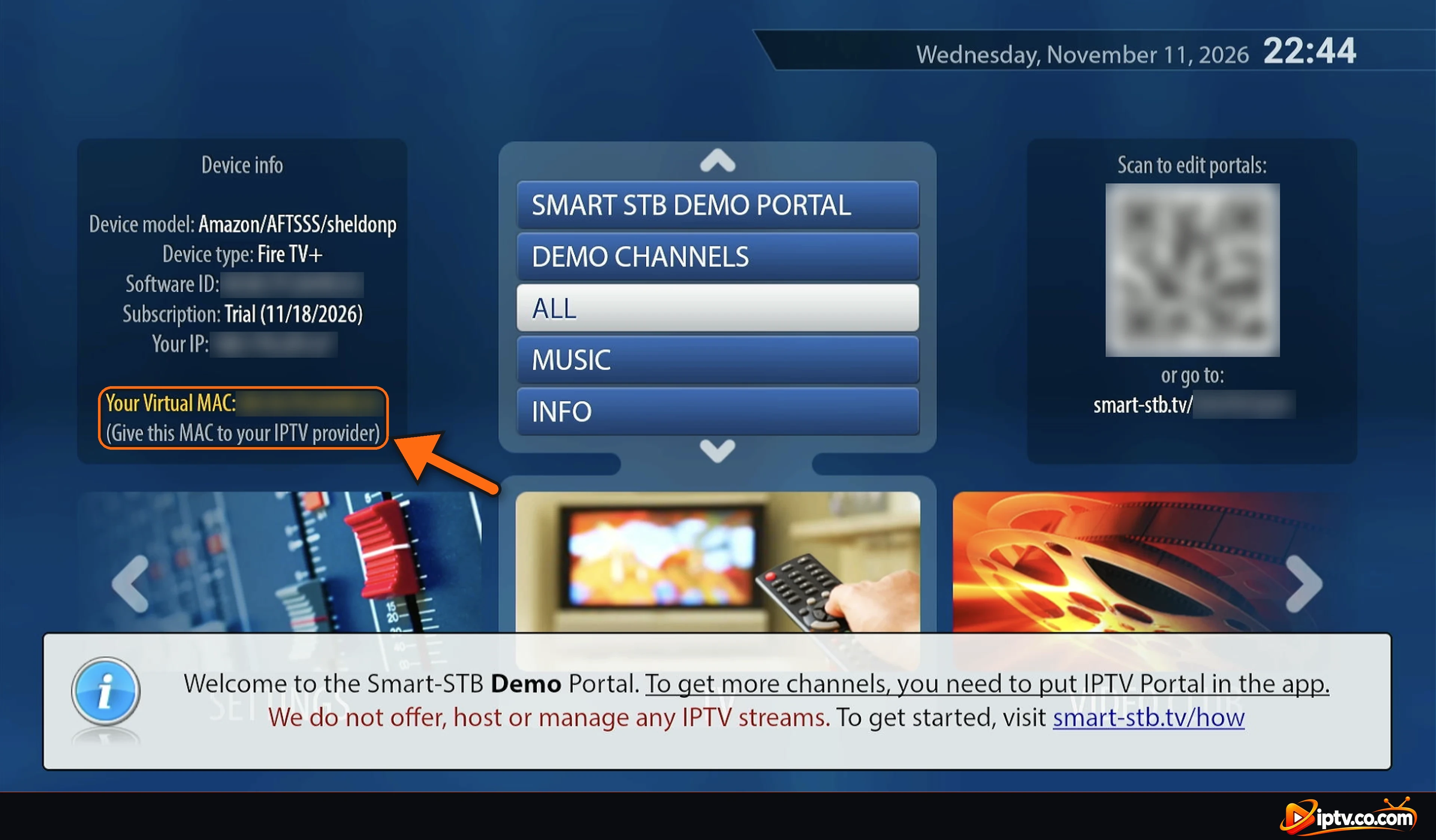
Smart STB doesn’t use M3U playlists or Xtream Codes. It only loads Stalker / MAG portals, and it doesn’t include any channels.
How Does Smart STB Work?
- Install Smart STB (Downloader code 3804692 on Firestick).
- Note your virtual MAC on the home screen.
- Give the MAC to your IPTV provider and order the MAG format. They send you a portal URL.
- In STB Settings > Portals, type the portal URL in URL 1 and select Restart portal.
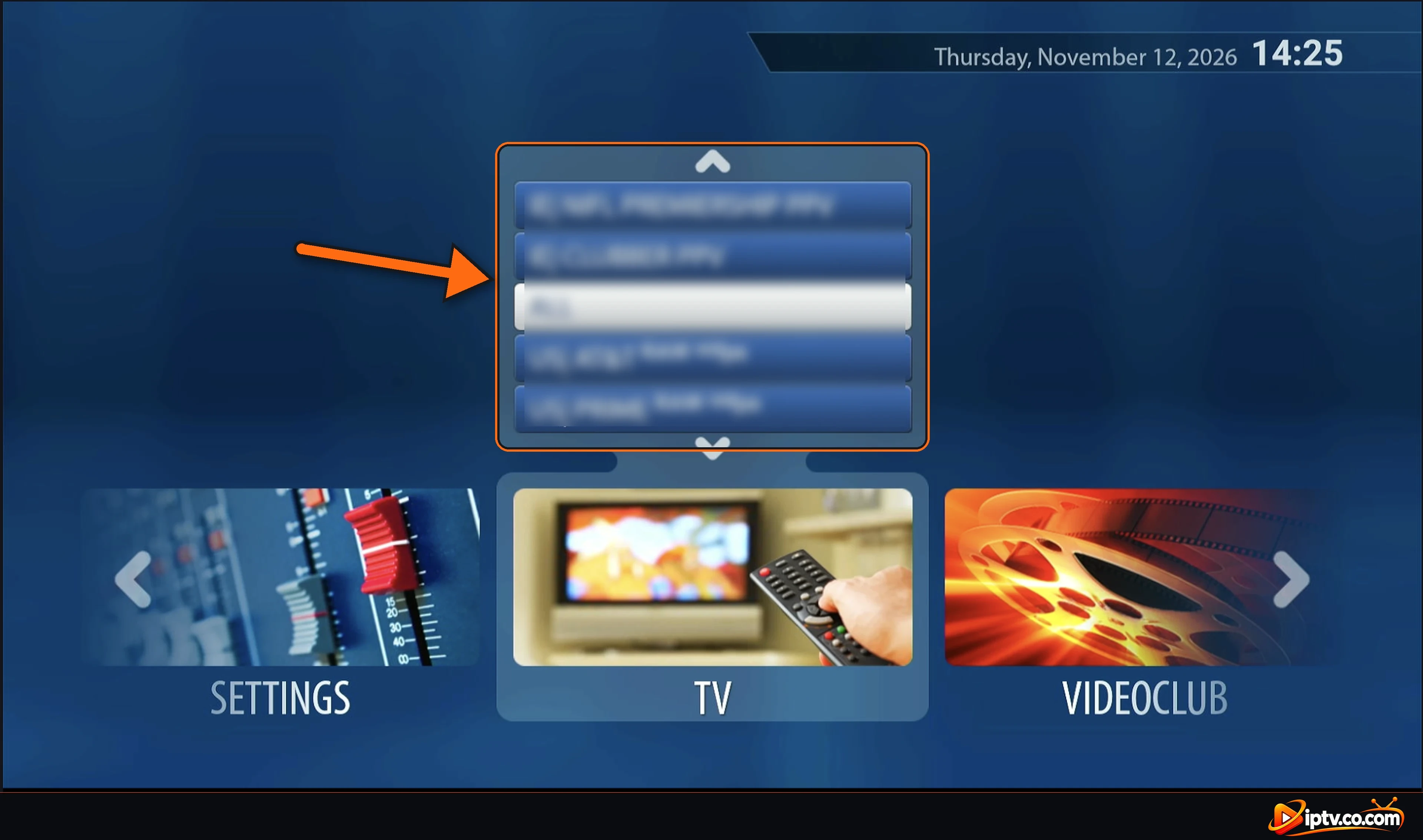
Every step with screenshots: how to activate Smart STB with a portal URL.
Smart STB vs Other STB Emulator Apps
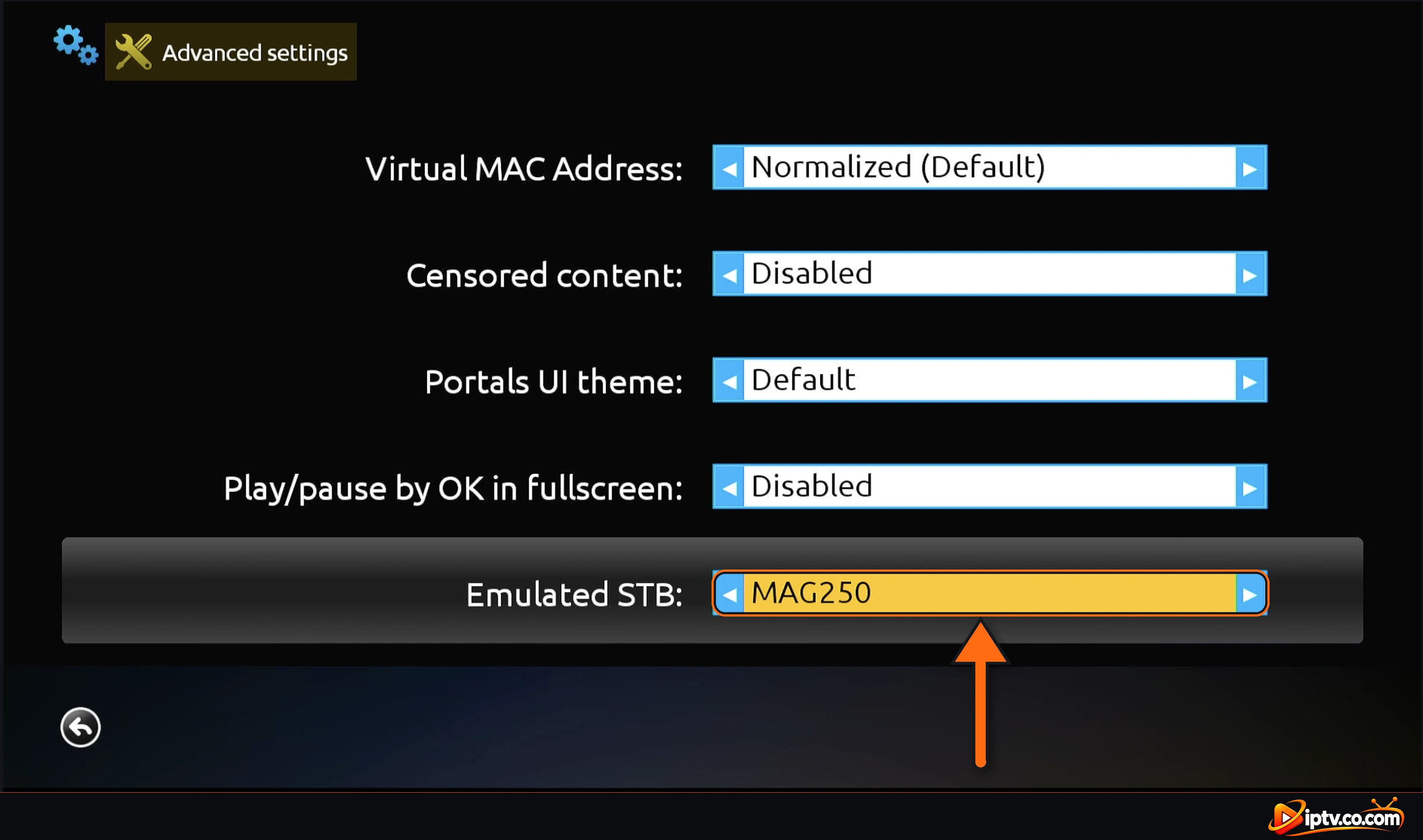
An STB emulator is any app that imitates an IPTV set-top box. Smart STB lets you choose which MAG model it emulates (for example MAG250, MAG322 or MAG520) in Advanced settings, because some portals only accept certain models.
Another well-known emulator is STB Emu, which runs on Android only. Smart STB works on more devices: Firestick, Android, iPhone, Samsung and LG TVs.
Which Devices Support the Smart STB App?
| Device | Smart STB? | How to get it |
|---|---|---|
| Amazon Firestick / Fire TV | Yes | Downloader code 3804692 |
| Android TV & Google TV | Yes | Downloader code 3804692 |
| Android phone & tablet | Yes | Google Play (Smart STB+) |
| iPhone & iPad | Yes | App Store |
| Samsung & LG smart TV | Yes | TV app store |
| Windows, Mac & Roku | No | Not available |
Step-by-step for each device: how to install Smart STB.
How Much Is Smart STB? Is It Free?
Smart STB is free to install, and every device gets a 7-day free trial. After that, you buy an app license on the official Smart STB website: Yearly Lite 3.99 € (about $4.50), Yearly Full 13.99 € (about $16), Lifetime Full 24.99 € (about $29) or Lifetime Unlimited 49.99 € (about $57). Yearly plans renew automatically and payments are not refunded. Details: Smart STB subscription and price.
Is Smart STB Safe and Legal?
Yes, the Smart STB app is safe when you install it from Google Play, the App Store, your TV’s app store or Downloader code 3804692. Avoid “premium unlocked” APKs and free activation codes from unknown websites. Smart STB itself is a legal app because it only connects to a portal you provide. What matters is the IPTV service: only use providers that have the rights to their channels.
Smart STB Alternatives
If your provider sends an M3U link or Xtream Codes instead of a portal, use an IPTV player instead of an STB emulator:
- IBO Player: Firestick, Samsung, LG, phones and PC.
- SmartOne IPTV: simple player for Samsung, LG and Android TV.
- Hot Player: also works on Roku.
- TiviMate: the best TV guide on Firestick and Android TV.
Smart STB Not Working?
Restart your internet, select Reboot application and Restart portal in STB Settings. A red “Request failed with status code 404” means you need a new portal URL from your provider. All fixes: Smart STB not working.
Our Verdict: Should You Use Smart STB?
If your IPTV provider gives you a MAG portal, Smart STB is one of the easiest ways to use it without buying a box, and it runs on almost every TV and streaming device. Test it with the 7-day trial first. If your provider only gives M3U or Xtream Codes, choose an IPTV player such as IBO Player instead.
Frequently Asked Questions
What is Smart STB?
Smart STB is a set-top box emulator app. It makes your TV, Firestick or phone work like a MAG IPTV box and loads your provider’s portal with a virtual MAC address.
What is STB?
STB means set-top box: a device that connects to your TV and receives channels from cable, satellite or IPTV.
What is STB on a TV?
On a TV, STB is the name used for a set-top box, often shown as the label of an HDMI input where a cable, satellite or IPTV box is connected.
How does Smart STB work?
You give the virtual MAC from the home screen to your IPTV provider, they send a portal URL, and you add it in STB Settings > Portals, then restart the portal.
Does Smart STB include channels?
No. Smart STB is only an app. You need a portal from an IPTV provider.
Can I use M3U or Xtream Codes in Smart STB?
No. Smart STB only loads MAG / Stalker portals. For M3U or Xtream Codes, use an IPTV player like IBO Player or SmartOne IPTV.
Is Smart STB free?
It is free for 7 days on each device. Then a license costs from 3.99 € (about $4.50) per year.
Is Smart STB legal?
Yes. Smart STB is a legal app that only connects to a portal you provide. Only use IPTV services that have the rights to their channels.
Is Smart STB safe?
Yes, from Google Play, the App Store, your TV’s app store or Downloader code 3804692. Avoid modded APKs.
What is the difference between Smart STB and STB Emu?
Both emulate a MAG set-top box. STB Emu runs on Android only, while Smart STB also works on iPhone, Samsung and LG TVs.