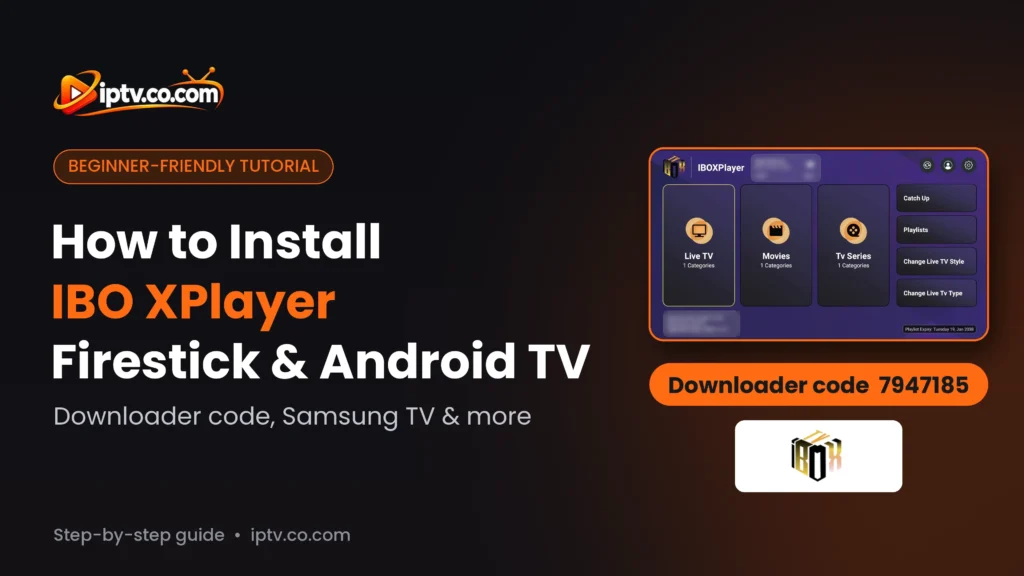
IBO XPlayer Downloader Code 7947185: Install IBO XPlayer on Firestick & Android TV
Install IBO XPlayer step by step: Firestick and Android TV with Downloader code 7947185, Android phones from Google Play, Samsung TV, and what to use on iPhone and PC.
By IPTV Guide
10 min read
0 Comments
Quick Summary
On Amazon Firestick and Android TV / Google TV, install IBO XPlayer from the Google Play Store or with the Downloader app and code 7947185. On an Android phone or tablet, install it from the Google Play Store. On Samsung and LG smart TVs, install it from the Samsung Apps store or the LG Content Store. IBO XPlayer is not available on iPhone, iPad, Windows PC or Mac: use IBO Player or IPTV Smarters there instead.
Good to Know: IBO XPlayer Has No Channels
IBO XPlayer is a media player only. It doesn’t provide any IPTV channels, playlists or subscriptions: after installing it, you add your own playlist (M3U URL or Xtream Codes) from your IPTV provider.
IBO XPlayer is an IPTV player from the IBO family of apps that plays your own M3U playlists and Xtream Codes on TV devices and phones. It isn’t listed in the Amazon Appstore, so most people install it with the Downloader app. This guide shows how to install IBO XPlayer on every supported device step by step, where to find your Device ID and Device Key after the first launch, and what to use on devices where IBO XPlayer isn’t available.
Where Can You Install IBO XPlayer?
Device
Available?
How to install
Amazon Firestick / Fire TV
Yes
Downloader app, code 7947185
Android TV & Google TV
Yes
Google Play Store or Downloader code 7947185
Android phone & tablet
Yes
Google Play Store (or APK)
Samsung smart TV
Yes
Samsung Apps store
LG smart TV
Yes
LG Content Store
iPhone & iPad
No
Use IBO Player or IPTV Smarters
Windows PC & Mac
No
Use IBO Player or IPTV Smarters
How to Install IBO XPlayer on Firestick
IBO XPlayer isn’t in the Amazon Appstore, so on Firestick you install it with the free Downloader app. If you don’t have Downloader yet, follow how to install the Downloader app, then go to Settings > My Fire TV > Developer Options > Install unknown apps and turn it ON for Downloader.
Step 1: Open Downloader and Select the Address Bar
Open Downloader and select the bar at the top: Click here to enter a URL, Short Code, or Search Term.
Open Downloader and select the address bar
Step 2: Enter Downloader Code 7947185
Type the IBO XPlayer Downloader code 7947185 and select Next.
Enter the IBO XPlayer Downloader code 7947185 and select Next
Step 3: Wait While the IBO XPlayer APK Downloads
Downloader opens the short link and starts downloading the IBO XPlayer APK (about 79 MB). Wait until the download reaches 100%.
The IBO XPlayer APK is downloading in Downloader
Step 4: Select INSTALL
When the Ibo XPlayer install screen appears, select INSTALL.
Select INSTALL to install IBO XPlayer on Firestick
Step 5: Select OPEN
When you see App installed, select OPEN. Back in Downloader, you can choose Delete to remove the APK file and free up space.
IBO XPlayer is installed: select OPEN
Step 6: Select OK on the Welcome Screen
IBO XPlayer opens on its welcome screen. On the right you see your Device ID and Device Key: write them down, you need them to add your playlist. Select OK to continue and explore the demo during your free trial.
IBO XPlayer welcome screen with the Device ID and Device Key: select OK
How to Install IBO XPlayer on Android TV and Google TV
On Android TV and Google TV devices (Sony, TCL, Philips, Hisense, Xiaomi Mi Box, NVIDIA Shield, Chromecast with Google TV and Android TV boxes), IBO XPlayer is available in the Google Play Store.
Method 1: Install IBO XPlayer From the Google Play Store
Open the Google Play Store on your TV (on Google TV, use Search on the home screen).
Search for IBO XPlayer.
Select Ibo xplayer by Xplayer (the black and gold IBOX icon).
Select Install, then Open.
Ibo xplayer by Xplayer in the Google Play Store on Android TV and Google TV: select Install
Method 2: Install IBO XPlayer With Downloader Code 7947185
If IBO XPlayer doesn’t appear in the Play Store on your TV, use the Downloader app:
Install Downloader by AFTVnews from the Google Play Store.
Allow Downloader to install unknown apps: Settings > Apps > Security & restrictions > Unknown sources (the menu name changes slightly by brand).
Open Downloader and enter code 7947185, then select Next.
When the download finishes, select Install, then Open.
How to Install IBO XPlayer on Android Phone and Tablet
IBO XPlayer is available in the Google Play Store for Android phones and tablets, listed as Ibo xplayer by Xplayer.
Method 1: Install IBO XPlayer From the Google Play Store
Open the Google Play Store on your phone or tablet.
Search for IBO XPlayer and select Ibo xplayer by Xplayer (the black and gold IBOX icon, about 23 MB).
Tap Install, then Open.
Search for IBO XPlayer in the Google Play Store and select Ibo xplayer by Xplayer
Tap Install to install IBO XPlayer on your Android phone or tablet
Method 2: Install the IBO XPlayer APK
If the app doesn’t show up in the Play Store on your device, download the APK in your browser instead:
Open Chrome (or any browser) on your phone or tablet.
Copy the APK link below and paste it in the address bar:
http://ibodesk.com/iboxplayer.apk
When Chrome asks, tap Download anyway and wait for the file to download.
Tap the downloaded file. If Android shows For your security, your phone is not allowed to install unknown apps, tap Settings and turn on Allow from this source for Chrome.
Tap Install, then Open.
How to Install IBO XPlayer on Samsung Smart TV
Step 1: Search for IBO XPlayer in Samsung Apps
Press Home on your Samsung remote, open Apps, select the Search icon and type IBO XPlayer.
Search for IBO XPlayer in the Samsung Apps store
Step 2: Select Install
Open the IBO XPlayer app page and select Install. When the installation finishes, select Open. Can’t find it on your model? Use IBO Player, which works on Samsung and LG TVs.
Select Install on the IBO XPlayer page on Samsung TV
How to Install IBO XPlayer on LG Smart TV
Step 1: Search for IBO XPlayer in the LG Content Store
Press Home on your LG remote, open the LG Content Store (called Apps on newer webOS TVs), select the Search icon and type IBO XPlayer.
Search for IBO XPlayer in the LG Content Store and select Install
Step 2: Select Install
Open the IBO XPlayer app page and select Install. When the installation finishes, select Launch to open the app and see your Device ID and Device Key.
Select Install on the IBO XPlayer page in the LG Content Store
IBO XPlayer on iPhone, iPad, Windows PC and Mac: Not Available
There is no IBO XPlayer app for iPhone, iPad, Windows PC or Mac. Searching the App Store or the Microsoft Store won’t find it. Use one of these players instead: they work with the same M3U URL or Xtream Codes.
The first time you open IBO XPlayer, the welcome screen shows your Device ID (it looks like a MAC address, for example 90:11:95:XX:XX:XX) and your Device Key (a 6-digit number). Write them down: you need them to add your playlist on the IBO XPlayer website:
https://iboxiptvplayer.com
On the website, log in with your Device ID and Device Key, then add your M3U URL or Xtream Codes from your IPTV provider. Restart the app on your TV to load the playlist.
IBO XPlayer welcome screen with the Device ID, Device Key and website
IBO XPlayer Free Trial and Activation
IBO XPlayer starts with a free trial. When the trial ends, the app needs a license to keep playing. The activation is linked to your Device ID, so you only pay once per device.
Free activation: many IPTV providers activate IBO apps for free when you buy a 6-month or 12-month subscription. Send your Device ID to your provider and ask them to activate it.
IBO XPlayer Won’t Install? Quick Fixes
Downloader says the code is invalid: check that you typed 7947185 (7 digits) and that your device is connected to the internet.
“Install blocked” or nothing happens after the download: turn ON Install unknown apps for Downloader in Settings > My Fire TV > Developer Options.
“App not installed” or “Insufficient storage”: the APK is about 79 MB. Uninstall apps you don’t use, restart the device and try again.
The download stops halfway: restart your router and the Firestick, then enter the code again.
On iPhone, iPad, Windows or Mac: IBO XPlayer doesn’t exist for these devices. Use IBO Player instead.
Only Install the Official IBO XPlayer
Avoid “IBO XPlayer activated” or modded APKs from unknown websites. They can contain malware and stop working after updates. Use Downloader code 7947185 or the official APK link above.
The IBO XPlayer Downloader code is 7947185. Open Downloader on your Firestick or Android TV, type 7947185 and select Next to download and install the app.
Yes. Open the Google Play Store on your TV, search for IBO XPlayer and install Ibo xplayer by Xplayer. If it is not listed, install Downloader, allow unknown sources and enter code 7947185.
Open the Google Play Store, search for IBO XPlayer, select Ibo xplayer by Xplayer and tap Install. If it is not listed on your device, download the APK from http://ibodesk.com/iboxplayer.apk in Chrome and install it.
Installing it is free and it starts with a free trial. After the trial, the app needs a license. Many IPTV providers activate it for free with a 6 or 12-month subscription.
They are separate apps with separate websites and activations. IBO Player is available on more devices, including iPhone, Windows and Mac; IBO XPlayer covers Android devices (Google Play, Firestick, Android TV), Samsung TV and LG TV.