Yes, you can watch IPTV on your iPhone. There is no APK and no Downloader on iOS: you install an IPTV app for iPhone from the App Store, then add the Xtream Codes or M3U playlist from your IPTV provider. Only a few players are on the App Store, so this page shows which ones work, the exact name to search for (IPTV Smarters is called Smarters Player Lite on iPhone), and step-by-step guides to install, set up and fix IPTV on your iPhone.
Best IPTV Apps for iPhone
These IPTV players are in the App Store for iPhone. Click a card to open its iPhone install guide.
IPTV Smarters
Free player on almost every device, including iPhone, Apple TV, Windows and Mac.
- Firestick
- Android
- Samsung
- LG
- iPhone
- Apple TV
- Windows
- Mac
IBO Player
All-round player for smart TVs, Firestick, phones, Windows and Mac.
- Firestick
- Android
- Samsung
- LG
- iPhone
- Windows
- Mac
BOB Player
Simple player for smart TVs, Firestick, Android and iPhone.
- Firestick
- Android
- Samsung
- LG
- iPhone
Smart STB
MAG-style portal player for TVs, Firestick and iPhone.
- Firestick
- Android
- iPhone
- Samsung
- LG
How to Install IPTV on iPhone (Step by Step)
Every IPTV app is installed the same way on iPhone, and it takes about a minute.
Step 1: Open the App Store and Search
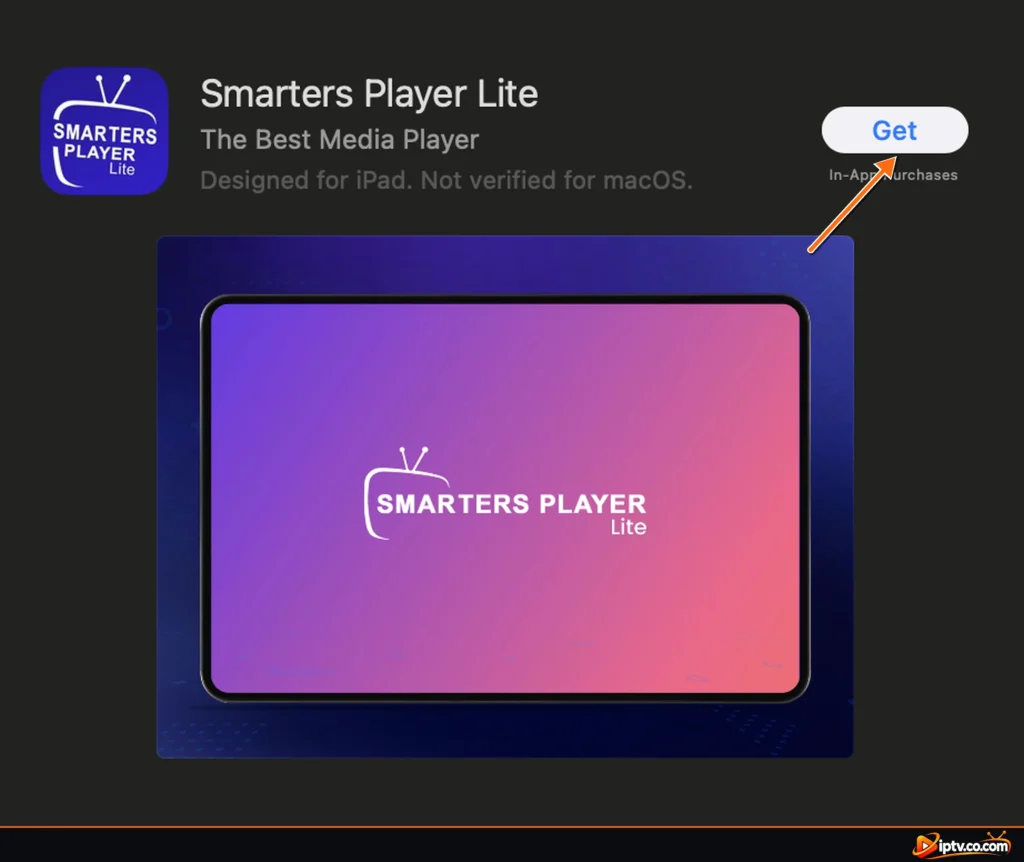
Open the App Store, tap Search and type the name of the IPTV app as it appears in the App Store, for example ibo player or Smarters Player Lite.

Step 2: Tap Get
Tap Get next to the app and confirm with Face ID, Touch ID or your Apple ID password. The app is free to download.

Step 3: Open the App and Add Your Playlist
Open the app from your Home Screen, then log in with your Xtream Codes or M3U link, or note the Device ID and Device Key for IBO Player and BOB Player (see how to set up IPTV on iPhone).
IPTV Apps for iPhone: App Store Names and Prices
| IPTV app | Name in the App Store | Cost | Guide |
|---|---|---|---|
| IPTV Smarters Pro | Smarters Player Lite | Free | iPhone guide |
| IBO Player | IBO PLAYER | Free trial, then activation (often free from your IPTV provider) | iPhone guide |
| BOB Player | BOB PLAYER | Free trial, then activation (often free from your IPTV provider) | iPhone guide |
| Smart STB | Smart STB | 7-day free trial, then in-app purchase | iPhone guide |
How to Install IPTV Smarters Pro on iPhone
IPTV Smarters Pro for iPhone is listed in the App Store as Smarters Player Lite. Search for that name, tap Get, open it and choose Login with Xtream Codes API. Full guides: install IPTV Smarters on iPhone and how to activate IPTV Smarters.
How to Set Up IPTV on iPhone
An IPTV app has no channels. After installing it, add the login from your IPTV provider:
- Xtream Codes (recommended): a username, password and server URL. Movies, series and the TV guide load better. Don’t have one? See how to get Xtream Codes.
- M3U playlist: one long link. Copy it on your iPhone and paste it in the app. See how to get an M3U URL.
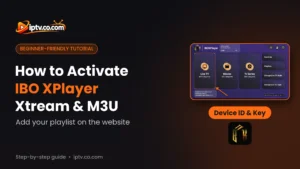
IBO Player and BOB Player show a Device ID (MAC address) and Device Key: you add your playlist on the app’s website, then restart the app. Activation guides: IPTV Smarters, IBO Player, BOB Player.
Is There a Free IPTV Player for iPhone?
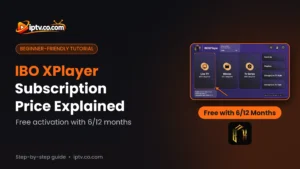
Yes. Smarters Player Lite is free, and the free VLC app can play an M3U link (Network > Open Network Stream), but without a TV guide or movie categories. IBO Player and BOB Player have a free trial, then an activation that many IPTV providers include for free with a 6 or 12-month subscription. The app is free, but the channels are not: you still need an IPTV subscription, and many providers offer a free trial.
IPTV Apps Not Available on iPhone
These popular players are not in the App Store: TiviMate, IBO XPlayer, SET IPTV, Hot Player, SmartOne, OTT Navigator, Televizo and GSE Smart IPTV. Apple doesn’t allow APK files, so Android apps can’t be installed on iOS or iPadOS. Use IPTV Smarters, IBO Player, BOB Player or Smart STB instead: they log in with the same Xtream Codes or M3U playlist.

How to Watch IPTV From iPhone on Your TV
Start a channel in your IPTV app, open Control Center, tap Screen Mirroring and choose your Apple TV or AirPlay-compatible smart TV. For the best picture, install the IPTV app directly on the TV instead: see our Firestick, Samsung TV and LG TV guides.
IPTV Not Working on iPhone? Quick Fixes
- Close and reopen the app: swipe up from the bottom of the screen, swipe the app away and open it again.
- Restart your iPhone and update the app in the App Store.
- Reinstall: iOS has no Clear cache button, so delete the app (touch and hold > Remove App) and install it again.
- Check the URL: most IPTV servers need http://, not https://, and the port if your provider gave one.
- Turn off Low Data Mode and use Wi-Fi: HD needs about 10 Mbps, 4K about 25 Mbps.
- VPN: if you use one, set your provider’s VPN DNS (for example
http://vpn.dream-4k.co) as the server URL.
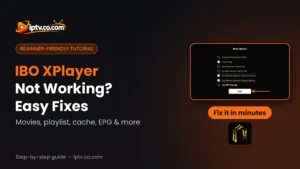
Full fixes: IPTV Smarters not working, IBO Player not working, BOB Player not working, Smart STB not working.
Frequently Asked Questions
Can I watch IPTV on my iPhone?
Yes. Install an IPTV app such as Smarters Player Lite, IBO Player or BOB Player from the App Store, then add the Xtream Codes or M3U playlist from your IPTV provider.
What is the best IPTV app for iPhone?
IBO Player and Smarters Player Lite are the most popular. IBO Player is often activated for free by your IPTV provider, and Smarters Player Lite is free.
What is IPTV Smarters called on iPhone?
In the App Store, IPTV Smarters is called Smarters Player Lite.
How do I install IPTV on my iPhone?
Open the App Store, search for the IPTV app, tap Get, open it and add your Xtream Codes or M3U playlist.
Is there a free IPTV app for iPhone?
Yes. Smarters Player Lite and VLC are free. You still need an IPTV subscription for the channels.
Can I install an IPTV APK on iPhone?
No. APK files are for Android. On iPhone you can only install IPTV apps from the App Store.
Is GSE Smart IPTV or TiviMate on iPhone?
No, neither is available in the App Store. Use IBO Player, BOB Player, Smarters Player Lite or Smart STB.
How do I use an M3U playlist on iPhone?
Copy the M3U link and paste it in your IPTV app, or add it on the website of IBO Player or BOB Player next to your Device ID.
How do I watch IPTV from my iPhone on my TV?
Use Screen Mirroring in Control Center to send the picture to an Apple TV or AirPlay-compatible TV.
Why is IPTV not working on my iPhone?
Close and reopen the app, restart the iPhone, check that the server URL starts with http:// and reinstall the app if it still fails.