IPTV Devices: Setup Guides for Every Device
Step-by-step IPTV setup guides for every device: Amazon Firestick, Samsung and LG smart TVs, Android TV, Google TV, iPhone, iPad, Android, Windows, Mac and Roku.
- 12 devices
- Updated November 2026
Pick your device to see the best IPTV apps for it and step-by-step guides to install, set up and fix IPTV. Every device works a little differently: Firestick and Android TV use the Downloader app or APK files, Samsung and LG smart TVs use their own app stores, iPhone, iPad and Mac use the App Store, and Roku supports only a few IPTV players. Each guide has screenshots, the app list for that device and quick fixes.
Choose Your Device
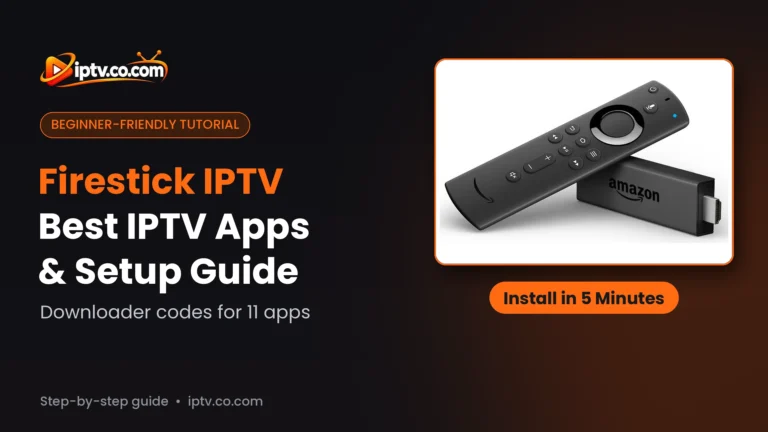
Amazon Firestick
The most popular IPTV device: install any IPTV app with the Downloader code.
- IPTV Smarters
- TiviMate
- IBO Player
- OTT Navigator
Samsung TV
Install IPTV apps from the Samsung Apps store on any Tizen smart TV.
- IBO Player
- SET IPTV
- Smart STB
- Hot Player
LG TV
Install IPTV apps from the LG Content Store on any webOS smart TV.
- IBO Player
- SET IPTV
- SmartOne
- Hot Player

Android TV
Android TV boxes, Nvidia Shield, Sony and Philips TVs: Google Play or APK.
- TiviMate
- IPTV Smarters
- OTT Navigator
- IBO Player
Google TV
Chromecast with Google TV, Google TV Streamer, TCL and Hisense TVs.
- TiviMate
- IPTV Smarters
- Televizo
- IBO Player
iPhone
The best IPTV players from the App Store, no APK needed.
- IPTV Smarters
- IBO Player
- GSE
- Smart STB
iPad
Watch IPTV on any iPad with App Store players and split view.
- IPTV Smarters
- IBO Player
- GSE
- Smart STB
Android Phone
Install IPTV apps from Google Play or the official APK on any Android phone.
- IPTV Smarters
- IBO Player
- SET IPTV
- OTT Navigator
Android Tablet
Android and Amazon Fire tablets: the best IPTV apps and setup.
- IPTV Smarters
- IBO Player
- Televizo
- OTT Navigator

Windows PC
Windows 10 and 11 PCs and laptops: .exe players, Microsoft Store and VLC.
- IPTV Smarters
- IBO Player
- Hot Player
- VLC

Mac (macOS)
MacBook, iMac and Mac mini: IPTV players from the Mac App Store and VLC.
- IPTV Smarters
- IBO Player
- Hot Player
- GSE
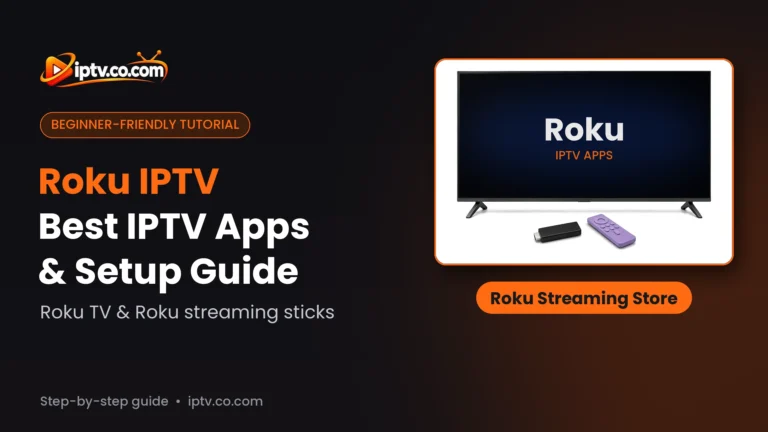
Roku
Which IPTV apps work on Roku, screen mirroring and the best alternative.
- Hot Player
- IBO Player
- Mirroring
Which Device Is Best for IPTV?
For most people, an Amazon Firestick or a Google TV stick is the easiest and cheapest way to watch IPTV: every popular IPTV player installs on it in a few minutes, including TiviMate and IPTV Smarters. Android TV boxes such as the Nvidia Shield are the most powerful. If you have a Samsung or LG smart TV, you can use a built-in app like IBO Player or SET IPTV without any extra device. On Roku, the choice is limited, so many Roku users plug a Firestick into a free HDMI port.
| Device | How you install IPTV apps | Best for |
|---|---|---|
| Amazon Firestick | Downloader code (APK) | Every IPTV app, cheapest option |
| Android TV / Google TV | Google Play or Downloader | TiviMate and the best performance |
| Samsung TV / LG TV | The TV’s own app store | No extra device needed |
| iPhone / iPad / Mac | App Store | Apple users, no APK needed |
| Android phone / tablet | Google Play or APK | Watching on the go |
| Windows PC | .exe installer, Microsoft Store, VLC | Desktops and laptops |
| Roku | Roku Streaming Store (few apps) | Hot Player or screen mirroring |
What You Need to Watch IPTV on Any Device
- An IPTV app: see our IPTV apps guide to choose one.
- A playlist from your IPTV provider: an Xtream Codes login or an M3U URL. See the IPTV playlist guide.
- A stable internet connection: about 15 Mbps for HD and 25 Mbps or more for 4K. A network cable is better than Wi-Fi.
Remember: IPTV apps provide no channels. They only play the playlist from your IPTV subscription.
Frequently Asked Questions
What is the best device for IPTV?
An Amazon Firestick or a Google TV stick is the best value: every popular IPTV app installs on it. Android TV boxes like the Nvidia Shield give the best performance.
Can I watch IPTV on my smart TV without a box?
Yes. Samsung and LG smart TVs have IPTV apps such as IBO Player, SET IPTV and Smart STB in their app stores.
Which IPTV app works on every device?
IBO Player and IPTV Smarters work on most devices, including Firestick, Android, Samsung, LG, iPhone, Windows and Mac.
Can I use one IPTV subscription on several devices?
Yes, if your plan allows that many connections at the same time. Ask your provider how many devices you can use.
Does IPTV work on Roku?
Only a few IPTV players are in the Roku Streaming Store, such as Hot Player. Screen mirroring or a Firestick on another HDMI port are the main alternatives.
Do I need a VPN for IPTV?
Not always. If your internet provider blocks IPTV, use your IPTV provider’s VPN DNS as the server URL or a VPN app on your device.
Explore More IPTV Guides
Browse IPTV Devices
More categories
IPTV Apps
Latest Guides


Televizo IPTV Player Review: Is Televizo Good and Free?

What Is OTT Navigator? OTT Navigator IPTV App Review

What Is GSE Smart IPTV? GSE IPTV Pro App Review