Step-by-step IPTV Smarters Pro and Smarters Player Lite tutorials for Firestick, Smart TV, Android, iPhone, Windows and Mac.
6 guides
Updated November 2026
IPTV Smarters Pro is a 100% free IPTV player for Firestick, Android TV, smart TVs, phones, Windows and Mac. It doesn’t provide any IPTV channels, playlists or subscriptions: you must add your own playlist with Xtream Codes or an M3U URL, and it gives you Live TV with a TV guide, movies and series in one clean app. This page brings together every IPTV Smarters guide on iptv.co.com, from download and installation to activation, EPG and fixing errors.
Fix the IPTV Smarters Failed to authorize error: retype your login, use http:// in the server URL, reset the user, get a new IP or DNS and check your subscription.
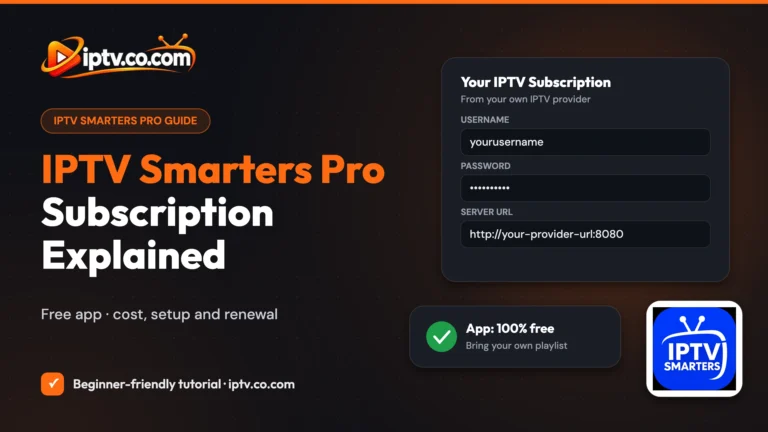
Does IPTV Smarters Pro need a subscription? The app is 100% free: learn what you pay for, how to add your own subscription, check expiry, renew it and choose a safe provider.
IPTV Smarters Pro is a media player app made for IPTV. It doesn’t include any channels: it plays the playlist your IPTV provider gives you. The same app has different names on different platforms:
App name
Devices
Where to get it
IPTV Smarters Pro
Firestick, Android TV, Google TV, Android phones & tablets
Downloader code 5535368 or APK
IPTV Smarters Pro
Samsung and LG Smart TVs
Samsung Apps / LG Content Store
Smarters Player Lite
iPhone, iPad, Apple TV
App Store
IPTV Smarters Player Expert
Mac
Mac App Store
IPTV Smarters Pro for Windows
Windows 10 and 11 PCs
.exe installer
Looking for IPTV Smarters Lite for Windows? On a PC, install IPTV Smarters Pro for Windows with the link below.
IPTV Smarters Pro Download and Downloader Code
Firestick and Android TV: open the Downloader app and enter this code:
5535368
Android phone and tablet: paste this APK link into Chrome:
https://smarters.co.com/apk/iptvsmarterspro.apk
Windows PC: paste this link into your browser to download the installer:
IPTV Smarters “Failed to Authorize”? How to Fix It
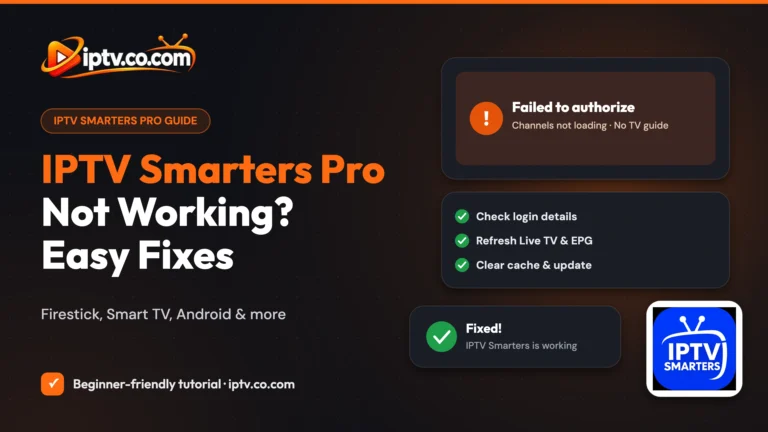
This is the most common IPTV Smarters error. It means the app couldn’t log in to your provider’s server. Work through these checks:
Retype your username and password. They are case-sensitive and must not have spaces at the start or end.
Check the server URL (DNS). Write it with http://, not https://, and include the port if your provider shows one, for example :8080. Don’t add /get.php.
Check that your subscription is active. An expired or unpaid line returns Failed to Authorize.
Close IPTV Smarters on your other devices. Each line allows a set number of connections at the same time.
Remove the user and add it again from List Users, then restart the app.
Still failing? Restart your router to get a new IP address, then ask your provider for the latest DNS (server URL) made for IPTV Smarters and add the user again.
The IPTV Smarters app is a player, so it’s 100% free to download and doesn’t come with channels. To watch, you need a subscription from an IPTV provider that gives you Xtream Codes or an M3U URL. IPTV Smarters itself doesn’t provide or sell any playlists or subscriptions. Always choose a provider that has the rights to the content it offers. Read more in IPTV Smarters Pro subscription explained.
IPTV Smarters on Every Device
IPTV Smarters Pro works on almost every screen. Pick your device for the exact install steps:
IPTV Smarters Pro vs Smarters Player Lite vs IPTV Smarters Plus
Searching the app stores shows several “Smarters” apps, which confuses many beginners:
IPTV Smarters Pro: the main app for Android, Firestick, Android TV, Windows and smart TVs. It supports Xtream Codes, M3U URLs, EPG, catch-up and multi-screen.
Smarters Player Lite: the version on the Apple App Store for iPhone, iPad and Apple TV. It logs in the same way, with Xtream Codes or an M3U URL.
“IPTV Smarters Plus” and other look-alike names: often apps from other developers. Check the developer name in the store before you install, and avoid apps that ask you to pay for channels inside the player.
All of them are only players: none of them include channels. The login steps are the same, see how to activate IPTV Smarters.
Is IPTV Smarters Free, Safe and Legal?
Free: yes, the player itself is free to download. You only pay your IPTV provider for the playlist.
Safe: yes when you install it from the official app store or the official download link. Avoid modified APKs from unknown sites.
Legal: the app is a legal media player, like VLC. What matters is the content you load into it: use a provider that has the rights to the channels it offers.
IPTV Smarters vs TiviMate and Other Alternatives
If IPTV Smarters doesn’t suit you, these players use the same Xtream Codes or M3U login:
TiviMate: a cable-style TV guide for Android TV and Firestick; the best choice if you mostly watch Live TV. Premium features are paid.
IBO Player: a good option for Samsung, LG and Roku, activated with a MAC address.
IPTV Smarters Pro: free, simple and on almost every device, with movies and series in the same app.
Frequently Asked Questions
What is IPTV Smarters Pro?
IPTV Smarters Pro is a 100% free IPTV player app. It doesn't include playlists or subscriptions: you add your own provider's Xtream Codes or M3U URL to watch live TV, movies and series with a TV guide.
Is IPTV Smarters Pro free?
Yes. IPTV Smarters Pro is 100% free. It doesn't provide or sell any IPTV playlists or subscriptions; channels come from your own IPTV provider.
What is the Downloader code for IPTV Smarters Pro?
The Downloader code is 5535368. Enter it in the Downloader app on Firestick or Android TV to download IPTV Smarters Pro.
Why does IPTV Smarters say Failed to Authorize?
The server refused your login: wrong username, password or server URL (use http://, not https://), an expired subscription, or a blocked IP. See our full guide: IPTV Smarters Failed to Authorize, 9 easy fixes.
Is IPTV Smarters safe?
Yes, when you install it from an official app store or the links in our guides. Avoid modified versions from unknown websites.
Is IPTV Smarters legal?
The app is a legal media player. What matters is the content you watch, so use an IPTV provider that has the rights to its channels.
Does IPTV Smarters come with channels?
No. IPTV Smarters is only a player. All channels, movies and series come from your IPTV provider.
Is IPTV Smarters down right now?
The app rarely goes down. If channels stop loading, the problem is usually your provider's server or your internet connection.
Can I get IPTV Smarters on a Samsung or LG TV?
Yes. Search for IPTV Smarters Pro in Samsung Apps or the LG Content Store and select Install.
Is IPTV Smarters available for Windows and Mac?
Yes. Install IPTV Smarters Pro for Windows with the .exe installer, and IPTV Smarters Player Expert from the Mac App Store.
Does IPTV Smarters work on Roku?
No. IPTV Smarters is not available on Roku. Use a Firestick or Google TV device instead.
What is the difference between IPTV Smarters Pro and Smarters Player Lite?
Smarters Player Lite is the version on the Apple App Store for iPhone, iPad and Apple TV. IPTV Smarters Pro is the version for Android, Firestick, Windows and smart TVs. Both log in with Xtream Codes or an M3U URL.
Is IPTV Smarters better than TiviMate?
IPTV Smarters is free and works on more devices, with movies and series built in. TiviMate has a better TV guide for Live TV on Android TV and Firestick, but its premium features are paid.
How do I log in to IPTV Smarters?
Open the app, choose Login with Xtream Codes API and enter the name, username, password and server URL from your provider, or choose Load Your Playlist or File/URL and paste your M3U link.