You can watch IPTV on any Mac, whether it’s a MacBook Air, MacBook Pro, iMac or Mac mini. Most popular IPTV players for Mac are in the Mac App Store: IPTV Smarters, IBO Player, Hot Player and GSE Smart IPTV. And VLC plays an M3U playlist for free. This page compares the best IPTV apps for macOS, shows how to install each one step by step, explains how to set up your playlist, and fixes common Mac IPTV problems. It also clears up a common mix-up: a MAC address in an IPTV app has nothing to do with an Apple Mac.
Best IPTV Players for Mac
These IPTV players have a Mac version. Click a card to open its Mac install guide.
IPTV Smarters
Free player on almost every device, including iPhone, Apple TV, Windows and Mac.
- Firestick
- Android
- Samsung
- LG
- iPhone
- Apple TV
- Windows
- Mac
IBO Player
All-round player for smart TVs, Firestick, phones, Windows and Mac.
- Firestick
- Android
- Samsung
- LG
- iPhone
- Windows
- Mac
- Roku
Hot Player
One of the few IPTV players on Roku, plus Windows and Mac.
- Firestick
- Android
- Samsung
- LG
- Roku
- Windows
- Mac
GSE Smart IPTV
Advanced player for Android devices and Mac.
- Firestick
- Android
- Mac
IPTV Apps for macOS Compared
All of these work on recent versions of macOS. Choose IPTV Smarters or GSE Smart IPTV for an easy Xtream Codes login. Choose IBO Player or Hot Player if your provider activates them for you. Choose VLC to test an M3U link in seconds.
| IPTV player | Where to get it | Cost | Login | How to install |
|---|---|---|---|---|
| IPTV Smarters (Player Expert / Player Lite) | Mac App Store | Free, optional Premium | Xtream Codes, M3U | Guide |
| IBO Player | Mac App Store | Free trial, then activation (often free from your provider) | Device ID + playlist | Guide |
| Hot Player | Mac App Store | Free trial, then activation (often free from your provider) | Device ID + playlist | Guide |
| GSE Smart IPTV Lite | Mac App Store | Free, Pro features paid | Xtream Codes, M3U | Guide |
| VLC media player | Official website | Free | M3U only, no TV guide | Steps below |
BOB Player, TiviMate, SET IPTV, Smart STB, OTT Navigator and Televizo have no Mac version. Macs can’t run Android APKs or Downloader. If your provider recommends BOB Player, use IBO Player: it’s made by the same developer and works the same way.
How to Install IPTV Smarters on Mac
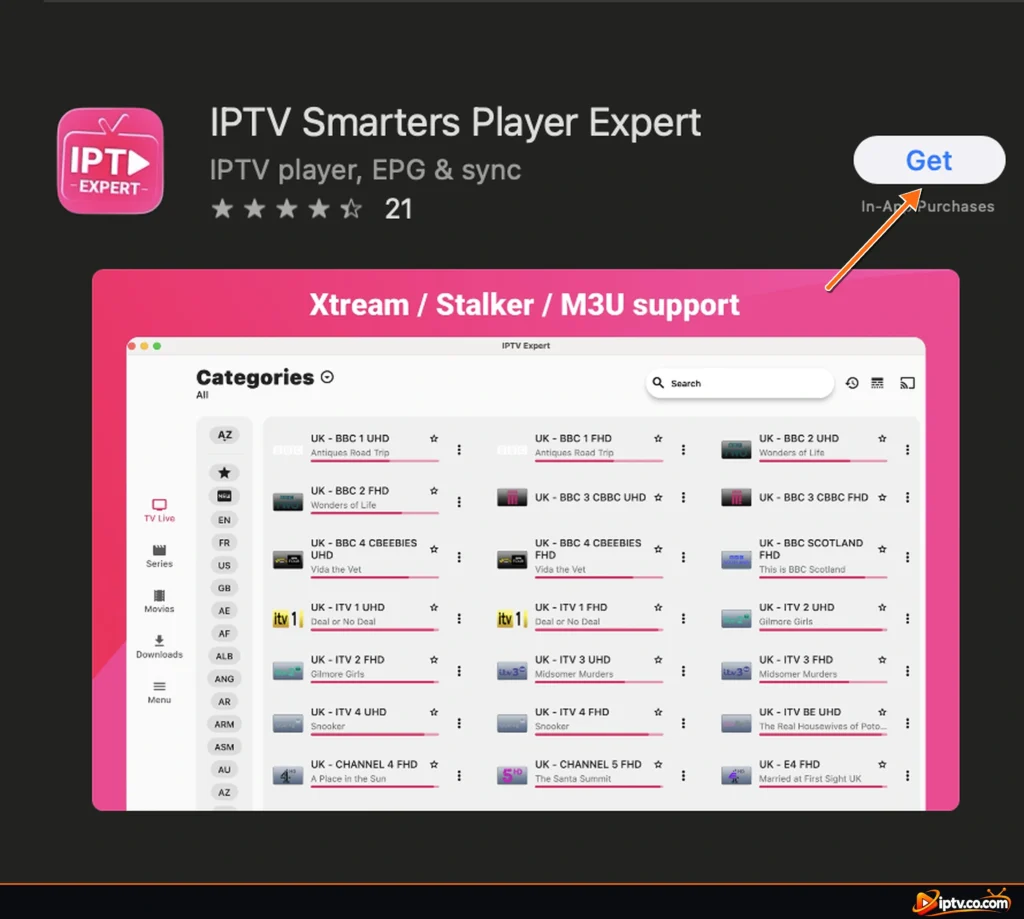
IPTV Smarters Pro has no Mac version under that name. On a Mac, the Smarters app is called IPTV Smarters Player Expert:
- Open the App Store on your Mac.
- Search for IPTV Smarters Player Expert.
- Click Get, then Install, and sign in with your Apple ID if asked.
- Open it from Launchpad or the Applications folder and log in with your Xtream Codes or M3U link.
On Macs with Apple silicon (M1 and newer), you can also install Smarters Player Lite, the same app as on iPad. Full guide: install IPTV Smarters on Mac.
How to Install IBO Player on Mac
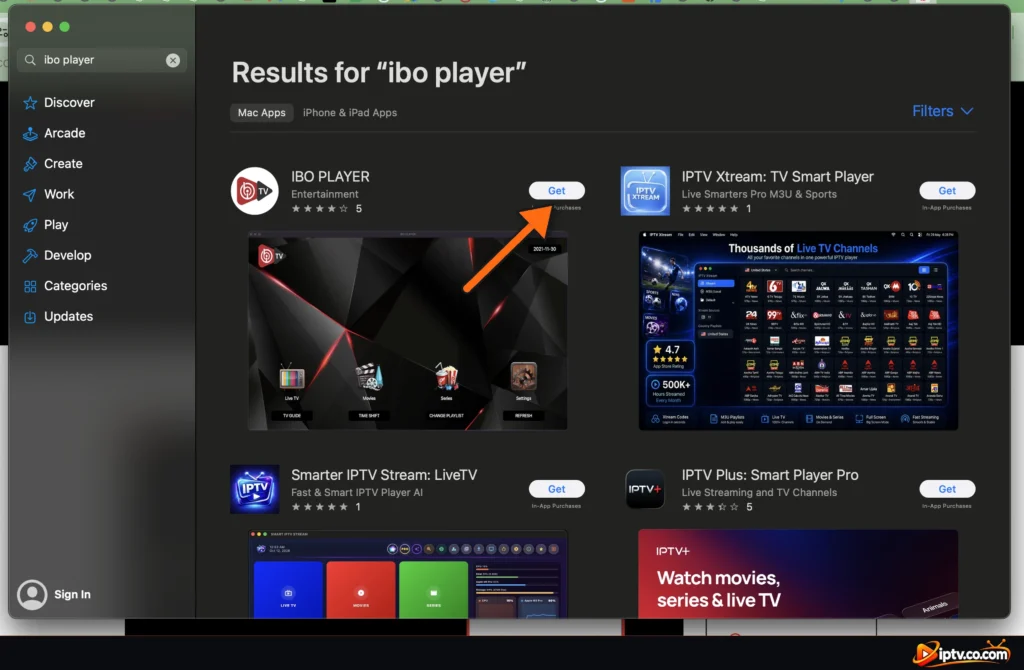
Open the App Store, search for ibo player and click Get next to IBO PLAYER. Open it and note your Device ID and Device Key. Then add your playlist on the IBO Player website and activate IBO Player.
How to Install Hot Player on Mac
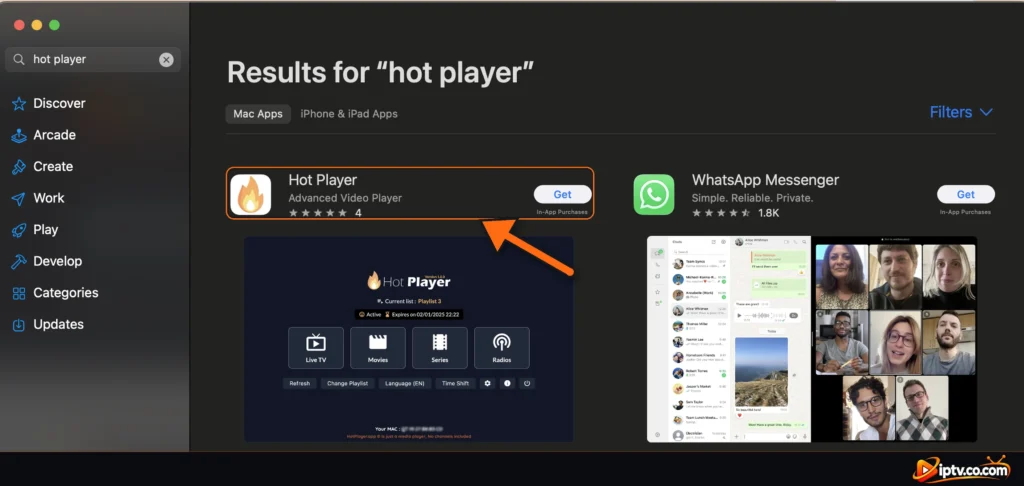
Open the App Store, search for Hot Player (Advanced Video Player) and click Get, then Install. Open it from Launchpad, then follow our Hot Player activation guide.
How to Install GSE Smart IPTV on Mac
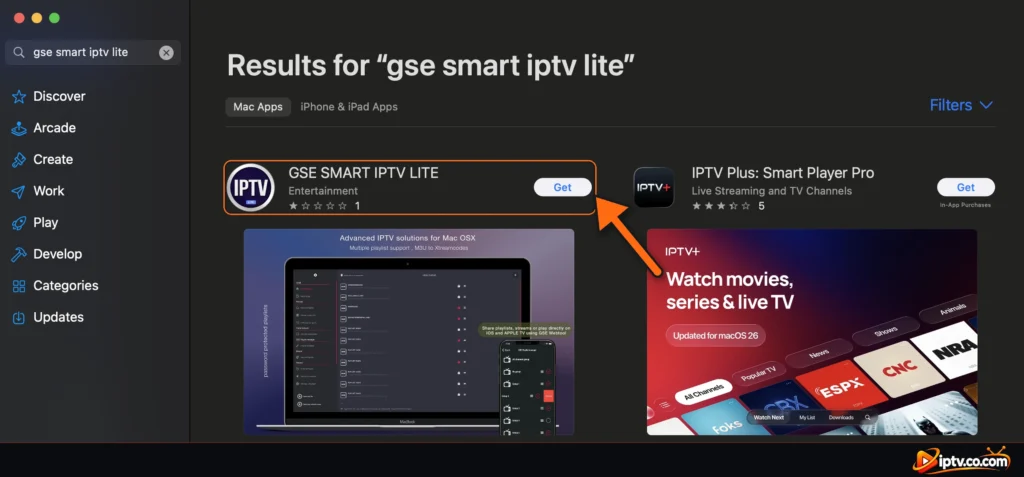
Open the App Store, search for GSE SMART IPTV LITE and click Get, then Install. It supports Xtream Codes and M3U playlists. See install GSE Smart IPTV on Mac and set up GSE Smart IPTV.
How to Watch IPTV on Mac With VLC
VLC is free and plays an M3U playlist directly on macOS:
- Download VLC for Mac from its official website and drag it into Applications.
- Open VLC and click File > Open Network (or press Cmd + N).
- Paste your M3U URL and click Open.
- Open Window > Playlist (Cmd + Shift + P) and double-click a channel.
VLC has no TV guide and no Xtream Codes login, so it is best for testing a link. For daily viewing, use one of the IPTV players above.
How to Set Up IPTV on Mac
An IPTV app has no channels. After installing it, add the login from your IPTV provider:
- Xtream Codes (recommended): a username, password and server URL. Movies, series and the TV guide load better. Don’t have one? See how to get Xtream Codes.
- M3U playlist: one long link. Copy it on your Mac and paste it in the app. See how to get an M3U URL.
IBO Player, BOB Player, Hot Player and SET IPTV show a Device ID (MAC address) and Device Key: you add your playlist on the app’s website, then restart the app. Activation guides: IPTV Smarters, IBO Player, SET IPTV, OTT Navigator.
MAC Address vs Mac: What Is a MAC Address in IPTV?
Many people search “IPTV MAC” and mean the MAC address, not an Apple Mac. In IPTV apps, the MAC address is a code like 00:1A:79:xx:xx:xx. Some apps call it the Device ID. It identifies your app on one device so your provider or the app’s website can link your playlist to it.
- Where to find it: open the app. IBO Player, BOB Player, Hot Player, SET IPTV, SmartOne IPTV and Smart STB show the MAC address or Device ID on the first screen or in Settings.
- How to activate a MAC address: send it to your provider, or add your playlist with it on the app’s website, then pay or get the activation. See IBO Player, SET IPTV, SmartOne IPTV and Smart STB.
- Changing the MAC address: the app creates it for each device, so it changes only when you move to a new device or reinstall on some apps. Ask your provider to move your subscription to the new MAC.
- “MAC address already in use”: each MAC can be linked to one device at a time. Ask your provider to release the old one.
- MAC address or M3U? MAC (portal) login and Xtream Codes or M3U all give you the same channels. Xtream Codes is the easiest and works in the most apps.
Avoid “free IPTV MAC codes” and MAC generators. They are usually stolen or shared accounts that stop working quickly and can put your device at risk.
Best Free IPTV Players for Mac
VLC is completely free. IPTV Smarters Player Expert and GSE Smart IPTV Lite are free to download, with paid extras. IBO Player and Hot Player start with a free trial. After that, they need an activation that many IPTV providers include for free with a 6 or 12-month subscription. The app is free, but it has no channels: you still need an IPTV subscription.
IPTV Not Working on Your Mac? Quick Fixes
- “App can’t be opened”: go to System Settings > Privacy & Security and click Open Anyway. Only do this for apps from trusted developers.
- App not found in the App Store: some apps are only on Macs with Apple silicon (M1 and newer). On an Intel Mac, use VLC or another player from the table.
- Check the URL: most IPTV servers need http://, not https://, and the exact port.
- VLC won’t open the playlist: update VLC, then paste the M3U link again or save it as a .m3u file and open that.
- Buffering: move closer to the router or use an Ethernet adapter.
- VPN: set your provider’s VPN DNS (for example
http://vpn.dream-4k.co) as the server URL.
Full fixes: IPTV Smarters not working, IBO Player not working, GSE Smart IPTV not working. On a PC? See the Windows IPTV guide. Using an iPad too? See the iPad guide.
Frequently Asked Questions
What is the best IPTV player for Mac?
IPTV Smarters Player Expert and GSE Smart IPTV Lite are easy free choices with Xtream Codes login. IBO Player and Hot Player are great if your provider activates them, and VLC is the quickest way to test an M3U link.
Is IPTV Smarters Pro available for Mac?
Not under that name. On a Mac, install IPTV Smarters Player Expert from the Mac App Store. On Apple silicon Macs you can also use Smarters Player Lite.
How do I watch IPTV on my Mac?
Install an IPTV player from the Mac App Store, then log in with the Xtream Codes or M3U link from your IPTV provider. You can also paste the M3U link in VLC.
How do I play IPTV in VLC on a Mac?
Open VLC, click File > Open Network (Cmd + N), paste your M3U URL and click Open. Then open Window > Playlist to see the channels.
Is there a free IPTV player for Mac?
Yes. VLC is free, and IPTV Smarters Player Expert and GSE Smart IPTV Lite are free to download.
Can I use TiviMate or BOB Player on a Mac?
No. They have no Mac version, and Macs can’t run Android apps. For BOB Player, use IBO Player instead: it works the same way.
What is a MAC address in IPTV?
It is a code like 00:1A:79:xx:xx:xx, also called Device ID, that identifies your IPTV app on one device. Your provider or the app website uses it to link your playlist.
How do I find the MAC address for IPTV?
Open your IPTV app: IBO Player, SET IPTV, SmartOne IPTV, Smart STB and similar apps show the MAC address or Device ID on the first screen or in Settings.
Why does it say MAC address already in use?
A MAC address can be linked to one device at a time. Ask your IPTV provider to release the old device or move your subscription to the new MAC.
Why is IPTV not working on my Mac?
Check that the server URL starts with http://, update the app, allow it in Privacy & Security if macOS blocked it, and test the link in VLC.