TiviMate Error Codes: HttpDataSourceException, 458 & Failed to Get Data
Fix every TiviMate error: HttpDataSourceException, Failed to get data from server, error code 458, Parser exception, 401, 403, 404 and 509.

Easy fixes for IPTV apps and devices: login errors, playlist not loading, buffering, EPG, VPN and activation problems.

IPTV not working? Most problems with IPTV apps come from the same few causes: a wrong login or server address, an expired subscription, a playlist that needs reloading, a slow or blocked internet connection, or a device that needs a restart. Remember that IPTV players have no channels of their own: if channels stop, the cause is often your IPTV subscription, not the app. Pick your app below, or jump to the common problem you see.

Fix every TiviMate error: HttpDataSourceException, Failed to get data from server, error code 458, Parser exception, 401, 403, 404 and 509.

Fix the IPTV Smarters Failed to authorize error: retype your login, use http:// in the server URL, reset the user, get a new IP or DNS and check your subscription.
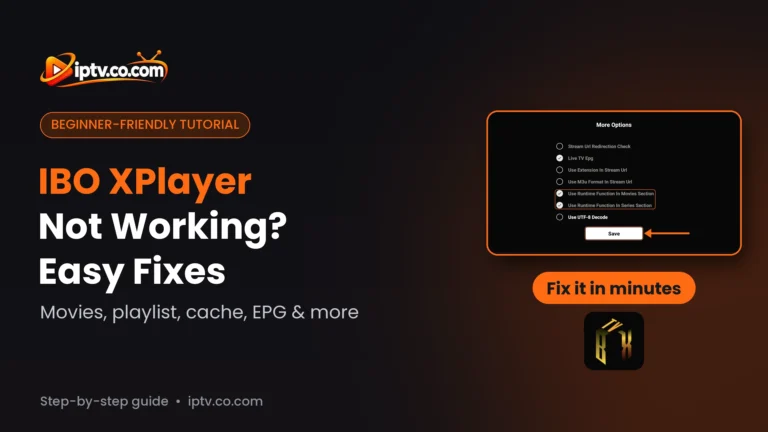
IBO XPlayer not working? Fix movies and series with Use Runtime Function, playlist not loading, clear cache, EPG, buffering and VPN problems step by step.

Televizo not working? Update your playlist, fix M3U “Playlist not found” with Xtream Codes, fix EPG not available, https vs http, buffering and VPN problems step by step.
OTT Navigator not working? Reload your channel list, fix 0 channels and login errors, https vs http, movies and series, EPG, buffering and VPN problems step by step.
GSE Smart IPTV not working? Fix LIVE and VOD showing 0, stuck on loading, movies and series, https vs http, EPG, buffering and VPN problems step by step.

Smart STB not working? Fix Request failed with status code 404, portal not loading, blocked portal, too many bouquets, MAG model, VPN and trial problems step by step.
Hot Player not working? Fix MAC address not associated with any playlist, Refresh, loading, movies and series, expired trial, EPG, buffering and VPN problems.
SET IPTV not working? Fix no playlist found, cannot connect to the server, movies and series, wrong MAC, expired trial, EPG, buffering and VPN problems.

SmartOne IPTV not working? Fix playlists that won’t load, movies and series, wrong MAC, expired trial, EPG, buffering and VPN problems on Samsung, LG and Android TV.
http://yourserver.com:8080), not the full M3U link.Step by step: IPTV Smarters failed to authorize.
Error codes in TiviMate? See TiviMate error codes.
Many IPTV servers block VPN IP addresses. The fix is to replace your server address with your provider’s VPN DNS. It comes with your IPTV login details and always starts with vpn. If your provider didn’t send one, contact them. For example:
http://vpn.dream-4k.co
For an M3U link, replace only the server part: http://vpn.dream-4k.co/get.php?username=YOUR_USERNAME&password=YOUR_PASSWORD&type=m3u_plus&output=ts
Players such as IBO Player, BOB Player, SET IPTV and Hot Player need a yearly or lifetime activation linked to your device’s MAC address. Many IPTV providers activate these players for free with 6- or 12-month plans. Check that the MAC address on the app’s website matches the one shown in the app, then restart the app after activation.
| Device | Quick fix |
|---|---|
| Amazon Firestick | Settings > Applications > Manage Installed Applications > your app > Force stop and Clear cache. Free up storage if it is almost full. |
| Samsung TV & LG TV | Unplug the TV for 1 minute (a cold restart), then open the app again. Still stuck? Delete and reinstall the app from the TV’s app store. |
| Android TV & Google TV | Settings > Apps > your app > Force stop and Clear cache. Update the app in Google Play. |
| Android phone | Settings > Apps > your app > Storage > Clear cache. Switch between Wi-Fi and mobile data to test your connection. |
| iPhone & iPad | Close the app fully and open it again. Still not working? Delete and reinstall it from the App Store. |
| Windows PC & Mac | Restart the app, allow it through your firewall or antivirus, and try a cable connection. |
| Roku | Restart the Roku from Settings > System > Power, then reopen the channel. |
Never post your Xtream Codes, username, password, M3U link or MAC address in comments or support groups. Anyone with them can use your subscription.
The most common causes are a wrong login or server address, an expired subscription, a playlist that needs reloading, a slow or blocked internet connection, or a device that needs a restart.
Use an Ethernet cable, restart your router and device, close other downloads, and report channels that keep freezing to your provider. HD needs about 10 Mbps and 4K about 25 Mbps.
Your username, password or server address is wrong, the server address starts with https instead of http, or your subscription has expired.
The playlist did not load. Reload it in the app settings, check the M3U link, or add the same subscription with Xtream Codes.
Many IPTV servers block VPN IP addresses. Replace the server address with your provider’s VPN DNS, which always starts with vpn.
Update the EPG in the app settings, check your device time zone, and use Xtream Codes, which loads the guide better than M3U.
If only some channels fail, or all channels stop at once on every device, the problem is usually on the provider’s server. IPTV apps have no channels of their own.
Yes, if restarting, clearing the cache and reloading the playlist don’t help. Save your playlist details first so you can add them again.